
Technology and Writing
A Remarkable Opportunity for Writers and Bloggers: My Practical Review of PicSo
I believe this AI image generation tool will be valuable for storytellers and content developers to attract the attention of readers.
Purpose of the Story
Wearing my designer and writer hats this weekend, I made an assessment of a new image development tool to inform and inspire my readers from the content development and marketing community.
I’d like to introduce an interesting and innovative tool to storytellers. It is called PicSo. I tried it and found the tool useful. If you are a writer, blogger, or any type of content developer, I believe you might enjoy creating beautiful images with this tool.
Imagine writing a title and getting an AI app to draw its pictorial representation. It was not possible before, but today PicSo has made it possible through its unique AI algorithms.
Here is my independent review of this valuable tool by asking questions and providing my responses in the following sections to make it a helpful guide for beginners.
What is PicSo?
Have you ever wondered how to turn your words into art?
This was my imagination in my primary school years. But I never attempted to realize it. I wish I had.
The good news is that now there is a tool in the market exactly doing what I imagined in my childhood. So PicSo does the job for us.
PicSo is an online text-to-art generator that uses Artificial Intelligence to create unique works of art based on the text you provide. You can describe what you have in mind and it will interpret it based on its algorithm.
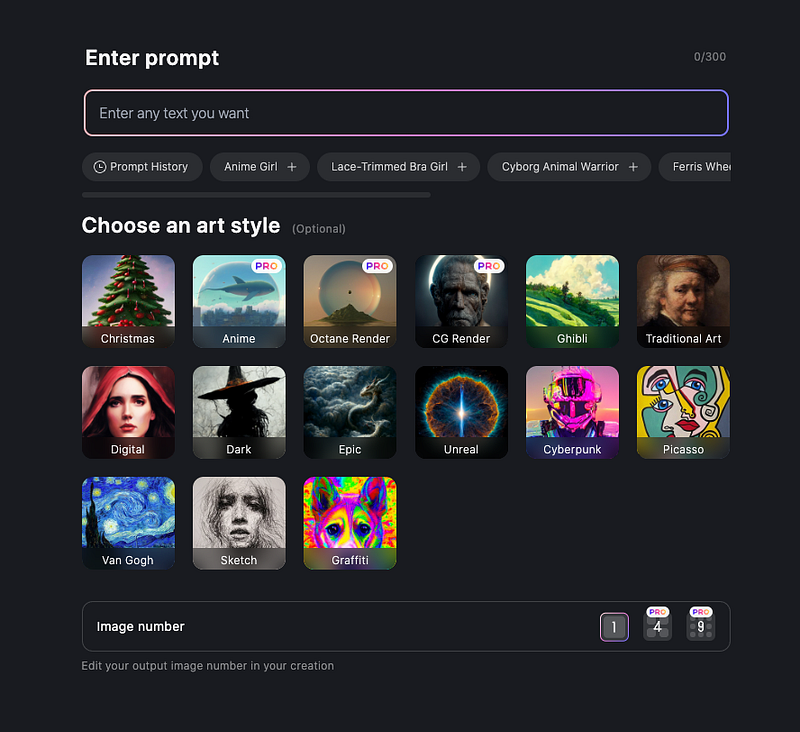
So you just enter your desired text, select a style, and watch as PicSo transform your words into a beautiful piece of art.
Here is the screen capture to achieve to get started.
Who can use PicSo?
Anyone who has access to the Internet can use PicSo. Its use is not limited to people of specific fields or backgrounds. But I looked at it from writers' and bloggers' perspectives.
Furthermore, it is a great art solution for people who work as:
Writers or bloggers who need unique images for their content.
Artists who are looking for inspiration for their work.
Students who are looking for unique content for their assignments.
Graphic designers working on special projects for their clients.
People who are looking for wallpapers for work or home use.
People who are looking to generate AI art and sell them online.
There might be many more use cases that I cannot think of yet.
How to use PicSo?
First, you need to go to https://picso.ai/. Or, on a smartphone, you need to download the app from your respective online store. Here are the instructions:
Open the PicSo website on your browser.
Click on ‘start creating.’
If you already have an account, log in.
If not, you need to sign up for a new account.
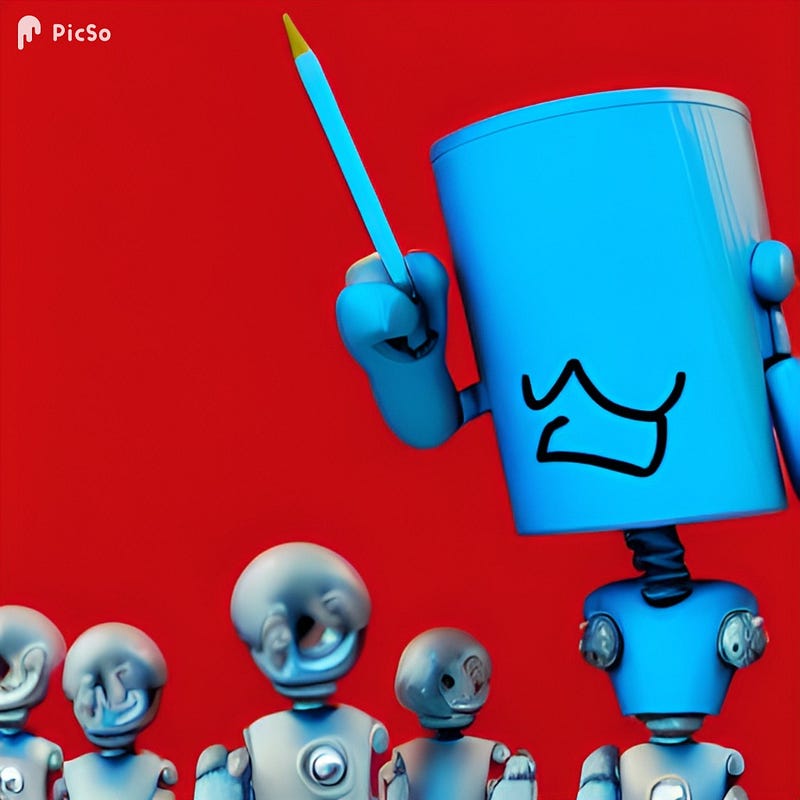
Enter your unique text, such as “A blue robot holding a giant pencil and laughing in front of a red background with a large audience” that I used to create the cover image of this story.
Choose your desired style.
Click on create and publish.
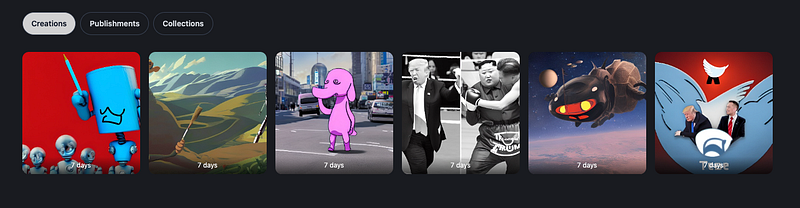
When you create your images, they go to the My Creations Folders. Here is the screen capture of the photos I created this weekend.
Furthermore, PicSo offers many unique types of art generation styles. Each of these styles has its specific features and art output properties. Here is a list of them:
. Van Gogh,
· Sketch.
· Epic.
· Octane Rander.
· Cyberpunk.
· CG Rander.
· Anime.
· Traditional Art.
· Digital.
· Ghibli.
And more.
By the way, PicSo is available on iOS, android, and windows. It is quite easy to use on all platforms, even for beginners like me.
Now, let me share my perspectives on my first assessment of this tool.
Pros and Cons of PicSo
Like any other AI application, PicSo has its pros and cons. I have listed them below based on my reviews and trial of the tool.
1- Pros
It creates a unique output with no artistic skills.
This tool can do hours of work in only a few seconds. So it is great for those who are busy like me.
PicSo lets you use your premium outputs for commercial purposes. For example, you can sell them or use them in any of your art or design projects.
There is no need for a license specifically if you have already bought premium credits.
The premium version is faster than the free version.
It offers unique art concerning your entered words or a combination of words. So you own the copyright of the output.
According to their website, it provides multitasking abilities in the premium version of PicSo. I will investigate this soon.
It offers many styles of art appealing to a broader audience.
2 — Cons
The free version is limited and only for beginners.
So you get limited free credits on the app and must watch ads to get them.
You need to wait longer to process a single request.
You will see a watermark on the free version.
As you may know, you cannot use freely generated art in your commercial projects.
For some reason, they only give 100 credits per month. I don’t know whether they will make it unlimited, as some people might want to generate income through this tool if they invest in the premium version.
Is PicSo free to use for everyone?
The short answer is yes. Anyone can use PicSo for free. However, you will be limited to non-premium art styles and must wait in long queues.
Furthermore, PicSo offers free options:
· Three free times of use a day on the app,
· Extra two times if the user watches ads;
· No free service on the web.
How much does the premium version cost?
My understanding is that 100 premium credits cost $9.99.
PicSo offers you 100 premium credits which include:
· Priority processing.
· Multitasking features.
· Watermark-free outputs.
· Pro styles.
You can pay monthly, or you can choose to pay yearly. So you can save 67% when you pay annually. The yearly package comes with all the premium features at $39.99 per year.
How does PicSo rank on Product Hunt?
As you might know, Product Hunt is a website and online community that helps consumers discover new products and services. The site features a daily hunt of new products voted on by the community.
So I noticed that PicSo got #1 on Day Rank and #2 on Week Rank with 1000+ upvotes and 270 comments.
This community recognition indicates that this platform is recognized by consumer and will grow soon when more writers, bloggers, and designers explore it.
Let Me Share My Weekend Masterpieces!
To give you an idea of the possibilities, I created five images using different statements with distinct keywords.
Image 1
To create this image, I typed “Elon musk riding on Donald Trump’s shoulders with the Twitter icon in the background.” Here is the output.
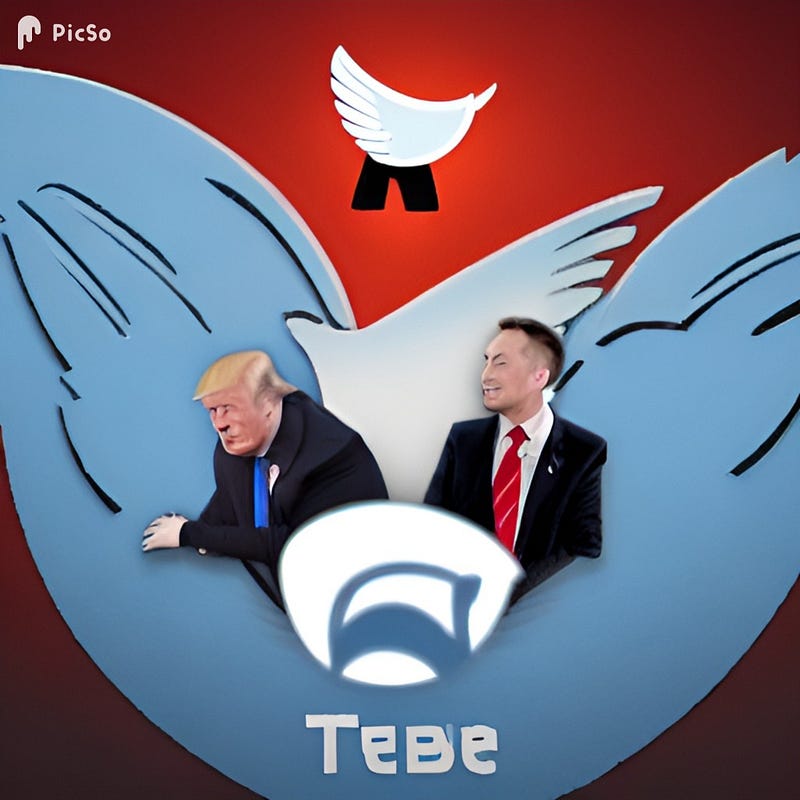
Image 2
To create this image, I typed “Batman riding a giant beetle through space with a monster behind.” Here is the output.
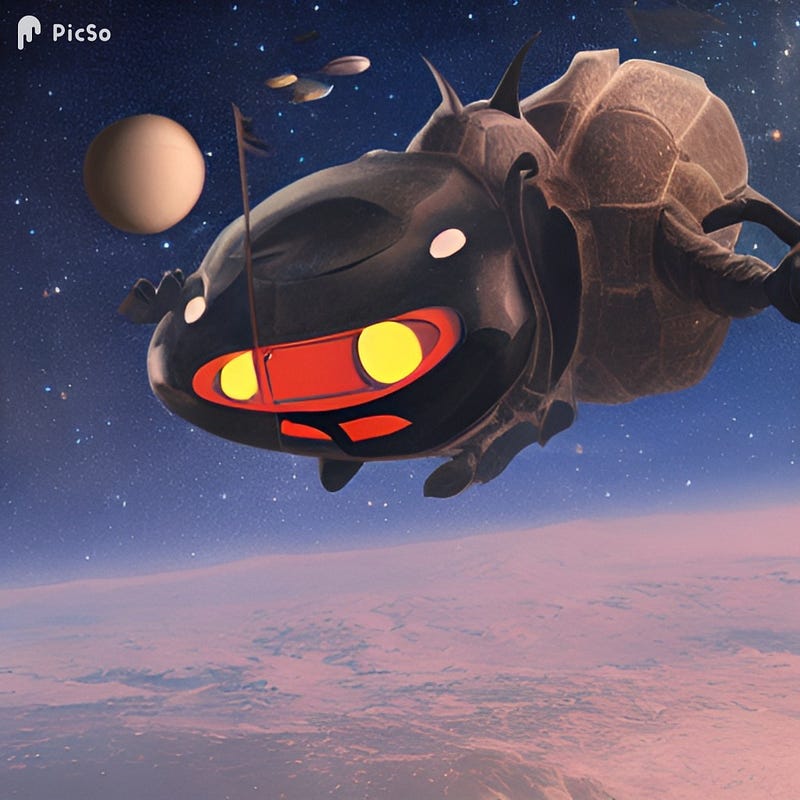
Image 3
To create this image, I typed “Joe Biden fighting Donal Trump in a boxing ring with the referee Kim Jong-un.” But it didn’t seem to find something related to Joe Biden :-) Here is the output.
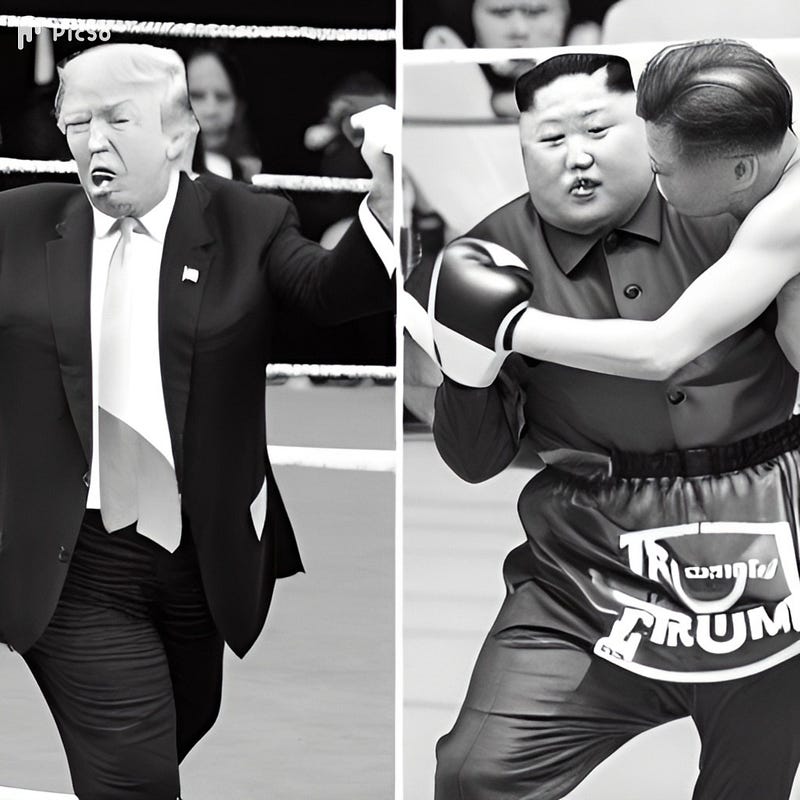
Image 4
To create this image, I typed “An elephant with a pink fedora roaming a street during peak hour traffic.” Here is the output.

Image 5
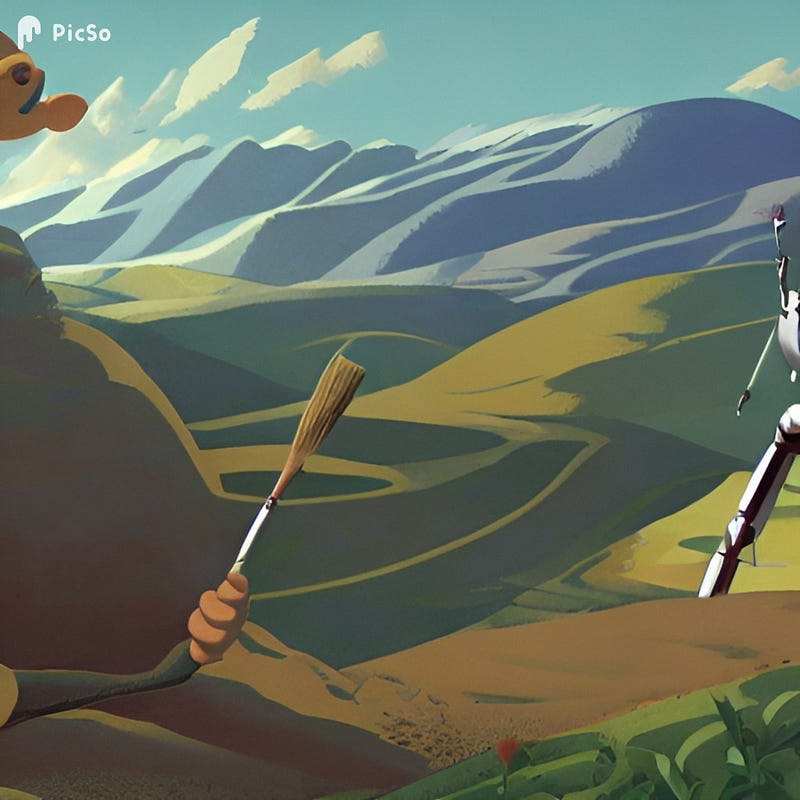
To create this image, I typed “An anthropomorphic robot with a large paintbrush composes an image of a valley.” Here is the output.
Final Words
This tool gave me lots of pleasure as it was my childhood dream. I love technology, especially the power of artificial intelligence to boost and extend human creativity.
So, in the end, I can conclude with sufficient evidence that PicSo is an excellent AI tool for generating creative images that might add value to your stories and blog posts.
Some people might also use this tool to create an additional income stream by selling art to their clients. I don’t know how to do that, but I know some people sell computer-generated art in the market.
At first, this tool may seem like artificial intelligence is trying to replace artists. However, I believe it is the contrary because it can inspire creators.
I hope you enjoy my review of this unique product and give it a try using the trial version of the software. Please let me know your thoughts in the comment section of this article.
I don’t have any affiliation with the company yet, but I am grateful they gave me access to create a free account to make an assessment and create a few images.
If you enjoy my posts, please consider following my profile since I plan to post about exciting gaming-related news and talk about technology, design, and social media in my stories.
With that being said, thank you for reading my post, and have a good one.
Quick Updates on My Publication Duties
I posted a new bulletin for my other publication called Illumination Videos and Podcasts. If you are a YouTuber or Podcaster, you may join my publication. Here is the invitation.
I shared my monthly writing challenge progress and updates from my publications. If you are a writer, you can join the 100-day writing challenge like many other writers and me.
I created my first curated collection for our new publication, ILLUMINATION Videos and Podcasts. I invited YouTubers and podcasters. The collection has interesting videos from talented writers. I hope you will find some valuable stories and videos.
I recently joined Vocal Media as a writer and found it interesting. There is a specific gaming community on Vocal. You might check my findings in the attached story.
Last week, I introduced two writing challenges offered by Vocal Media. They ended, but today I found another great one for poetry writers.
If you are a poet, you might enjoy this one.
If you are new to Vocal Media and would like to join as a member, you might use my referral. It will not cost you extra similar to Medium membership.
On Medium, I recently posted my first curated collection for writers contributing to Illumination Gaming Publication. I hope you find some valuable pieces in this collection. I appreciate your support of these writers.
More importantly, I Attempt to Solve a Problem of the New Writers with a Bit of Humor on YouTube and TikTok.
And I created a new website for the Illumination Gaming publication. Thank you for following my new blog.
If you are new to Medium, you can join by using my referral link. Promise, it won’t cost you extra. You can read my modest posts and the many beautiful stories of every other writer on this platform.
This story includes my Vocal and Medium affiliate links.


