avatarClark

Free AI web copilot to create summaries, insights and extended knowledge, download it at here

5556

Abstract

Xcode, the IDE for developing apps for all Apple Platforms.</p><p id="7fb5">I wonder what it will take for Apple to implement a touch-friendly, magic keyboard-friendly version of Xcode for iPad. I guess it shouldn’t be a challenge as their engineering team is top-notch.</p><h2 id="aa85">Visual Studio Code</h2><p id="291d">Many front-end developers use Visual Studio Code for their web development needs. VSCode is a phenomenal IDE for web developers, and it provides a fantastic user experience with many useful extensions.</p><p id="dbc3">My experience with VSCode was great. It does have a learning curve, but once you master some shortcuts and figure out how extensions work, you can become a much more productive developer.</p><p id="a108">IPadOS lacks IDEs like VSCode, especially since it has built-in git support. VSCode has plenty of great features that would take me an entire article to write about, so I summarize it as Quality User Experience for Development.</p><h2 id="4f61">Android Studio</h2><p id="0a28">Despite my primary job being a tech blogger and my immense interest in the world of Apple, I need to say that I used to be an Android developer. I still follow the news around the world of Android development. The help of newer languages like Kotlin will bring many quality applications to the Android platform.</p><p id="d752">I would love to see the Android Studio IDE on iPad. Most iPads come with USB-C ports, and they are capable of running and debugging applications from iPad to an Android smartphone.</p><figure id="3c8a"><img src="https://cdn-images-1.readmedium.com/v2/resize:fit:800/0*SQTPDhxz0vAeX4FN"><figcaption>Photo by <a href="https://unsplash.com/@markusspiske?utm_source=medium&amp;utm_medium=referral">Markus Spiske</a> on <a href="https://unsplash.com?utm_source=medium&amp;utm_medium=referral">Unsplash</a></figcaption></figure><h1 id="2bfb">System Utilities</h1><p id="726b">In my opinion, utilities are apps integrated deeply with the operating system. The lack of (some) macOS features is quickly revealed when you use macOS and transition into the iPadOS for your work.</p><h2 id="65ed">macOS Finder</h2><p id="7e9f">The current Files app on iPadOS is highly similar to the one on iOS. When Apple talked about the different paths of iPads and iPhones, I got super excited because iPads are fundamentally different devices, even though they share many similarities with iPhones.</p><p id="ef44">Sadly, iPadOS didn’t separate into its own operating system, and many features on this OS were just a bigger copy of iOS. Hence, the Files app.</p><p id="b717">I want a Files app as functional and feature-rich as Mac’s equivalent. It should be touch-friendly and work exceptionally well with the Magic Keyboard. Lastly, it needs to support preview for different file formats.</p><h2 id="7eb7">Specialized Menubar</h2><p id="1182">I think if Apple implements a touch-friendly menu bar, it could potentially bring the iPad one step closer to being a complete computer. But how would they do this without messing up with the touch experience? I think a Mac-like menubar should only appear when the iPad is connected to the Magic Keyboard.</p><p id="6c4f">This solution will persuade more people into buying the accessory, and as a consequence, many developers would build more powerful functionalities for their app.</p><h2 id="9929">Display Mirroring</h2><p id="7abd">Using macOS and connecting your iPad to an external monitor, you get a mirrored view of your iPad with a 3:4 aspect ratio. Most video editors edit their 4K videos with an external display to preview the result and see an extended view of their timeline.</p><p id="7e4a">Currently, you can’t correctly mirror your iPad’s screen onto an external monitor. On iPadOS 16, I hope we receive full external-display support.</p><figure id="1a56"><img src="https://cdn-images-1.readmedium.com/v2/resize:fit:800/0*GEZ4ScLVAhyqAr44"><figcaption>Photo by <a href="https://unsplash.com/@sharadnever?utm_source=medium&amp;utm_medium=referral">Sharad kachhi</a> on <a href="https://unsplash.com?utm_source=medium&amp;utm_medium=referral">Unsplash</a></figcaption></figure><h1 id="5b18">Streaming</h1><p id="0ca5">I’m one of many people who follow Twitch and YouTube streams. They are entertaining and educational. Most streamers I follow on YouTube are those who talk about Apple.</p><h2 id="085d">OBS</h2><p id="a82c">Most streamers are gamers, and many play games on their iPad because of the powerful M1 chip. Many use an external video recorder and connect it to a PC to stream their content.</p><p id="9bfd">With powerful processors such as Apple M1, why can’t we utilize its power and stream directly from the iPad? It should be an easy task for the SoC, yet the OS doesn’t support developers to stream their content from the iPad.</p><p id="c6cb">There are some streaming apps like <a href="https://apps.apple.com/us/app/apowerrec-record-screen/id1336928544">APowerRec</a>, but if you look at the review section of their apps, you realize many users have problems with their apps. Content creators would immensely benefit from an official screen recording API from Apple.</p><p id="c66c">Suppose Apple provides the API for streaming content on your screen. In that case, apps like OBS might arrive on the AppStore, opening new possibilities and a brand new market for many creators and developers.</p><figure id="7268"><img src="https://cdn-images-1.readmedium.com/v2/resize:fit:800/0*Z2M-s5yX-s0Y52np"><figcaption>Photo by <a href="https://unsplash.com/@i

Options

on66574?utm_source=medium&utm_medium=referral">Ion Şipilov</a> on <a href="https://unsplash.com?utm_source=medium&amp;utm_medium=referral">Unsplash</a></figcaption></figure><h1 id="7a71">Design Tools</h1><p id="d043">Last but not least, the foundation of many apps: <b>Design</b>. You will be amazed to see what it takes to research and build an app or a website that meets the standard requirements in user experience design.</p><p id="1e44">Design is a vast field with many branches. It covers topics as small as UX Copy to Interaction Design and topics as extensive as User Research.</p><p id="62bf">For many product designers, a good tool is the difference between saving money while shipping a product to losing money and failing to provide a proper MVP version of an app.</p><h2 id="406b">Figma</h2><p id="e7ea">Figma is one of the best UI/UX design apps for Mac and other platforms, bringing a fantastic set of features for many product designers. Figma works as a standalone app and a web app. Despite running in your browser, it can’t properly function in Safari on iPadOS.</p><p id="7ea9">Some developers have made hacks and workarounds to make an environment where you can technically use Figma on your iPad. Still, their implementations are either buggy or lack a good user experience.</p><p id="c4aa">The best solution is an official Figma release on the AppStore. Moreover, I wouldn’t dislike an iOS release as well.</p><h2 id="59b7">ProtoPie</h2><p id="23d6">One of the essential steps in design is testing your prototype in the hand of users and stakeholders. The feedback you receive from user testing determines your product’s usability and many features it misses.</p><p id="9709">ProtoPie is one of the favorite user testing apps that work on Windows and macOS. It comes with a player for iOS to preview your design on your iPhone and iPad.</p><p id="0e4d">The ProtoPie Studio, the app to build your prototypes, is what many UX designers and I miss from the platform. I think iPads are well capable of meeting the requirements for ProtoPie studio.</p><h2 id="c75e">Zeplin</h2><p id="99c9">Most Front-End developers know about Zeplin. It is an app that allows designers to export their final designs into readable(copy-pastable) code, making it convenient for developers.</p><p id="3331">It helps designers categorize and organize their final designs providing any color pallets or spacing in CSS files ready for developers.</p><p id="f8f9">The existence of Zeplin alongside a design tool like Figma would solve the majority of problems for product designers who own an iPad.</p><p id="aca3">Thank you for reading this story about the iPad. I love writing stories about this device, and I think it could have the potential to change the world.</p><p id="18b4">If you enjoyed reading this story, clap the story. If you have any comments, opinions, and ideas, let me know in the response section.</p><p id="1f78">I would appreciate it if you support me by becoming a Medium member using the link below:</p><div id="7752" class="link-block"> <a href="https://cercinus.medium.com/membership"> <div> <div> <h2>Join Medium with my referral link - Nima Sakhtemani</h2> <div><h3>As a Medium member, a portion of your membership fee goes to writers you read, and you get full access to every story…</h3></div> <div><p>cercinus.medium.com</p></div> </div> <div> <div style="background-image: url(https://miro.readmedium.com/v2/resize:fit:320/0*6aFWxtrIvx_USugl)"></div> </div> </div> </a> </div><p id="b438">Here are more stories you might enjoy reading:</p><div id="e395" class="link-block"> <a href="https://readmedium.com/5-privacy-settings-to-change-on-your-mac-ed253e9a57cb"> <div> <div> <h2>5 Privacy Settings to Change on Your Mac</h2> <div><h3>Better bend than break</h3></div> <div><p>medium.com</p></div> </div> <div> <div style="background-image: url(https://miro.readmedium.com/v2/resize:fit:320/1*OCLpkicGIy-V_quU_4Bc-w.jpeg)"></div> </div> </div> </a> </div><div id="3cb9" class="link-block"> <a href="https://readmedium.com/10-mac-apps-for-december-c23eb8593448"> <div> <div> <h2>10 Mac Apps for December!</h2> <div><h3>Over a year of monthly apps! Here is the last one for December.</h3></div> <div><p>medium.com</p></div> </div> <div> <div style="background-image: url(https://miro.readmedium.com/v2/resize:fit:320/1*_irmlHj4FCdUUOrUeTDX9A.png)"></div> </div> </div> </a> </div><div id="9f59" class="link-block"> <a href="https://readmedium.com/21-mac-apps-that-collect-zero-data-a4250a602550"> <div> <div> <h2>21 Mac Apps That Collect Zero Data</h2> <div><h3>You deserve privacy, so does your Mac apps, here are 21 of them.</h3></div> <div><p>medium.com</p></div> </div> <div> <div style="background-image: url(https://miro.readmedium.com/v2/resize:fit:320/1*2l3vs7dFOFxLdOMzlSr-HQ.jpeg)"></div> </div> </div> </a> </div></article></body>

5 Type of Apps iPad Needs to Succeed
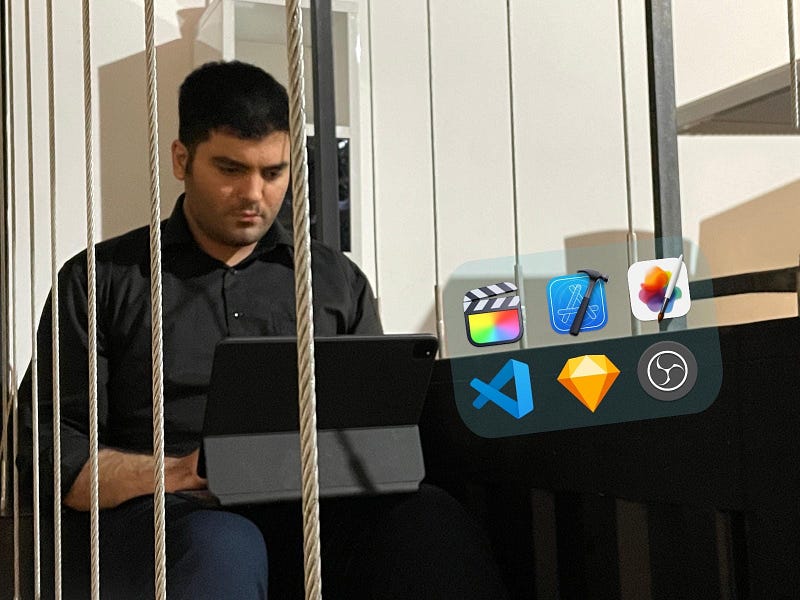
Image Credits Author

Professional Apps is what the iPad ecosystem misses from the competition, especially when comparing them to Mac. The iPad has so much potential to become the primary device for portable computing.

If you admire a product, one of the best ways to improve it is by criticizing what you think is missing. My stories might sound like criticism, but they all come from a place of admiration.

In my previous story, I wrote an analysis, a review of how iPad could fail if Apple doesn’t change the platform, which you can read from the link below.

In this story, I will explain five categories of apps the iPad needs to attract more customers with the hopes of seeing the progress of tablets.
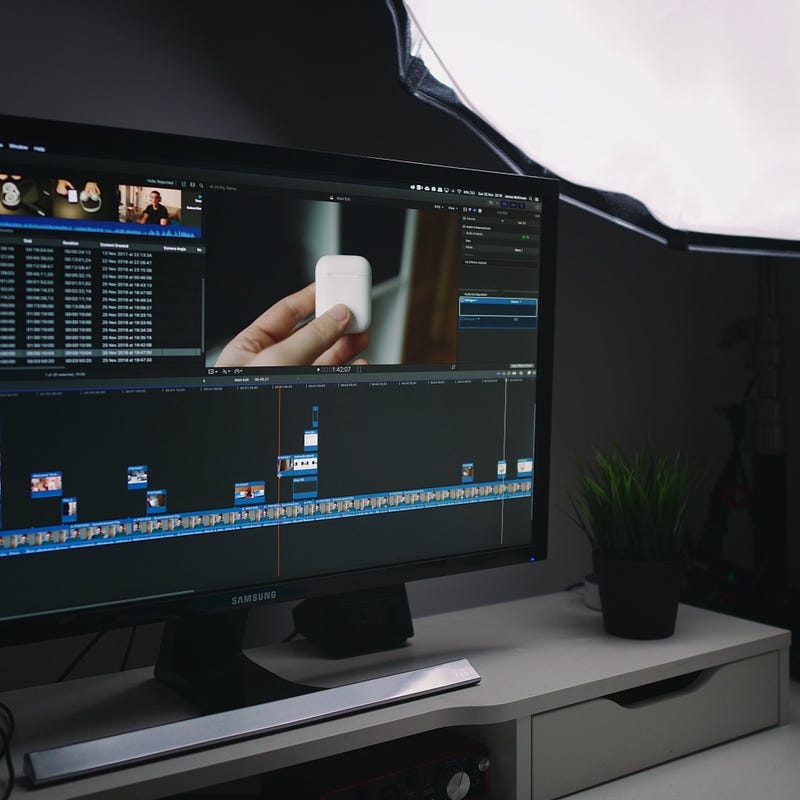
Photo by James McKinven on Unsplash

Content Creation

If you watch YouTube channels that focus on Apple devices, some of the most successful ones talk about their frustrations with iPadOS not supporting professional apps.

Many tech YouTubers discuss why they can’t replace iPads as their primary computer. They are right because few (professional) video editing apps exist on the AppStore.

Final Cut Pro

Despite the presence of a professional video editing app on the iPad, many creators who use Final Cut Pro on their Mac prefer having the same app on their iPad. I don’t blame them because Final Cut Pro works really well on Mac. It is insanely optimized.

If Apple brings the Final Cut Pro to the iPads, many creators will use iPads as their primary computer for video editing needs.

Blender

Imagine a combination of Apple Pencil + MagicKeyboard + iPad Pro working together to create an animation, a piece of art that is easy to export and helps creators connect with more followers.

The existence of apps like Autodesk Maya, Adobe After Effect, and Blender would be transformative for many artists who like to try iPad for their 3D Modeling needs.

Pixelmator Pro

People have asked for an iPad version of Adobe Photoshop, and Adobe did implement one, yet, it is not a full version of Photoshop. Working with it feels like a typical photo editing app that doesn’t support many features from the desktop version. Also, paying a subscription for the creative cloud is annoying.

On macOS, the Pixelmator team came up with Pixelmator Pro. You get access to a fantastic photo editing app with many features as Adobe Photoshop with a one-time payment. Moreover, it has a much better user experience than any Adobe product I have ever seen.

On iPadOS, the same team has developed two apps: 1. Pixelmator and 2. Pixelmator Photo. Both of these apps feel like a limited version of Pixelmator Pro, and despite their intuitive design, I still think the iPad does not have a good professional photo editing app.

Let’s hope for a Pixelmator Pro on iPad. The platform deserves such apps with full support for the Magic Keyboard and Apple Pencil.

Photo by Taras Shypka on Unsplash

Software Development

If it weren’t for the fantastic community of indie developers on Twitter, I wouldn’t be able to curate the list of new apps for iOS in my Medium blog. I love how developers communicate with their users. Instead of cluttering their apps with unwanted features, they aim to bring only the most valuable features.

Xcode

Many iOS developers I know own a Mac and an iPad. Some own iPad Pros with Magic Keyboard and Apple Pencil. One of the things I hear a lot from their community is how awesome it would be if they could build apps directly using their iPad.

Granted, Apple made Swift Playground which is phenomenal and a significant first step, but it lacks many features from Xcode, the IDE for developing apps for all Apple Platforms.

I wonder what it will take for Apple to implement a touch-friendly, magic keyboard-friendly version of Xcode for iPad. I guess it shouldn’t be a challenge as their engineering team is top-notch.

Visual Studio Code

Many front-end developers use Visual Studio Code for their web development needs. VSCode is a phenomenal IDE for web developers, and it provides a fantastic user experience with many useful extensions.

My experience with VSCode was great. It does have a learning curve, but once you master some shortcuts and figure out how extensions work, you can become a much more productive developer.

IPadOS lacks IDEs like VSCode, especially since it has built-in git support. VSCode has plenty of great features that would take me an entire article to write about, so I summarize it as Quality User Experience for Development.

Android Studio

Despite my primary job being a tech blogger and my immense interest in the world of Apple, I need to say that I used to be an Android developer. I still follow the news around the world of Android development. The help of newer languages like Kotlin will bring many quality applications to the Android platform.

I would love to see the Android Studio IDE on iPad. Most iPads come with USB-C ports, and they are capable of running and debugging applications from iPad to an Android smartphone.
Photo by Markus Spiske on Unsplash

System Utilities

In my opinion, utilities are apps integrated deeply with the operating system. The lack of (some) macOS features is quickly revealed when you use macOS and transition into the iPadOS for your work.

macOS Finder

The current Files app on iPadOS is highly similar to the one on iOS. When Apple talked about the different paths of iPads and iPhones, I got super excited because iPads are fundamentally different devices, even though they share many similarities with iPhones.

Sadly, iPadOS didn’t separate into its own operating system, and many features on this OS were just a bigger copy of iOS. Hence, the Files app.

I want a Files app as functional and feature-rich as Mac’s equivalent. It should be touch-friendly and work exceptionally well with the Magic Keyboard. Lastly, it needs to support preview for different file formats.

Specialized Menubar

I think if Apple implements a touch-friendly menu bar, it could potentially bring the iPad one step closer to being a complete computer. But how would they do this without messing up with the touch experience? I think a Mac-like menubar should only appear when the iPad is connected to the Magic Keyboard.

This solution will persuade more people into buying the accessory, and as a consequence, many developers would build more powerful functionalities for their app.

Display Mirroring

Using macOS and connecting your iPad to an external monitor, you get a mirrored view of your iPad with a 3:4 aspect ratio. Most video editors edit their 4K videos with an external display to preview the result and see an extended view of their timeline.

Currently, you can’t correctly mirror your iPad’s screen onto an external monitor. On iPadOS 16, I hope we receive full external-display support.
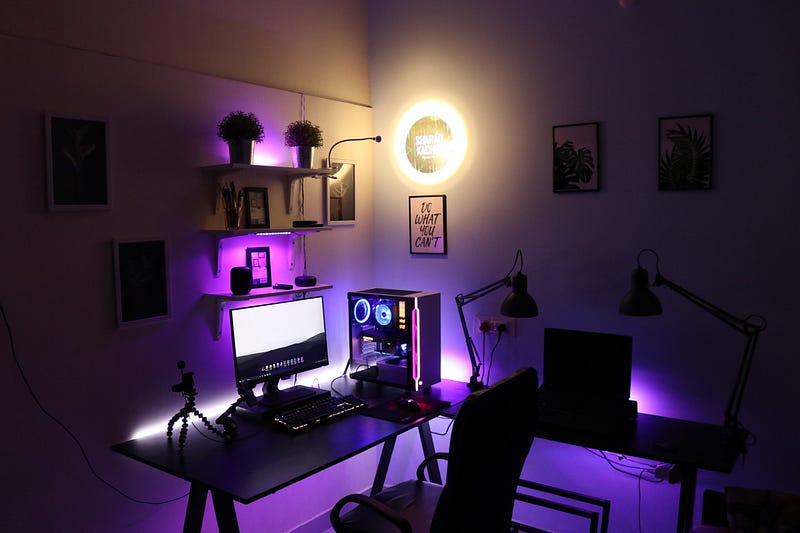
Photo by Sharad kachhi on Unsplash

Streaming

I’m one of many people who follow Twitch and YouTube streams. They are entertaining and educational. Most streamers I follow on YouTube are those who talk about Apple.

OBS

Most streamers are gamers, and many play games on their iPad because of the powerful M1 chip. Many use an external video recorder and connect it to a PC to stream their content.

With powerful processors such as Apple M1, why can’t we utilize its power and stream directly from the iPad? It should be an easy task for the SoC, yet the OS doesn’t support developers to stream their content from the iPad.

There are some streaming apps like APowerRec, but if you look at the review section of their apps, you realize many users have problems with their apps. Content creators would immensely benefit from an official screen recording API from Apple.

Suppose Apple provides the API for streaming content on your screen. In that case, apps like OBS might arrive on the AppStore, opening new possibilities and a brand new market for many creators and developers.
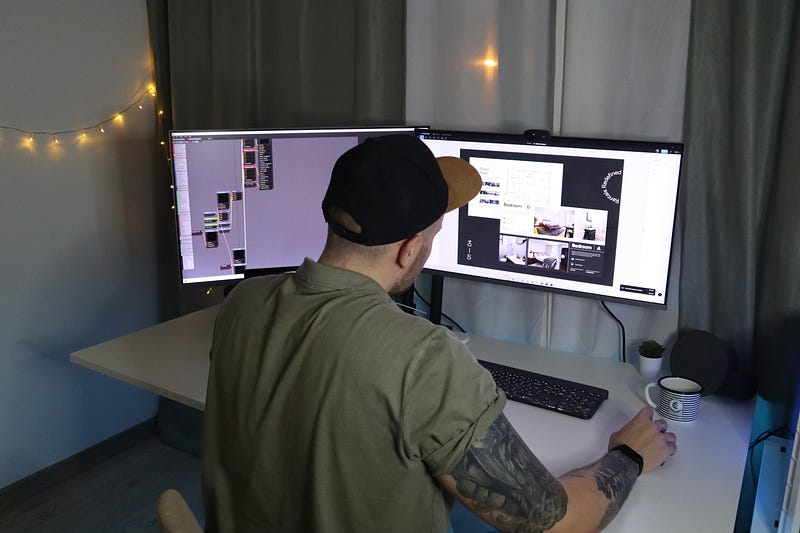
Photo by Ion Şipilov on Unsplash

Design Tools

Last but not least, the foundation of many apps: Design. You will be amazed to see what it takes to research and build an app or a website that meets the standard requirements in user experience design.

Design is a vast field with many branches. It covers topics as small as UX Copy to Interaction Design and topics as extensive as User Research.

For many product designers, a good tool is the difference between saving money while shipping a product to losing money and failing to provide a proper MVP version of an app.

Figma

Figma is one of the best UI/UX design apps for Mac and other platforms, bringing a fantastic set of features for many product designers. Figma works as a standalone app and a web app. Despite running in your browser, it can’t properly function in Safari on iPadOS.

Some developers have made hacks and workarounds to make an environment where you can technically use Figma on your iPad. Still, their implementations are either buggy or lack a good user experience.

The best solution is an official Figma release on the AppStore. Moreover, I wouldn’t dislike an iOS release as well.

ProtoPie

One of the essential steps in design is testing your prototype in the hand of users and stakeholders. The feedback you receive from user testing determines your product’s usability and many features it misses.

ProtoPie is one of the favorite user testing apps that work on Windows and macOS. It comes with a player for iOS to preview your design on your iPhone and iPad.

The ProtoPie Studio, the app to build your prototypes, is what many UX designers and I miss from the platform. I think iPads are well capable of meeting the requirements for ProtoPie studio.

Zeplin

Most Front-End developers know about Zeplin. It is an app that allows designers to export their final designs into readable(copy-pastable) code, making it convenient for developers.

It helps designers categorize and organize their final designs providing any color pallets or spacing in CSS files ready for developers.

The existence of Zeplin alongside a design tool like Figma would solve the majority of problems for product designers who own an iPad.

Thank you for reading this story about the iPad. I love writing stories about this device, and I think it could have the potential to change the world.

If you enjoyed reading this story, clap the story. If you have any comments, opinions, and ideas, let me know in the response section.

I would appreciate it if you support me by becoming a Medium member using the link below:

Here are more stories you might enjoy reading:

Apple
iPad
Tech
Technology
Review
Recommended from ReadMedium