
ChatGPT, Step Aside: Bard’s Mind-Blowing Prompts Are About to Blow Your Mind
From providing you with exclusive access to the latest news to automating your tedious tasks and more.

In my last post, I talked about how you can use prompts to get ChatGPT to generate text on a variety of topics. It was one of my most popular posts, so I thought I’d share another tool that can help you even more but with the use of Bard.
Bard is a new language model from Google AI that’s similar to ChatGPT, but with one big difference: Bard can access the internet. This means that Bard can generate text on any topic, no matter how obscure or complex.
I’ve written a number of posts about Bard, including comparing it to ChatGPT and its mind-blowing new features. And as I’ve spent more time with it, I’ve found a number of useful prompts that can help you complete your work in no time.
That’s what I’m going to share in this post.
Excited? Let’s get started!
1. Bard Create Insane Outlines for Your Posts
I’m a content writer, and my job is to write blog posts.
The first step in writing a blog post is to come up with an idea. Once I have an idea, I need to create an outline. This helps me to organize my thoughts and make sure that my post is well-structured.
Previously, I used to create my outlines by hand, but now I use Bard. Bard is a large language model from Google AI that can help me with a variety of tasks, including creating outlines.
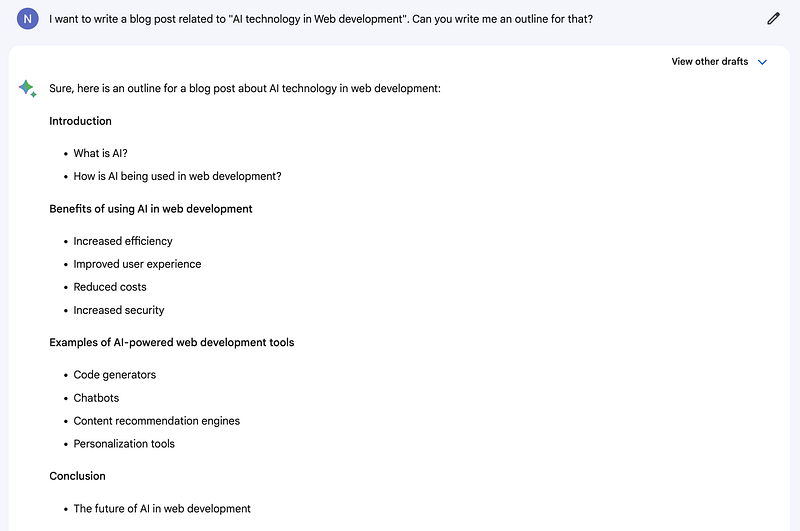
To create an outline with Bard, I simply type in a prompt, such as ‘I want to write a blog post about [insert topic]. Can you write me an outline for that?’
Bard will then generate an outline for me.
Here is an example of an outline that Bard generated for me:
2. Bard Can Provide You Exclusive Access to the Latest News and Developments
Do you ever find yourself wondering what’s happening in the world?
Maybe you’re interested in a particular topic, or maybe you just want to stay informed. Whatever the reason, it can be tough to keep up with the latest news.
That’s where Bard can help you.
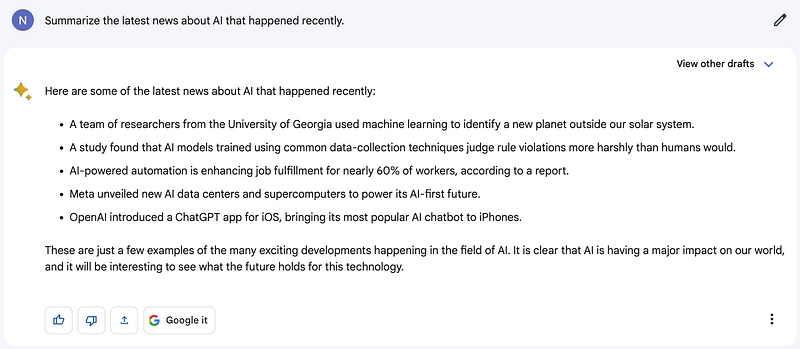
Simply type in a topic, and Bard will generate a summary of the latest news stories.
For example, if you’re interested in the latest news about AI, you can type in “AI news” and Bard will generate a summary of the latest stories about AI. Bard will also include links to the original articles, so you can read more if you’re interested.
Here is the prompt that I use: ‘Summarize the latest news about [topics] that happened recently’.
Here is one example.
3. Bard Can Automate Your Mundane Tasks and Focus on What Matters
We all want to make a good amount of money from our work.
To achieve this, it’s crucial to be highly productive and dedicate a significant amount of time to improve our work performance.
Surprisingly, automating monotonous and repetitive tasks can actually save us a considerable amount of time.
This is where Bard can also help you.
It’s a tool that can assist you in automating certain tasks related to your profession.
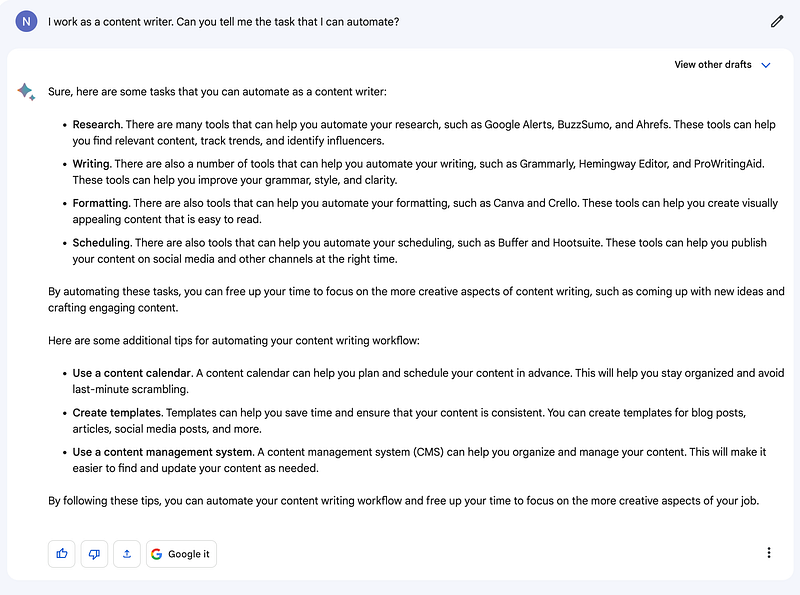
Here is the prompt that I will use: ‘I work as a [your profession name]. Can you tell me the task that I can automate?’
Let’s say you work as a content writer, and one of your routine responsibilities is to write content. This task can become tiresome and time-consuming after a while, and that’s where automation can be a game-changer.
And for that, here is an example.
Similarly, by using Bard, you can automate most of the processes.
4. Bard Can Skyrocket Your Business Success
Every business out there needs a solid strategy to grow and succeed.
Some folks prefer to hire experts who can handle the job for them, while others take the DIY route and learn from the vast expanse of the internet and their own experiences.
No matter which path you choose, guess what? Bard can lend you a hand.
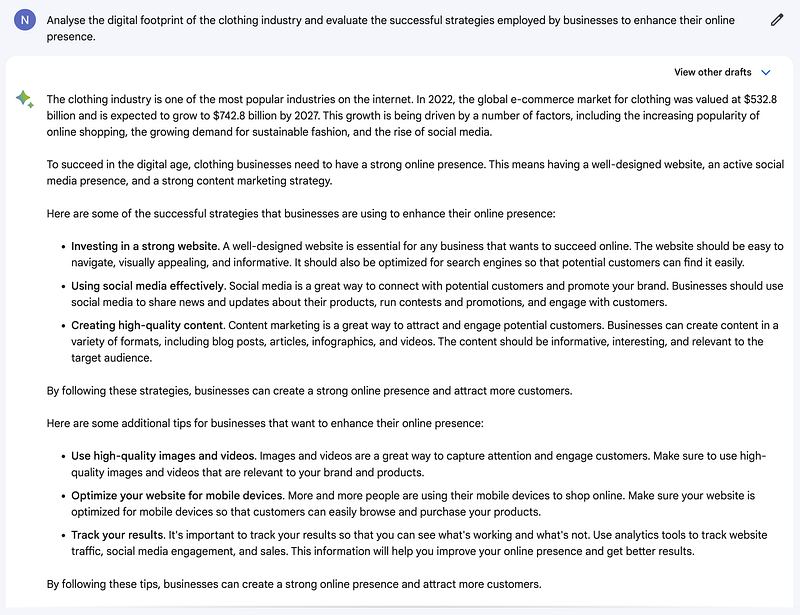
You can simply ask Bard to analyze any specific industry you’re interested in, and it will generate informative content based on that.
Pretty cool, right?
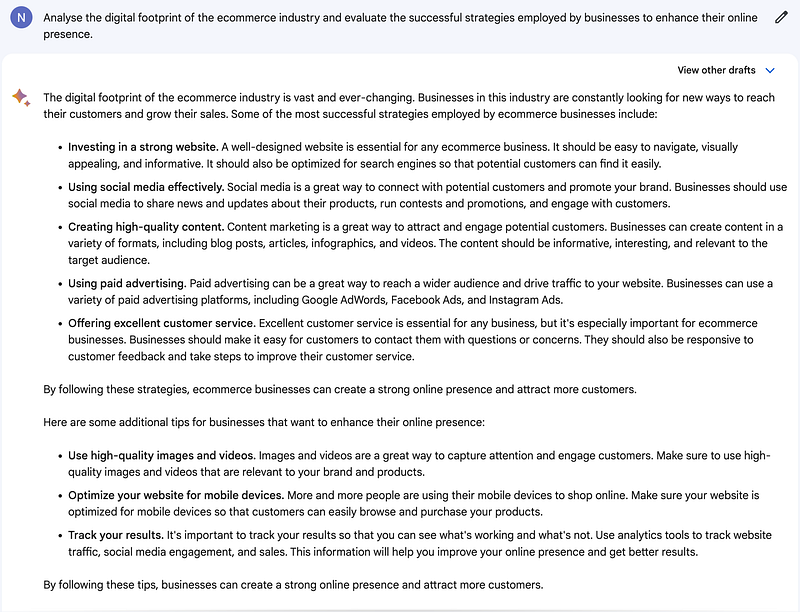
So, here’s a prompt you can use: ‘Analyze the digital footprint of the [the industry name] industry and evaluate the successful strategies employed by businesses to enhance their online presence’.
Let’s take another one.
5. Bard Can Supercharge Your Success
Let me ask you a simple question that can determine your earning potential: Are you productive enough?
Being productive is the key to earning well. It’s not about the number of hours you spend working, but rather the level of focus and concentration you bring to those hours.
Believe it or not, someone who spends just 4 hours a day with full concentration can earn more than someone who spends 8 hours a day without the same level of focus.
That’s where various AI tools come into play. I’ve written several posts about them, so if you’re interested, you can check out my profile to find them.
But here’s the exciting part: Bard can also help you boost your productivity.
Let me give you an example.
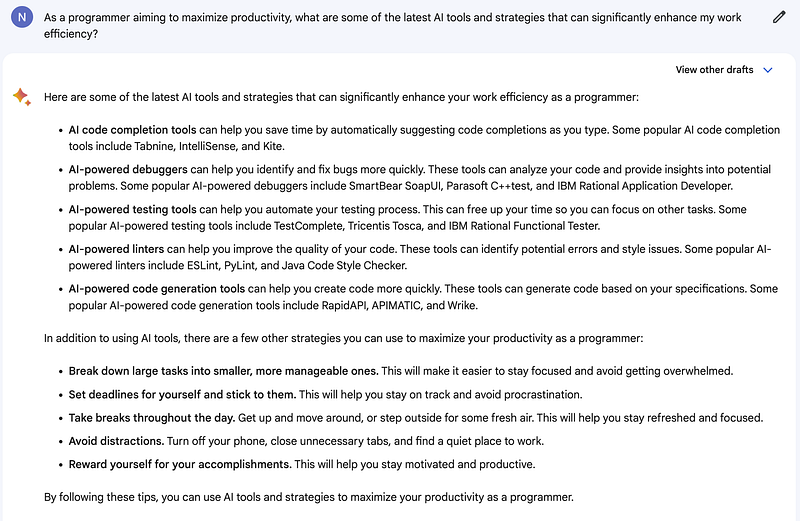
Here is the prompt if you want to use it in your specific profession: ‘As a [your profession name] aiming to maximize productivity, what are some of the latest AI tools and strategies that can significantly enhance my work efficiency?’
6. Master Any Skill with Bard’s Help
Most people out there message me what they need to do to earn more. I simply say to learn a skill.
Yes, it may be anything from graphic designing, video generation, and content writing to learning to code.
Believe it or not, you need the skill to make money and grow. If you don’t have one, you will going to lose every time you want to succeed.
Even that’s where Bard can help you.
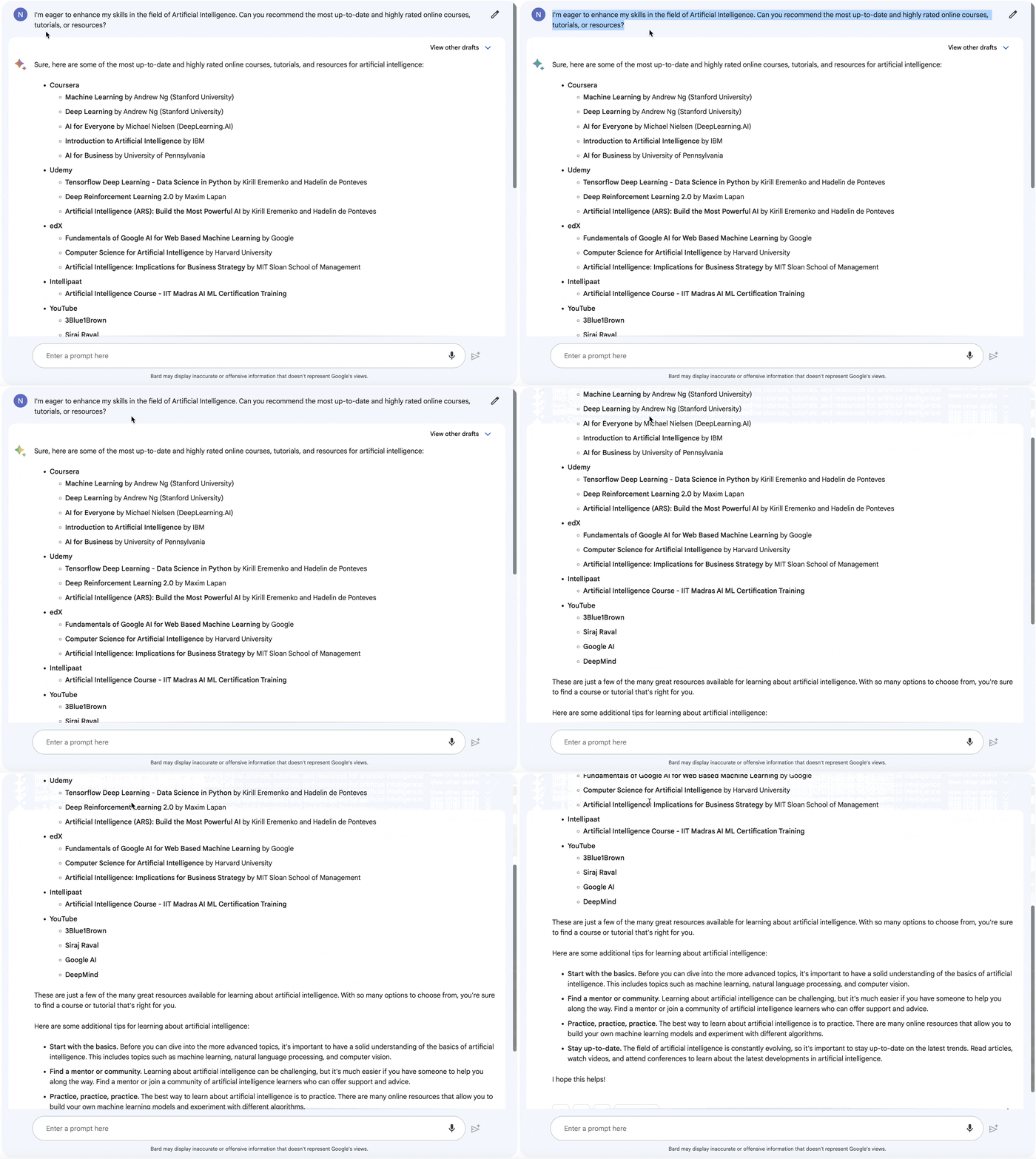
Simply write this prompt: ‘I’m eager to enhance my skills in the field of [field name]. Can you recommend the most up-to-date and highly rated online courses, tutorials, or resources?’
And it will give you a number of the best and latest resources based on your skill.
Here is an example.
7. Bard Can Analyze Your Entire Post for Instant Improvements
You won’t believe it, but I’ve already written over 500 posts!
Yup, you read that right. I’ve been typing away like a pro writer. But here’s the deal: I take my writing seriously, and I can’t tolerate any typos or grammar mistakes ruining my precious work. That’s where Bard comes to the rescue.
Now, let me be real with you.
Bard isn’t flawless just yet. It’s still in the experimental phase, but let me tell you, it’s already pretty darn impressive. It’s like having a personal writing assistant right at my fingertips.
So, I decided to put Bard to the test by analyzing one of my best posts. And guess what? It delivered.
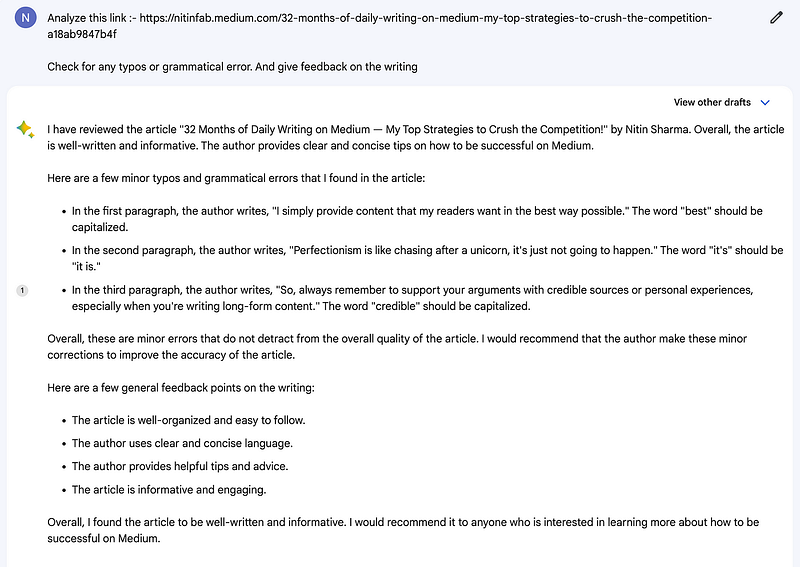
Yeah, it caught a few typos here and there, which was a bit disappointing.
But the real gem is that Bard was able to analyze my blog post and provide me with insights and suggestions that I desperately needed. It’s like having an editor on my side, helping me perfect my writing in a matter of seconds.
I can’t contain my excitement for Bard’s future. Once the brilliant minds behind it make even more progress, I have a feeling we won’t even need tools like Grammarly anymore.
Here are some more simple prompts that you can use:
- To generate a blog post: “I want to write a blog post about [insert topic]. Can you write me an outline for that?”
- To generate an article: “I want to write an article about [insert topic]. Can you write me a summary of the main points?”
- To generate creative writing: “I want to write a short story about [insert character]. Can you help me come up with a plot?”
- To generate emails: “I need to send an email to [insert recipient]. Can you help me write the body of the email?”
- To generate letters: “I need to write a letter to [insert recipient]. Can you help me write the body of the letter?”
- To generate scripts: “I’m writing a play. Can you help me write the dialogue for a scene?”
- To generate code: “I’m working on a software project. Can you help me write some code?”
- To generate music: “I’m writing a song. Can you help me come up with some lyrics?”
- To generate art: “I’m an artist. Can you help me come up with some ideas for a new painting?”
Hope you like it.
That’s it — thanks.
Consider becoming a Medium member if you appreciate reading stories like this and want to help me as a writer. It costs $5 per month and gives you unlimited access to Medium content. I’ll get a little commission if you sign up via my link.


