avatarBenjamin Lau

Free AI web copilot to create summaries, insights and extended knowledge, download it at here

2324

Abstract

e-server-windows-3dd2446ede64"> <div> <div> <h2>How to Set up Local File Server in your Home Server (Windows)</h2> <div><h3>A file server is simply local storage that you can access remotely across multiple platforms.</h3></div> <div><p>medium.com</p></div> </div> <div> <div style="background-image: url(https://miro.readmedium.com/v2/resize:fit:320/0*9ECooCCJgSViqtSL)"></div> </div> </div> </a> </div><h2 id="8fbd">2. Website Hosting</h2><p id="3d62">I am also using my home server to host my finance web application. Even though hosting a website is rather inexpensive nowadays, my finance web app is not really for the eyes of anyone other than myself. The app contains my finance and personal information so privacy is my topmost concern. Not expecting thousands of web traffic and with the privacy of local storage, hosting it on my home server makes a lot of sense.</p><p id="a76a">You will be able to host a normal website if you want to. Remember, a server is just a computing device, no different from a server hosting this website now.</p><h2 id="348a">3. Game Streaming</h2><p id="bdea">One of the most exciting uses of my home server is to stream games remotely. Games require high processing power that might not be available in your portable everyday devices. However, setting up a game streaming service on your server allows you to tap on the server hardware for your power-intensive games.</p><figure id="068e"><img src="https://cdn-images-1.readmedium.com/v2/resize:fit:800/1*3IuTUZuZueNlzUxbTC-iqw.jpeg"><figcaption>SteamLink on Ipad</figcaption></figure><p id="ea07">With this, I can literally game anywhere with just a mobile phone or tablet. This means gaming in bed, in the living room, and even in the office.</p><p id="ae73">Again, there are commercial streaming services out there but here are the reasons I chose to stream on my server</p><ul><li>No need for a <b>monthly subscription</b>. I am a casual gamer who games at my own pace. This means months of inactivity between my gaming bout.</li><li>Not <b>limited to games from the platform</b>. Emulators, retro games, AAA games. It’s up to you what game to install on your server</

Options

li></ul><div id="d5a9" class="link-block"> <a href="https://readmedium.com/how-to-set-up-game-streaming-on-your-home-server-free-b95f4251736f"> <div> <div> <h2>How to Set up Game Streaming on your Home Server (Free)</h2> <div><h3>Continuing with our home server setup, today’s focus revolves around transforming your home server into a…</h3></div> <div><p>medium.com</p></div> </div> <div> <div style="background-image: url(https://miro.readmedium.com/v2/resize:fit:320/0*iT_a4iPhUQTK2KTj)"></div> </div> </div> </a> </div><h2 id="6be9">4. Remote Desktop</h2><p id="6cec">As a Programmer/Developer at work, I often find myself needing to access my development tools away from my desk. Having the ability to remotely access my server brings about so much convenience that I didn’t think it would. Now, I can launch an IDE or terminal pretty much anywhere if I need to.</p><h2 id="07ed">5. Smart Home Automation</h2><p id="5777">I always wanted to try Home Assistant as my smart home automation software due to the open-source nature and wonderful community it has. However, running home assistant requires installing it on a local server or Raspberry Pi, both of which were not readily available to me. Until now.</p><p id="f07b">I installed home assistant using a virtual machine on my server and it has been running my smart devices perfectly since. Home Assistant is compatible with a wide range of smart devices and you will be able to control all of them using a single app. I no longer have to toggle between my smart homes apps (Google Home, SmartThings, Smart Life, etc) and just rely solely on Home Assistant. Automation also has never been easier with all the scripting tools at your disposal.</p><p id="a2c3">As a bonus, it has a great dashboard to monitor your devices too.</p><figure id="74a9"><img src="https://cdn-images-1.readmedium.com/v2/resize:fit:800/1*j2Yn5WM5oNtSjOoB88PxTA.png"><figcaption>Home Assistant Dashboard</figcaption></figure><p id="afee">That’s it. Above are all the ways I’m utilizing my home server for now. I’m sure I will find more utility down the road, but that’s another post for another day.</p></article></body>

Why Home Server? 5 ways I’m using mine in 2023
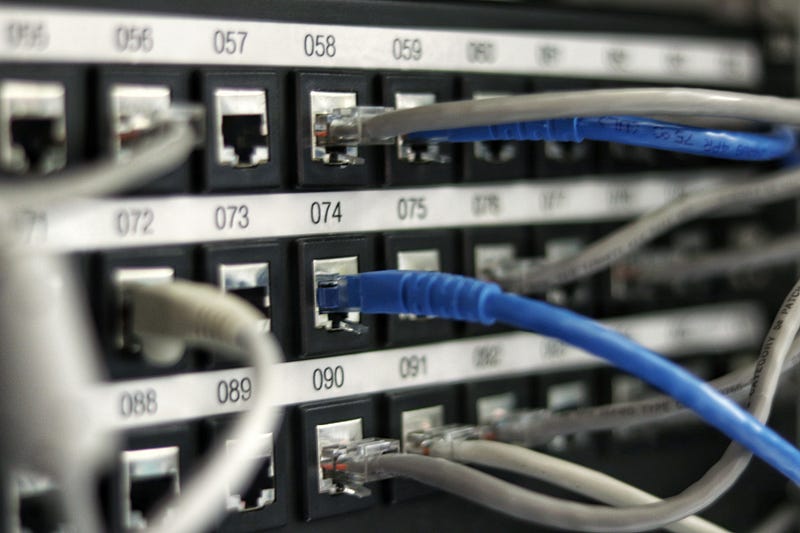
Photo by Jordan Harrison on Unsplash

I finally switched to a desktop as my daily driver at the end of 2022. With that, my laptop sees less and less use other than the occasional need for a portable device. That set me thinking, about how I can repurpose my laptop and extend its useful life. It does not have to take long before I mess around with the idea of building my home server.

What is a home server?

So what is a home server? In simple terms, a home server is any computer device you set up using a home network. Compared to your normal computing device, a server is almost always on while providing certain utilities to the users. There are various reasons why one would want to set up a home server, many use it as media storage while some use it to host game servers. I will show you 5 different ways I’m utilizing my home server here.

1. Network File Server

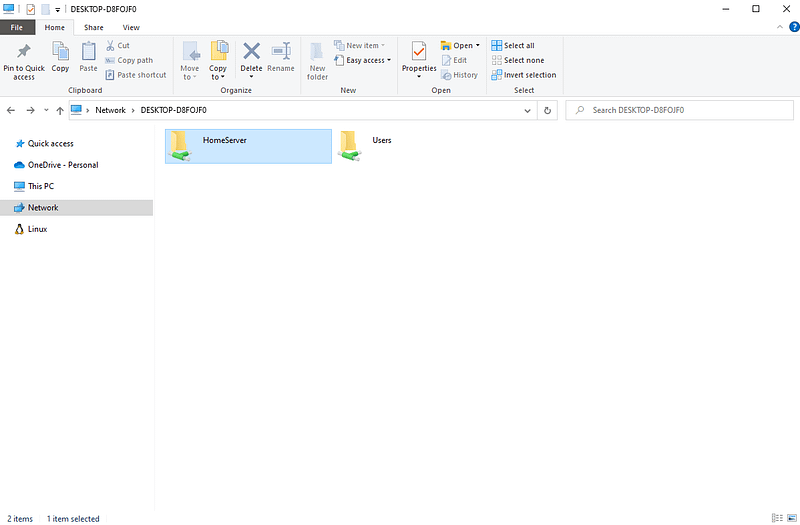
Like most people, I have set up a file-sharing storage server to centrally store and share files across the network. This is akin to using a cloud storage service such as oneDrive or Google Drive but with your local storage. And similar to those commercial cloud services, I can access all my files anywhere in the world across any platform. I’m talking about mobile phones, tablets, laptops, PC, and any device I will ever own.

There are some advantages to running your own file server:

  • Privacy — You do not have to worry that your files are sitting on someone else server(s)
  • Size — Normally cloud services come with a limited storage size before you have to pay
2. Website Hosting

I am also using my home server to host my finance web application. Even though hosting a website is rather inexpensive nowadays, my finance web app is not really for the eyes of anyone other than myself. The app contains my finance and personal information so privacy is my topmost concern. Not expecting thousands of web traffic and with the privacy of local storage, hosting it on my home server makes a lot of sense.

You will be able to host a normal website if you want to. Remember, a server is just a computing device, no different from a server hosting this website now.

3. Game Streaming

One of the most exciting uses of my home server is to stream games remotely. Games require high processing power that might not be available in your portable everyday devices. However, setting up a game streaming service on your server allows you to tap on the server hardware for your power-intensive games.
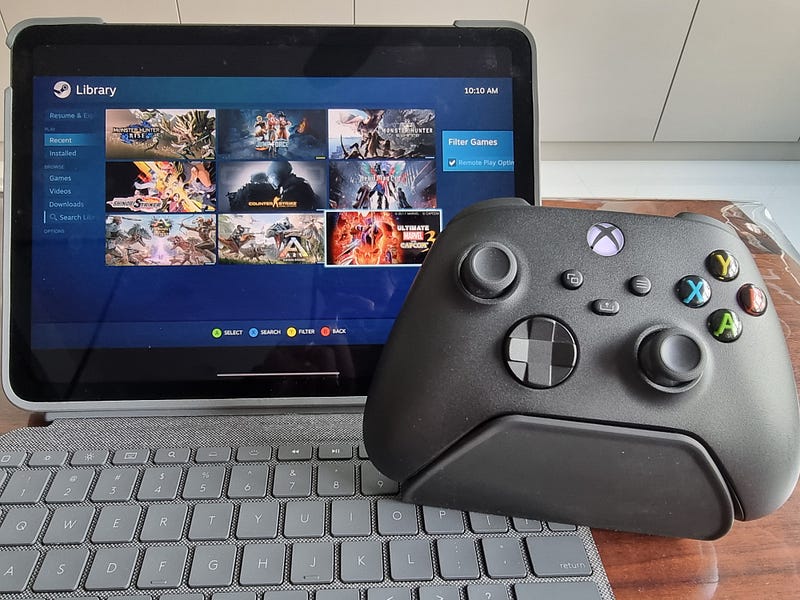
SteamLink on Ipad

With this, I can literally game anywhere with just a mobile phone or tablet. This means gaming in bed, in the living room, and even in the office.

Again, there are commercial streaming services out there but here are the reasons I chose to stream on my server

  • No need for a monthly subscription. I am a casual gamer who games at my own pace. This means months of inactivity between my gaming bout.
  • Not limited to games from the platform. Emulators, retro games, AAA games. It’s up to you what game to install on your server

4. Remote Desktop

As a Programmer/Developer at work, I often find myself needing to access my development tools away from my desk. Having the ability to remotely access my server brings about so much convenience that I didn’t think it would. Now, I can launch an IDE or terminal pretty much anywhere if I need to.

5. Smart Home Automation

I always wanted to try Home Assistant as my smart home automation software due to the open-source nature and wonderful community it has. However, running home assistant requires installing it on a local server or Raspberry Pi, both of which were not readily available to me. Until now.

I installed home assistant using a virtual machine on my server and it has been running my smart devices perfectly since. Home Assistant is compatible with a wide range of smart devices and you will be able to control all of them using a single app. I no longer have to toggle between my smart homes apps (Google Home, SmartThings, Smart Life, etc) and just rely solely on Home Assistant. Automation also has never been easier with all the scripting tools at your disposal.

As a bonus, it has a great dashboard to monitor your devices too.
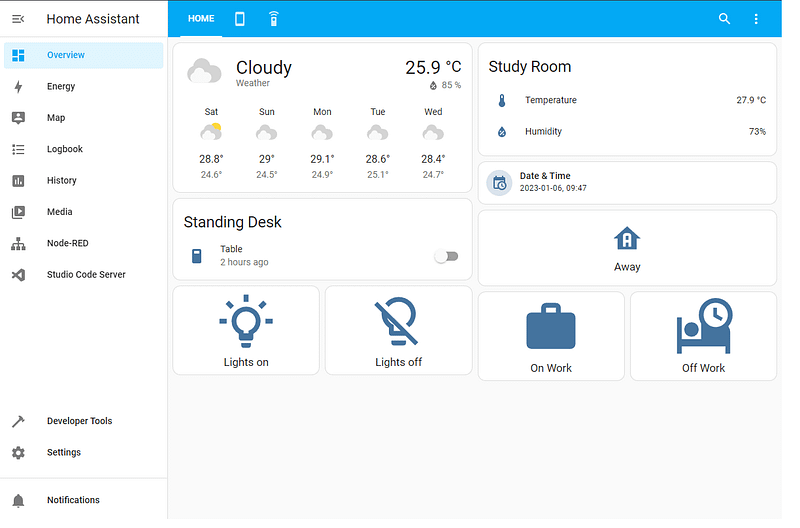
Home Assistant Dashboard

That’s it. Above are all the ways I’m utilizing my home server for now. I’m sure I will find more utility down the road, but that’s another post for another day.

Technology
Servers
Home Improvement
Remote Working
DIY
Recommended from ReadMedium