
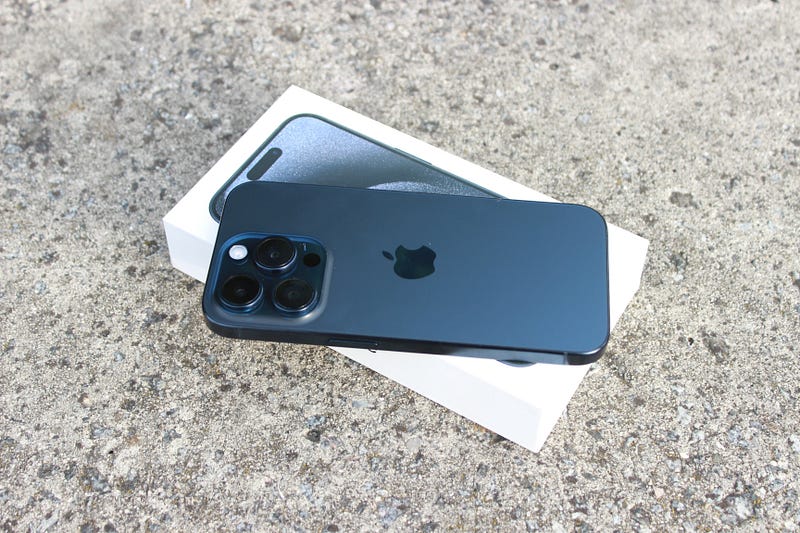
What’s On My iPhone 15 Pro
The Apps That Keep Me Going Every Day
Do you like to customize the layout on your phone’s home screen?
I can easily lose track of time when watching YouTube videos of how people have configured the layout of their iPhones.
The home screen is how we differentiate the look and functionality of these pocket computers that have become critical to helping us get through our everyday lives.
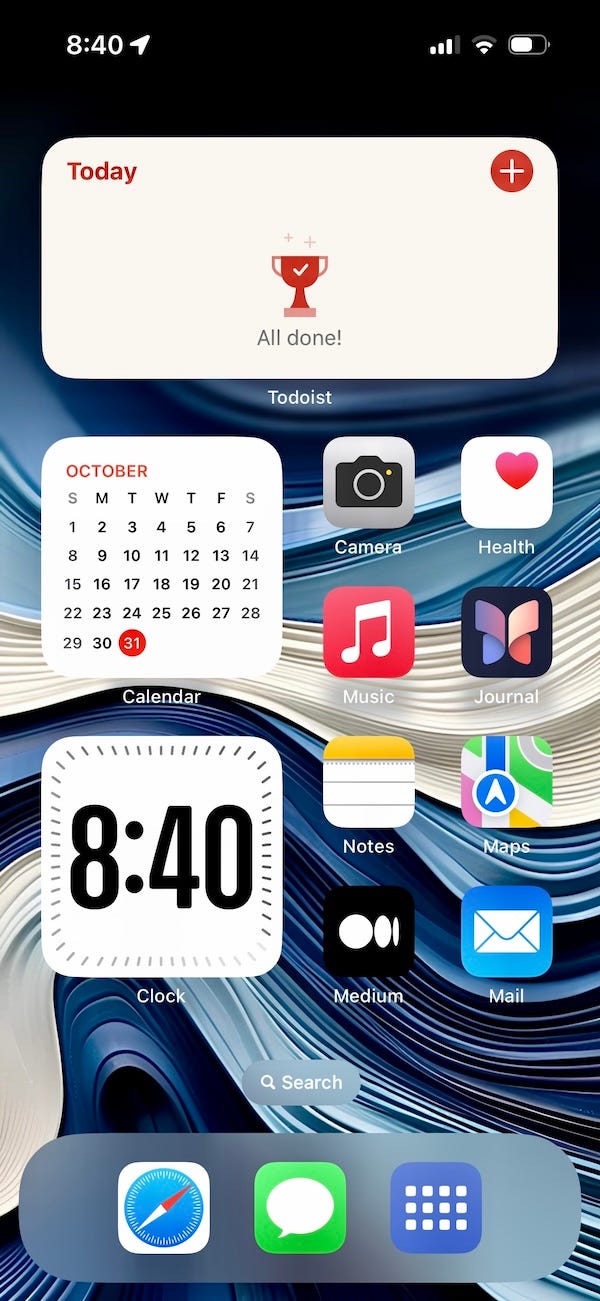
Let me show you how I have my phone set up.
Todoist
Let’s begin with the main screen and at the top is where I keep track of everything that I need to get done each day with the Todoist app.
I have written about Todoist before, and it is probably my favorite task manager that I have used, which you can read more about here.
Even though I am still using Todoist as my primary task manager right now, I will admit that I have been using Apple Reminders in unison with Todoist. You could open either app right now and see the same tasks in both, but Todoist keeps bringing me back due to its cross-platform functionality.
Calendar Widget
Apple Calendar is a great calendar for getting my work and personal calendars all in one place, and it allows me to get a quick glance at what is on my schedule for the day.
Clock Widget
This is a new widget for the Clock app on the iPhone, and the only reason that I have it front and center is due to me liking the way it looks.
Camera
Quck access to the camera when I need it, even though I could probably swap this out for another app since I recently added the camera to the Action Button that comes on the iPhone 15 Pro and Pro Max.
Health
I recently started excercising again, and I like to glance at my health summary every couple of days to stay on top of my current statistics.
Music
I love my music, and this just makes it easy to pick what I want to listen to whenever the moment hits me.
Apple’s New Journal App
I was a user of Day One, which is a wonderful app, but the subscription cost every year just got to be too much for me, so when Apple announced they were bringing a journal app to iOS 17 I got very excited.
This is currently only available if you are running the iOS 17.2 Beta, but I plan to write more about this after I play with it a little longer.
Notes
This is the home for my second brain.
Apple’s Notes app just might be the best Notes app on the iOS platform.
It is fast, reliable, works so perfectly within the Apple ecosystem, and just keeps getting better each and every year.
Maps
This is another app that didn’t start out of the gate very strong, but over time has taken big strides in its design and usability, and it has guided me on many trips and very rarely puts me in the wrong location.
Medium
I use this app to read all the wonderful stories that people write on the platform, as well as replying to everyone that sends me some kind words about my writing.
If you haven’t tried Medium, give it a shot, I promise you that there is something on the site that you will find interesting, that someone has gone to great lengths to share with the world.
Apple Mail
I hear so many things about Spark, Super Human, and other email apps out there, but Apple Mail is all I really need.
Like the Notes app, this app keeps getting better, and I find that it is extremely reliable. It can be used with Gmail, Outlook.com, Aol, Yahoo, and Microsoft Exchange, which makes this app so versatile.
Safari
This is the default browser for any device made by Apple, but the feature set is hard to ignore, and makes me think again before I download another browser.
It is very fast, does not hog resources causing your battery to die, and even though it doesn’t offer the wide selection of extensions that other browsers do, it provides me with access to all the ones I need.
Messages
Probably one of the apps that keep most iPhone users on the Apple platform.
I travel quite alot, so this is the app that keeps me in touch with my family, friends, and co-workers and I could not go a day without it.
Messages is the best messaging app available on the market.
Action Shortcut
This used to be assigned to my Action Button, but I moved it to the dock so I could assign the camera to the Aciton Button.
I’m going to be honest about this one.
I found this on Christopher Lawley’s YouTube Channel, in which he had a link to it in his notes.
I did make some changes to work with my apps, but if you want to know more about it I highly recommend his video.
Before you go…
If you enjoyed reading this, there are a few ways for you to show your appreciation and help me out.
- Clap for this story by clicking on the hands 👏
- Follow me on Medium
- Subscribe to Medium
If you made it this far, leave me a comment, and thanks for taking time out of your day to read my work.


