
There’s A Powerful Task Manager Already Installed on Your iPhone
Game-Changing Features in the iOS 17’s Apple Reminders
For the longest time, if you wanted to find great productivity apps, you had to go looking outside of the Apple Ecosystem.
All of the best, what some would call professional, apps had to be purchased from a third-party app creator.
Apps like Things 3, Todoist, 2Do, and many more were the task managers you would turn to to keep track of all the things you needed to get done.
That is not the case anymore.
Apple Reminders has been getting incremental improvements for the last couple of years whenever Apple releases the latest iOS, iPadOS, or macOS updates.
iOS 17 should be released sometime in the next couple of weeks for everyone, but I couldn’t wait so I downloaded the beta version so I could try Apple Reminders and see if it was as powerful as those third-party apps.
Let’s dig in
When you first open Reminders, you will notice that nothing has changed when it comes to the home screen.
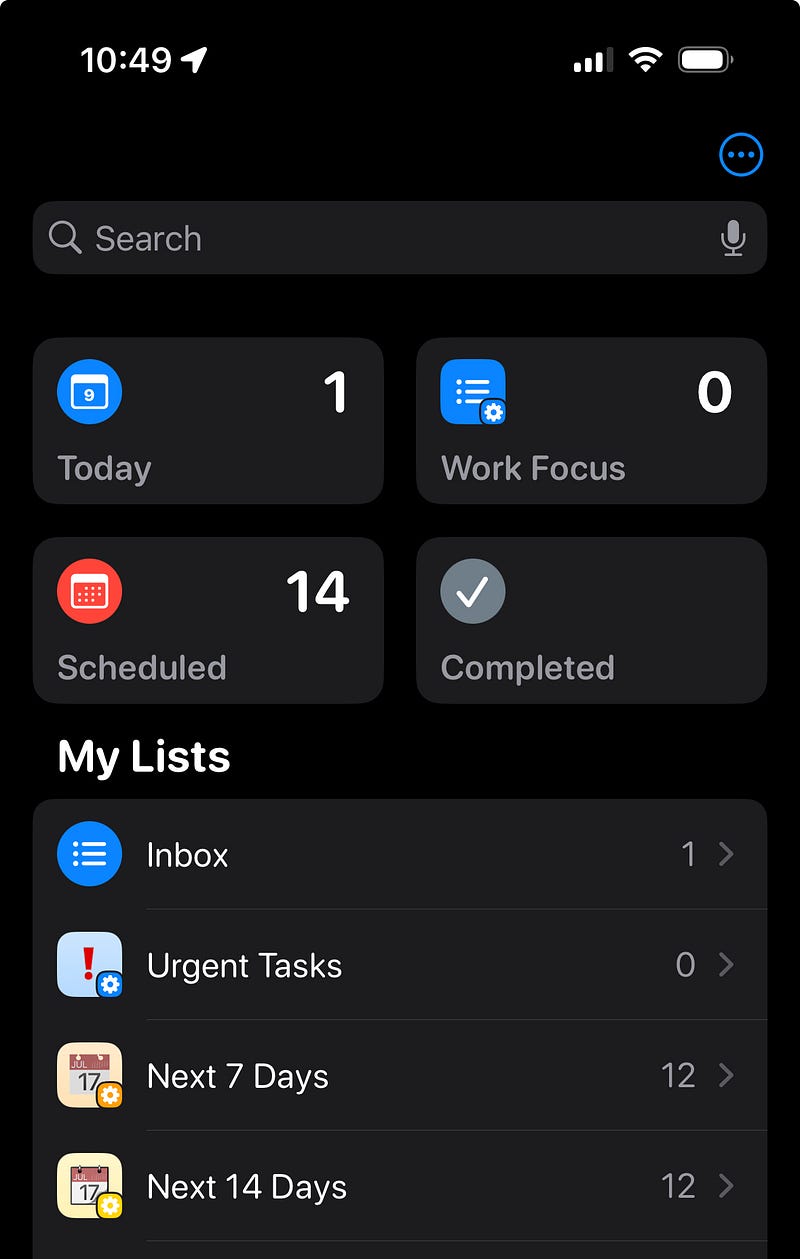
Today, Scheduled, Completed, All, or any Smart Lists you may have created are still there in the same place that they have always been.
This doesn’t mean that Reminders has not improved they have added features that have only been available in other apps that come with a much heftier price.
Sections
The Reminders app has always been a little boring when it comes to how you can view your tasks. The only way to view your tasks was in a list view, but that is not the only way to view them anymore.
You can now view your tasks in, what Apple calls, Sections.
Sections are what others call Kanban boards. (I don’t know why Apple can’t name things like everyone else?)
If you don’t know what a Kanban board is, instead of your tasks in a list, they can be placed in columns with each column’s tasks being able to be moved to another column.
I use this view for writing on Medium, which you can see in the photos below.
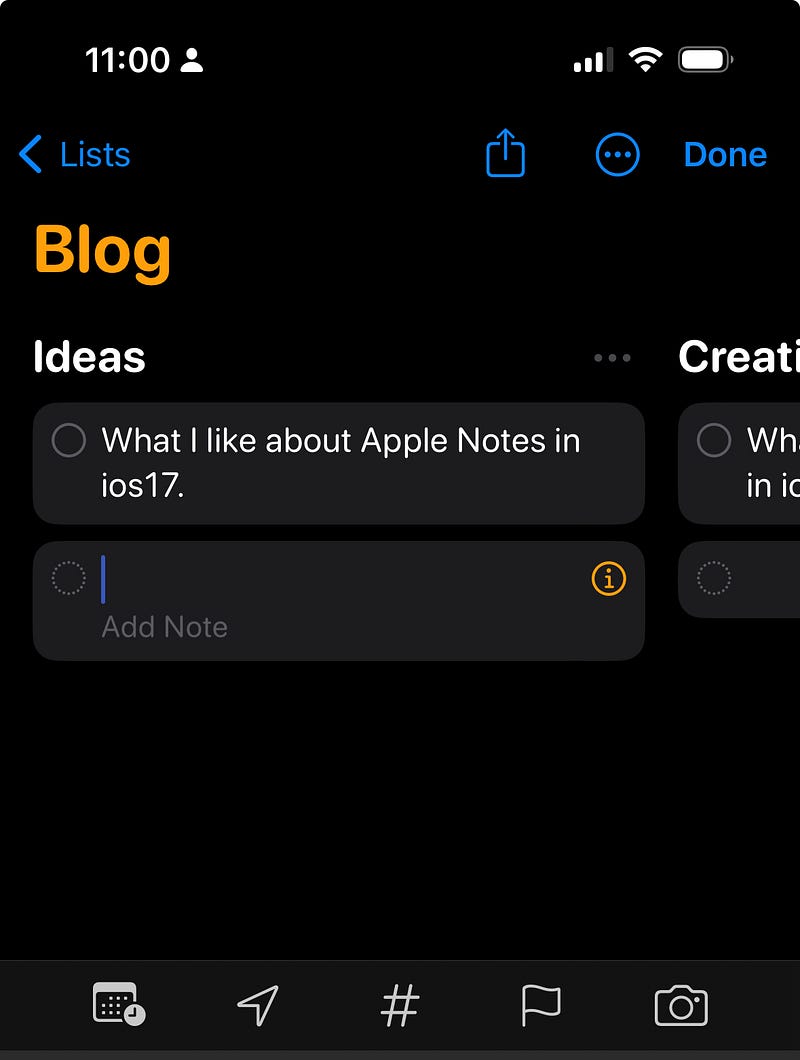
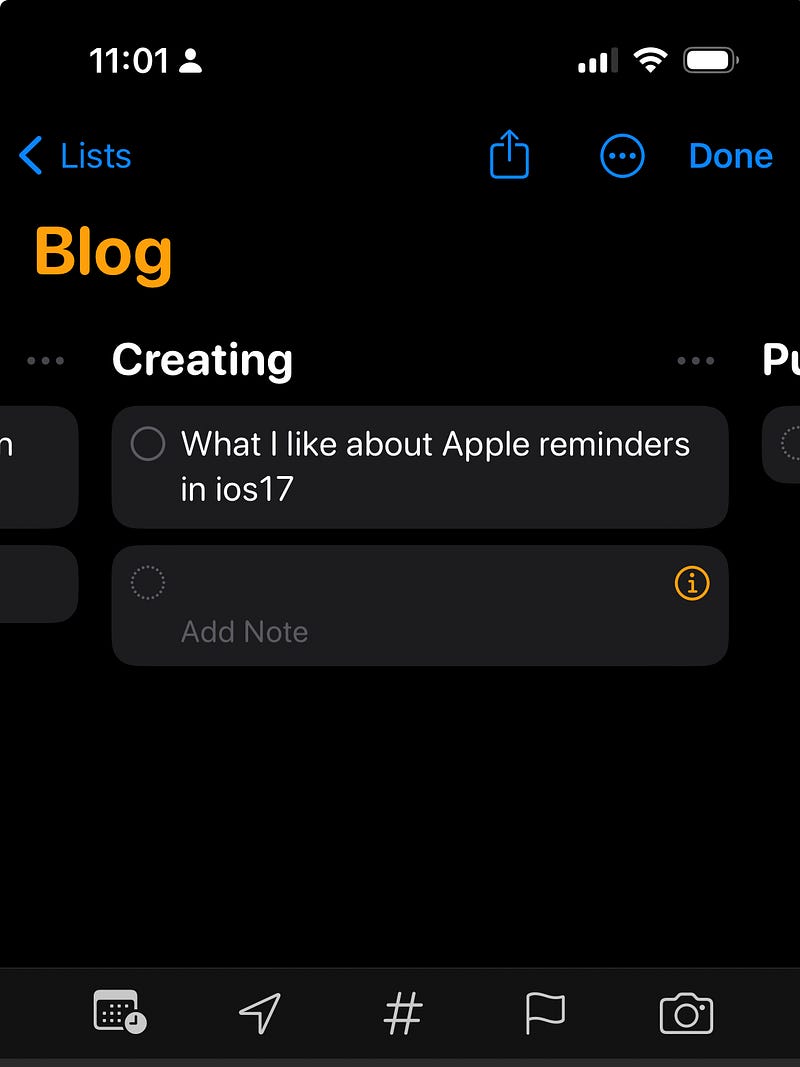
I have my section for ideas, then another section for creating, and another for publishing.
This keeps everything organized, so I know what I should always focus on.
Grocery list
Apple has brought a little bit of AI to Reminders with this new feature.
If you have written down your grocery list before, you tend to list the items you need in the order that you have thought about them, and when you go to the store these items are not listed in the order of the store’s layout.
This is where the AI portion I mentioned earlier comes in.
Now when you type milk, eggs, and bread into your list Reminders will categorize the list into dairy, eggs, and cheese for milk and eggs, while bread will be listed by breads and cereals.
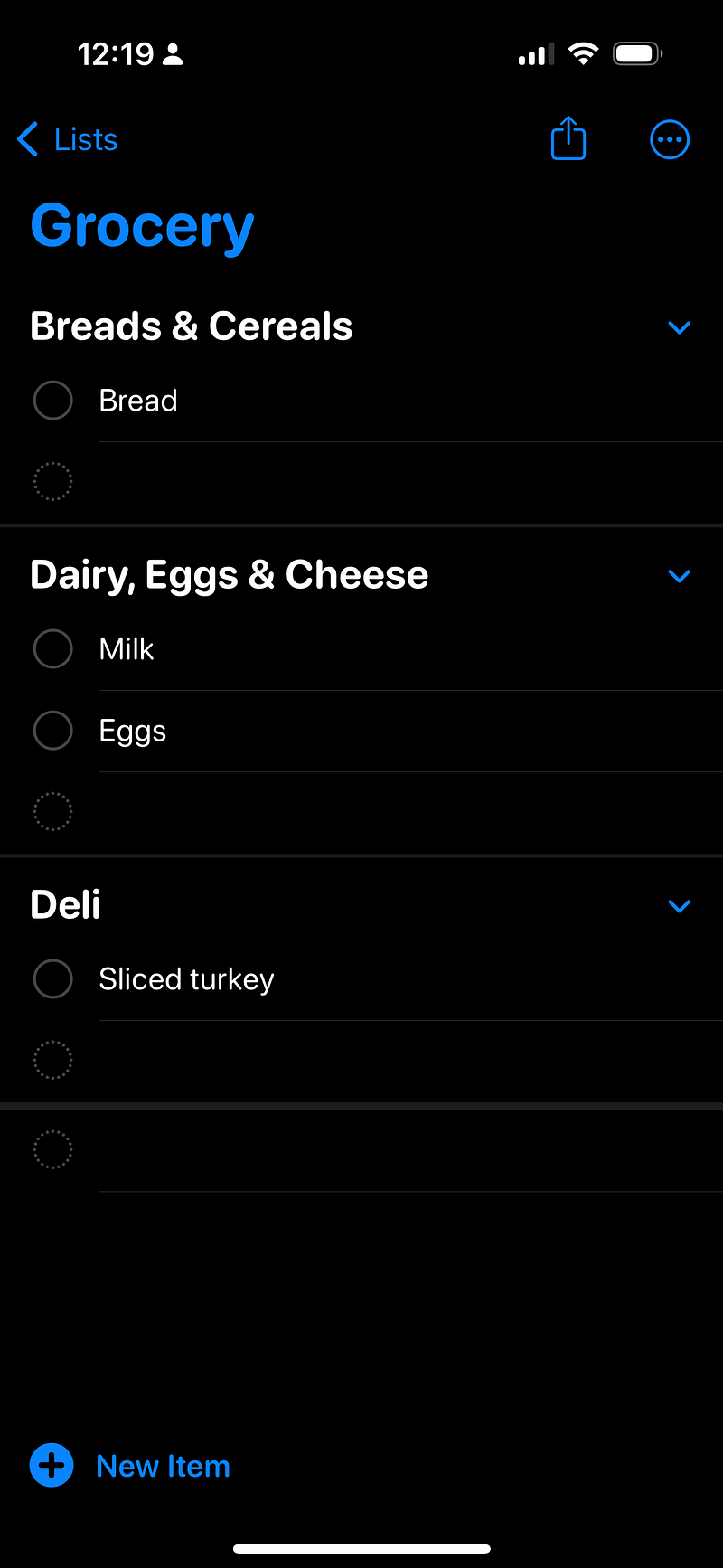
This is a very helpful feature while grocery shopping, especially when you are in a hurry.
Early reminders
This is a feature that many have been waiting on.
Now you will be able to add early reminders to anything that has a specific date. You can get a notification 1 day before, 2 days before, 1 week before, 2 weeks before, 1 month before, 3 months before, and 6 months before, or you can add a custom time to your task.
Interactive widgets
This is just a basic update to the Reminders widget, but it is pretty handy.
In the past every time you wanted to check off a task from the widget, it would open the app to check off the item. Now you will be able to check off the item from the widget without the app opening.
If you have lots of tasks every day, this could add up to a bit of time saved over the year.
Conclusion
These improvements do bring the Reminders app closer to third-party apps in the task management space, but there are still areas like natural language processing that could make it even better.
I would also like to see better calendar integration for those who like to do time blocking. In my opinion, this should be fairly simple to do within their own ecosystem.
Beyond that, I do highly recommend Reminders if you are tired of paying subscription fees. It is a highly capable app that can handle anything you throw at it.
Before you go…
If you enjoyed reading this, there are a few ways for you to show your appreciation:
- Follow me on Medium
- Subscribe to Medium
- Clap for this story by clicking on the hands


