
What is a Vector Database? Explained in Everyday Language for AI Beginners
In the last two articles of this series, I introduced RAG and Embedding. This time, let’s discuss another highly popular term in the world of AI: Vector Database.
Vector Database Before AI
First thing first, if you’ve been hearing this buzzword more frequently lately, you might already know that vector databases aren’t new. Before their widespread use in Large Language Models (LLM), vector databases have been used in areas such as:
- Recommendation Systems
- Search Engines
- Medical Imaging
- Fraud Detection
- Speech Recognition
With that being said, it means that to understand “what is a vector database,” we need to know what all these examples have in common:
It is “Similarity”.
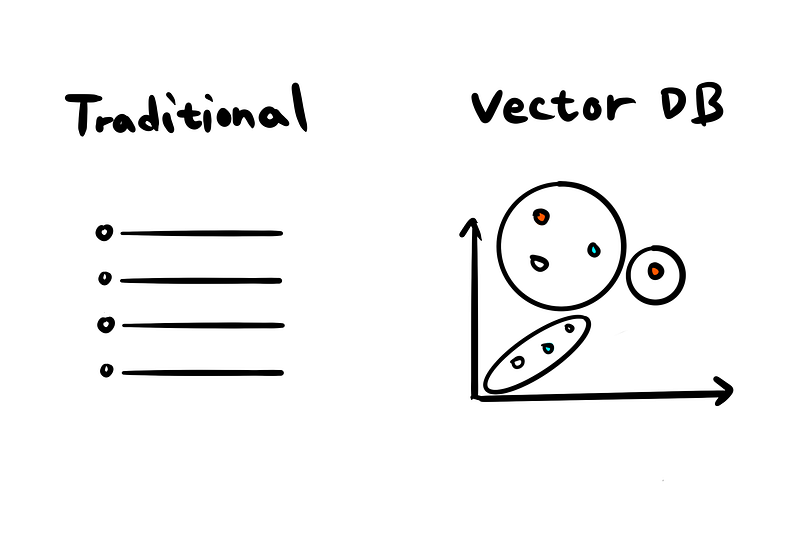
All of the examples mentioned above are systems driven by the need to find similar items based on input. For instance, they might associate “restaurants” with “what to eat” in a Google Search or suggest similar cat videos to what you’ve been watching on TikTok.
Traditional databases, however, are typically not structured to store data in this way. This is where vector databases come into play. They are specifically designed to handle and efficiently search for data represented as vectors, facilitating the discovery of related items or concepts based on their mathematical similarity.
What exactly is a Vector Database?
Just as a library stores and organizes books, a vector database stores and organizes data, but in a specific format known as vectors.
In simple terms, a vector is like a unique summary of a book. Imagine each book in the library is summarized into a list of key points, and these points are converted into a code or a string of numbers. This code is the vector. It represents the essence of the book (or any data, like an image or a sound clip) in a language that computers can understand and work with efficiently.
When you go to this library (vector database) looking for a book (or any piece of data), you don’t need to search through every shelf. Instead, you give the librarian (the database system) your summary or list of points you’re interested in. The librarian then quickly finds the codes (vectors) that match your summary the closest, thereby finding the books (data) you need.
This system is powerful in AI because it allows for very fast and efficient searching and organizing of large amounts of complex data, much like a well-organized library that can quickly fetch the book you need based on a summary.
Does it sound familiar? Yes! Because the vectorization process is exactly what we mentioned in Embedding. Here’s a quick recap from the last article😉:
In a yearbook, students are grouped by their interests or activities, like sports teams, music bands, or science clubs. Each group tells you something about the students in it — for instance, students on the basketball team are probably interested in sports.
In word embedding, words are like students, and the groups are like lists of numbers. Each word is assigned to a ‘group’ (a unique list of numbers) based on its ‘interests’ (meaning and use in language). For example, words like ‘cat’, ‘dog’, and ‘pet’ might be grouped similarly because they share similar meanings and are often used in similar contexts.
So the whole pipeline is simple:
Data source → Apply Embedding models → Get Vector Embeddings → Saved in Vector database ☑️
Some Key Q&A for beginners?
Q: What kind of data is best suited for a vector database?
A: Vector databases are ideal for complex, unstructured data that doesn’t fit neatly into traditional database columns and rows. This includes data like images, audio files, large text documents, and even user behavior patterns. They’re particularly useful in scenarios where understanding the context, content, or relationship between different data points is important.
Q: Is special hardware required to use vector databases?
A: Generally, no special hardware is required for end-users to interact with vector databases. The sophisticated computing required to process and query vector databases is typically handled by the servers where these databases are hosted. As a user, you interact with them through standard devices like smartphones, tablets, or computers.
Q: Can vector databases handle real-time data processing?
Yes, one of the strengths of vector databases is their ability to handle real-time data processing. This makes them particularly useful in applications that require instant analysis and response, such as live recommendation systems, real-time monitoring systems, or instant search results in large datasets. Their efficiency in dealing with complex, unstructured data makes them suitable for dynamic, fast-paced environments.
Q: How secure are vector databases?
A: Like all databases, the security of vector databases depends on their implementation and the measures put in place by the database administrators. Generally, vector databases have security features and protocols to protect the data they store. However, the responsibility also lies with the organizations using them to ensure that they adhere to best practices in data security and privacy, especially when dealing with sensitive or personal information.


