
What Does Chosen For Distribution On Medium Mean?
Chosen for distribution or curation has changed

Curation or distribution under Topics has changed in 2021.
Let’s go through some definitions first.
Distribution
Distribution means distributing or sharing a story among a network. It is about displaying or sharing a Medium story for potential readers to find and read.
Curation
Curation means distributing a story under a Topic page, to promote wider reading of the story.
Chosen for distribution
In terms of these words on the Detailed Stats page of your Medium story, it means that your story was chosen to be curated. Don’t confuse the general concept of “chosen for distribution” with this curation function of Medium.
Stories are currently distributed through:
- Curation, which means your story is shown on a Topic page.
2. Being shown on a follower’s personalised Medium homepage, whether on a desktop PC or a mobile phone or mobile device.
3. Being shown on the Medium homepages, whether on a desktop PC or a mobile phone or mobile device.
5. Appearing, for readers, under the “Latest ” list under the Tag Names that you have allocated to your stories.
6. Being featured in a “Daily Digest” email or other email sent out by Medium.
7. Being shared on Medium’s Twitter page if your story is in a Medium-run Publication.
8. Being shared on Medium’s Facebook page if your story is in a Medium-run Publication.
9. Being shown on a non-follower’s personalised Medium homepage, whether on a desktop PC or a mobile phone or mobile device.
10. Because of Medium’s excellent S.E.O. (Search Engine Optimisation) your story is picked up by a news aggregator website and shown on those websites, e.g. Muckrack or News360 . [This is not Medium directly distributing stories to these sites, but is included with the meaning of “distribution” given. ]
In addition, the following help to get views/reads of your Medium stories.
- Medium finds your self-published story about writing tips and asks you if they can share it (post it) on the Creator’s Hub.
- An Editor of a Medium-run Publication finds your self-published story and asks if they can share it (post it) in their publication.
3. You are invited to apply to be a part of a Medium programme, or you apply to be a participant of a programme that is open to anyone to apply, for example, the “Creator Fellowship” programme.
4. Self-promotion or you sharing your Medium stories yourself, and engaging with other Medium writers, who then may engage with you.
5. Publishing say 3 to 5 stories a week on topics / interests / issues that will appeal to the mainstream, at least for your first 6 to 12 months on Medium. After that, “ever-green” or always popular stories, that were published a while ago, may be found and bring in reads.
CURATION
I started reading and writing on Medium in November 2018. In February 2019 the process of manual curation began. Back then it meant that around 25 human curators (according to what Medium stated) read and hand-picked stories to feed under or post under dedicated Topic Pages.
These Topic Pages came under broader Topic Names, for example, “Food” and “Pets” came under CULTURE. There were around 100 Topics (or Topic Pages) that looked like below. “Data Science” came under PROGRAMMING.
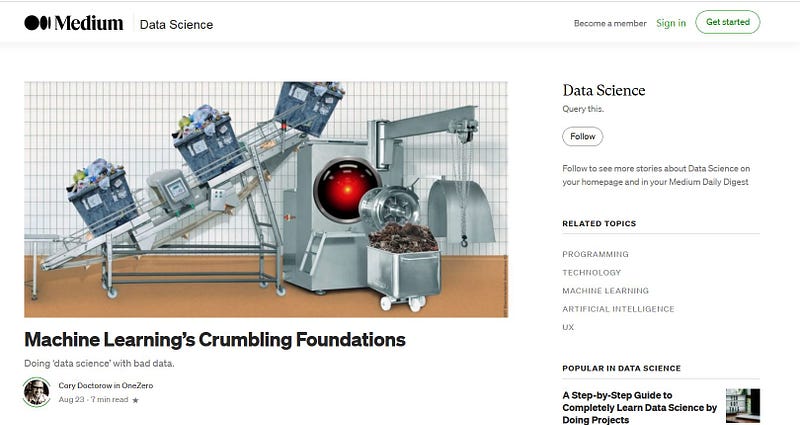
Since then, Medium stopped sending out emails and having “in-house” or platform Notifications that your story was curated. Currently you can only tell if your story has been “chosen for distribution” i.e. curated, if you go to the Detailed Stats page of your story.
The Detailed Stats page used to include the Topic Name or Names of the Topic Page(s) that your story was curated under, but besides taking away notifcations, in 2020 showing the Topic name(s) was also removed.
And now in 2021 Medium announced on their “3 Min Read” blog that Topics will be replaced by Tags.
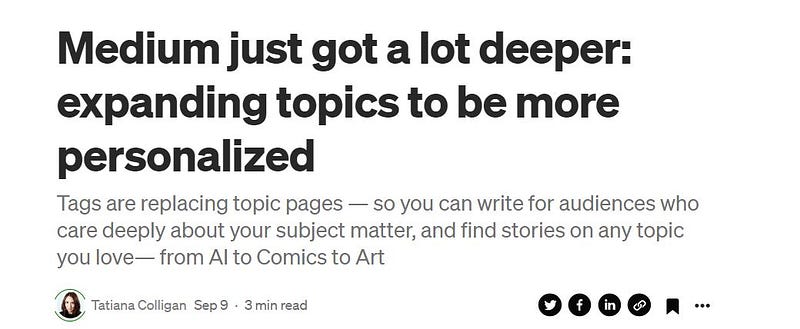
When you read the whole article you will find that they refer to “new topic pages”, which has caused confusion among Medium-ites. I assume that the former old Topic names will appear as do Tag Names now, if they weren’t before. Some former Topic names did not exist as Tag Names.
The formerly called Tag Names are now called Topics. Before this change there were TAGS or LABELS and writers could add up to 5 of these to each of their stories. Well, they still can now.
But the difference now is that it is a lot easier and nicer to search for stories under “Tag” names. Beforehand, it was a long-winded process and the Tag Pages didn’t look like what they do now, as this historical article shows.
If you click on any name next to YOUR TOPICS at the top left of your Medium homepage or on any name under Recommended topics at the top right of your Medium homepage, it will take you to the “Tag” Page.
Prior to September 2021 if you clicked on a name in the strip next to YOUR TOPICS it would take you to a dedicated Topic Page, but that no longer happens. If you are interested in my analysis of Medium’s article about the changes, you can find it by clicking HERE . 😄
This month we’re rolling out additional functionality that will allow readers to follow Medium tag pages, which will exponentially expand the number of followable topics. Importantly, tags are replacing topic pages going forward and we will sunset the previous version of Medium topic pages. ← 3 Min Read article from Medium
Curiously, if there are no Topic Pages now, then stories cannot be posted on those Topic Pages! If you go to the former directory or list of Topics and click on any former Topic name, it will take you to the TAG NAME corresponding to the topic.
However, curiouser and curiosest still, some of us are still seeing “Chosen for distribution” on our Detailed Stats story pages!! 😲
For example, I had 2 stories recently curated under Technology and Relationships. I wondered if that meant that Medium had posted them on those Tag Pages, so I had a look at the story titles on those pages. But no, they weren’t there. Also it occurred to me that if my stories had an additional tag then it wouldn’t appear as a Tag Name at the bottom of the stories UNLESS the Medium programme added it.
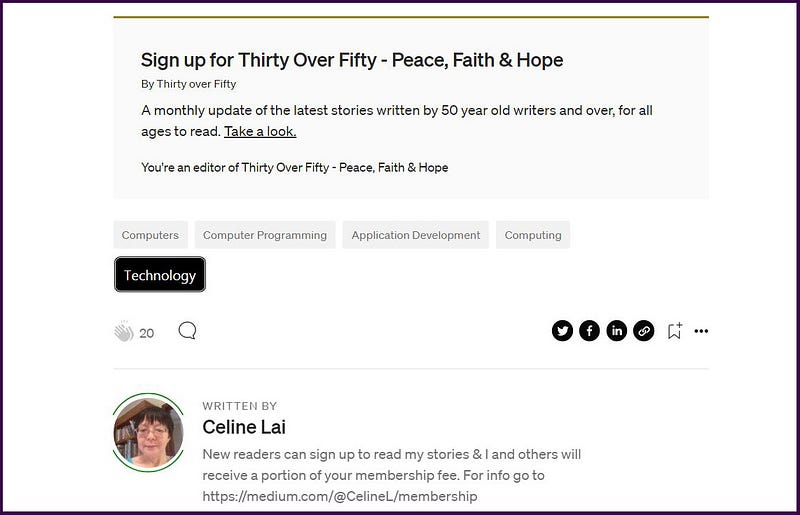
In the case of my story “How to remove the weather icon from your work computer desktop” I did not select the Tag Name of TECHNOLOGY myself (as you can see for yourself by going to the story). However, quite to my surprise, on the Detailed Stats page I saw the below.
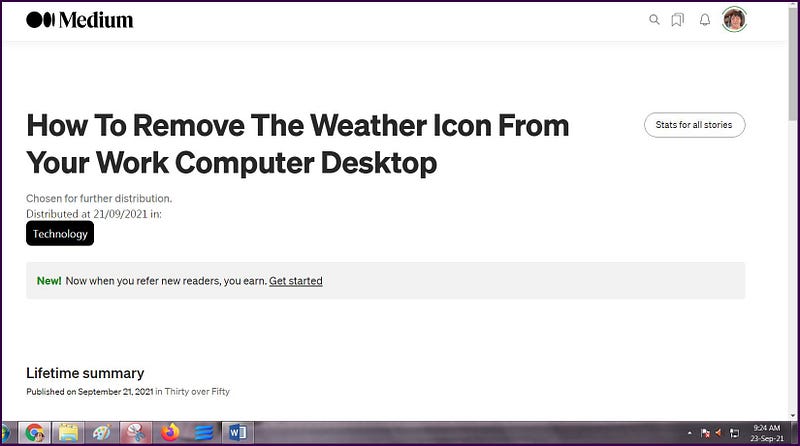
This information seems to appear and disappear. That is, it appeared temporarily, I assume while Medium is still rolling out or progressing this latest development, related to Topics and Tags!! If you see a similiar screen then the info disappears when you next go to the Stat page, don’t cry, because the Medium programmers are doing their best, trying to work things out.
Big Update: 29 September 2021
I just found out that the labels and info about my stories being “distributed” are because I have the Chrome extension by Martin van Soest installed, haha. Also my friend who is a non-paying member can no longer access Topic pages. It looks like when Tatiana wrote about “Topic pages” (see below) she means the old Tag pages, and the “change” she speaks about is that the writers allocate their stories to these so-called new Topic Pages (formerly Tags) RATHER than Medium puts or curates the stories under dedicated special Topic Pages, like they did. I therefore assume that the “distribution “ in “Chosen for further distribution” on our story Stats pages now simply means Medium possibly showing the story titles on people’s homepages under “Topics” the people are following. And they may distribute the stories in the other ways listed at the top of this article.
I have read the Responses (comments) on Medium’s official article, as shown below, to find Tatiana saying that there was a change to how stories are being sourced onto the topic pages.
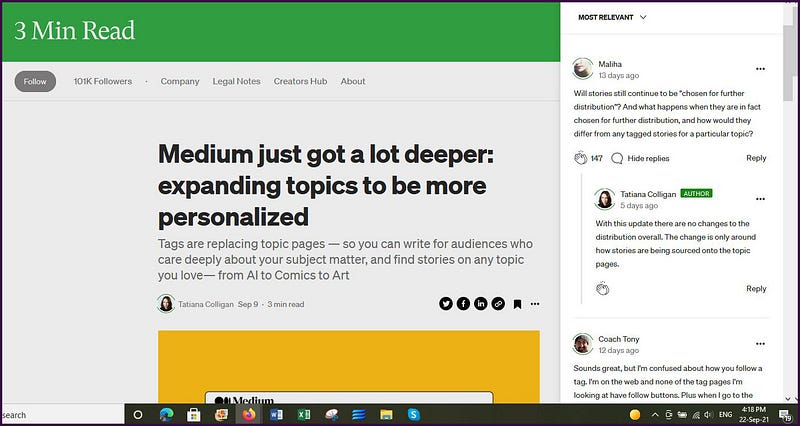
I mused over this, wondering if Tatiana meant that now Tags are being called Topics, writers are sort of self-curating by choosing up to 5 tag names for their stories.
Also if readers can now follow millions of Tag Names, how are the stories under their followed Tags going to be presented / given / displayed / shown / fed to the readers? I wrote to Medium asking this question, and the reply was pleasing, saying that they are working on this! So I expect a “feed” of some sort, showing titles of stories under a list of Topic (formerly Tag) names that I’m following.
THEN, it happened!! After staring a lot at Tatiana’s response above, I networked with a friend who has an “account” with Medium, i.e. who is registered by email with Medium, but who is NOT A PAYING MEMBER.
When Medium mentions a “Member” they mean a paying member, but not all those signed up with Medium are “paying members.” I will call those signed up with Medium but not a paid member, a “non-paying member.”
This non-paying member has access to the dedicated Topic Pages.
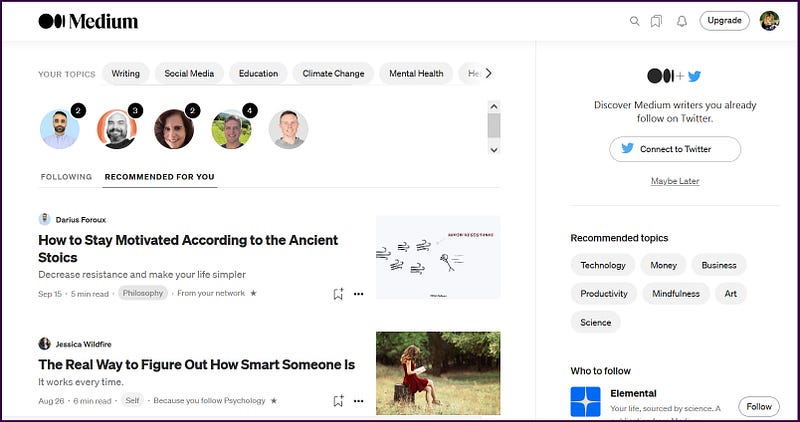
When she clicks on a name next to YOUR TOPICS or under “Recommended topics” it takes her to, what for the paying members, are “former old Topic pages”.
The story titles on her homepage have one label under them each. Some of the labels go to Topic Pages and some go to Tag Pages. But paying members who click on a “label” whether it’s in their feed or next to YOUR TOPICS or under “Recommended topics” are taken to a TAG PAGE (and probably Medium will soon start to refer to TAG PAGES AS TOPIC PAGES in their Help pages).
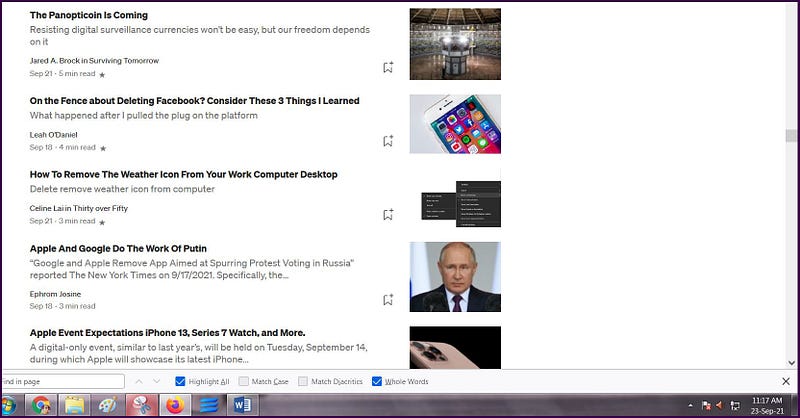
To my delight, when my accomplice looked at the TECHNOLOGY Topic Page, she found my story title on it. The proof is in the picture below. 😆
And what is the point of all this, you may be asking?
It is that “curation” A.K.A. “distribution (under Topics)” still exists for now. It is in the form of stories being posted on TOPIC PAGES which the passerby and non-paying members or registrants with Medium, who are not paid members, have access to!!
If you log out of your Medium homepage using a browser on a desktop PC, you should see story titles with labels next to them. Try clicking on them and you will probably find that some will go to TAG PAGES and some will go to TOPIC PAGES.
My conclusion and answer to the question WHY this change, is that curation, also known as “distribution under Topic Pages”, may still be maintained in this new mode or way, to encourage non-paying members and the passerby to become paying members!
Medium is still rolling out or progressing the changes, but don’t be surprised to read in an Email from Medium or in their “3 Min Read blog”, an update about how “curation” works!
My guess is that Medium believes writers don’t need to know the specific details of “distribution” or “curation” (partly why they stopped sending out emails about curation); BUT that it will continue ~~ perhaps in Medium’s words to be told to us [ in the near future ] ~~~to mean stories are distributed under Topic Pages for potential new members (in terms of what I have described).
And if you have got this far reading this article, you will see that a label TECHNOLOGY appeared alongside the “Tag” names that I chose for my story “How to remove the weather icon from your work computer desktop.” This is the “Topic Page” that it was distributed/curated under. 😄
You can read my Follow-up article at the link below:
https://readmedium.com/does-anyone-even-know-what-curation-is-anymore-a07bad24d48
Possibly Useful References
https://help.medium.com/hc/en-us/articles/360018677974.
https://readmedium.com/how-to-work-with-medium-387fcefe17be .
If you liked this article and want to read more, signing up as a member of Medium will mean you can read all stories on Medium (and a portion of your fees will go to me, as well as support others). Click here to become a member!