
Want to See More Stats on Medium?
Here’s a helpful extension for that

One of my biggest gripes with the Medium platform has been what they call ‘stories’. For whatever reason, Medium has a mantra that all articles and replies on the website are called stories.
I have no problem with the term, as it does have a nicer ring to it than ‘article’, ‘editorial’, ‘commentary’, or ‘satirical political expositional thesis on the state of Britney Spears’.
The issue arises when you go to the stats page to get that daily dose of dopamine from seeing how your artic…stories are doing.
The stats graph displays all of your articles and comments as stories. This is unfortunate for those that are curious about tracking their paid work vs non-paid, as the replies cannot earn money.
Example
Here are five reasons this aspect of Medium bugs me:
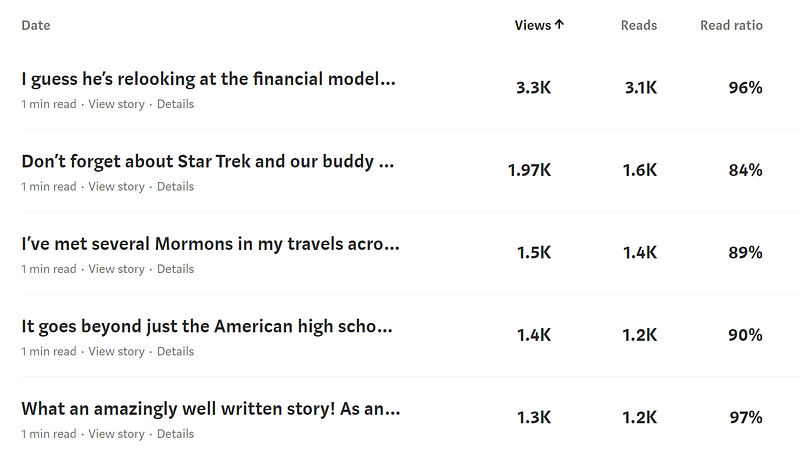
Perhaps you guessed it — the above are all comments on other people's articles.
I love commenting on other people's work as it helps me get in touch with the community, give my own 2 cents, and sometimes hear more unique perspectives from authors.
But when it comes to stats, some of these semi-viral comments make my normal articles’ overall stats useless on the graph.
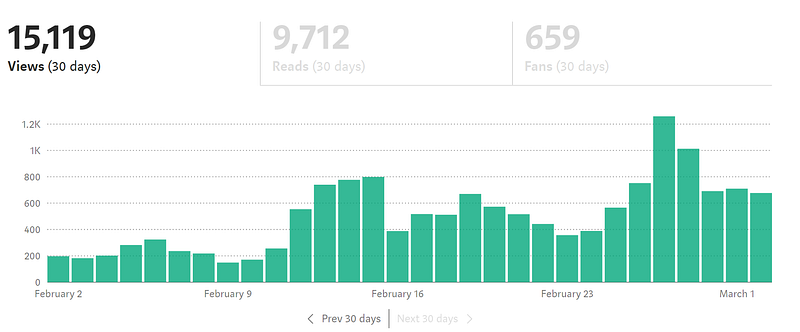
That beautiful chart above — the one many of us are addicted to viewing a couple of times a day — is completely useless since I started commenting a lot.
I have no idea what portion of the above is for articles or replies — unless I wanted to sift through 100+ articles and manually count them.
Not a big deal, of course, but it’s still something I’d prefer to be adjusted in the future by Medium.
Helpful Extension
I came across a simple but helpful Google Chrome extension recently that relates to this. Fortunately, it’s free and easy to install assuming you already have Chrome.
It looks like this:
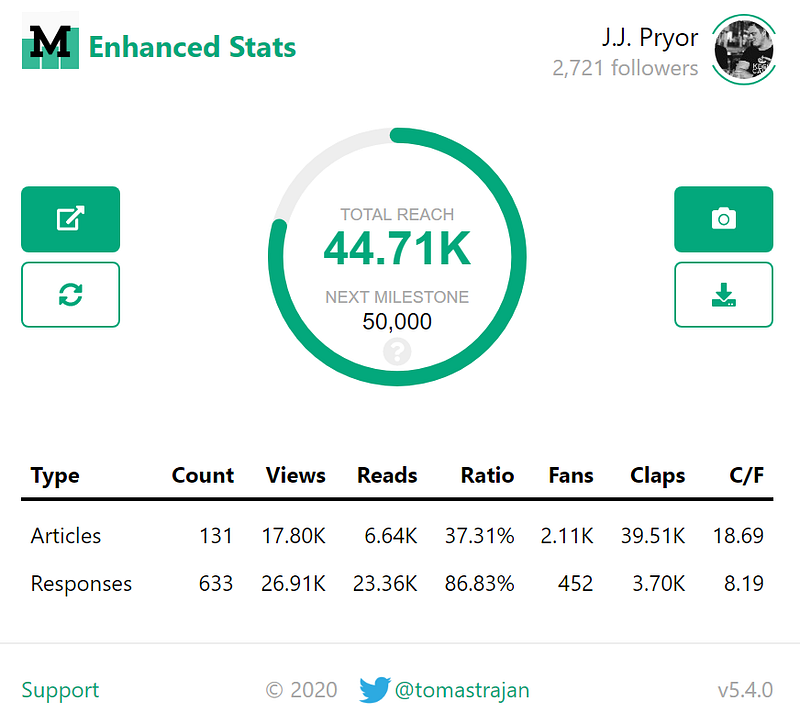
That shows up in the top right of your browser screen whenever you click on the extension button for Enhanced Medium Stats.
Nothing amazing, but the milestone function is pretty neat to see. More importantly, it splits my articles and responses!
Ah, sweet, sweet relief of a gear less-grinded.
How to Install
- Use Google Chrome (if you don’t have it, you can go here to get it here for free)
- Then go to the Chrome web store and download the extension for free (there’s a blue button in the upper-right side)
- It will then install and appear in your Chrome bar in the top right:
4. After that, log in to Medium and click the ‘M’ in the toolbar to see the enhanced stats
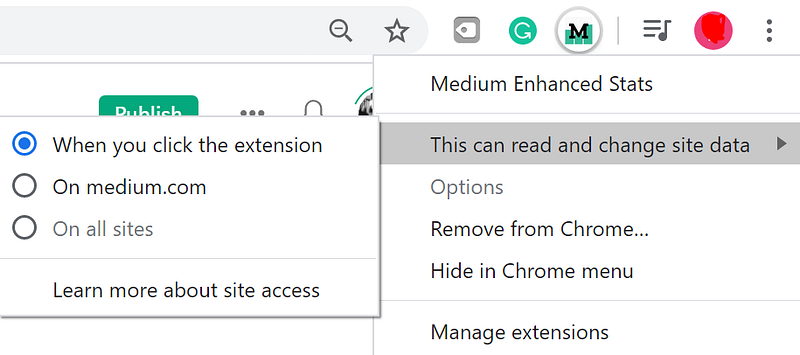
5. I’d also advise changing the permissions of the app, as I’m a fan of controlling my own data when I can. To do that, right-click on the ‘M’ extension, go to ‘This can read and change site data’, then click ‘When you click the extension’:
Finished!
And there you have it — a few more juicy stats for you hungry Mediumites out there.
It’s nothing amazing, but it does solve one of the small pet peeves I have with the platform.
I hope you enjoy it!
For more useful tips on Medium, please check out my Feedium publication or my free newsletter!


