
Troubleshooting Tips to Speedily Fix USB and External Hard Drive Issues on Mac
I connected the USB Card reader to the USB point connector on Macbook, it appears on and off and it made me crazy for a while and worried that all images taken with my camera get lost.
Problem:
Have you connected your USB drive or external hard drive to your Mac computer and it appears then disappear as you download those files from it?
Then you search on Google and read about resetting, erasing, or formatting that USB
Those who may have had experience with this knew exactly what I am talking about.
For those who may be looking for a solution, here are the steps I could share with you.
Let us begin

Connect your USB device to your mac, go to APPLICATION + UTILITIES + DISK UTILITIES.
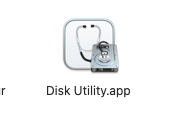
Once you found the Disk Utility app, DOUBLE click the ICON. Once you double-click the icon, another window appears. The sample images are below as references.
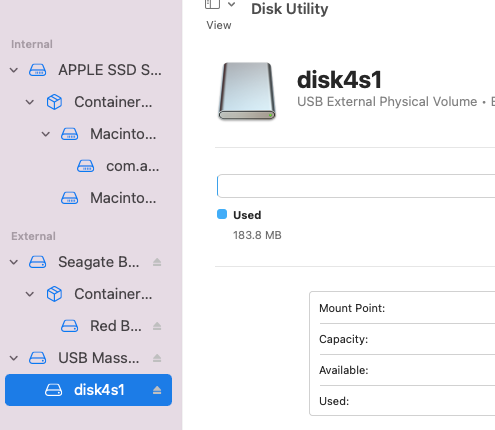
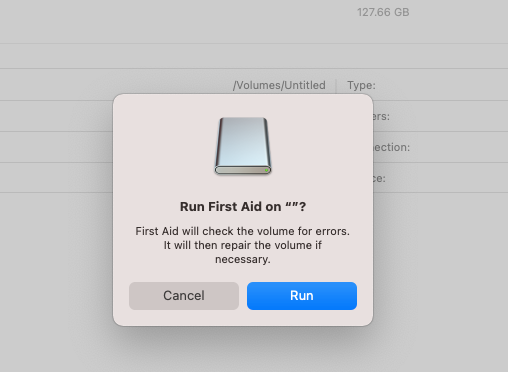
Look at the left side of your mac and select the USB from there that you want to repair or fix.
Question? How do I see the device when I connect it does not appear on my dashboard? I have that question too. It does not appear but it will show on the left side of your mac once you follow the instructions I showed from the beginning of this article.
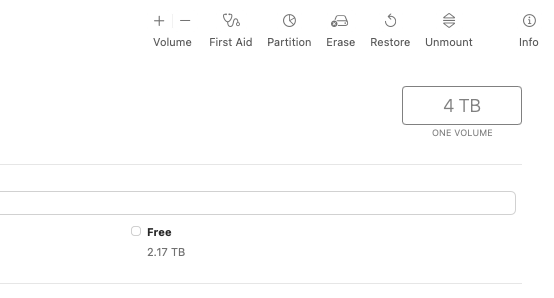
Once you have located that device you want to fix, look at the top right of the mac, you will see the screenshot above, (Volume, First Aid, Partition…) There are a few options for you to select. In my case, I selected First aid as I still have loads of images inside my SD card.

You may ask me, why I do not connect my camera directly to my mac? I normally do not do this for a few reasons, one of the issues is, I shoot raw and sometimes, Macbook does things I do not know. Under photos, it does not read raw files.
It happen so fast after I’ve done it, I disconnected my card reader and restarted my Mac. (You may not need this process).
I plug the USB and SD card again into the reader and walaaah! it shows now on the dashboard.
Do not make any mistakes as it can erase all your data from that USB. ( I am not sure if it will happen, but I was just being careful).
If you have any questions, do leave a comment below or contact me. I am on Twitter as successwitheve.
You may like this article below:
You may like to SUBSCRIBE with me to receive a first-hand notification when I publish a new article. If you want to read more and from many other writers on Medium, you may also like to join the MEMBERSHIP which will cost you $5 each month. I will be getting a portion of your monthly fees if you use my link. Thank you so much for your support.
I am into NFTs, you may like my art which you can find at Opensea and Rarible. Both platforms do not contain the same arts.
Writing with all my heart, Elvie Lins ©2022