Traefik cluster as Ingress Controller for Kubernetes
Traefik cluster as Ingress Controller for Kubernetes
Introduction
Ingress Controller is the portal to the services running on Kubernetes cluster. To get a highly available cluster, there should be multiple Ingress Controllers working together as a cluster.
Traefik is one of the Ingress Controllers. I use it for its dynamic configuration and automatic LetsEncrypt certificates. There are many instructions to deploy a single Traefik Ingress Controller but not so much details for a Traefik cluster as Ingress Controller. The official document is quite brief, so I’d like to share my experience in this article.
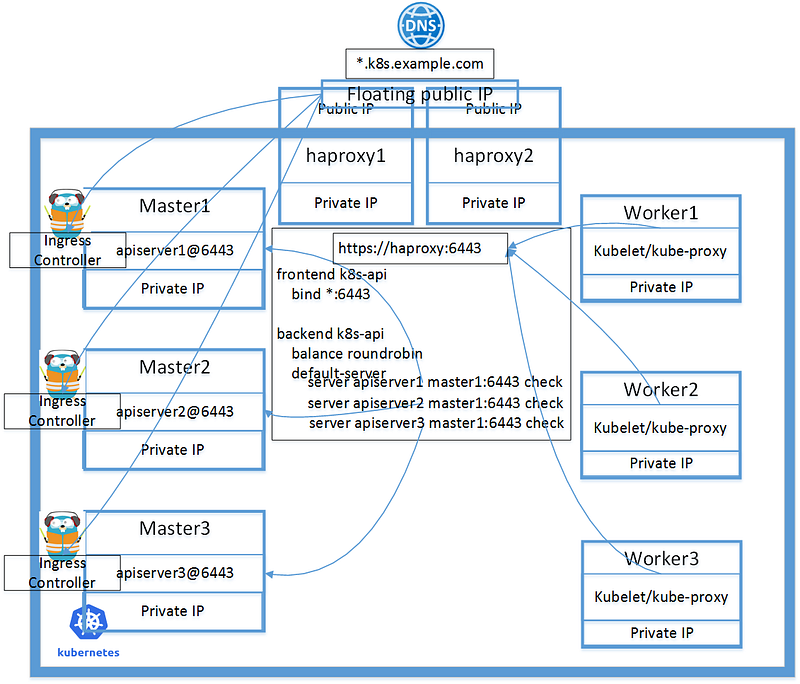
A working HA Kubernetes cluster has at least 3 master nodes and some workers. I have shared my experience here. By adding Traefik cluster, the architecture of the cluster is like below diagram.
Here I deploy Ingress Controllers on the master nodes, which I think is suitable for a low traffic cluster. More instances could be deployed to worker nodes, if the cluster need serve high traffic.
Updated 1/9/2020
Traefik uses Consul Cluster as storage back end. To make it secure/stable, I shared my recent experience about running Consul in Kubernetes for production in this article.
Prerequisite
consul command line, example as below
cd /tmp && wget https://releases.hashicorp.com/consul/1.5.1/consul_1.5.1_linux_amd64.zip && unzip consul_1.5.1_linux_amd64.zip && sudo mv consul /usr/local/bintraefik command line, example as below
cd /tmp && wget https://github.com/containous/traefik/releases/download/v1.7.11/trae fik_linux-amd64 && chmod +x traefik_linux-amd64 && mv traefik_linux-amd64 traefik && sudo mv traefik /usr/local/bingo environment, cfssl, cfssljson
# Install gimme
$ curl -sL -o ~/bin/gimme https://raw.githubusercontent.com/travis-ci/gimme/master/gimme
$ chmod +x ~/bin/gimme
# Install go
$ eval `gimme stable`# Install cfssl, cfssljson
go get -u github.com/cloudflare/cfssl/cmd/cfssl
go get -u github.com/cloudflare/cfssl/cmd/cfssljsonSources used in this article
github linkDeploy Consul
Consul is used as KV store for Traefik, while it’s actually much more powerful.
I’m following first half of this tutorial to deploy a 3-replicas consul cluster.
Generate CA and certificate for consul
$ cd ca# Generate CA$ cfssl gencert -initca config/ca-csr.json | cfssljson -bare ca# Generate certs$ cfssl gencert \
-ca=ca.pem \
-ca-key=ca-key.pem \
-config=config/ca-config.json \
-profile=default \
config/consul-csr.json | cfssljson -bare consul$ cfssl gencert \
-ca=ca.pem \
-ca-key=ca-key.pem \
-config=config/ca-config.json \
-profile=default \
config/traefik-csr.json | cfssljson -bare traefikDeploy consul
As Consul need persistent volume, adjust storageClassName in consul/consul_statefulset.yml properly.
If the cluster has less than 3 worker nodes, remove the “podAntiAffinity” from consul/consul_statefulset.yml. However to get highly available Consul cluster, it’s better to have 3 or 5 replicas running on different nodes.
kubectl apply -f consul/Generate consul secrets
$ cd ca# Generate gossip key
$ export GOSSIP_ENCRYPTION_KEY=$(consul keygen)# consul
$ kubectl -n consul create secret generic consul \
--from-literal="gossip-encryption-key=${GOSSIP_ENCRYPTION_KEY}" \
--from-file=ca.pem \
--from-file=consul.pem \
--from-file=consul-key.pemIf things go well, we should have the 3 consul pods up.
$ kubectl -n consul get pod
NAME       READY   STATUS    RESTARTS   AGE
consul-0   2/2     Running   0          17s
consul-1   2/2     Running   0          14s
consul-2   2/2     Running   0          11s
# check log
$ kubectl -n consul logs -f consul-0 -c consul
bootstrap_expect > 0: expecting 3 servers
==> Starting Consul agent...
==> Consul agent running!
Version: 'v1.5.0'
Node ID: '159adb35-0cfd-2c58-ea51-8e3a6b64ee4c'
Node name: 'consul-0'
Datacenter: 'dc1' (Segment: '<all>')
Server: true (Bootstrap: false)
Client Addr: [0.0.0.0] (HTTP: 8500, HTTPS: 8443, gRPC: -1, DNS: 8600)
Cluster Addr: 10.0.210.154 (LAN: 8301, WAN: 8302)
Encrypt: Gossip: true, TLS-Outgoing: true, TLS-Incoming: true# forward consul to localhost
$ kubectl -n consul port-forward consul-0 8500:8500 &# run this command in different console to maintain the connection
$ while true; do consul members && sleep 20; done$ consul members
Node Address Status Type Build Protocol DC Segment
consul-0 10.0.210.154:8301 alive server 1.5.0 2 dc1 <all>
consul-1 10.0.143.30:8301 alive server 1.5.0 2 dc1 <all>
consul-2 10.0.181.84:8301 alive server 1.5.0 2 dc1 <all>
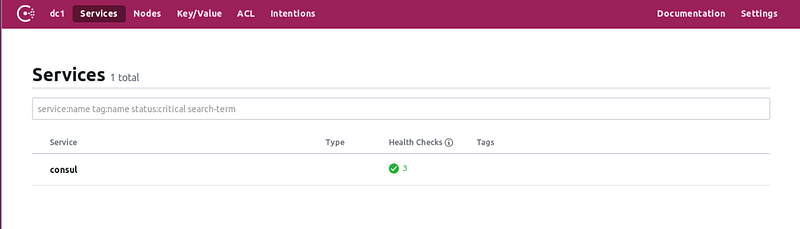
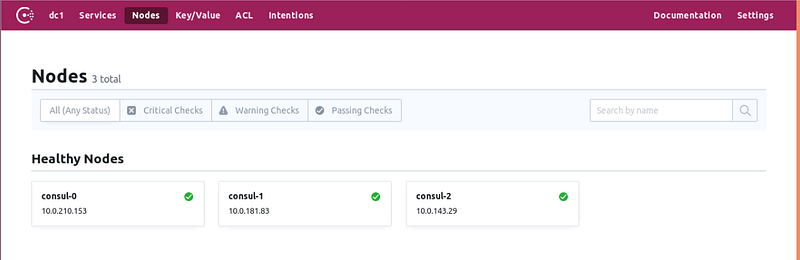
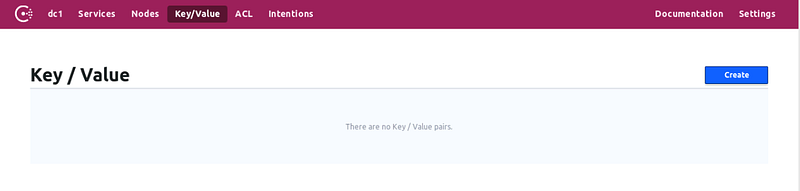
Browse to http://localhost:8500 for the consul UI
Import traefik.toml into Consul
I have this traefik.toml.sample as template. Fill in proper email address and domain name to generate a file traefik.toml.
Import traefik.toml with ‘traefik storeconfig’ command.
# Generate from template
$ EMAIL[email protected] DOMAIN=example.com envsubst < traefik.toml.kv.sample  > traefik.toml
# forward consul to localhost
$ kubectl -n consul port-forward consul-0 8500:8500 &# magic time
$ traefik storeconfig --consul --consul.endpoint=localhost:8500 --file.filename=./traefik.toml
...
Writing config to KVIf properly imported, check the values in Consul K/V store
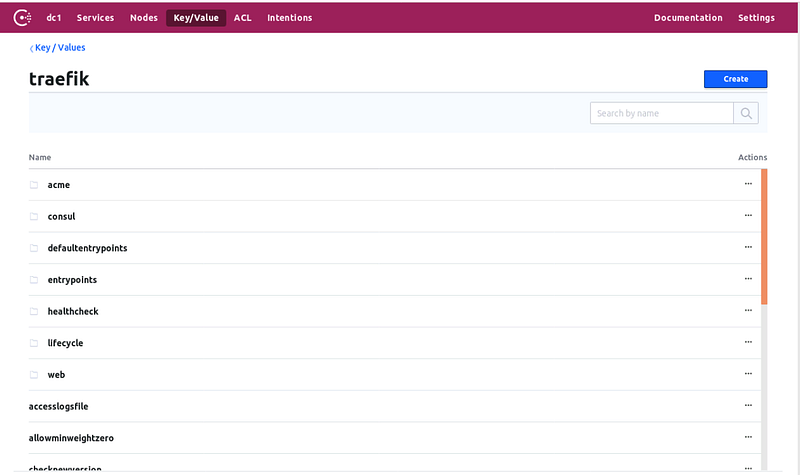
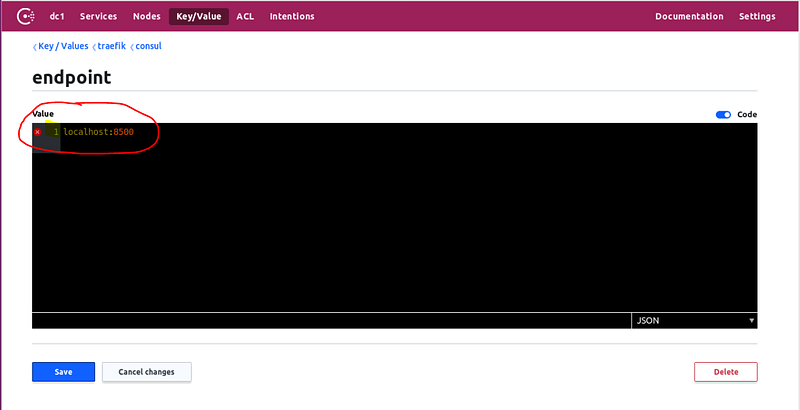
After above importing steps, a manual change for the value of key traefik/consul/endpoint is needed. As shown in below screenshot, to ‘https://consul.consul.svc.cluster.local:8443’, which is the URL to the consul service.
If there are existing Let’sEncrypt certificates in a file acme.json, simply un-comment the line
#storageFile = "./acme.json"from file traefik.toml and do the import. It will also get imported into Consul.
Then delete the key traefik/acme/account/lock, to allow the Traefik Ingress pods get the lock.
Deploy Traefik Ingress Controller cluster
Create TLS secret for traefik cluster. It’s used to access Consul.
$ cd ca
$ kubectl -n kube-system create secret generic traefik-consul \
>     --from-file=ca.pem \
>     --from-file=traefik.pem \
>     --from-file=traefik-key.pem
secret/traefik-consul created
Create traefik dashboard secret.
kubectl -n kube-system create secret generic kubesecret --from-file authFile ‘auth’ is created from this command. The username/password will be used to access the traefik dashboard
$ htpasswd -c ./auth <username>
New password:
Re-type new password:
Adding password for user testaaa
Now deploy it.
The example traefik_kv.yaml will deploy to master nodes. If this is not desired, adjust the “nodeAffinity” part.
DOMAIN=example.com envsubst < traefik_kv.yaml | kubectl apply -f -There are 3 pods for traefik-ingress-controller.
$ kubectl -n kube-system get pod -o wide
traefik-ingress-controller-5dlbz          1/1     Running   0          5m21s   10.0.142.69       master3
traefik-ingress-controller-9nxqt          1/1     Running   0          6m34s   10.0.123.196      master2
traefik-ingress-controller-xzkzd          1/1     Running   0          5m34s   10.0.255.14       master1
Add labels to the nodes which has Ingress Controller deployed, as I will use the label to handle the cluster reboot sequence. Refer to my article “How to reboot highly available Kubernetes Cluster” (link).
# for all nodes that has Ingress Controller
$ kubectl label nodes master1 node-role.kubernetes.io/ingress-controller=
$ kubectl get nodes
NAME STATUS ROLES AGE VERSION
master1 Ready ingress-controller,master 49d v1.14.1
master2 Ready ingress-controller,master 49d v1.14.1
master3 Ready ingress-controller,master 49d v1.14.1
worker1 Ready <none> 49d v1.14.1
worker2 Ready <none> 48d v1.14.1
worker3 Ready <none> 48d v1.14.1Add Haproxy rules
When the traefik cluster is ready, add haproxy rules to both primary and backup haproxy hosts. Basically, forward port 80 and 443.
As the DNS for the domain point to the haproxy, now the traefik dashboard https://traefik.k8s.example.com/ is accessible, with the username/password created above.
Export acme from consul
I’d like to check/backup the Let’sEncrypt certificates that the Traefik cluster has got for the services. I couldn’t find clear instructions and below is my steps after some tries.
# Connect to consul
kubectl -n consul port-forward consul-0 8500:8500 &
# Keep the consul connection open
while true; do consul members && sleep 10; done# retrieve compressed acme object
consul kv get traefik/acme/account/object > acme.gz# gunzip
cat acme.gz | gunzip > acme.json# Format
cat acme.json | jq '.' > acme.json.formattedBackup/Restore consul
I hit a case that I want to change the Persistent volumes for the consul cluster. So I need destroy the consul cluster and recreate it. Obviously I don’t want to lose the existing KV values. I found it is pretty easy with the consul snapshot backup/restore.
- Create a snapshot as backup
- Destroy the consul statefulsets and pvc
- Re-create with new consul configs
- Restore from snapshot
# backup
consul snapshot save backup.snap
# restore
consul snapshot restore backup.snapThanks for reading.


