
The Mobile Development
The Possible Types of Server Driven UI for Mobile
It’s up to us how much UI change we want the server to drive

Not too long ago, Airbnb shared on their Server Driven UI. It is definitely an interesting idea, as one can change the UI of the mobile device dynamically. This also means, when the designer intent to make changes to the UI on either Android and iOS phone, there’s no need to make a new App release. Wow!
While this sounds astonishing, the concept is actually similar to mobile devices fetching server data and decided what to do with it.
It can range from the client decide all the rendering other than the text, until the most complicating, where the client decides nothing, and all coming from the server (e.g. a browser app reading the HTML and scripts provided from the server)
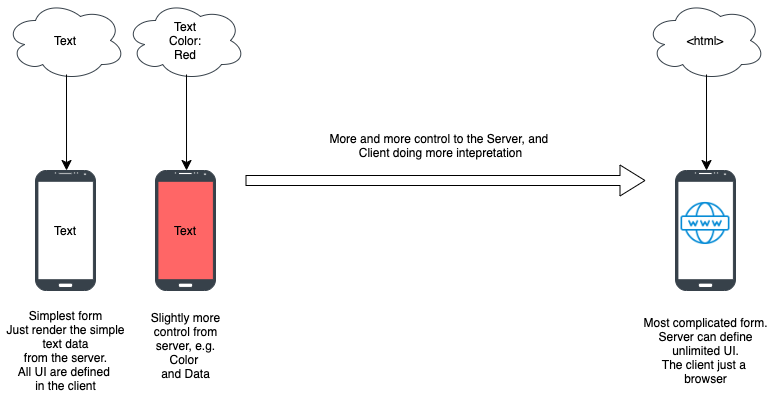
Well, what’s in between? Here are some simple breakdowns of what’s possible
1. Server Driven Component
Probably one of the simplest forms is, the server decides which component to show instead of the client decide. The component will form a stack (or list) of data one can view.
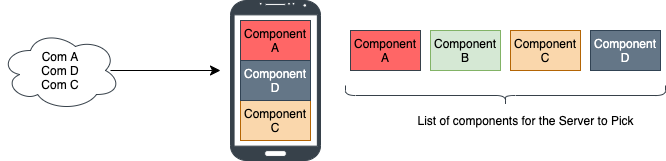
The component format is fixed. So if one wants to customize the component, one has to have a new app release.
To many, this still doesn’t consider it as Server Driven UI, as it doesn’t alter the UI attributes. But in reality, this is the basic form of Server Driven UI.
2. Server Driven Customizable Component
This is similar to Server Driven Component. It is just that one can customize how a component is drawn. Such customization can be broken down into further smaller possibilities
2.1 Making fix set of subcomponent type
The simplest way to customize it is instead of having just one fixed configuration for each component, one can have a fixed set of variations for each component to pick.
E.g. instead of having Component A, we have Component A1, A2, and A3, with slight variations of how the UI is being layout.
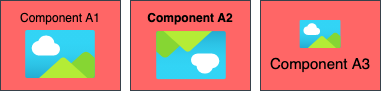
The benefit of this approach is if we know for sure what variations we need in the future, then it’s much easier to prepare ahead, as we are flexibly determined it upfront and set it up in whichever way we like.
However, we are most likely not knowing the future. Hence this approach is still pretty limited, as if a new variation is needed, a new app release will have to be introduced.
2.2 Customize the basic attributes (e.g. the font size, color, padding)
In such customization, one can customize each element’s attributes, e.g. bold, padding/margin, alignment, size, etc. We can also hide the element if not needed.

In such customization, there might be limits as well. E.g. the server will not provide an exact size, as the size one serves for iOS and Android devices might be different. Hence perhaps provide t-shirt sizing instead.
Note: one has to ensure we have default t-shift sizing, if in the future a new sizing is added, the older version of app has yet to support it will have some challenge without a default to play with.
However, the position of the element within the component is fixed.
2.3 Customize the position of the basic element but fix in arrangement (e.g. vertical or horizontal)
Another enhancement to Component customization is to provide the ability to arrange the elements within the component in a different order (perhaps on top of basic attributes customization)
E.g. one can arrange the order of each element. E.g or even replicate the specific elements.

To make this more interesting, we can also have an arbitrary number of elements.
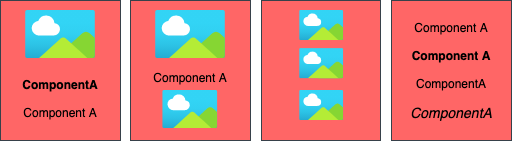
This used to be much harder to achieve during the XML-based design days in Android or iOS, but with Jetpack Compose and SwiftUI, this is now achievable. Simplified sample pseudocode for Jetpack Compose below
Column {
    for (element in Elements) {
        when (element) {
            IsImage -> Image(.... )
            IsText -> Text(... )
            else -> {// Do nothing }
        }
    }
}
2.4 Arrangement of any positions
The customization above makes the server have more control, but still limited. This is because unlikely we have components that only have a single column or row of elements.
Instead, actually have the ability to arrange in any position, just like one has a ConstraintLayout (Android) / AutoLayout (iOS) ability in the server
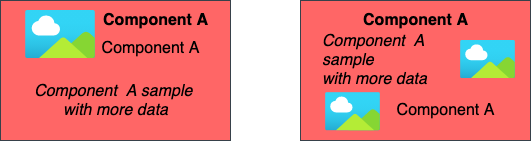
The client will need the ability to perform live ConstraintLayout and AutoLayout processing while rendering the components, which might be compute-intensive.
Update: the recent findings that nested Row and Column are efficient on Jetpack Compose. Hence the need of ConstraintLayout is not as much anymore.
The good news is if we can reach such customizable, we don’t need a variety of components (e.g. A, B, C, D) store on the client to pick. As the server can pretty much define any components it needs.
3. Server Driven List of Component on Component
As shared above, we can customize components with different elements. Another extends of greater flexibilities of server customization is to have the ability to contain a List within a component
As shown in the diagram below, the second row, has also a Horizontal Scroll component within.
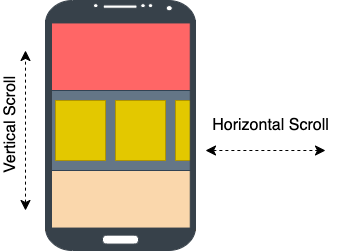
A simple example is the PlayStore App on an Android phone. The article below shares how to make smooth cross scrolling, also illustrate such nature of App clearly.
If we do have proper server-driven component customization, then such customization is possible too with a payload as below
{
    "components": [
        {"componentA": ""},
        {"componentB": [
            {"subComponentA":""},
            {"subComponentB":""},
            {"subComponentC":""}
        ]},
        {"componentC": ""}
     ]
}
One note though, we might be cautious that sharing component and subcomponent in the list might introduce some tricky bits (e.g. one has fixed length, the other has fixed height). Perhaps it’s good to keep them separate.
4. Server Driven Trigger & Action
Beyond the customization of components, to have a practical Server Driven UI, we’ll also need to have the ability to define the action (of the component) and its trigger as well.
We need to predefined ahead in the client what are the possible Server Driven Trigger e.g. onClick, onDoubleClick, onFling, onLongClick, etc… all of them have to prebuild into the component to perform the listening accordingly. Luckily in most cases, most are interested in onClick only.
As for action, we’ll also need to predefined all possible actions on the client. that the server and define. It can be open another screen, open a dialog box, saving information, and many many possible actions.
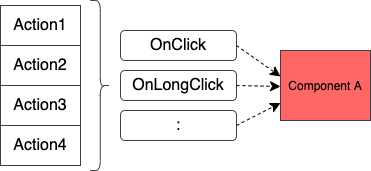
The other note is, all actions defined should also be parameterized i.e. the action is not a fixed action but can be configured. E.g. open another screen, one cannot just define a fixed screen, but instead, the server can define which screen one can go to. This is term as routing in the Airbnb Server Driven UI.
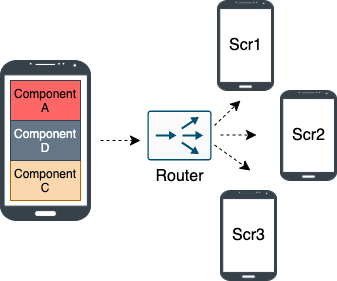
How to create such a router without hardcoding the screen from screen connectivity is another major thinking itself.
5. Server Driven Screen Type
On the above, we pretty much define customizable components, assuming the components are posted as a list (e.g. RecyclerView, LazyColumn, TableView). In most business apps, those are the nature that should have fitted them much.
However, to explore more into Server driven UI, at times we want to also have a way for the server to define a different screen type than the list screen.
Below are just a few examples of potential screen types (excluding the list shown).
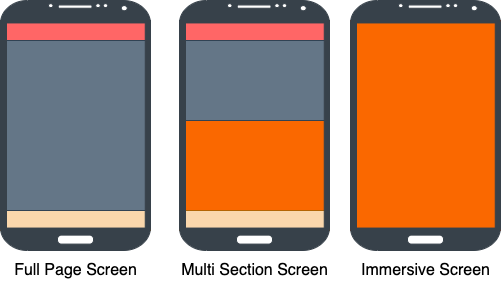
The above is definitely not exhaustive, a greater illustration can be seen in the article below.
If we like to have it server-driven, just like components, we can have them as
- A fixed set of selectable screen options to pick from, where each option is fixed of what it could render.
- A fixed set of selectable screen options, where each option has limited customization (e.g. just the element attributes).
- A fixed set of selectable screen options, where each option has more customization, i.e. attributes as well as the order of the components.
- A fixed set of selectable screen options, where each option has full customization, i.e. attributes, order, and placement of the components.
Each of the above option increase in flexibilities from server-side to control and also increase in complexity from client-side to compute and render.
6. Server Driven Customize Screen Type
Differ from the Server Driven Screen Type approach, this approach basically eliminates the need to have any predefined screen options to pick from. The server has full flexibility in defining how one can layout the screen.
There’s no need to predefined the boundary, as the client processing has the ability to perform processes like ConstraintLayout and AutoLayout under the hood but just dynamically from the payload provided by the server.
Personally, I think this is tricky, as the infinite possibilities of layout the screen is an expensive operation, especially to do it on the fly.
Besides, items like Android’s immersive screen layout (layout without the system status bar or bottom bar to make the app looks full screen), is not something we set from things Layout handle in Android code, but more on the System Attribute to turn On and Off.
7. Server Driven Beyond One Screen
All we have chatted about is a server managing a single screen. In reality, there’s more to just one screen layer of screen.
Below are few examples of consideration.
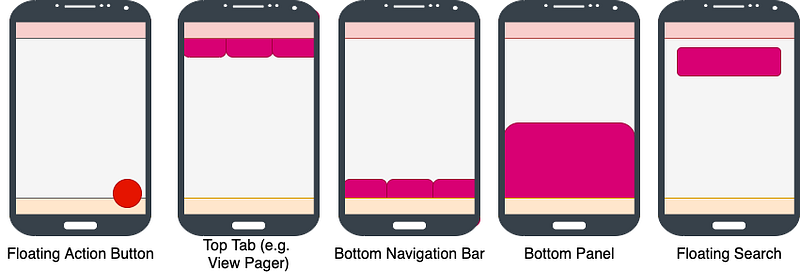
Some of them are contained within the screen itself (e.g. Floating Action Button, Floating Search, Bottom Panel), while others are encapsulating the screen (e.g. Top Tab, Bottom Navigation Bar).
To have the Server determined more than one screens capability (e.g. determine the number of tabs and the action of each tab to render a different screen, while the screen is also server-driven defined) needs thorough thoughts on its architecture and payload design.
8. Server Driven Animation
As for the beyond one-page consideration, usually, some of these items (e.g. the button) also perform some interesting animation (e.g. the search bar will fly away when one scrolls the page).
Such animation is usually determined by the client-side of logic. If we want to have it server-driven, at most perhaps would have client predefined “options” of animation to pick, instead of having server design and refine animation.
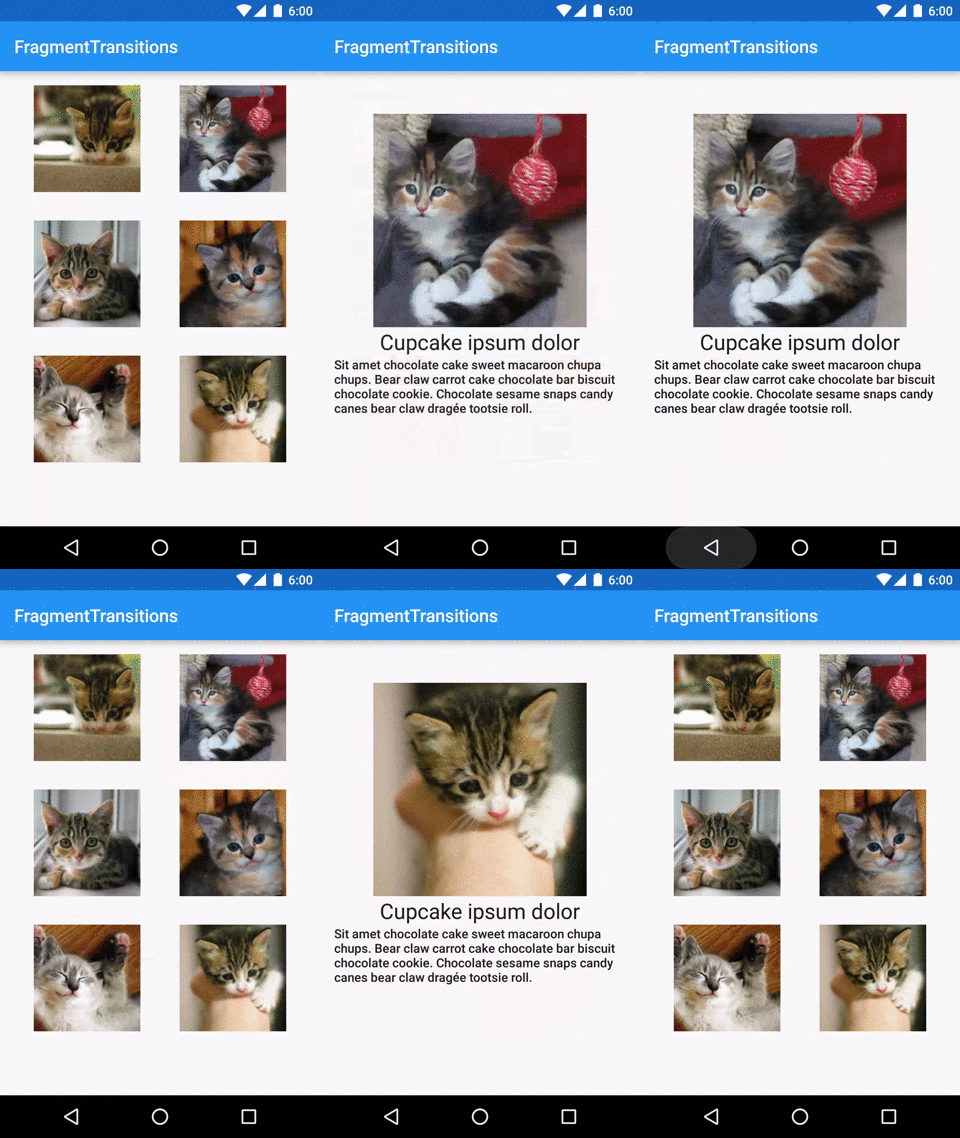
One example of cross-page transition animation could be seen below. Such will need to be crafted from the client-side instead of server-driven, as it requires matching of the views from both screens.
9. Server Driven Unlimited Custom Component
The might be the ultimate way if we can get it driven from the server, that is to define fully a custom component, with animation.
E.g. if we want to draw a graph to the plot, the conventional server-driven UI would not be able to achieve that. Perhaps we’ll need to resort to Webview with some JScript.
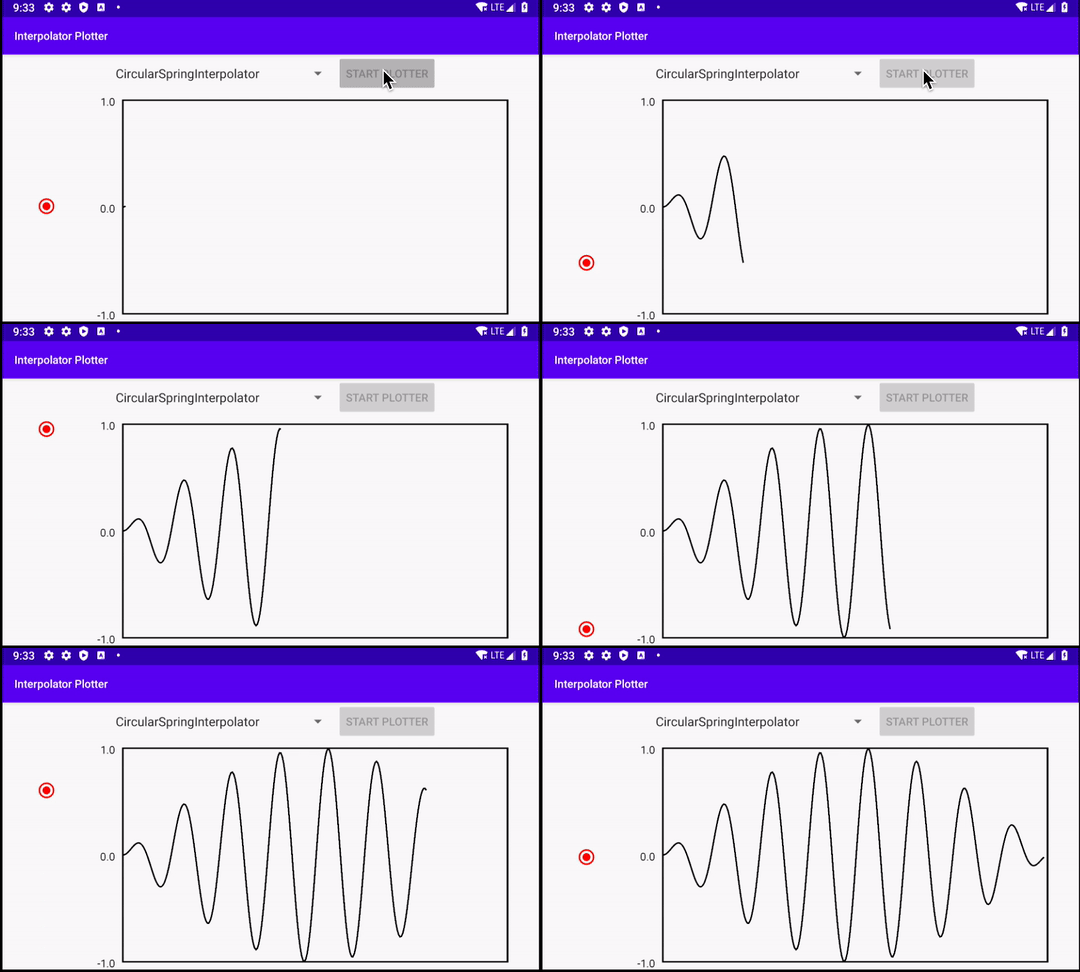
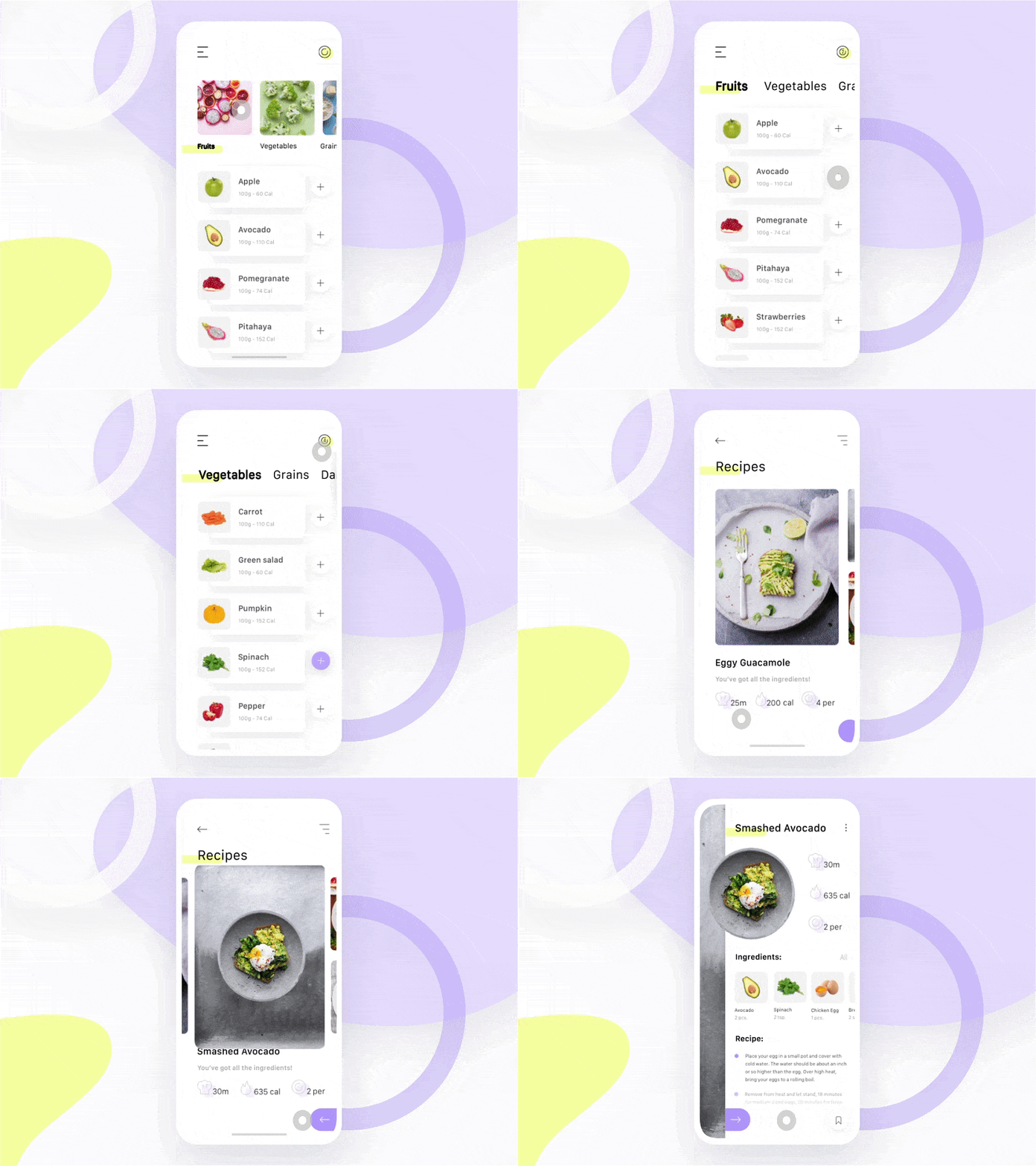
Another interesting case to explore is the combination of both custom view and animation. Such a polished app as below would be really tricky to be fully server-driven.
Server driver UI is becoming a popular term these days. But it could mean anything from just text change to the entire UI change.
To some, a text change is a UI change. But to some, UI involves a well-polished user interface include animation and transition.
To others, it may be as long as some attribute of UI has changed that is not just text, it’s a UI change. Some called that Server Driven View Mode. I guess that depends on the definition of UI.
Therefore it is very important for the developer to get in sync with the designer, what one expects of a Server Driven UI, both present and future.
The joint understanding between the designer and developer-defined model will ensure the optimum development effort cum reusability of the model for a much longer period of time.
The tricky bit of such work is, no one can really predict the future. The success of a Server Driven UI work within an organization cannot be determined by the initial release of the work. This is because the benefit of Server Driven UI can only be determined by how much change is required for future work.
Therefore, it can only be determined after several iterations of work.
- If the model keeps evolving, it might result in a higher cost of work than just work on client-driven UI work, then it has failed.
- If the model sustains minimal to no change despite new features added to the client (through the server), then it’s a success.
Good luck.


