
The one and only app that appears on all of my Focus Modes
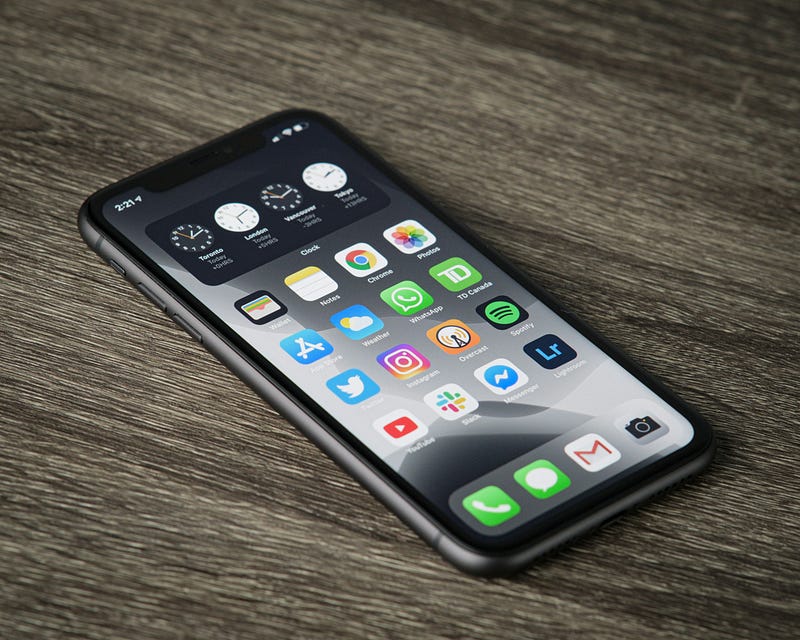
Regular readers will know that I’m a big fan of iOS’s ability to switch to individual Focus Modes based on a variety of factors including the time of day, day of the week or app being used.
It allows my phone to become more contextual: “Work” apps and widgets are shown during work hours. My screens change once work is over and the evening arrives. At weekends, things change again so that I don’t see any of my work stuff at all.
You can read more about how I’ve set up my focus modes here.
This article is about something a little different. This article is about the one app that I have across all my Focus screens — both iPhone and iPad — regardless of how much they change.
My Focus Modes
For background purposes, I have five different focus modes set up on my phone:
- Morning: For when I first wake up until around 8.30 when I get back from dropping the children off at school and sit down to work
- Work: Runs until work finishes at around 5.00 and shows the apps and widgets I use during a working day
- Personal: This is my “Catch All” Focus Mode. It kicks in whenever another Focus Mode isn’t active. Typically, that’s after work and before I go to bed.
- Bedtime: The phone changes again when I go to bed. In this case, the “Bedtime” Focus Mode displays white noise, podcast and audiobook apps that I might want to listen to while going to sleep
- Weekend: At the end of the working week, I have another Focus Mode that kicks in which blocks work apps or notifications. The idea is that I’m able to focus on my family during that time
The Constant
While apps and widgets change across all of the Focus Modes mentioned above, the one app that appears in one form or another is Readwise.
I need to make a disclaimer at this point.
Technically, it’s one of two apps that are used across the board: Readwise and Readwise Reader.
However, because they both fall under the same subscription and they’re from the same company, I’m counting it as one app.
What’s the difference between the apps?
I won’t go into a huge amount of detail here about how the two apps differ.
Instead, I’ll just say that Readwise Reader is similar to a Read-It-Later app (although that does it a huge mis-service). It brings in all types of digital content that I find interesting as I browse the internet. That includes tweets, books, PDFs, web pages and even YouTube videos, which get transcribed (assuming that the video is set up for subtitles).
All of these digital formats can be browsed within Reader and the main points of the file can be highlighted and tagged for future reference.
Readwise is like a bank vault that stores all of the highlights that you make. The app is directly integrated with a variety of sources itself such as Kindle, Raindrop and Medium, so you don’t need to use Reader alongside Readwise.
The app also provides the opportunity to export highlights into a variety of note-taking/PKM apps such as Notion, Tana and Obsidian.
How are the apps used in my Focus Modes?
- Morning: The Readwise app provides with me 5 highlights from my vault every morning. Once the children are at school, I pick one of these highlights and either journal on it or export it in Obsidian where I can write further on why I stored the highlight in the first place.
- Work: I couldn’t write my content without Readwise. Not only does it store useful anecdotes, quotes and ideas that I find, but I’m able to categorise them all. Therefore, if I’m writing an article on “Leadership” for example, I’m instantly able to find quotes or anecdotes that I can use in my writing. In short, Readwise makes my content more valuable by providing depth to what I’m writing
- Personal: Once work is finished, I tend to spend 5 or 10 minutes reviewing what I’ve captured during the day. These might be articles that I can finally get around to reading or just little quotes/excerpts that I found around the web. Those that I want to keep get tagged and archived. Those that no longer resonate are deleted.
- Bedtime: This might be a slight cheat here, as I tend to listen to stuff rather than read in bed. However, I do have the Readwise widget on my phone as part of my Bedtime Focus Mode. It displays a single highlight from my vault at random, which gives me something to think about as I get under the covers.
- Weekend: Sunday night is when I plan out my content for the week. To do this, I go through what I’ve collected in Readwise and find a number of sources to use in my content. Titles for articles are stored within my content calendar (in Notion) with links back to sources within Readwise or Reader inserted for research.
Try it out for yourself — with an extended free trial
If you haven’t tried out Readwise yet, I’d urge you to give it a go. Especially if you’re a content creator — I’d say it’s the one app that I couldn’t do without.
For a limited time, you can try out both the Readwise app and Reader without charge for 60 days (as opposed to the standard 30 days) when you use THIS LINK.
For more information on how I use Reader across my devices, you might want to check this link.
One last thing
If you found the article above useful, then you’ll be pleased to know that you can sign up for my weekly newsletter.
The newsletter is free and focuses on the technology and writing skills that I’m using to grow my content business.
If that’s not for you at the moment, you can also catch me on Twitter/X or Mastodon
Another Disclaimer: The links to Readwise in this article are affiliate links. If you use them, like what you see and then sign up long-term then I’ll get a small referral fee at no extra cost to yourself. This helps to support my writing, so if you do this let it be known that you’ll forever be a legend in my eyes. Plus, Readwise does genuinely rock!