
ILLUMINATION CHALLENGE 100 — DAY 34
The “IVANA” Method For Extreme Productivity!
How To Write 4000+ Words Per Hour

Grammarly recently reminded me that I have written more than 2.1 Million since May 2020, while holding a full-time job and caring for a tiny baby. How was this possible?
The “IVANA” method is my hack for extreme writing productivity. Try it if you want to write more but have limited time or worse, tiny pockets of time where you cannot always sit at a laptop to type!
IVANA Method
IVANA is the acronym for my 5-step writing program.
I write part-time and found it difficult to get into “the zone” when I could only spare 15 minutes at a stretch. This method was designed to help me write more in less time!
Writing for my blog and recently, the daily writing challenge on Illumination definitely helped me work out the kinks in this writing system. Sharing it publicly so others may also benefit from the core ideas.
Disclaimer — This process helps me write 4000+ words per hour. Feel free to modify the system to suit your individual situation and writing quirks!
The fancy mnemonic “IVANA” is to help me remember the steps and stay on track. :) IVANA stands for I-V-A-N-A, where:
I = Ideas.
V = Voice software.
A = Amend.
N = Notarize.
A = Assess.
#1. Ideas

My ideation time is always separate from actual writing.
Thinking + writing is a sure-shot way to slow you down, and also increases the editing time exponentially!
I think about articles to write, book drafts when I am doing any manual work like cleaning, waiting in line, exercising, etc. Often I will think about a potential headline and test it using a headline analyzer (my phone is always on me!) Sometimes an article I read will spark ideas.
Most of the time I use my handy Evernote app to write keywords or just the headline. Sometimes I might write it down manually. I prefer hand-drawn mind maps when I want to make sure I have ample content for a book draft or detailed blog post.
Everything is always added to Evernote, at least as a screenshot. Saving ideas is important so I can have multiple topics to start from when I do sit to write. Evernote is a critical app for my productivity mojo — you can choose your own tools using the list here.
#2. Voice-to-Text Software
I type decently at about 900 words per hour with about 90% accuracy. The rest 10% is left for Grammarly and spell-check! ;)
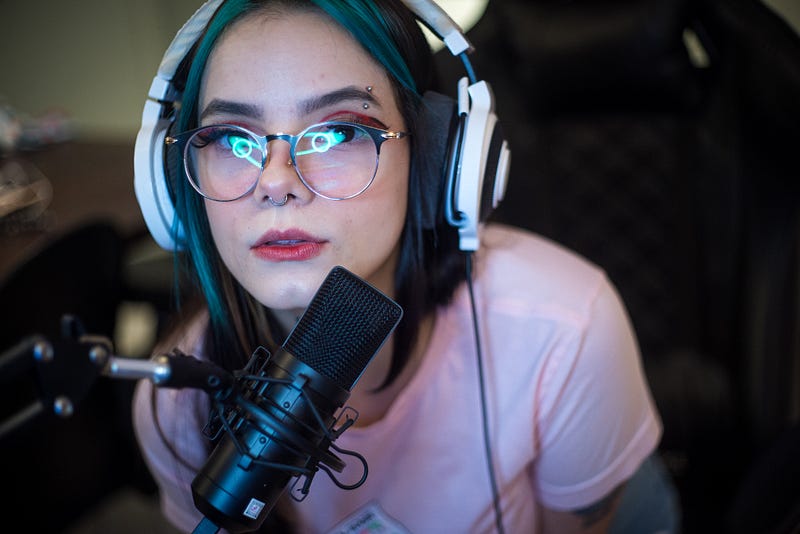
But Voice-to-Text software has helped me go from 900 to 4000+ words with amazing ease. There are multiple software and apps on the market but the “Live Transcribe” app from Google is what I use. It is a very bare-bones dictation software, but it is FREE, and it has skyrocketed my productivity. You open the app, speak to it and you watch the words appear on the screen.
I dictate the article (or book chapter) into the app as if I am explaining the topic to a student. Using my keywords and mind maps from step #1 makes this quite easy. I do not bother about the order of ideas or correcting minor typos, as the GOAL is to get my ideas out of my head and on to the app.
Often, if I feel a sentence structure does not sound right, I just repeat a modified version. The older version is deleted later in the next steps.
Important Reminder — NO editing on this step!
Pros:
- From personal experience, I can vouch that it works with surprisingly excellent accuracy for non-native English speakers. So if you don’t have an American or British accent, you do not need to worry you can still use the software. My accent is neutral to mild “American” since I grew up in India.
- Since I can “see” what is being written, I can verbally add notes and placeholders, like links to articles, where research is required, what type of image would be good. If I were to do this while typing, I might get distracted researching a link and find myself spending an hour on random browsing. Temptation avoided implies an increase in productivity.
- Seeing my thoughts on the app helps me create a shape out of nebulous thoughts. When I initially started, my articles required tons of editing, as the transcripts were literally a brain dump with no logical flow of ideas! My ideas zig-zagged back and forth. With practice, I have gotten much better at producing articles that require minimal editing, by spending more time on the ideation step.
- If you only have 15-minute fragments of time as I do, this step is worth its weight in gold! My baseline is roughly 1500 words in 10-minute dictation. Even though 30% of the words get deleted in the final cut, it still gets a lot written!
Cons:
The software can save only one set of transcription at a time, so I copy and paste it into my handy Evernote app every 5 or 10 minutes. Do not take huge pauses or you may lose your work!
If you need more information about using this software app, check my detailed post below:
#3. Amend.

All editing steps happen here — formatting titles and subtitles, adding images, adding links, some editing for brevity, etc. I also use a Pomodoro timer to limit how much time I spend on such editorial tasks. Otherwise, it is easy to get stuck in an infinite polishing loop.
I usually let my drafts stew for at least 24 hours because I always remember more things to add.
Plus, I usually go through a vicious mental cycle of hating everything I wrote (or dictated) and berating myself. A couple of hours later, I remember that I am not gunning for the Pulitzer Prize and Medium is an amazing testbed for my writing ideas, and it is okay to publish an imperfect piece!
The 24-hour gap helps me stay objective about my writing!
Once in a while, I will look at my drafts and just decide to dictate it anew with better flow, to reduce the editorial time.
#4. Notarize — Approve to Publish

This is where I perform the final polishing and submit and move on to the next, picture additions, tags, etc. The last sanity checks and my seal of approval before I hit publish!
Due to various reasons, this is one thing that mandates I use a laptop, so the step is separate from the editorial iteration. Upload new version to kindle, scheduled posts in WordPress, or submit to publication on Medium, all these work better/ faster on PC!
Again using a timer helps and try to batch as many docs as possible.
For blog posts that are over 2000 words long, I may split up into multiple smaller pieces.
#5. Assess
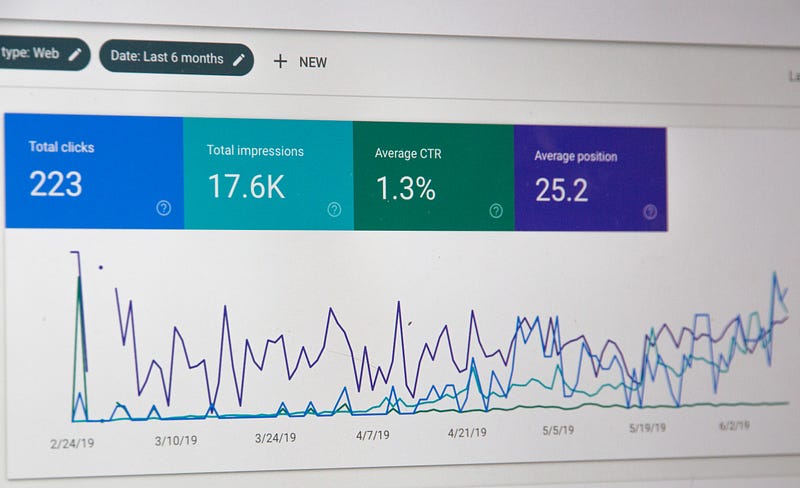
Assess regularly. This is a must!
Assess what works and what doesn’t. This could be analytics on the articles, engagement, writing ease, publishing mistakes, etc. What time works best? What tags or topics get higher views? Which articles took longer to write and why?
If a story did unexpectedly well, why? If an article bombed why?
For example, I’ve noticed that header images with a pop of red or orange seem to work well, possibly because the splash of color catches readers' eyes while scrolling. Whatever the reason, it seems to work for me. Your metrics may be very different!
Other Tips:
Learning to type faster will certainly help a lot, whether you write for money or run a business. It also makes editing much easier!
I achieved some happy milestones by participating in a 100-day daily writing challenge. Most of these articles were written using this IVANA method.
What do you think of my process? Do you follow a writing system that you would like to share? Any specific tool that has increased your writing efficiency? Share in the comments below.


