
Why I will stick with my daily journal for the time being.
The iOS Journal App Is Finally Here (iOS 17.2). Here’s What I Learned.
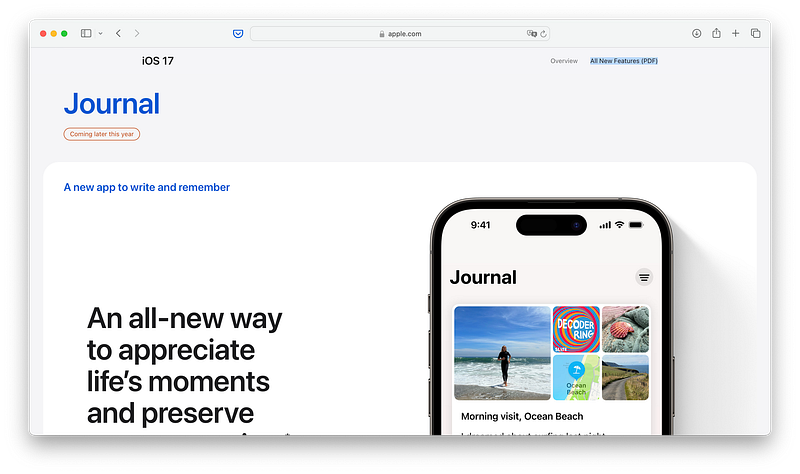
Apple’s Journal app didn’t make its debut in iOS 17.0, and even though Apple showcased the latest iOS version at WWDC 2023 back in June, I never expected it to take until November for its beta release.
Now, let me share what I’ve personally discovered and why I’ll continue to use my daily journal on Mem, while keeping the Journal app for other purposes.

What is the Journal app?
By now, you’ve probably heard a lot about the Journal app. In a nutshell, it’s a straightforward, somewhat intelligent application. It delves into the data your iPhone collects about you, like your music, your location history, and your exercise routines, to generate post ideas and also offer reflective questions.
You can also start with a blank post and add content such as photos, voice notes or locations on the go. However, it doesn’t offer much beyond these capabilities. It’s basic and minimalist, which has its appeal, but it comes with limitations. You have only limited content formatting options, and you can’t easily share your entries. You might wonder why you’d want to share your personal journal, but in today’s era of social media, this might be a thing. Additionally, personally prefer to have my entries stored elsewhere too, like in Mem.ai and I’d love the have sharing feature just to get everything out of the Journal app.
So, for now, the Journal app’s restrictions feel somewhat confining.
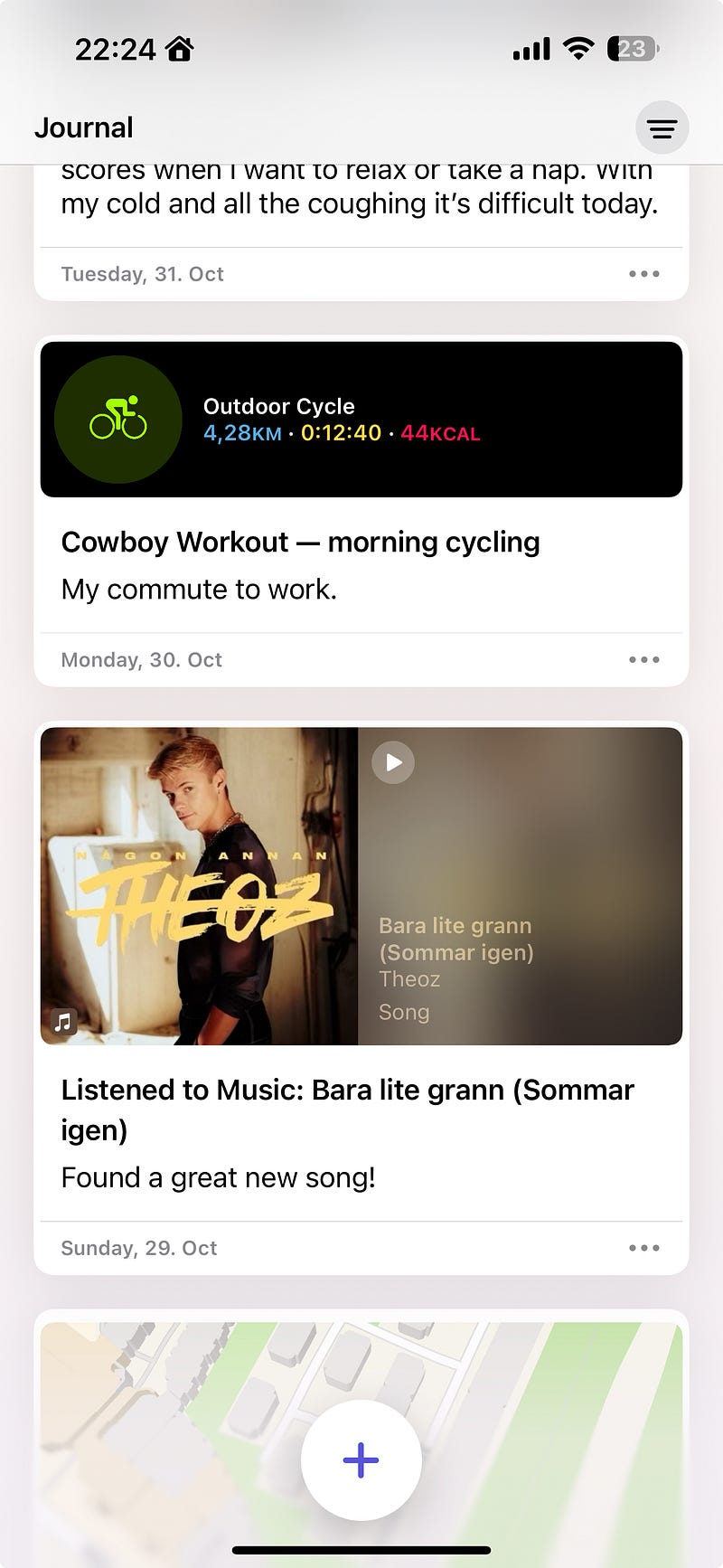
Nonetheless, I appreciate the idea of summarizing your digital iPhone life. It’s worth noting that if you don’t use your iPhone extensively, the Journal app may not be very practical and there are other great journaling apps like Day One.
My Daily Journaling Routine on Mem
I’m quite meticulous and enjoy documenting my life in great detail without it becoming overwhelming. As a result, I’ve created a simple journal template in Mem, featuring a set of morning starter questions, reflective inquiries for the evening, and a time log in-between. This log allows me to track my day by the minute, noting what I did, what was significant, and what tasks I worked on. It’s a quick and efficient method that aids in recollecting my life later.
Moreover, Mem Chat, a subscription feature, enables me to ask questions about the content I’ve stored. For example, I can ask Mem about my activities on a specific date (as I name each daily journal note according to the date) and it will give me an exact summary. It’s quite remarkable, and after using it for some time, I’m amazed by the wealth of data it provides.
And this is exactly what I am missing here. Granted, the layout of the home screen of the Journal app is beautiful, but I miss being able log my whole day.
Will I Switch from Mem to Journal?
In short, no. At least not yet and I am not sure many will ditch their beloved (paper) journal to use the app as of now. The minimalistic approach is great (and looks amazing), but it’s just not enough right now.
Mem serves as a versatile note-taking app and I just use it for my daily journaling as well. It offers me more flexibility than Apple’s Journal app. I try using both in tandem right now, with Mem catering to my daily needs and the Journal app for more personal content like workouts and music preferences. However, I’m curious to see what Apple has in store next, as the current Journal app lacks certain functionalities. It’s not even possible to search for specific items, such as when I last played a particular song. This is somewhat underwhelming, and since it’s exclusively available on iPhones, the readability is less than optimal due to the small screens. It should be at least on MacOS to make writing entries easier.
But I’ll keep an eye on its developments.
Hej there! If you find this article insightful and enjoy reading it, consider following me for more content about Apple, Mem.ai, productivity, and the general landscape of AI. Your reading and engagement are greatly appreciated too, as they help me reach a wider audience, enabling others to benefit from my stories and experiences. Thanks for reading and enjoy your day!
Here’s even more to read:
Apple & iPhone
- Here’s the Best iPhone 15 Pro Max Case https://readmedium.com/heres-the-best-iphone-15-pro-max-case-01ef2bd56785
- Here’s Why I Ordered The New iMac M3 https://readmedium.com/heres-why-i-ordered-the-new-imac-m3-2023-11fa673996da
Note Taking and AI
- Here’s How To Study Better with Mem and Chat https://readmedium.com/heres-how-to-study-better-with-mem-and-chat-0eec6a62d340
- How I Use Arc Max to Research Almost Anything https://readmedium.com/how-i-use-arc-max-to-research-almost-anything-c364892c0e89


