avatarJustiss Goode | F😄M

Free AI web copilot to create summaries, insights and extended knowledge, download it at here

4956

Abstract

up the look of my <b>Medium Profile page </b>and give it a <a href="https://readmedium.com/231d006650c8?source=---two_column_layout_nav----------------------------------">much needed facelift </a>. This is a new <b>cover page </b>for the detailed <b>directory </b>of <i>category titles </i>and it is much more <b>appealing. </b>This design may serve to bring in readers who enjoy <a href="https://readmedium.com/informative-entertaining-and-beneficial-stories-to-help-navigate-life-558aad3b7824">life, love, and family related stories.</a></p><figure id="e36d"><img src="https://cdn-images-1.readmedium.com/v2/resize:fit:800/1*GYO-hmM1pG9HzxbLdPFeyg.jpeg"><figcaption></figcaption></figure><p id="4a4b"><b>4) </b>Look at how stunning<i> a beautiful smile</i>, a <i>positive</i> <b><i>quote</i></b>, and a corresponding <b>background </b>and<b><i> text color</i></b> can be, coupled with a <b><i>complimentary font. </i></b>These are the same type of inspiring, motivational graphics that people everywhere love to read and enjoy.</p><p id="a896">NOTE: I’m actually banking on that being the case, with my <a href="https://readmedium.com/a-positive-outlook-in-a-negative-world-f17dbb27482c">upcoming January motivational series</a> called: “Uplifted”. This lovely image with the smiling black woman, is the first one in my Uplifted series, so be sure to stay tuned.</p><figure id="d808"><img src="https://cdn-images-1.readmedium.com/v2/resize:fit:800/1*0lU_DzFHl7ms-6Z7SO_ytg.jpeg"><figcaption></figcaption></figure><p id="ab03"><b>5) </b>This fifth design example that I created with Canva Pro, is a recent one. This is the book cover for the <a href="https://readmedium.com/what-exactly-is-in-a-title-1d27769a65d8?source=collection_home---2------0-----------------------"><i>medium-content journal book</i></a><i> </i>that I published on Amazon, at the spur of the moment.</p><p id="1eb2"><b>FYI: </b>The <i>view you’re looking at</i> is the <b>front and back covers </b>of a beautiful, glossy, “<b>hardcover</b>” book that will be <b>printed </b>and <b>distributed</b> by mail.</p><p id="48a1">If you read the story I wrote about <a href="https://readmedium.com/writers-we-have-the-power-to-give-the-best-gift-of-all-47e55dabf5d1">how I came to create it, </a>you’ll be able to tell just how proud I am of this little creation, even though it was quick and easy to put it together.</p><p id="72a7"><b>Screen shots of the book’s interior</b> (taken from the Amazon KDP previewer) are displayed in my Medium story titled: <a href="https://readmedium.com/a-personalized-starter-journal-just-for-the-month-of-january-1fa49c2689fd?source=user_profile---------5----------------------------"><b><i>A Personalized Starter Journal Just for the Month of January</i></b></a><b><i>!</i></b></p><p id="add5">Oddly enough, I didn’t create this particular project to try and make a profit. The little<i> starter</i> journal for beginners is actually a gift.</p><p id="42cf">But I also used Canva Pro when I created the book cover for my small collection of mermaid stories, and that book, I did put on sale. You can check it out on Amazon right now. It’s called <a href="https://amzn.to/3WGe3M2"><b><i>Tails of the Mermaids</i></b></a>.</p><p id="1ab5">Here’s a view of the <b>book cover</b>, inserted in the <b>book cover promo ad </b>that I<b> just made</b> specifically for the story you’re currently reading:</p><figure id="da74"><img src="https://cdn-images-1.readmedium.com/v2/resize:fit:800/1*YfUSzoMzbpnOBTHn-oZrfw.png"><figcaption></figcaption></figure><p id="c406">This just goes to show that you can <b><i>use a Canva Pro membership </i></b><i>to <b>profit</b> from <b>graphics, </b>both<b> </b>on and off<b> </b>the Medium website!</i></p><p id="bc4d">Your potential to <b>earn more in 2023 with Canva Pro</b>, depends on <i>how effectively </i>you use the above type image designs, or any similar designs you create.</p><blockquote id="03ad"><p><b>Those were just a few of the useful images that I created for my Medium stories.</b></p></blockquote><p id="24a8">Pretty cool huh?</p><figure id="7c55"><img src="https://cdn-images-1.readmedium.com/v2/resize:fit:800/1*LwC4Wq9ZlyxWA6N2cNeBxg.png"><figcaption>Photo Provided by Author — via <a href="https://www.canva.com/design/DAFVwLTsEs0/NSanh43Od9VF1ePrAW0sTA/edit?utm_content=DAFVwLTsEs0&amp;utm_campaign=designshare&amp;utm_medium=link2&amp;utm_source=sharebutton">Canva.com</a></figcaption></figure><p id="1ce7"><b>Cool yes, but some of you might be thinking:</b></p><p id="2d08" type="7">“Hey Justiss, just how EASY was it to create those designs?”</p><blockquote id="2e95"><p>About as easy as 1, 2, 3, 4!</p></blockquote><p id="e1c5">That’s how many steps it took me to make the “No Applause…” design <i>that you see just above.</i></p><h2 id="8dfc">Here’s what I did:</h2><figure id="9c43"><img src="https://cdn-images-1.readmedium.com/v2/resize:fit:800/1*uQ2Qcwnoqyo576o4viO38A.png"><figcaption></fi

Options

gcaption></figure><ul><li>Everything I selected, was from the <i>available choices </i>provided right there <b>on the Canva dashboard.</b></li><li>All I did was <b>select </b>the four items shown above,<b> size</b> them the way I wanted, <b>position</b> them to where I wanted them, and saved the results.</li></ul><p id="ce00">NOTE: I also chose to play around with two <i>additional </i>features. By <b>right-clicking on the selections</b>, I opened the drop down menu, and made the “clapping hands” appear <i>behind</i> the word “Medium”, and I also made the “background” image automatically display across the <i>entire page.</i></p><blockquote id="6253"><p><i>The resulting design may not be a Rembrandt, but personally, I like the way it turned out.</i></p></blockquote><p id="ba32">I also had the ability to give my design <b>a title</b> and a specifically <b>designated <i>Canva link. </i></b><i>Those are the same type of links I include on my story page, whenever I cite the credit for any images being used.</i></p><p id="9bba">With Canva Pro, I can easily keep up with all my designs, by assigning them to a <b>labeled folder</b> of my choice.</p><blockquote id="078c"><p>Now tell the truth readers. Isn’t this whole idea starting to sound kind of <b><i>fun and appealing</i></b>?</p></blockquote><p id="9425">Of course, my explanation might seem a little <i>too </i>simplistic to some readers.</p><p id="63ae">For those of you who require a<i> more detailed description </i>of how to use the Canva website; writer <a href="undefined">Amanda Jean</a> shared a related story.</p><p id="8549">She gives a blow-by-blow outline of how to use the <b>free </b>service, in her story titled: <a href="https://readmedium.com/create-unique-images-for-your-stories-with-a-canva-free-account-10ec162be844"><b><i>Create Unique Images For Your Stories With a Canva FREE Account</i></b></a></p><p id="3d5a"><i>Nice work Amanda</i> <b>😄</b></p><p id="1cff"><i>So folks, please check out this <b>potentially lucrative advice, </b>and go play in the Canva sandbox for a while.</i></p><h2 id="9a91">Final Thoughts</h2><p id="59ea">Well that wraps up another valuable writing tip about <b>earning more money </b>on <i>Medium</i>, by using other websites online.</p><blockquote id="3b01"><p>Trust me, if you approach <b>Canva Pro </b>like the <b>valuable resource tool</b> it really is; you’ll view their monthly fee as a <b>meager </b>investment.</p></blockquote><ul><li>Personally, I <i>gladly</i> send the <b>12.99 membership fee</b> to Canva every month. I have my automatic payment set up via my Paypal account (<i>I’m not sure about other payment options</i>).</li><li>I do it, because I take my stories seriously, and <b><i>consider my writing a business.</i></b></li></ul><p id="ad7c">So both my Canva monthly payment and my <b>5 Medium membership</b>, are simply the two <i>small overhead costs </i>resulting from my<i> </i>business.</p><p id="b6a2">At <i>less than $20.00 a month</i> for business expenses, <i>my stories easily help me earn that back and more.</i></p><blockquote id="632f"><p>As a matter-of-fact, now that <a href="https://readmedium.com/my-december-earnings-an-awesome-end-to-2022-6dc924e815e8?source=collection_home---2------1-----------------------"><b>my Medium earnings are doing noticeably better,</b></a><b> </b>I wonder could it be due to my Canva Pro images</p></blockquote><p id="5dcf"><i>Hmmm…?)</i></p><p id="d108">I strongly urge everyone to use my referral link and <a href="https://partner.canva.com/c/3671395/1173803/10068"><b>join Canva Pro</b></a><b>,</b> but only if you want to discover creative ways to earn more from your stories in 2023.</p><p id="50dd">If you’re hesitant, just take advantage of <b><i>the free trial offer</i></b> for Canva Pro, and see how you like it.</p><p id="e8fe"><i>Thanks for reading…</i></p><figure id="c194"><img src="https://cdn-images-1.readmedium.com/v2/resize:fit:800/0*d0V5_EjSYUwalMb4.png"><figcaption></figcaption></figure><p id="3e5f"><a href="https://partner.canva.com/c/3671395/1173803/10068"><b>Get Canva</b></a><b> | <a href="https://justissgoode.medium.com/membership">Sign Up: Medium</a> | <a href="https://go.fiverr.com/visit/?bta=547733&amp;brand=fiverrcpa">Join Fiverr</a></b></p><figure id="dbc4"><img src="https://cdn-images-1.readmedium.com/v2/resize:fit:800/0*gHNt3clJiU1vFURK.png"><figcaption></figcaption></figure><p id="68a2">💰 <b>CLICK HERE AND LEARN MORE </b>💰</p><p id="8147">Did you know I sell digital products:</p><figure id="4b15"><img src="https://cdn-images-1.readmedium.com/v2/resize:fit:800/0*gM_8bqAiz_7rM8NM.png"><figcaption></figcaption></figure><h2 id="9a7e">👉You can become an affiliate for Justiss Goode products on Gumroad</h2><p id="2c5c"><b>HERE’S ANOTHER WAY TO EARN TOO:</b></p><figure id="ea3a"><img src="https://cdn-images-1.readmedium.com/v2/resize:fit:800/0*_0XitmDRBWPRby2x.gif"><figcaption></figcaption></figure></article></body>

LET’S GET PAID — EASY GRAPHIC DESIGNS

The Fun & Profitable Things You Can Do with a Canva PRO Account!

Do you want some creative ideas to make money online and from your Medium stories?
Photo Provided by Author — via Canva.com

In case you’re thinking about becoming a new and improved writer on Medium in 2023, here is a great way for you to consider doing it.

Why not spend a little time now and then, learning to design your own images for your stories?

You’ll be pleased as punch, at the awesome things you’re able to do with a Canva Pro account like the one I have.

Give me just a few minutes of your valuable reading time, and let me tell you:

  • Why I suggest Canva Pro, instead of the free version.
  • How easy it is to create really cool promotional images to get your story’s point across.

Okay folks, check this out…

Why try Canva Pro instead of the free version?

If you’ve spent any time at all publishing stories on Medium, by now you realize the rules about images.

For the most part, even the new Medium members realize the importance of using allowable images, based on Medium’s rules about copyright infringements.

To be on the safe side, writers typically start writing on the site, and imitating whatever seems to be the standard on the platform.

In this case, that would be this community’s common practice of using some of the more familiar and safer graphic related sites.

Haven’t you noticed an awful lot of images that come from Unsplash, Pixaby, and the popular Canva.com website?

All those are Medium accepted sources for free images, when properly cited.

So like most things in life that we get in the habit of doing, I became pretty good at using Canva images, and their graphic design platform.

It is so SUPER user-friendly; you fall in love with the way if functions when you actually start playing around with how everything works!

I started off by using the basic free version, but I upgraded to Pro, once I got the hang of the website.

Here’s my experience with it:

  • I was comfortable using the free service and images, before I decided to upgrade. But I’d always see a better variety of images available with the Pro account.
  • I noticed that the more I used the Canva Pro images, the more I was able to enhance my stories, with graphics I designed myself.
  • Now that I’m more invested in the graphics I design, I’m starting to: design them better, organize them better, and use them to increase my earnings.

Now, allow me to show you a few of the projects I already accomplished, using Canva Pro.

Below are a few graphics that I have the bragging rights for designing, thanks to images I selected and laid out, while using Canva Pro.

A Few Justiss Good Designs:
1This first BOOKMARK design has begun to make a splash on the Medium platform! I’ve been inserting it in my stories, ever since I recently designed it. Feel free to follow through on actually doing what it says right now.

Then, continue on, and notice how the remaining designs can all be profitable in one way or anther, when you include them in a Medium story.
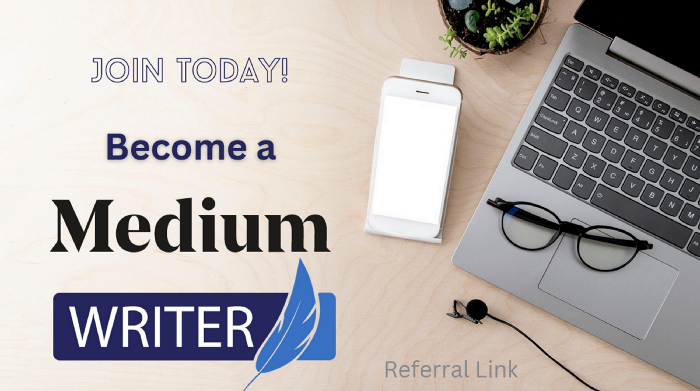
2) This design was created by me, as a way to make my invitation to become a Medium member more appealing. My hopes is that it will increase the number of readers who pay attention to the offer to join using my referral link.
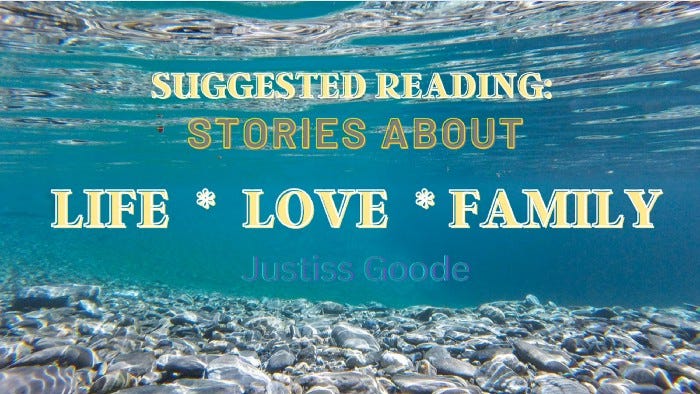
3) This colorful design was created as a way to spruce up the look of my Medium Profile page and give it a much needed facelift . This is a new cover page for the detailed directory of category titles and it is much more appealing. This design may serve to bring in readers who enjoy life, love, and family related stories.
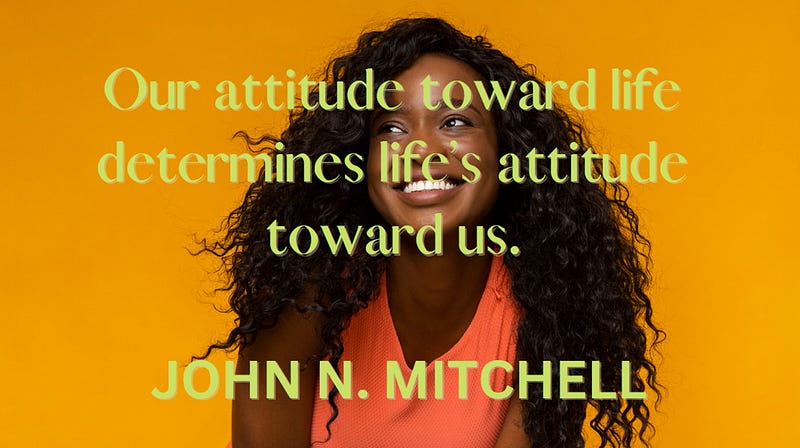
4) Look at how stunning a beautiful smile, a positive quote, and a corresponding background and text color can be, coupled with a complimentary font. These are the same type of inspiring, motivational graphics that people everywhere love to read and enjoy.

NOTE: I’m actually banking on that being the case, with my upcoming January motivational series called: “Uplifted”. This lovely image with the smiling black woman, is the first one in my Uplifted series, so be sure to stay tuned.
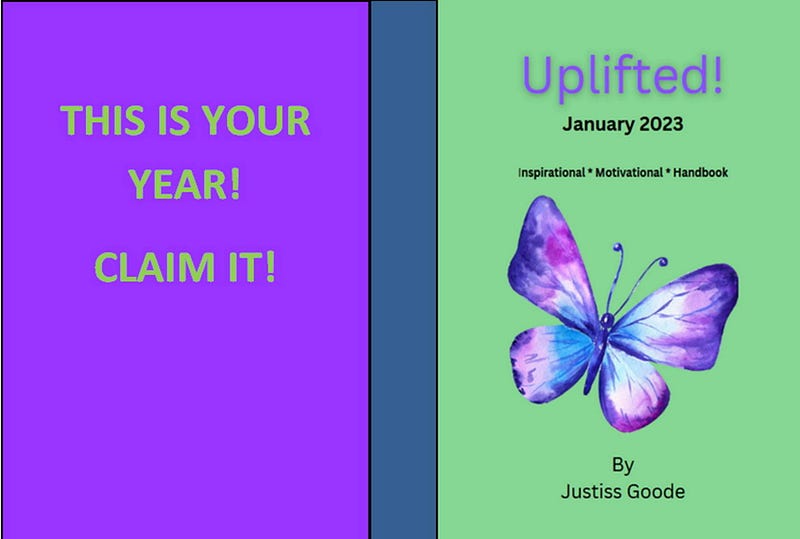
5) This fifth design example that I created with Canva Pro, is a recent one. This is the book cover for the medium-content journal book that I published on Amazon, at the spur of the moment.

FYI: The view you’re looking at is the front and back covers of a beautiful, glossy, “hardcover” book that will be printed and distributed by mail.

If you read the story I wrote about how I came to create it, you’ll be able to tell just how proud I am of this little creation, even though it was quick and easy to put it together.

Screen shots of the book’s interior (taken from the Amazon KDP previewer) are displayed in my Medium story titled: A Personalized Starter Journal Just for the Month of January!

Oddly enough, I didn’t create this particular project to try and make a profit. The little starter journal for beginners is actually a gift.

But I also used Canva Pro when I created the book cover for my small collection of mermaid stories, and that book, I did put on sale. You can check it out on Amazon right now. It’s called Tails of the Mermaids.

Here’s a view of the book cover, inserted in the book cover promo ad that I just made specifically for the story you’re currently reading:
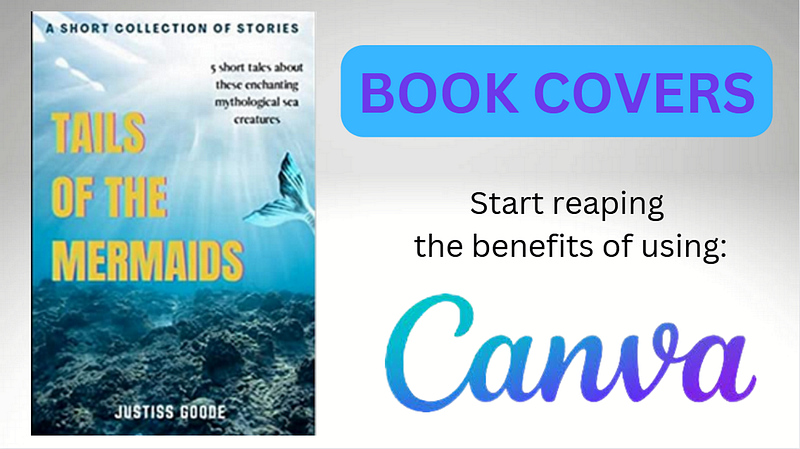
This just goes to show that you can use a Canva Pro membership to profit from graphics, both on and off the Medium website!

Your potential to earn more in 2023 with Canva Pro, depends on how effectively you use the above type image designs, or any similar designs you create.

Those were just a few of the useful images that I created for my Medium stories.

Pretty cool huh?
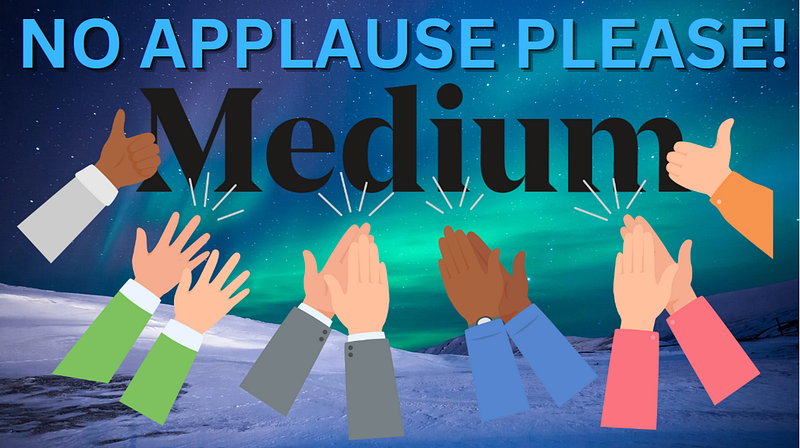
Photo Provided by Author — via Canva.com

Cool yes, but some of you might be thinking:

“Hey Justiss, just how EASY was it to create those designs?”

About as easy as 1, 2, 3, 4!

That’s how many steps it took me to make the “No Applause…” design that you see just above.

Here’s what I did:
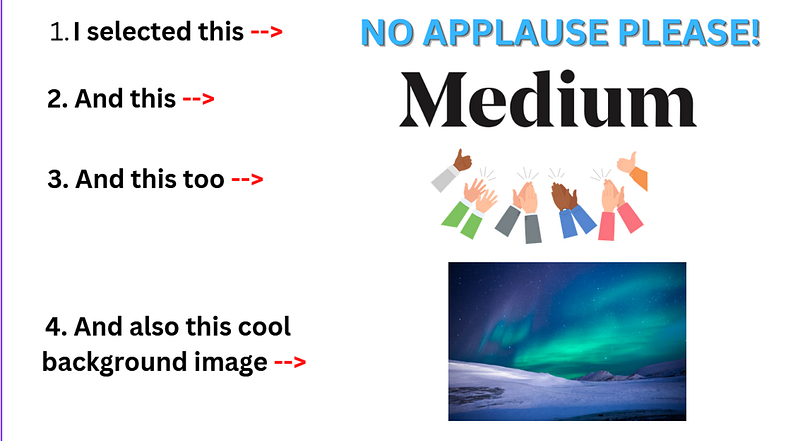
  • Everything I selected, was from the available choices provided right there on the Canva dashboard.
  • All I did was select the four items shown above, size them the way I wanted, position them to where I wanted them, and saved the results.

NOTE: I also chose to play around with two additional features. By right-clicking on the selections, I opened the drop down menu, and made the “clapping hands” appear behind the word “Medium”, and I also made the “background” image automatically display across the entire page.

The resulting design may not be a Rembrandt, but personally, I like the way it turned out.

I also had the ability to give my design a title and a specifically designated Canva link. Those are the same type of links I include on my story page, whenever I cite the credit for any images being used.

With Canva Pro, I can easily keep up with all my designs, by assigning them to a labeled folder of my choice.

Now tell the truth readers. Isn’t this whole idea starting to sound kind of fun and appealing?

Of course, my explanation might seem a little too simplistic to some readers.

For those of you who require a more detailed description of how to use the Canva website; writer Amanda Jean shared a related story.

She gives a blow-by-blow outline of how to use the free service, in her story titled: Create Unique Images For Your Stories With a Canva FREE Account

Nice work Amanda 😄

So folks, please check out this potentially lucrative advice, and go play in the Canva sandbox for a while.

Final Thoughts

Well that wraps up another valuable writing tip about earning more money on Medium, by using other websites online.

Trust me, if you approach Canva Pro like the valuable resource tool it really is; you’ll view their monthly fee as a meager investment.

  • Personally, I gladly send the $12.99 membership fee to Canva every month. I have my automatic payment set up via my Paypal account (I’m not sure about other payment options).
  • I do it, because I take my stories seriously, and consider my writing a business.

So both my Canva monthly payment and my $5 Medium membership, are simply the two small overhead costs resulting from my business.

At less than $20.00 a month for business expenses, my stories easily help me earn that back and more.

As a matter-of-fact, now that my Medium earnings are doing noticeably better, I wonder could it be due to my Canva Pro images

Hmmm…?)

I strongly urge everyone to use my referral link and join Canva Pro, but only if you want to discover creative ways to earn more from your stories in 2023.

If you’re hesitant, just take advantage of the free trial offer for Canva Pro, and see how you like it.

Thanks for reading…
Get Canva | Sign Up: Medium | Join Fiverr
💰 CLICK HERE AND LEARN MORE 💰

Did you know I sell digital products:
👉You can become an affiliate for Justiss Goode products on Gumroad

HERE’S ANOTHER WAY TO EARN TOO:

Graphic Design
Graphics
Earn
Profit
Todays Feature
Recommended from ReadMedium