
The Free Alternative to My Favorite AI Vectorizer
Vectorizer AI is no longer free to use.
If you’ve been using AI image generators like Midjourney or Leonardo, you know how amazing they are at creating stunning digital artwork with just a text prompt.
But you may have also discovered the frustration that the images can only be downloaded as raster images like JPEGs or PNGs.
That fantasy landscape or sci-fi scene you envisioned is flattened into a bitmap image, with no ability to edit or resize vector elements. Such a bummer!
And when selling vector graphics on Etsy, which are made by AI like mine, you need to convert the AI files into vectors.
For my simple graphics, I used Vectorizer AI, which was a free online tool at the time. Unfortunately, Vectorizer AI is now a paid tool.
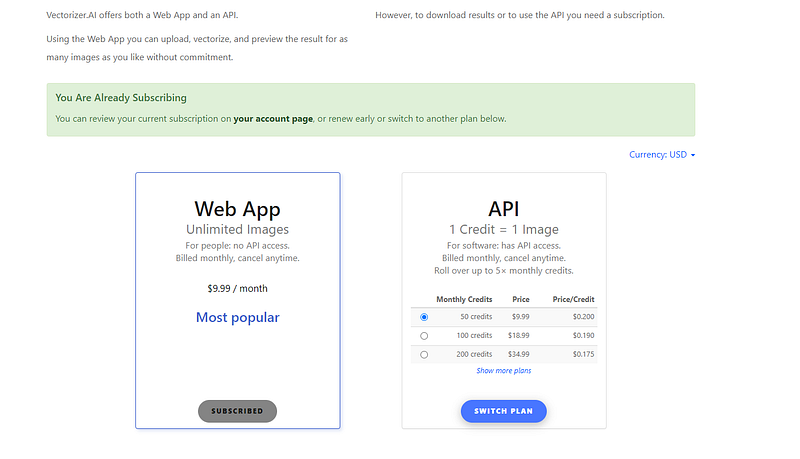
But what if I told you there’s now a free online vector trace tool that can automatically turn your AI rasters into SVG vector files…and in bulk?
No more paying for vector conversion or fiddling with vector tracing software.
Meet Vectorizer
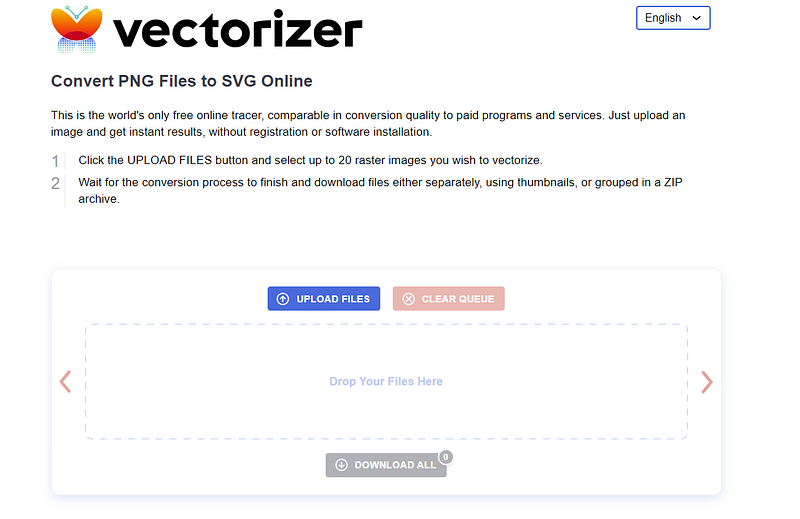
Vectorizer is an important tool for anyone who wants to convert simple graphics into vectors. This “world’s only free online tracer” instantly vectorizes up to 20 image files at a time without needing registration or any software installation.
Just go to the site, upload your batch of AI images, and the tool will scan the images to find the best way to trace them.
In seconds, you can download a zip file containing all your new SVGs!
I put the tool to the test with this simple sticker graphic I created in Leonardo.

The vectorized versions allowed me to easily manipulate and customize the shapes in Adobe Illustrator.
How Does The Quality Compare to Paid Vectorizers?
You might be wondering — does this free bulk vectorizer create results on par with paid tools like Vectorizer AI?
I did a comparison to find out.
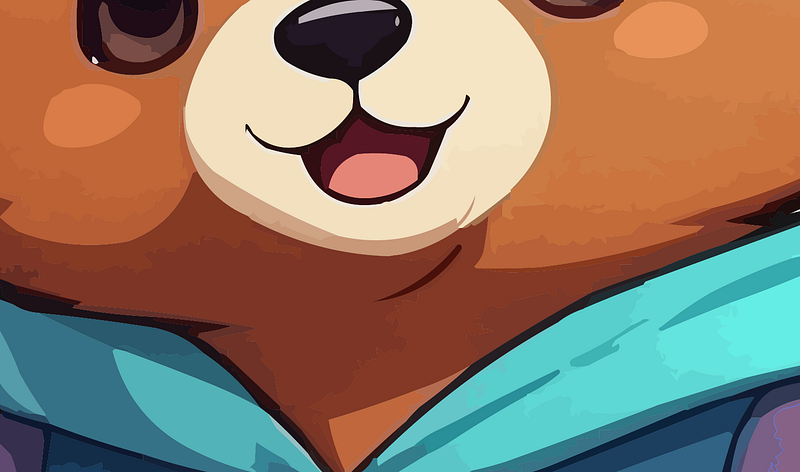
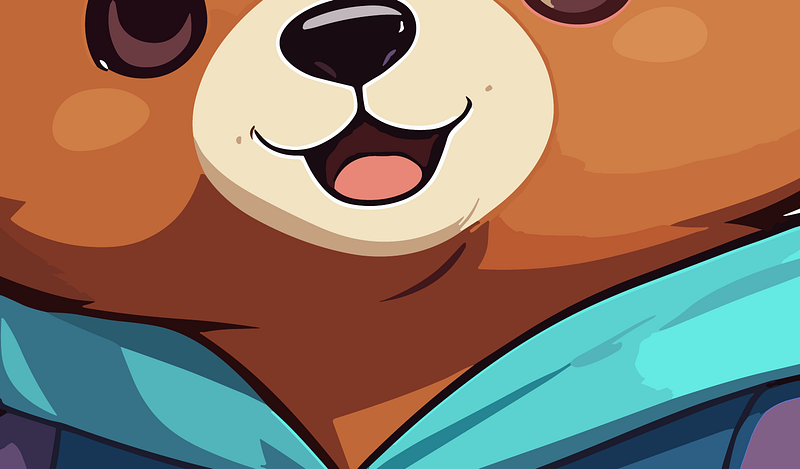
On one test image, I could detect slightly more jagged lines with Vectorizer. when zoomed way in. But honestly, when zoomed out of the ordinary viewing level, the visual difference was negligible.
Considering Vectorizer is 100% free with bulk processing, I think it’s an incredible value.
The vector quality is usable for most design purposes.
However, when it comes to printing or creating vector graphics for cutting files, the free tool may not be good enough. You can see the difference in the images below.
Why Should You Vectorize Your AI Art?
In case you’re new to vectors, let me explain why converting your AI raster images into SVGs can be super helpful:
- Scalability: Vector graphics stay razor sharp at any size. Rasters get pixelated when enlarged.
- Editability: You can tweak vector paths, colors, and shapes individually. Raster images get degraded if edited.
- File Size: SVG compresses better and takes up less file storage space.
- Usage Rights: Vectors give you more flexible licensing options for commercial use.
Those benefits matter as you move your AI art into tangible products, resize for different formats, or modify elements in design software.
Bulk Vectorization
I’m most excited about how Vectorize finally unlocks bulk vectorization for AI-generated output. Before, vector trace tools processed only one image at a time.
Want vectors of your latest 20 Midjourney creations? Hope you love monotonous manual labor!
But now you can instantly vectorize 20 AI images in a single batch.
These features can remove the vectorization bottleneck.
The Bottom Line
If you want to create a simple vector and sell it on online marketplaces, then this tool is enough for you.
Remember it’s 100% free, handles up to 20 images at once, and doesn’t require any registration or software downloads.
These are the benefits of this tool.
But if your vector is more complex, with color shadings and additional elements, then you will need to either use the tracing tool in Adobe Illustrator or use some of the paid tools available to vectorize your image.
Thanks for reading!
🌟 Bonus: Get my Free PDF guide on how to start a print-on-demand business.
💛 Subscribe HERE to receive an email each time I post my next article.
Here are some of my popular articles about selling on Etsy:
- 5 Reasons Email Subscribers Can Skyrocket Your Etsy Sales
- The One Simple Trick to Double Your Etsy Sales Overnight
- 5 Things Etsy Sellers Don’t Want You to Know
- 3 Popular Etsy Tips You Should Avoid in 2024

This story is published on Generative AI. Connect with us on LinkedIn to stay in the loop with the latest AI stories. Let’s shape the future of AI together!
