
Gaming & Windows
The Current Windows 10 Version Will Be the Last Major Update
It seems that Windows 10 is finally being left in the dust, with Windows 1 taking over.
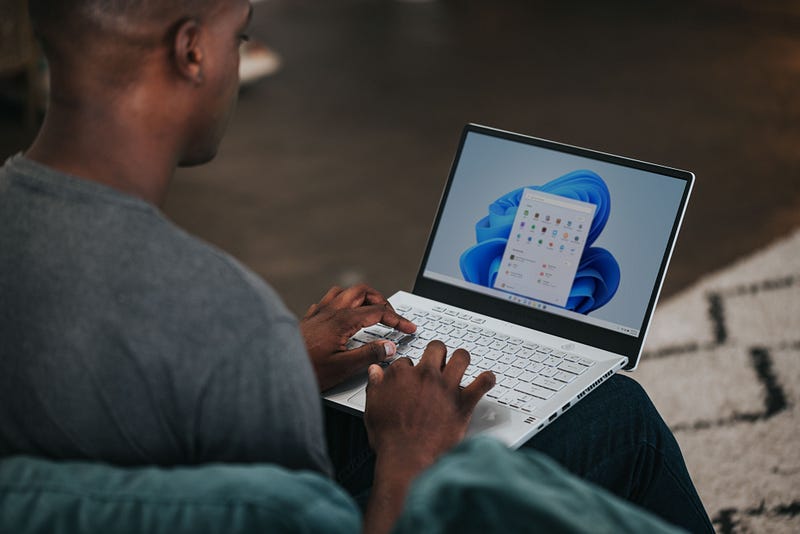
In a couple of previous stories, I have spoken about Windows-related topics. These will be linked at the end of this post. In this post, I will talk about Windows 11 and the final major version of Windows 10.
I will also briefly touch on an interesting version of Windows called Atlas OS which is made for maximum performance.
How is Windows 11 better than Windows 10?
Microsoft’s latest operating system, Windows 11, was released in October 2021, and it comes with numerous improvements and new features that set it apart from its predecessor, Windows 10. Here are some of the ways in which Windows 11 is better than Windows 10.
User Interface
One of the most noticeable differences between Windows 10 and Windows 11 is the user interface. Windows 11 has a fresh, modern design that features rounded corners, new icons, and a centered taskbar.
The Start menu has been redesigned to be more intuitive and customizable, and the Action Center has been simplified, making it easier to access and manage notifications. The overall effect is a cleaner and more streamlined interface that is easier to navigate.
Performance
Windows 11 has been optimized to run more efficiently than Windows 10. It boots up faster and has better resource management, resulting in improved battery life on laptops and better performance on all devices. The new operating system also features improvements to virtual desktops, allowing users to create multiple desktops and switch between them seamlessly.
Gaming
Windows 11 comes with numerous improvements for gaming. It supports DirectX 12 Ultimate, providing improved graphics performance and visual effects.
The new operating system also includes Auto HDR, which enhances the visual quality of games originally designed for standard dynamic range displays. Windows 11 has an improved Xbox app that allows users to easily access their Xbox Game Pass library and connect with friends.
Multitasking
Windows 11 has several features that make multitasking easier and more efficient. Snap Layouts allow users to quickly arrange windows on their desktops in predefined layouts, making it easy to work on multiple tasks simultaneously.
Snap Groups allow users to save their preferred window arrangements, making it easy to return to their preferred workflow. The new operating system also has an improved virtual desktop feature, allowing users to quickly create and switch between multiple desktops.
Security
Security has always been a top priority for Microsoft, and Windows 11 takes this to the next level. The new operating system includes numerous security enhancements, such as a built-in hardware-based security solution called Windows Hello, which allows users to log in with biometric authentication, such as facial recognition or fingerprint scanning.
Windows 11 also has improved business security features, such as Windows Hello for Business, which provides secure and easy-to-use authentication for enterprise users.
Accessibility
Windows 11 has several new accessibility features that make it easier for users with disabilities to use the operating system. These include a new, more natural-sounding text-to-speech engine, improved screen reader capabilities, and enhanced interface customization options to meet specific needs.
App Store
Windows 11 has a new and improved app store that provides a better user experience and more curated content. The new store is designed to be more intuitive and easier to navigate, focusing on high-quality apps and games. Microsoft has also opened the store to more developers, making it easier for them to publish their apps and reach a wider audience.
Windows 11 is a significant improvement over Windows 10, with numerous new features and improvements to performance, security, and user experience. Its modern design, improved multitasking capabilities, and enhanced gaming features make it an excellent choice for personal and business users.
The current version of Windows 10
As Microsoft prepares to retire Windows 10, users may want to consider upgrading to Windows 11, especially if they are interested in gaming-specific features. The latest Windows client roadmap confirms that the current version of Windows 10, Version 22H2, will be the final version of Windows 10, reaching end-of-support on October 14, 2025.
With Microsoft no longer selling Windows 10 licenses, system builders have little choice of operating systems going forward. While you may still find licenses at third-party sellers, these are often overpriced and not worth the trouble.
Although Windows 10 will continue to receive monthly security updates until its end-of-support date, Microsoft recommends upgrading to Windows 11 as Windows 10 will no longer receive feature updates. Windows 11 offers numerous features that Windows 10 lacks, including File Explorer tabs, snap layouts, and the ability to run Android apps without third-party emulators.
Recent updates to Windows 11 have significantly improved gaming performance, with enhancements to DX11 and DX10 games, reduced display latency, variable refresh rates, and the ability to use AutoHDR in windowed gaming. These features and others, like the centered taskbar, make Windows 11 a compelling upgrade for gamers and other users.
For those not ready to move to Windows 11, the recommended course of action is to update to version 22H2 immediately to continue receiving the latest security updates. However, it’s important to note that Windows 10 will no longer receive feature updates, and as software continues to evolve, Windows 10 may become outdated and less secure over time.
While Windows 10 still receives security updates, users should consider upgrading to Windows 11 to take advantage of new features, improved gaming performance, and better security. Upgrading to Windows 11 will also ensure that your device is up to date with the latest software and security features, making it a wise investment for the future.
Atlas OS, a Windows OS appealing to gamers
You may want to consider Atlas OS if you’re in the market for a streamlined operating system with minimal bloat and maximum performance. This modified version of Windows promises to reduce the weight of the operating system on your PC, making it an attractive option for those with lower-end or older systems. While Windows may no longer cut it for some users, Atlas OS aims to optimize latency and maximize performance.
Atlas OS is designed transparently, removing all the unnecessary processes and services that could potentially slow down your system. By removing tracking, preinstalled plans, and power-saving features, Atlas OS aims to give you more power and privacy.
However, the OS has some drawbacks, such as removing Windows Defender, Restore Points, and System Reset. This may concern those worried about security or restoring their system.
Despite these limitations, Atlas OS may be worth considering for those who prioritize privacy and performance. The operating system is a free upgrade for those with a Windows license, but it does cut back on some general features in the OS.
Additionally, it does not support cracked or cheating software, so users must be careful and ensure they are not running anything dangerous.
Atlas OS claims to strip all unnecessary processes, reducing the count from 145 to just 35. The RAM usage on boot drops from 2.3GB to around 900MB, potentially improving 1% lows and reducing stuttering. However, it’s best to check benchmarks and comparisons for more information.
It’s important to note that Atlas OS is a modified Windows operating system, so there may be compatibility issues and problems. Users should also be aware that it removes Windows Defender, Restore Points, and System Reset, which may be necessary for some users. Ultimately, deciding to switch to Atlas OS depends on individual preferences and priorities.
If you’re interested in learning more about Atlas OS, Linus Tech Tips (LTT) has explored the operating system's benefits, particularly in prolonging the life of older hardware. This is where I initially found out about the operating system.
Final Words & Takeaways
Windows 11 is a significant improvement over Windows 10, offering a modern design, improved multitasking capabilities, and enhanced gaming features, making it an excellent choice for personal and business users.
Its enhanced security features, such as Windows Hello and improved virtual desktops, make it a more secure option.
As the current version of Windows 10 will reach end-of-support on October 14, 2025, users may want to consider upgrading to Windows 11, which is optimized to run more efficiently, boot up faster, and better manage resources, resulting in improved battery life on laptops and better performance on all devices.
Windows 11’s new and improved app store provides a better user experience and more curated content.
In addition, Atlas OS is a streamlined operating system with minimal bloat and maximum performance appealing to gamers.
If you enjoy my posts and would like to stay updated on the latest gaming-related news, technology advancements, design trends, and social media insights, I invite you to follow my profile.
I will continue to share my thoughts and insights on a wide range of topics in the world of entertainment and technology.
With that being said, thank you for reading my post, and have a good one.
Here are a couple of my previous stories relating to Windows:
About Me
I write articles in my field covering gaming, film-making, social media, and design. I am also a YouTuber. Thank you for subscribing to my account to get notifications when I post on Medium. I also created a new website to share my content for free and promote stories of writers contributing to my publications on Medium. Let’s connect on Twitter and LinkedIn.
I own two publications on Medium. One for video gamers and another for YouTubers and Podcasters. I also support Illumination Integrated Publications as a volunteer editor and participate in collaborative activities in the Slack Workspace. Writer applications for my publications can be sent via this weblink. Please add your Medium ID.
If you are new to Medium, you may join via my referral link. You may also consider being a Vocal+ member to monetize your content. I write for both platforms and repurpose my content to reach a larger audience. Here is more information about Vocal Media.
This post includes my Medium and Vocal Media referral links.


