Send Emails Using Python — Jupyter Notebook
How To Send Gmail In Python — #PurePythonSeries — Episode #01
In this post (download Jupyter nb below):
We will learn how to send an email in gmail using python and jupyter notebook. Let's get it on!⚠️ ️[Update: NOV, 2022]⚠️
The functionality Less secure (step #1) is no longer available.
Please, use App passwords instead.
Here is what fixed it. I read this:
Then jump to step #2 👇️ right away!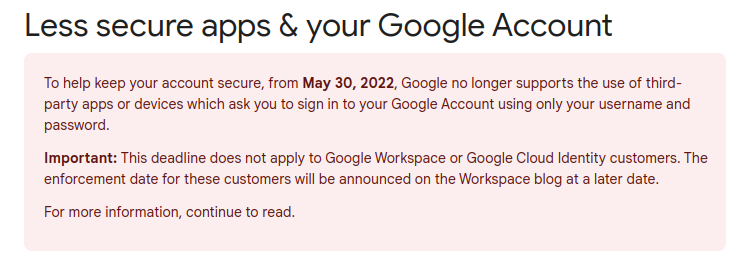
First thing first:
1 - Get An Gmail Account;
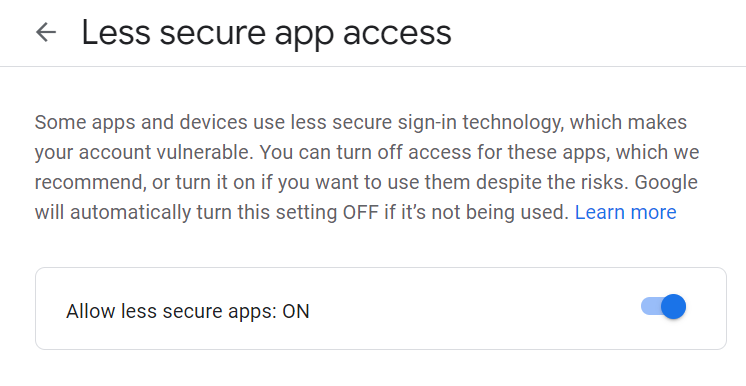
2 - Turn on "Less secure app access" :/
Notes: 1 - This setting is not available for accounts with 2-Step Verification enabled. Such accounts require an application-specific password for less secure apps access. Learn more2 - Because less secure apps can make your account more vulnerable, Google will automatically turn this setting off if it’s not being used.3 - If "Less secure app access" is still on for your account, Google recommend turning it off now and switching to more secure apps.01#Step — Click at Manage Your Google Account button

Type less secure app on search bar…
and you will be redirected to this page:
02#Step — Sending Gmail
Create a directory, like python_email ;
Now GoTo Anaconda Prompt (Anaconda3) and type this:
pip install yagmailThen, in your Jupyter notebook’s cell, type:
import yagmail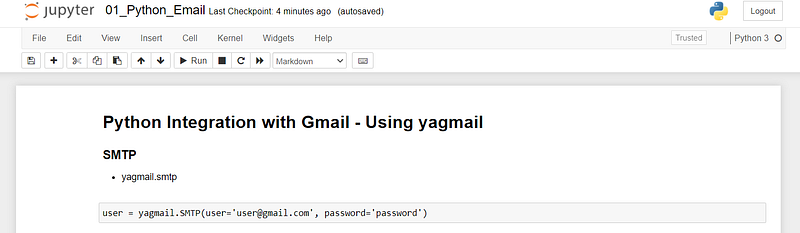
user = yagmail.SMTP(user='****@gmail.com', \
                       password='*****')
user.send(to='****@gmail.com', \
             subject='My First Email in Python', \
             contents='Speak up J3, my 1º email')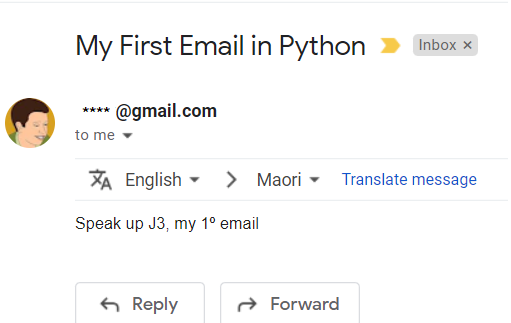
03#Step — Sending email with attachments
user.send(to='****@gmail.com', subject='Financial Report', \
    contents='Dear Admin,\nFollow monthly sales report.\nAtt.,', \
    attachments='01_financial_report.xlsx')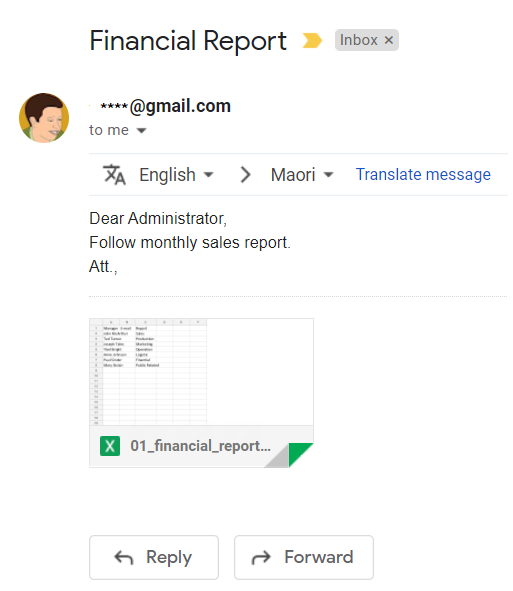
python_email :)04#Step — Phrase List in Python
# First Method: -> Phrase list
name = 'Guido van Rossum - Python Creator o/'email_body = [
'Customer {},'.format(name),
'\n',
'Customer Address',
'\n',
'Dear Customer ,',
'Your website is an information portal for current and potential customers.',
'You want to attract web browsers to find and stay on your page.',
'Spending hundreds of dollars on digital campaigns may not result in a big sales increase.',
'Grass Roots Web Optimizer software engages more organic traffic on your website without the expense.',
'\n',
'We offer three ways to increase sales through online engagement.',
'\n',
'1 - We produce relevant content that attracts readers.',
'2 - We use 20% more SEO focused topics than the average digital marketing agency.',
'3 - Our optimized web pages track clicks and send you customized daily, weekly, and monthly reports.',
'\n',
' When I started using Grass Roots, I found their analysis so helpful.',
'\n',
'It showed me where customers were clicking on my page so I knew what was attracting the most attention to my products.',
'-Cindy Beck, Owner of Lighting Source',
'\n',
'Our mission is to help businesses increase their online influence to retain and attract new customers.',
'\n',
'Enter your email and website here and we will send you a free analysis of SEO organic traffic.',
'\n',
'Set up your annual Grass Roots Web Optimizer software campaign in the next 30 days and your first month of digital optimization is free.',
'\n',
'Sincerely,',
'\n',
'\n',
'JayThree',
'Customer Service Manager',
'Grass Roots Web Optimizer',
'\n',
'P.S. I hope you will take advantage of this chance to grow your organic traffic and increase sales. Our goal is to help companies like yours thrive.',
'\n'
]# force code to skip lines
email_body = '\n'.join(email_body)user.send(to='****@gmail.com', subject='Phrase List in Python', contents=email_body)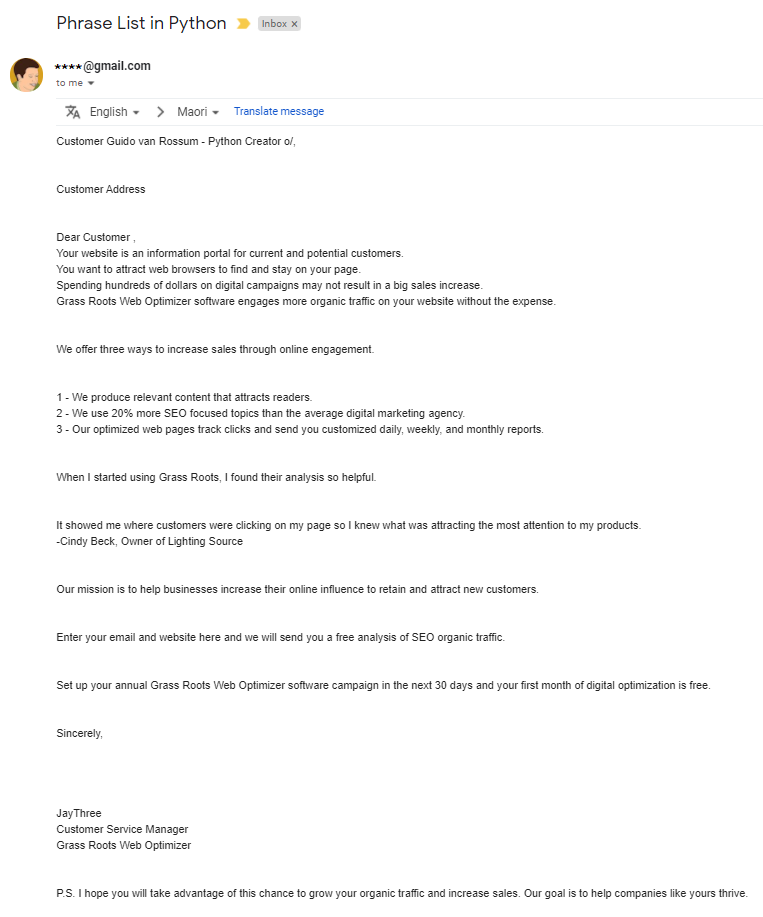
As you can see, each line is passed as an item in a Python List.
I used `\n` to further separate and make a consistent text.
See how professional it looks!
Hurray!
05#Step — Passing the Email by Text Between Three Quotes in Python
email_whole = '''
J3 resume:
Gilberto Junior
Computer Engineering developer
****@gmail.com
(213) 321-1232
Porto Velho - RO, BrazilExperience:PIC developer (2017-present)
Programming Inc.Develop new PIC programs to automate complex tasks
Write and test new PIC code to use in MikroElectroniks products
Manage databases on Oracle
PIC / Arduino / Rpi developer (2014-2021)
Jungletronics SolutionsCertifications:Huawei AI - 2021, Valid through 2024
PIC Specialist: Microgenios Inc.Education:Bachelor of Agronomic Engineering - UFV University (1984)Bachelor of Administrative - UA University (2005)Bachelor of Science in computer science— UninterCollege (2020 - 2025)If you want to know about my portfolio, visit https://medium.com/jungletronics or https://medium.com/kidstronics.Thank you!
'''
user.send(to='****@gmail.com', subject='Passing the Email by Text Between Three Quotes in Python', contents=email_whole)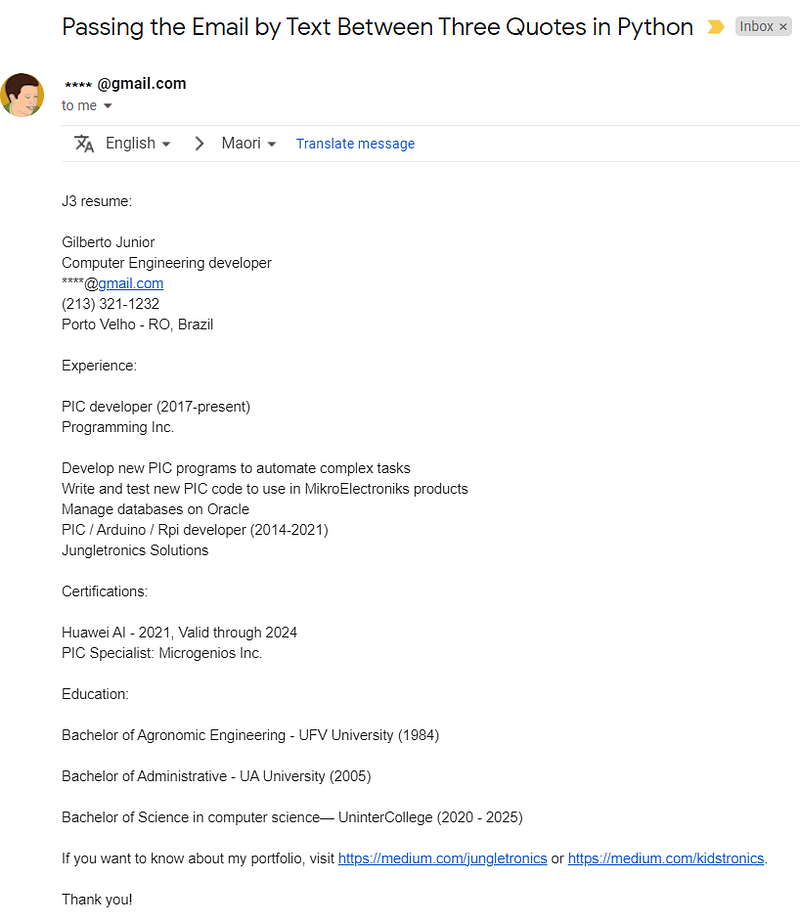
06#Step — Passing the Email by HTML tags in Python
email_html = '''
<h2>10 Motivational Quotes That Will Inspire You to Succeed:</h2><p>1. "To live a creative life, we must lose our fear of being wrong." --<em>Anonymous</em></p><p>2. "If you are not willing to risk the usual you will have to settle for the ordinary." --<em>Jim Rohn</em></p><p>3. "All our dreams can come true if we have the courage to pursue them." --<em>Walt Disney</em></p><p>4. "Good things come to people who wait, but better things come to those who go out and get them." --<em>Anonymous</em></p><p>5. "Success is walking from failure to failure with no loss of enthusiasm." --<em>Winston Churchill</em></p><p>6. "Successful entrepreneurs are givers and not takers of positive energy." --<em>Anonymous</em></p><p>7. "I have not failed. I've just found 10,000 ways that won't work." --<em>Thomas A. Edison</em></p><p>8. "A successful man is one who can lay a firm foundation with the bricks others have thrown at him." --<em>David Brinkley</em></p><p>9. "Don't raise your voice, improve your argument." --<em>Anonymous</em></p><p>10. "The meaning of life is to find your gift. The purpose of life is to give it away." --<em>Anonymous</em></p>'''
user.send(to='****@gmail.com', subject='Passing the Email by HTML tags in Python', contents=email_html)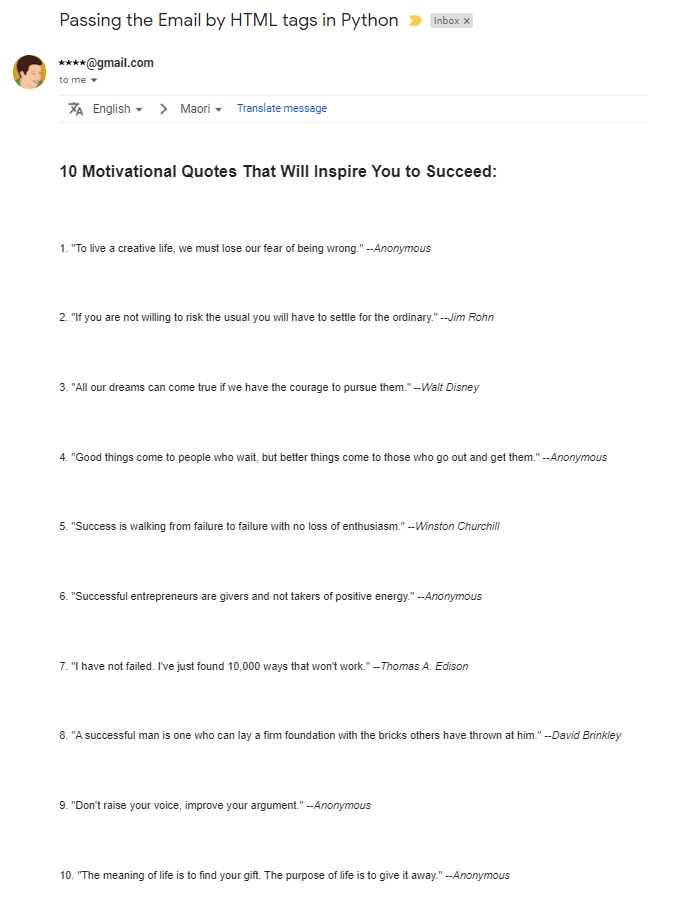
print("That's it! Thanks For reading! This post How do you automate emails in Python!")That's it! Thanks For reading! This post How do you automate emails in Python!
I hope you enjoyed that lecture.
If you find this post helpful, please click the applause button and subscribe to the page for more articles like this one.
Until next time!
👉Jupiter notebook link :)
👉or here
👉replit (send-gmail-project)
Credits & References
Hashtag Treinamentos by João Paulo Rodrigues de Lira — Thank you dude!
Send Email Using yagmail in Python by geeksforgeeks.org
Related Posts
00#Episode#PurePythonSeries — Lambda in Python — Python Lambda Desmistification
01#Episode#PurePythonSeries —Send Email in Python — Using Jupyter Notebook — How To Send Gmail In Python (this one)
02#Episode#PurePythonSeries — Automate Your Email With Python & Outlook — How To Create An Email Trigger System in Python
03#Episode#PurePythonSeries — Manipulating Files With Python — Manage Your Lovely Photos With Python!
04#Episode#PurePythonSeries — Pandas DataFrame Advanced — A Complete Notebook Review
05#Episode#PurePythonSeries — Is This Leap Year? Python Calendar — How To Calculate If The Year Is Leap Year and How Many Days Are In The Month
08#Episode#PurePythonSeries — List Comprehension In Python — Locked-in Secrets About List Comprehension
07#Episode#PurePythonSeries — Graphs — In Python — Extremely Simple Algorithms in Python
08#Episode#PurePythonSeries — Decorator in Python — How To Simplifying Your Code And Boost Your Function