
Automate Your Email Marketing With Python
How To Create An Email Trigger System in Python — #PurePythonSeries — Episode #02
How does Python integrate with Outlook?

In this post, you’ll learn how to use the email package to send emails with MS Excel content and attachments using MS Outlook.Python’s built-in email package allows you to structure more fancy emails, which can then be transferred with SMTP as you have done already.
01#Step — Test OUTLOOK
import win32com.client as win32outlook = win32.Dispatch('outlook.application')mail = outlook.CreateItem(0)
mail.To = '****@gmail.com'
mail.Subject = 'OUTLOOK test'
mail.Body = '''
Hi,
This is a test for OUTLOOK.
If you receive this,
YOU ARE READY TO GO!
'''
mail.Send()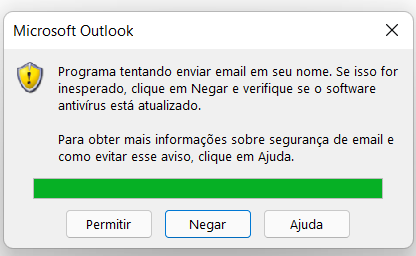
To avoid this message, Go To:
File>Options>Trust Center>Trust Center Settings>Programmatic Access.The computer does have to have an anti-virus, so it will not allow a user to change the settings if it hadn't.More info click here!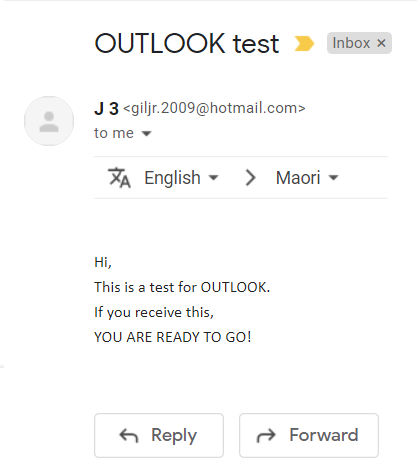
02#Step — Test Email Trigger System (ETS) in Python
import pandas as pd
admin_df = pd.read_excel('Send_Emails_Index.xlsx')
admin_df.info()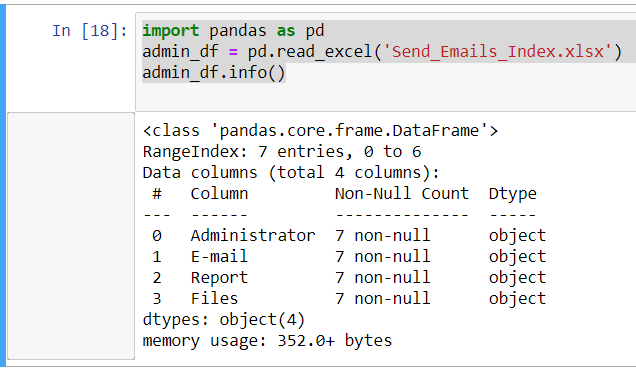
Now:
for i, email in enumerate(admin_df['E-mail']):
    admin = admin_df.loc[i, 'Administrator']
    area = admin_df.loc[i, 'Report']
    file = admin_df.loc[i, 'Files']

    mail = outlook.CreateItem(0)
    mail.To = email
    mail.Subject = '{} Report'.format(area)
    mail.Body = '''
    Dear {} Administrator,

    Attached is the Report of {}, as requested.

    Any doubts I am available.

    Att.,

    JayThree.
    '''.format(admin, area)
    attachment  = r'C:\Users\giljr\Downloads\{}.xlsx'.format(file)
mail.Attachments.Add(attachment)mail.Send()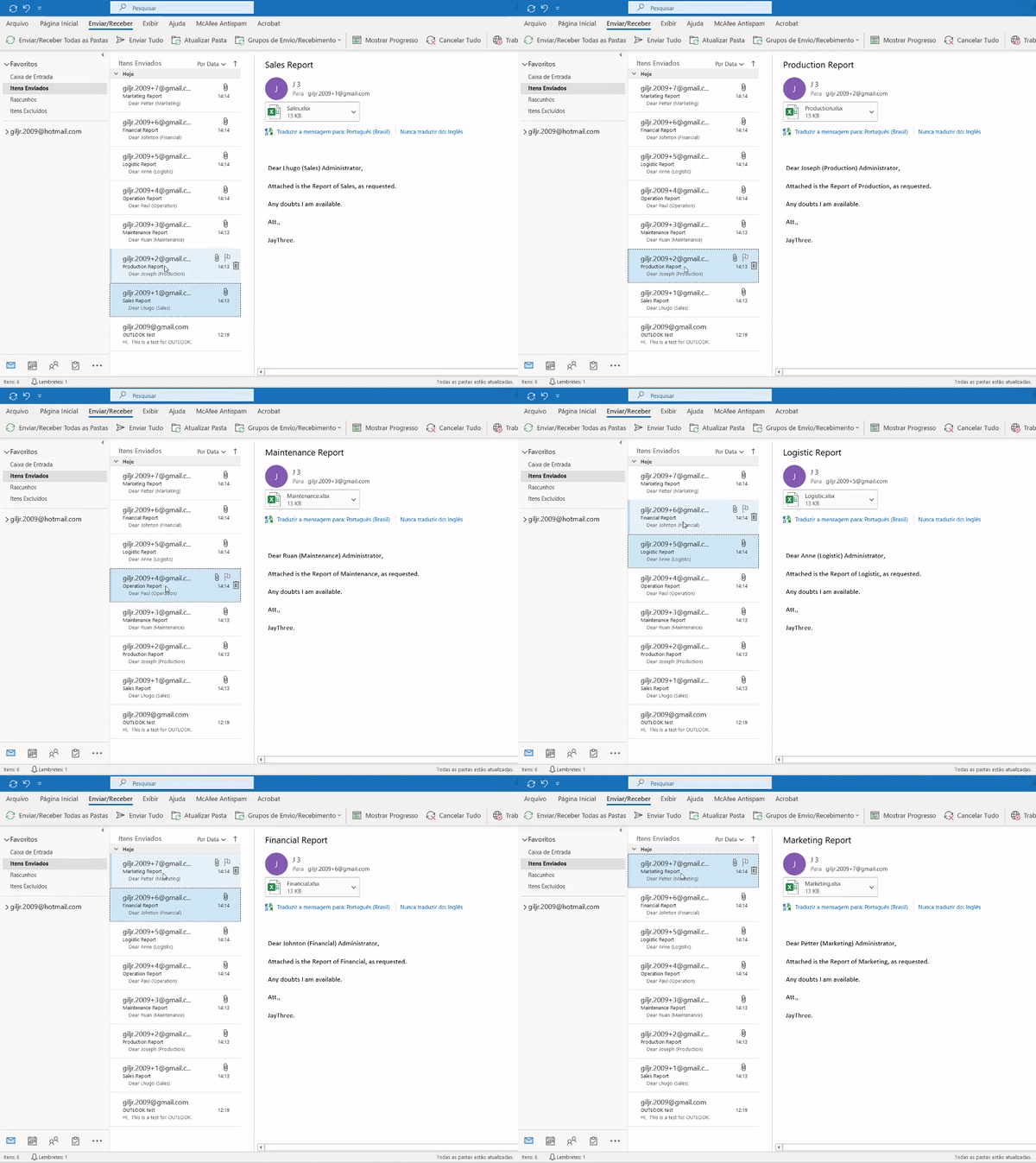
print("That's it! Thanks For reading! This post How do you automate emails in Python!")That's it! Thanks For reading! This post How do you automate emails in Python!
I hope you enjoyed that lecture.
If you find this post helpful, please click the applause button and subscribe to the page for more articles like this one.
Until next time!
👉Jupiter notebook link :)
👉or here
👉git
Credits & References
Hashtag Treinamentos by João Paulo Rodrigues de Lira — Thank you dude!
Related Posts
00#Episode#PurePythonSeries — Lambda in Python — Python Lambda Desmistification
01#Episode#PurePythonSeries —Send Email in Python — Using Jupyter Notebook — How To Send Gmail In Python
02#Episode#PurePythonSeries — Automate Your Email With Python & Outlook—How To Create An Email Trigger System in Python (this one)
03#Episode#PurePythonSeries — Manipulating Files With Python — Manage Your Lovely Photos With Python!
04#Episode#PurePythonSeries — Pandas DataFrame Advanced — A Complete Notebook Review
05#Episode#PurePythonSeries — Is This Leap Year? Python Calendar — How To Calculate If The Year Is Leap Year and How Many Days Are In The Month
06#Episode#PurePythonSeries — List Comprehension In Python — Locked-in Secrets About List Comprehension
07#Episode#PurePythonSeries — Graphs — In Python — Extremely Simple Algorithms in Python
08#Episode#PurePythonSeries — Decorator in Python — How To Simplifying Your Code And Boost Your Function
Note:Alternatively you can use f-string, I find it even more intuitive.
->Check it out here:)for i, email in enumerate(admin_df['E-mail']):
admin = admin_df.loc[i, 'Administrator']
area = admin_df.loc[i, 'Report']
file = admin_df.loc[i, 'Files']
mail = outlook.CreateItem(0)
mail.To = email
mail.Subject = f'{area} Report'
mail.Body = f'''
Dear {admin} Administrator,
Attached is the Report of {area}, as requested.
Any doubts I am available.
Att.,
JayThree.
'''
attachment = rf'C:\Users\giljr\Downloads\{file}.xlsx'
mail.Attachments.Add(attachment)mail.Send()
Standardize Before You Automate — J.P.Lira