
Scraping Dynamic Web Content
Different options to scrape web pages requiring user interactions.
Overview
In several of my previous articles, I mentioned applications and libraries that we can use to scrape data. In this article, let’s explore the libraries and methods that we can use to get data from dynamic web pages.
The Basics
Let’s get started with the basics, in an earlier article, I used Python requests + lxml to scrape stock data. This approach is straight forward and it should meet our data scraping requirements most of the time.
With this approach, you need to analyze the web pages for dynamic websites and find out the AJAX APIs invoked to scrape the data you want. This could be complicated as the URL can be dynamic and varies accordingly to the user selection.
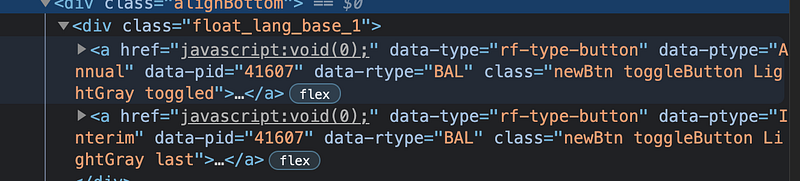
E.g. for a particular website I want to scrape data, the links are generated dynamically using Javascript.

Requests-HTML
requests-html is a Python library to make parsing HTML (e.g. scraping the web) as simple and intuitive as possible.
Since it is built on top of Pyppeteer (Python port of puppeteer) and pyquery(Ajquery like library for Python), you can use the pyppeteer APIs (similar to puppeteer) to trigger mouse or keyboard key events to scrape the content you want.
Below is an example of scraping a dynamic web page using requests-html.
- Click a button link using CSS selector.
await response.html.page.click("a[data-ptype='Annual']")- Wait for the results to come back by using a CSS selector.
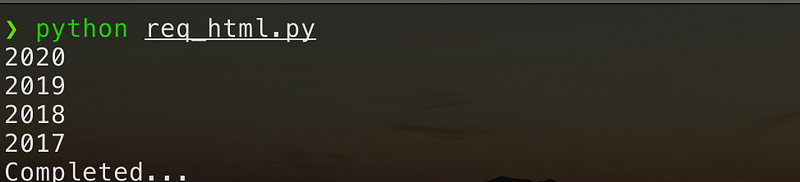
await response.html.page.waitForSelector("table[class='genTbl reportTbl']")- Use XPath to scrape the table and get the balance sheet years.
elements = await response.html.page.xpath(
        "//*[@id='rrtable']/table//*[@id='header_row']/th/span")
for element in elements:
text = await response.html.page.evaluate('(e) => e.textContent, element) match = re.search(r"\d\d\d\d", text.strip())
if match:
print(match.string)print("Completed...")It is pretty straightforward once you get the hang of it.
Scrapy + Splash
Another option to scrape a dynamic website is to use a combination of Scrapy, Splash and Scrapy-Splash.
Scrapyis a fast high-level web crawling and scraping framework for Python.Splashis a Javascript rendering service with an HTTP API. It’s a lightweight browser with an HTTP API, implemented in Python 3 using Twisted and QT5.Scrapy-Splashis aScrapyplugin that providesScrapyand JavaScript integration usingSplash.
Once installed following the installation instructions, you can access Splash locally.
For Scrapy-Splash, follow the instructions to set up the scrapy spider.
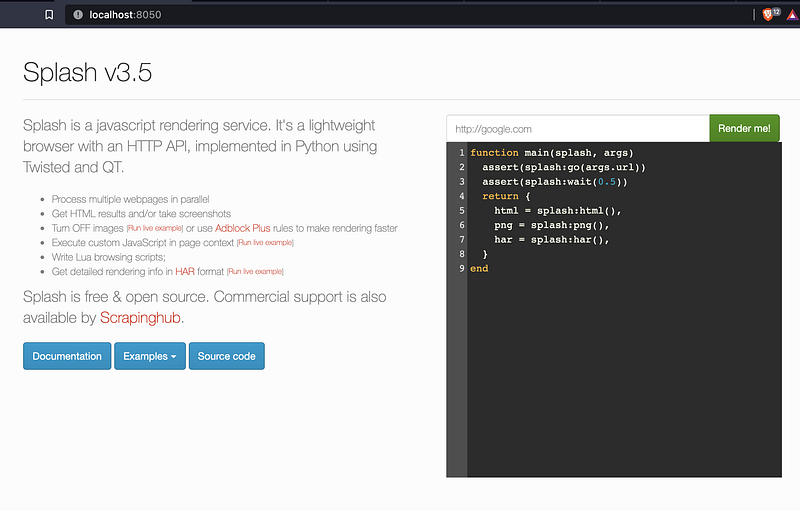
Using Splash Lua script, I can easily simulate mouse or keyboard events to scrape dynamic web pages.
E.g.
Scrapyis used to start the crawling.- For the
SplashRequest, Lua script is used to simulate a click event.
# Lua script to click the button
    script = r"""
    function main(splash, args)
        assert(splash:go(args.url))
        assert(splash:wait(1))
js = string.format(
"document.querySelector(\"a[data- ptype='Annual']\").click();", args.page)
splash:runjs(js)
assert(splash:wait(1))
return splash:html()
end
"""- Response HTML is parsed using XPath to get the content.
def parse(self, response):
        selector = Selector(response)
        elements = selector.xpath(
            "//*[@id='rrtable']/table//*[@id='header_row']/th/span")
        for element in elements:
            text = element.extract()
            match = re.search(r"\d\d\d\d", text.strip())
            if match:
                self.log(match.group(0))
Scrapy + Selenium WebDriver
This is another very common approach.
Selenium WebDriver uses browser automation APIs provided by browser vendors to control browsers and run tests. This is as if a real user is operating the browser.
E.g.
- Using a CSS selector, select the button and then simulate a mouse click event.
btn = self.driver.find_element_by_css_selector(
          "a[data-ptype='Annual']")
btn.click()- Wait for the result.
WebDriverWait(self.driver, 300).until(
            EC.presence_of_element_located(
(By.CSS_SELECTOR, "table[class='genTbl reportTbl']")))- Scrape the result using XPath.
elements = self.driver.find_elements_by_xpath(
            "//*[@id='rrtable']/table//*[@id='header_row']/th/span")
for element in elements:
text = element.get_attribute("innerText")
match = re.search(r"\d\d\d\d", text.strip())
if match:
self.log(match.string)Robotic Process Automation (RPA)
RPA is another approach for web scraping. Unlike using a programming language, RPA Framework has easy syntax, utilizing human-readable keywords.
Do check out this article in which I use RPA and Jupyter notebook for web scraping.
Browser Automation Libraries
Lastly, you can also directly use browser automation libraries to scrape web pages. Some of the popular options as listed below.
Puppeteer is a Node library that provides a high-level API to control Chrome or Chromium over the DevTools Protocol.Puppeteerruns headless by default, but can be configured to run full (non-headless) Chrome or Chromium.Playwright is a Node.js library to automate Chromium, Firefox, and WebKit with a single API.Playwrightis built to enable cross-browser web automation that is ever-green, capable, reliable, and fast.Playwrightis also available for DotNet, Java, and Python.WebdriverIO is a progressive automation framework built to automate modern web and mobile applications. It simplifies the interaction with your app and provides a set of plugins that help you create a scalable, robust, and flakiness test suite.
For more details, you can check out the following articles.
Other Libraries
Below are some other libraries that you can further explore.
- AutoScraper is a Python library that can learn the scraping rules and return similar elements. You can then use the learned object with new URLs to get similar content or the exact same element of those new pages.
- AutoScrape is an automated scraper of structured data from interactive web pages. You point this scraper at a site, give it a little information, and structured data can then be extracted.
Summary
This article shows you the popular options to scrape dynamic web pages. You should be able to get started with the described options and continue to explore on your own.
The source code I used can be found in this repository.
References
If you are not a Medium member yet and want to become one, click here. (A part of your subscription fee will be used to support alpha2phi.)


