runtime</a>, or other dependencies.</p><p id="2541">With layers, you can use libraries in your function without needing to include them in your deployment package. Layers let you keep your deployment package small, which makes development easier. You can avoid errors that can occur when you install and package dependencies with your function code.</p><p id="c4a4">In my case, using the following commands from the website, I am able to bundle <code>chrome-aws-lambda</code> into a layer.</p><div id="4f52"><pre>git clone --depth=<span class="hljs-number">1</span> https:<span class="hljs-comment">//github.com/alixaxel/chrome-aws-lambda.git &&
cd chrome-aws-lambda &&
make chrome_aws_lambda.zip</span></pre></div><p id="e874">With the zip file, I can then configure the layer in <code>serverless.xml.</code></p><div id="4300"><pre><span class="hljs-attribute">layers</span><span class="hljs-punctuation">:</span>
<span class="hljs-attribute">ChromeAws</span><span class="hljs-punctuation">:</span>
<span class="hljs-attribute">name</span><span class="hljs-punctuation">:</span> <span class="hljs-string">ChromeAws</span>
<span class="hljs-attribute">compatibleRuntimes</span><span class="hljs-punctuation">:</span>
<span class="hljs-bullet">-</span> <span class="hljs-string">nodejs12.x</span>
<span class="hljs-attribute">description</span><span class="hljs-punctuation">:</span> <span class="hljs-string">Chrome AWS Lambda</span>
<span class="hljs-attribute">package</span><span class="hljs-punctuation">:</span>
<span class="hljs-attribute">artifact</span><span class="hljs-punctuation">:</span> <span class="hljs-string">layers/chrome_aws_lambda.zip</span></pre></div><p id="79f5">In the Lambda function, I make a reference to the layer.</p><div id="740e"><pre><span class="hljs-attribute">pngScraper</span><span class="hljs-punctuation">:</span>
<span class="hljs-attribute">handler</span><span class="hljs-punctuation">:</span> <span class="hljs-string">scraper.pngScraper</span>
<span class="hljs-attribute">timeout</span><span class="hljs-punctuation">:</span> <span class="hljs-string">30</span>
<span class="hljs-attribute">layers</span><span class="hljs-punctuation">:</span>
<span class="hljs-bullet">-</span> <span class="hljs-string">{ Ref: ChromeAwsLambdaLayer }</span></pre></div><p id="a431">Since <code>chrome_aws_lambda</code> is bundled into a layer, I exclude the library from the deployment.</p><div id="ff29"><pre><span class="hljs-attribute">custom</span><span class="hljs-punctuation">:</span>
<span class="hljs-attribute">region</span><span class="hljs-punctuation">:</span> <span class="hljs-string">{opt:region, self:provider.region}</span>
<span class="hljs-attribute">stage</span><span class="hljs-punctuation">:</span> <span class="hljs-string">{opt:stage, self:provider.stage}</span>
<span class="hljs-attribute">bundle</span><span class="hljs-punctuation">:</span>
<span class="hljs-attribute">forceExclude</span><span class="hljs-punctuation">:</span>
<span class="hljs-bullet">-</span> <span class="hljs-string">chrome-aws-lambda</span>
<span class="hljs-bullet">-</span> <span class="hljs-string">puppeteer-core</span></pre></div><div id="1dc6"><pre> <span class="hljs-attribute">serverless-offline</span><span class="hljs-punctuation">:</span>
<span class="hljs-attribute">location</span><span class="hljs-punctuation">:</span> <span class="hljs-string">.webpack/service</span></pre></div><h1 id="97cc">Deployment and Testing</h1><p id="713c">To test the serverless API locally, just use the <code>serverless offline</code> or <code>sls offline</code> command.</p><h2 id="d150">Development Testing</h2><div id="af9c"><pre><span class="hljs-meta"># sls offline --verbose</span></pre></div><div id="9143"><pre><span class="hljs-params">...</span><span class="hljs-params">...</span>.</pre></div><div id="e148"><pre><span class="hljs-symbol">Serverless:</span> Using configuration:
<span class="hljs-punctuation">{</span>
<span class="hljs-string">"packager"</span>: <span class="hljs-string">"npm"</span>,
<span class="hljs-string">"packagerOptions"</span>: <span class="hljs-punctuation">{</span><span class="hljs-punctuation">}</span>,
<span class="hljs-string">"webpackConfig"</span>: <span class="hljs-string">"node_modules/serverless-bundle/src/webpack.config.js"</span>,
<span class="hljs-string">"includeModules"</span>: <span class="hljs-punctuation">{</span>
<span class="hljs-string">"forceExclude"</span>: [
<span class="hljs-string">"aws-sdk"</span>,
<span class="hljs-string">"chrome-aws-lambda"</span>
],
<span class="hljs-string">"forceInclude"</span>: null,
<span class="hljs-string">"packagePath"</span>: <span class="hljs-string">"package.json"</span>
<span class="hljs-punctuation">}</span>,
<span class="hljs-string">"keepOutputDirectory"</span>: false
<span class="hljs-punctuation">}</span>
<span class="hljs-symbol">Serverless:</span> Removing /Users/XXX<span class="hljs-keyword">/workspace/</span>development<span class="hljs-keyword">/alpha2phi/</span>serverless<span class="hljs-keyword">/grabql-api/</span>.webpack
<span class="hljs-symbol">Serverless:</span> Bundling with Webpack...
<span class="hljs-symbol">Serverless:</span> Watching for changes...
<span class="hljs-symbol">Serverless:</span> Starting Offline: dev/ap-southeast<span class="hljs-number">-1.</span></pre></div><div id="0709"><pre><span class="hljs-symbol">Serverless:</span> Routes for pdfScraper:
<span class="hljs-symbol">Serverless:</span> GET /scrape_pdf
<span class="hljs-symbol">Serverless:</span> POST /<span class="hljs-punctuation">{</span>apiVersion<span class="hljs-punctuation">}</span><span class="hljs-keyword">/functions/</span>grabql-api-dev-pdfScraper/invocations</pre></div><div id="86fe"><pre><span class="hljs-symbol">Serverless:</span> Routes for pngScraper:
<span class="hljs-symbol">Serverless:</span> GET /scrape_png
<span class="hljs-symbol">Serverless:</span> POST /<span class="hljs-punctuation">{</span>apiVersion<span class="hljs-punctuation">}</span><span class="hljs-keyword">/functions/</span>grabql-api-dev-pngScraper/invocations</pre></div><div id="a1a4"><pre>Serverless: Offline [HTTP] listening <span class="hljs-keyword">on</span> <span class="hljs-title">http</span>://<span class="hljs-title">localhost</span>:<span class="hljs-title">3000</span>
Serverless: Enter <span class="hljs-string">"rp"</span> <span class="hljs-built_in">to</span> replay <span class="hljs-keyword">the</span> <span class="hljs-keyword">last</span> request</pre></div><p id="1987">
Options
From the browser, enter the following URL for testing, and you should be able to see the screenshot I showed in the beginning of this article.</p><div id="0e72"><pre><span class="hljs-attribute">http</span>://localhost:<span class="hljs-number">3000</span>/scrape_png?url=http://www.medium.com&width=<span class="hljs-number">400</span>&height=<span class="hljs-number">300</span></pre></div><h2 id="8e95">Deployment to AWS</h2><p id="5342">To deploy it to AWS, use the <code>serverless deploy</code> or <code>sls deploy</code> command.</p><div id="9050"><pre><span class="hljs-meta"># sls deploy</span></pre></div><div id="e5de"><pre>Serverless: Bundling <span class="hljs-keyword">with</span> Webpack<span class="hljs-params">...</span>
Serverless: Excluding external modules: chrome<span class="hljs-params">-aws</span><span class="hljs-params">-lambda</span>@^<span class="hljs-number">5.5</span><span class="hljs-number">.0</span>, puppeteer<span class="hljs-params">-core</span>@^<span class="hljs-number">5.5</span><span class="hljs-number">.0</span>
Serverless: No external modules needed
Serverless: Packaging service<span class="hljs-params">...</span>
Serverless: Layer ChromeAws is already uploaded.
Serverless: Uploading CloudFormation file <span class="hljs-keyword">to</span> S3<span class="hljs-params">...</span>
Serverless: Uploading artifacts<span class="hljs-params">...</span>
Serverless: <span class="hljs-keyword">Skip</span> uploading ChromeAws
Serverless: Uploading service pdfScraper.zip file <span class="hljs-keyword">to</span> S3 (<span class="hljs-number">80.37</span> KB)<span class="hljs-params">...</span>
Serverless: Uploading service pngScraper.zip file <span class="hljs-keyword">to</span> S3 (<span class="hljs-number">80.37</span> KB)<span class="hljs-params">...</span>
Serverless: Validating template<span class="hljs-params">...</span>
Serverless: Updating <span class="hljs-built_in">Stack</span><span class="hljs-params">...</span>
Serverless: Checking <span class="hljs-built_in">Stack</span> update progress<span class="hljs-params">...</span>
<span class="hljs-params">...</span><span class="hljs-params">...</span><span class="hljs-params">...</span><span class="hljs-params">...</span><span class="hljs-params">...</span><span class="hljs-params">...</span>..
Serverless: <span class="hljs-built_in">Stack</span> update finished<span class="hljs-params">...</span>
Service Information
service: grabql<span class="hljs-params">-api</span>
stage: dev
region: ap<span class="hljs-params">-southeast</span><span class="hljs-number">-1</span>
<span class="hljs-built_in">stack</span>: grabql<span class="hljs-params">-api</span><span class="hljs-params">-dev</span>
resources: <span class="hljs-number">18</span>
api keys:
<span class="hljs-literal">None</span>
endpoints:
GET - https:<span class="hljs-comment">//do5jnnqkob.execute-api.ap-southeast-1.amazonaws.com/dev/scrape_pdf</span>
GET - https:<span class="hljs-comment">//do5jnnqkob.execute-api.ap-southeast-1.amazonaws.com/dev/scrape_png</span>
functions:
pdfScraper: grabql<span class="hljs-params">-api</span><span class="hljs-params">-dev</span><span class="hljs-params">-pdfScraper</span>
pngScraper: grabql<span class="hljs-params">-api</span><span class="hljs-params">-dev</span><span class="hljs-params">-pngScraper</span>
layers:
ChromeAws: arn:aws:lambda:ap<span class="hljs-params">-southeast</span><span class="hljs-number">-1</span>:<span class="hljs-number">450266975445</span>:layer:ChromeAws:<span class="hljs-number">2</span>
Serverless: Sucessfully updated <span class="hljs-keyword">to</span> v2<span class="hljs-number">.20</span><span class="hljs-number">.0</span></pre></div><p id="d3e5">With the provided endpoint I can then test out the API.</p><p id="3c30">In case you want to view any info related to the service, use the <code>sls info</code> command.</p><p id="e71c">Serverless framework makes it very easy to monitor the deployed API. I can use the following command to check the CloudWatch log.</p><div id="5f4e"><pre><span class="hljs-meta"># sls logs -f pngScraper -t</span></pre></div><figure id="d6ef"><img src="https://cdn-images-1.readmedium.com/v2/resize:fit:800/1*qfAmmWcmNeI53etSuU2LXg.png"><figcaption>API Deployed to AWS</figcaption></figure><h1 id="036a">PDF Generation</h1><p id="ffb8">Currently the API returns a PNG image. In case you want to generate PDF, use the PDF handler.</p>
<figure id="97c1">
<div>
<div>
<iframe class="gist-iframe" src="/gist/mengwangk/92a05d5054be21cd02607fa51e2d2808.js" allowfullscreen="" frameborder="0" height="undefined" width="undefined">
</div>
</div>
</figure></iframe></div></div></figure><h1 id="bd4e">Summary</h1><p id="43d6">As you can see it is relatively easy to develop, test and deploy serverless API. However, you need to design it carefully as each cloud provider has its limitations. The current API is synchronous and if immediate response is not required, it is good to do decoupling and make it asynchronous. I shall talk more about this in future article.</p><p id="ceae">The source code for this article is available <a href="https://github.com/alpha2phi/serverless/tree/main/grabql-api">here</a>.</p><p id="2a76">You may also want to check out the following articles.</p><div id="3663" class="link-block">
<a href="https://alpha2phi.medium.com/serverless-machine-learning-apis-using-lambda-and-efs-a814aba1f120">
<div>
<div>
<h2>Serverless Machine Learning APIs using Lambda and EFS</h2>
<div><h3>Overview</h3></div>
<div><p>alpha2phi.medium.com</p></div>
</div>
<div>
<div style="background-image: url(https://miro.readmedium.com/v2/resize:fit:320/1*QFivwAzKJrSQJmczNjuvmw.png)"></div>
</div>
</div>
</a>
</div><div id="f7de" class="link-block">
<a href="https://readmedium.com/serving-machine-learning-models-dcgan-pgan-resnext-using-fastapi-and-streamlit-2ef426f2e9de">
<div>
<div>
<h2>Serving Machine Learning Models (DCGAN, PGAN, ResNext) using FastAPI and Streamlit</h2>
<div><h3>Overview</h3></div>
<div><p>medium.com</p></div>
</div>
<div>
<div style="background-image: url(https://miro.readmedium.com/v2/resize:fit:320/1*T0MnJkNTLUFXBtfjTpLiYQ.png)"></div>
</div>
</div>
</a>
</div></article></body>
Let’s go serverless! In this article I am going to develop a serverless API to scrape and test out web pages under different resolutions. This is relatively straight-forward using open source libraries and AWS Lamdba.
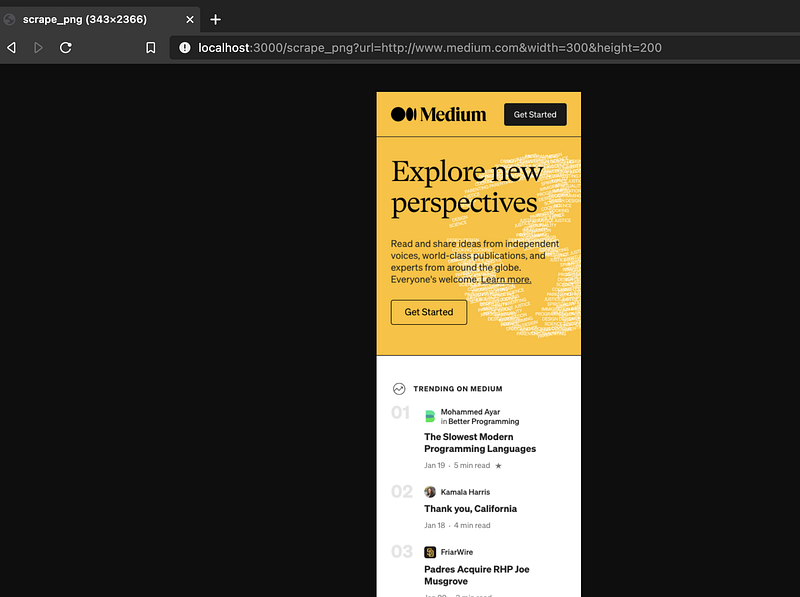
Below are some screenshots of Medium.com on what I want to achieve. The serverless function captures the web page in the desired resolutions and responds with an image of the page.
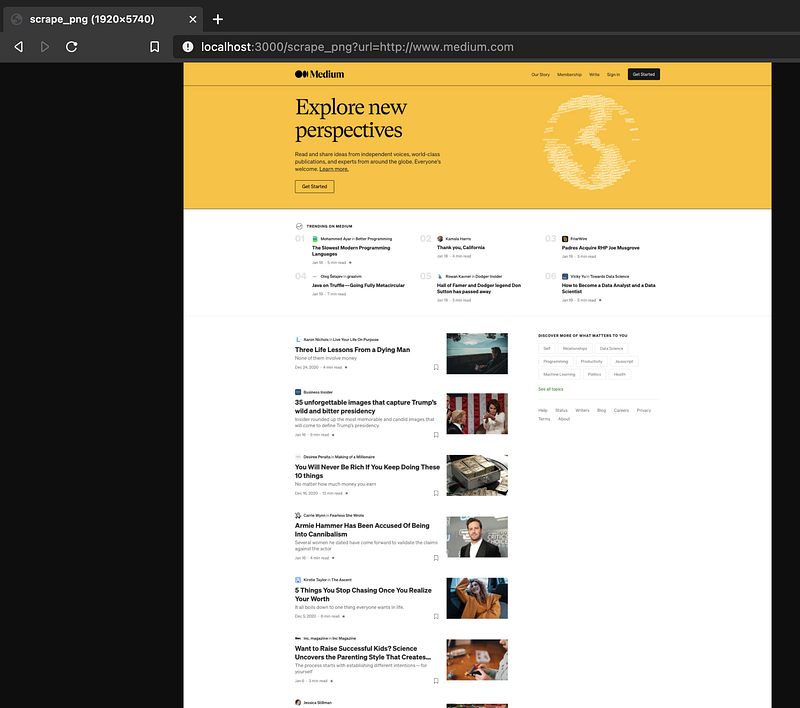
Medium in 1920x1080 ResolutionMedium in 300x200 Resolution
The Code
Let’s use a top town approach to understand the solution. Below is the Lambda function to achieve what I want to do.
Puppeteer is the Node library providing APIs to control and use Chrome/Chromium for crawling and generate images or PDFs of web pages. When you install Puppeteer, it downloads a recent version of Chromium (~170MB Mac, ~282MB Linux, ~280MB Win).
For use with AWS Lambda, I need to use chrome-aws-lambda to avoid the limits imposed. As you can see from package.json below, Puppeteer is installed as a development dependency. If you go through chrome-aws-lambda implementation, you can see that it first check if Puppeetter is available and try to use it. As such for local development Puppeetter is used but when deployed to AWS environment the Chromium binary bundled with chrome-aws-lambda is used.
With the Chromium browser, it is easy to capture the web page in different resolutions and save it as an image using the setViewport andscreenshot method.
Image Handler
With the image captured then I need to encode and return the binary output with the correct MIME type. This is handled by the image handler which either return the binary output as image/png or JSON string with error message whenever there is an issue.
Serverless Framework
I use the serverless framework which lets me develop and deploy serverless applications to AWS, Azure, GCP & more.
Lambda Configuration
For the Lambda function, I configure it in serverless.xml and expose it through API Gateway.
handler: Javascript file and the function in the file.
timeout: Default time out is 6 seconds and I configure it to be 30 seconds.
layers: I package chrome-aws-lamba code into a Lambda layer. More on this later.
events: Here is where I exposed the Lambda function as API.
For better performance you can also configure the memory size and provisioned concurrency but this may increase your bills. Refer to this documentation for more details.
API Gateway Configuration
Since the output is in binary, I also need to configure API Gateway to return binary media. In my case I configure it to allow all media types but you can be more specific on the media types to return, e.g. image/png, application/pdf, etc. More details are available in the documentation.
apiGateway:binaryMediaTypes:-'*/*'
AWS Lambda Layers
AWS Lambda layers allow you to configure Lambda function to pull in additional code and content in the form of layers. A layer is a .zip file archive that contains libraries, a custom runtime, or other dependencies.
With layers, you can use libraries in your function without needing to include them in your deployment package. Layers let you keep your deployment package small, which makes development easier. You can avoid errors that can occur when you install and package dependencies with your function code.
In my case, using the following commands from the website, I am able to bundle chrome-aws-lambda into a layer.
git clone --depth=1 https://github.com/alixaxel/chrome-aws-lambda.git && \
cd chrome-aws-lambda && \
make chrome_aws_lambda.zip
With the zip file, I can then configure the layer in serverless.xml.
To deploy it to AWS, use the serverless deploy or sls deploy command.
# sls deploy
Serverless: Bundling with Webpack...
Serverless: Excluding external modules: chrome-aws-lambda@^5.5.0, puppeteer-core@^5.5.0
Serverless: No external modules needed
Serverless: Packaging service...
Serverless: Layer ChromeAws is already uploaded.
Serverless: Uploading CloudFormation file to S3...
Serverless: Uploading artifacts...
Serverless: Skip uploading ChromeAws
Serverless: Uploading service pdfScraper.zip file to S3 (80.37 KB)...
Serverless: Uploading service pngScraper.zip file to S3 (80.37 KB)...
Serverless: Validating template...
Serverless: Updating Stack...
Serverless: Checking Stack update progress.......................
Serverless: Stack update finished...
Service Information
service: grabql-api
stage: dev
region: ap-southeast-1stack: grabql-api-dev
resources: 18
api keys:
None
endpoints:
GET - https://do5jnnqkob.execute-api.ap-southeast-1.amazonaws.com/dev/scrape_pdf
GET - https://do5jnnqkob.execute-api.ap-southeast-1.amazonaws.com/dev/scrape_png
functions:
pdfScraper: grabql-api-dev-pdfScraper
pngScraper: grabql-api-dev-pngScraper
layers:
ChromeAws: arn:aws:lambda:ap-southeast-1:450266975445:layer:ChromeAws:2
Serverless: Sucessfully updated to v2.20.0
With the provided endpoint I can then test out the API.
In case you want to view any info related to the service, use the sls info command.
Serverless framework makes it very easy to monitor the deployed API. I can use the following command to check the CloudWatch log.
# sls logs -f pngScraper -t
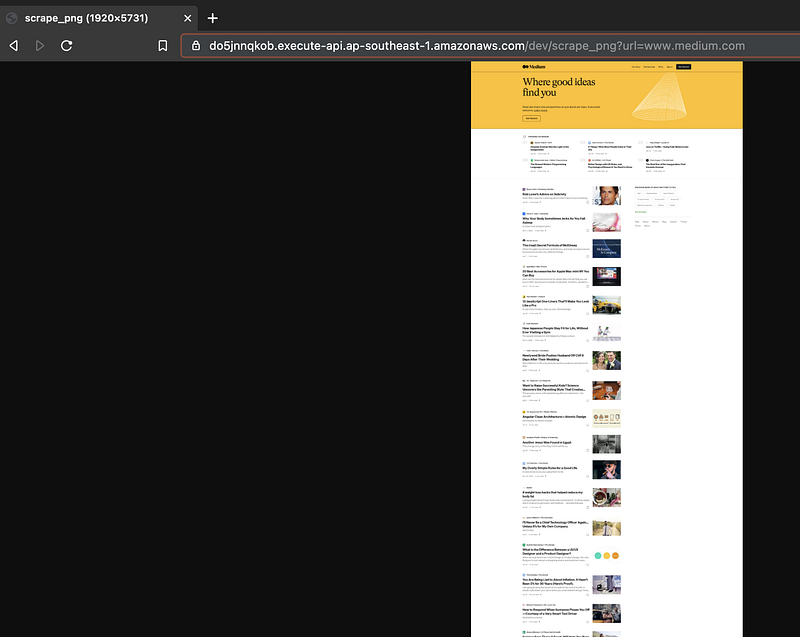
API Deployed to AWS
PDF Generation
Currently the API returns a PNG image. In case you want to generate PDF, use the PDF handler.
Summary
As you can see it is relatively easy to develop, test and deploy serverless API. However, you need to design it carefully as each cloud provider has its limitations. The current API is synchronous and if immediate response is not required, it is good to do decoupling and make it asynchronous. I shall talk more about this in future article.
The source code for this article is available here.
You may also want to check out the following articles.