
Say Goodbye to ChatGPT and Bard; These AI Tools Will Change the Way You Work — No BS
These AI tools are making life simpler for people who go at it alone, folks with regular jobs, and so on.

Let’s be real here.
Thanks to ChatGPT, our daily work output has shot through the roof.
Imagine getting more things done in a single day than we used to, which has directly translated into higher earnings and even the birth of new businesses. It’s all connected.
But ChatGPT’s influence goes beyond that. It’s the driving force behind a bunch of other AI tools that have sprouted up.
Now, sure, many of them tap into the OpenAI API and proudly wear the AI label.
However, there’s a whole bunch of other AI tools that are doing something really cool — they’re making life simpler for people who go at it alone, folks with regular jobs, and so on.
And guess what?
That’s exactly why I’m writing a couple of posts each month on this very subject. It’s like shining a spotlight on how these advancements are changing the game. And today, right now, I’m about to delve into this fascinating topic once again.
Let’s jump right in!
1. Veed

We all know about those AI image generators available now. Even tools like Canva added this AI feature.
But here’s something cooler to think about — making videos using AI. And not just any videos, but ones that are made quickly and don’t cost a fortune.
It’s like, you have some text, and you want to change it into a video.
Sounds awesome, right? The thing is, there are only a few AI tools that can do this.
But the prices they charge? They’re really high. It’s puzzling — how can regular people, folks who aren’t super rich, pay so much for making videos?
But guess what? Things are changing.
Some companies are working really hard to make this dream come true.
One of them is Veed. They offer a free plan that lets you export as many 720p videos as you want, with a watermark.
You can also make videos up to 10 minutes long, add 30 minutes of subtitles every month, and even translate those subtitles for up to 5 minutes.
And don’t worry about their other plans — they’re affordable too. It’s like the world of making videos is getting better, and more people can join in without spending too much money.
2. Clipdrop

I recently talked about a bunch of AI image generators, and let me tell you, they’re seriously good.
You just give them a detailed prompt and bam! They make a seriously amazing image from it, and it’s free.
But guess what? I found something new that’s even cooler. It’s called Clipdrop. This tool doesn’t stop at regular AI tools. Nope, it takes things to a whole new level.
So, what can Clipdrop do? Well, it’s like a magic wand for making awesome visuals. Whether it’s for your website, your home, or your team, Clipdrop has you covered.
But that’s not all.
You can also tweak the visuals however you want. Want to remove the background? Easy. Want to get rid of stuff in the picture? Done. Want to nix some text? No problem.
You can even make the picture bigger, make it look brighter, uncrop it, tidy it up… you get the idea.
In short, Clipdrop is like your one-stop shop for supercharging your visuals.
3. Docus AI

In a previous post, I shared insights on how to make use of ChatGPT to inquire about improved diet plans or identify potential health concerns based on symptoms.
However, there’s an exciting development in the world of AI tools. Developers are now creating AI tools customized for specific purposes, just like Docus AI which is entirely focused on health-related matters.
This awesome tool lets you engage in conversations with an AI Health Assistant.
With this, not only you can create your health report but also get it verified by a leading doctor from the United States or Europe. And here’s the cherry on top — there’s no need to sign up, and you don’t even have to provide any personalized information.
Now, let me delve into the details of their free plan.
With this plan, you’re entitled to ask for 7 messages per day using the Docus AI Health Assistant.
It doesn’t stop there — it also offers AI-driven second opinions and standard support, all within the free package.
Insane, right?
4. Rows
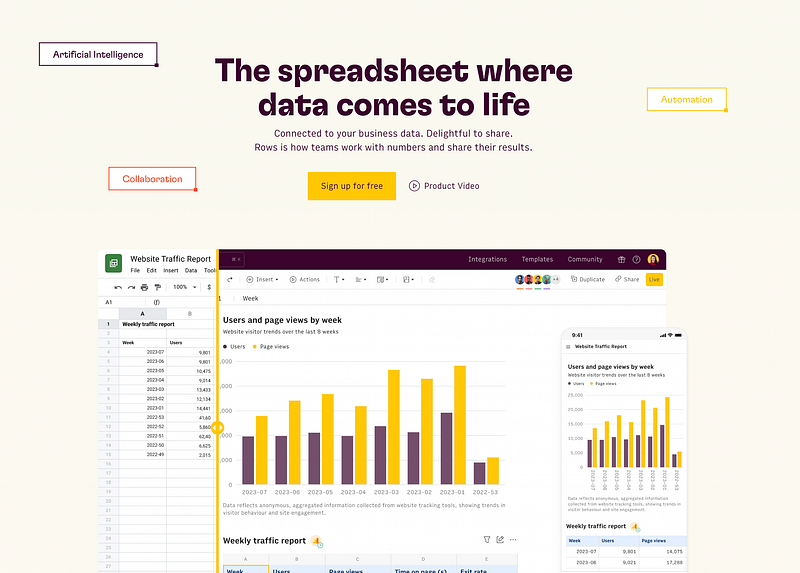
Most of us are familiar with using Excel for tasks involving tables.
However, I’d like to introduce you to an AI-powered tool called Rows that has the potential to revolutionize how you manage tabular data.
And to be honest, this tool has become a personal favorite of mine, and I use it daily.
What’s impressive is its ability to quickly complete tasks without the need for registrations, emails, or captchas. All you need to do is open the website on your desktop, and you’ll immediately find yourself in a spreadsheet environment where you can start working right away.
Also, getting started with this tool is easy.
You can either start a new spreadsheet, import a file, or choose from various templates. Once your spreadsheet is ready, you can import data from numerous sources such as Facebook ads, LinkedIn ads, Google Analytics, and more.
Once your data is imported, the tool offers AI-powered data analysis. This means you can quickly obtain insights and delve deeper into the data for more comprehensive information.
Furthermore, you can generate charts based on your selected data. There are additional features waiting to be explored as well.
To help you get started, there’s an introductory video available. Additionally, similar to Excel, you can also use formulas to enhance your data manipulation capabilities.
5. Learn Prompting
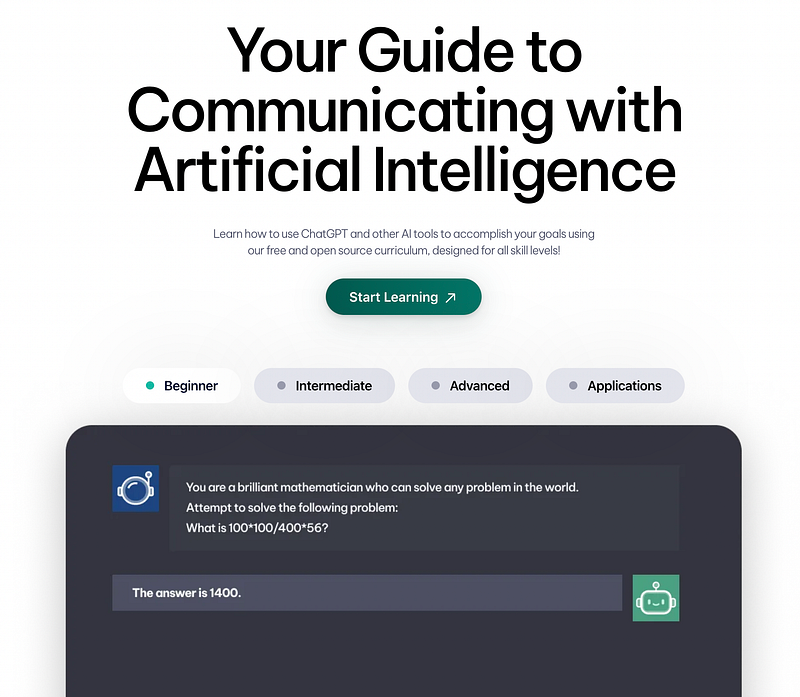
You might know that I’ve been talking a lot about something called “prompt engineering”.
This is all about using the right words to tell AI tools what we want them to do. It’s super important because if we use the right words(precise prompts), we can get tools to do a lot of things really quickly, things that would normally take us more than an hour to finish.
And, I’m still learning a bunch of stuff to make sure I really understand prompt engineering. And that’s where this special website comes in — it’s called “Learn Prompting”.
This website is like a treasure trove of knowledge. It has lots of lessons that teach us about prompt engineering and something called generative AI.
Don’t worry if those words sound fancy — they’re just ways AI tools create things. And the cool thing is, these lessons are made in a way that’s easy for anyone to understand.
Guess what’s even better? This website doesn’t cost anything, and you can use it as much as you want.
Plus, it’s not a secret — it’s open for everyone to use and learn from. So, whenever I want to learn more about prompt engineering, I go to Learn Prompting to get all the helpful info.
Hope you like it.
That’s it — thanks.
You can subscribe to me on Beehiiv as well if you want.


