Provider — and its Types
Which is the easiest way to manage my app state? Hmm…
Using selector in Provider
All in one Flutter resource: https://flatteredwithflutter.com/how-to-use-different-types-of-providers/
Free AI web copilot to create summaries, insights and extended knowledge, download it at here
10026
Abstract
idget</span>(), )</pre></div><p id="decf"><b>LocationModelNormal</b> is the model class, which we are providing to the Stream Provider….</p><p id="20ae"><b>LocationStreamProviderWidget</b> is the child widget.</p><p id="58e7"><b>locationStreamInstance.specificLocation</b> is the stream to the StreamProvider……</p><div id="4e0d"><pre><span class="hljs-comment">///For documents.....</span> <span class="hljs-title class_">Stream</span><<span class="hljs-title class_">LocationModelNormal</span>> <span class="hljs-title function_">specificLocation</span>(<span class="hljs-params"><span class="hljs-built_in">String</span> docId</span>) { final _listModel = <span class="hljs-title function_">userDataStream</span>( <span class="hljs-attr">documentId</span>: docId, ).<span class="hljs-title function_">map</span>(<span class="hljs-function">(<span class="hljs-params">list</span>) =></span> <span class="hljs-title class_">LocationModelNormal</span>.<span class="hljs-title function_">fromMap</span>(list.<span class="hljs-property">data</span>));</pre></div><div id="97a0"><pre> <span class="hljs-keyword">return</span> _listModel; }</pre></div><blockquote id="8823"><p>This renders the <b>Wonder</b> which is specified by the <b>StreamProvider</b>…!!!</p></blockquote><h2 id="2733">Part Two of the App…</h2><p id="a3c3">In the bottom portion of the app, we have given user the power to view the preferred wonder ………</p><figure id="d959"><img src="https://cdn-images-1.readmedium.com/v2/resize:fit:800/1*z9C0gPs4lLSyCHOe-5XBog.png"><figcaption>Provider — and its Types</figcaption></figure><blockquote id="5146"><p>Now, we want to render the <b>StreamProvider</b> with the preferred wonder…</p></blockquote><h2 id="16e7">How to do ?</h2><ol><li>Wrap your parent widget of the app with <a href="https://pub.dev/documentation/provider/latest/provider/ChangeNotifierProvider-class.html"><b>ChangeNotifierProvider</b></a></li></ol><div id="d4e9"><pre><span class="hljs-selector-tag">return</span> <span class="hljs-selector-tag">Scaffold</span>( <span class="hljs-attribute">appBar</span>: <span class="hljs-built_in">AppBar</span>( <span class="hljs-attribute">title</span>: <span class="hljs-built_in">Text</span>(<span class="hljs-string">'$data'</span>), ), <span class="hljs-attribute">body</span>: ChangeNotifierProvider<AppData>( <span class="hljs-attribute">builder</span>: (context) => <span class="hljs-built_in">AppData</span>(), <span class="hljs-attribute">child</span>: <span class="hljs-built_in">WondersBody</span>(), ), );</pre></div><blockquote id="b767"><p>ChangeNotifierProvider is listening to any changes in the <b>AppData</b> model class…</p></blockquote><h2 id="c661">How does this model look like ??</h2><div id="6b51"><pre><span class="hljs-class"><span class="hljs-keyword">class</span> <span class="hljs-title">AppData</span> <span class="hljs-keyword">with</span> <span class="hljs-title">ChangeNotifier</span> </span>{ <span class="hljs-type">String</span> wonder;</pre></div><div id="c337"><pre> AppData({ <span class="hljs-keyword">this</span>.wonder = firstWonderForLoading, });</pre></div><div id="1ed8"><pre> <span class="hljs-keyword">void</span> <span class="hljs-title function_">updateWonderToShow</span>(<span class="hljs-params"><span class="hljs-built_in">String</span> _country</span>) { wonder = _country; <span class="hljs-title function_">notifyListeners</span>(); } }</pre></div><p id="c6da">Normal class but with a <b><i>mixin</i></b><i> </i><b>ChangeNotifier</b>, which adds listening capability…</p><p id="084e">2. As user selects the wonder, simply call the <b>updateWonderToShow</b> function and pass the respective user selected wonder…</p><h2 id="e86a">Accessing data via Provider…</h2><p id="812b">There are 2 ways to do so :</p><ol><li><b>Using Consumer Widget…</b></li></ol><p id="5355">Wrap the child which you want to show with a Consumer Widget…For instance,</p><div id="b17a"><pre>Consumer<<span class="hljs-built_in">String</span>>( builder: <span class="hljs-function"><span class="hljs-params">(context, value, child)</span> =></span> Text(value), ),</pre></div><p id="1722">You can pass the model also as</p><div id="11b4"><pre>Provider<span class="hljs-params"><WonderOptions></span>.value( <span class="hljs-symbol"> value:</span> WonderOptions(), <span class="hljs-symbol"> child:</span> Flexible( <span class="hljs-symbol"> child:</span> Consumer<span class="hljs-params"><WonderOptions></span>( <span class="hljs-symbol"> builder:</span> (context,model, child) => WonderNames(), ), ), ),</pre></div><blockquote id="3ded"><p><b>Consumer</b> widget will rebuild as the data changes…</p></blockquote><p id="a6ad">2. Using <b>Provider.of<T>(…)</b></p><p id="54f1">Detailed description,</p><div id="ea39"><pre>T <span class="hljs-built_in">of</span><T>(BuildContext context, {<span class="hljs-type">bool</span> listen = <span class="hljs-literal">true</span>})</pre></div><p id="0ade">What this means :</p><blockquote id="c050"><p>Obtains the nearest [Provider<T>] up its widget tree and returns its value. <b>If [listen] is true (default)</b>, later value changes will trigger a new [State.build] to widgets, and [State.didChangeDependencies] for [StatefulWidget].</p></blockquote><p id="b9ed">You can use the following to access the data</p><div id="2c17"><pre><span class="hljs-keyword">final</span> _wonderToShow = Provider.<span class="hljs-built_in">of</span><AppData>(context, listen: <span class="hljs-literal">true</span>);</pre></div><blockquote id="2861"><p>But, by default the <b>listen parameter is set to true</b>, hence……</p></blockquote><p id="973f"><b>In our case, we can access the data as</b></p><div id="f0c2"><pre>final _wonderToShow <span class="hljs-operator">=</span> Provider.of<AppData>(context)<span class="hljs-comment">;</span></pre></div><p id="9138"><b>How to pass the data now, simple :)</b></p><div id="dc58"><pre><span class="hljs-selector-tag">Flexible</span>( <span class="hljs-attribute">flex</span>: <span class="hljs-number">2</span>, <span class="hljs-attribute">child</span>: StreamProvider<LocationModelNormal>.<span class="hljs-built_in">value</span>( <span class="hljs-attribute">initialData</span>: LocationModelNormal.<span class="hljs-built_in">initialData</span>(), <span class="hljs-attribute">value</span>: locationStreamInstance.<span class="hljs-built_in">specificLocation</span>(_wonderToShow.wonder), <span class="hljs-attribute">child</span>: <span class="hljs-built_in">LocationStreamProviderWidget</span>(), ), ),</pre></div><blockquote id="d887"><p>As you can see, <b>_wonderToShow.wonder</b> gives us the current wonder and the respective details are shown accordingly…</p></blockquote><p id="d0f4">Till now, we saw <a href="https://pub.dev/documentation/provider/latest/provider/ChangeNotifierProvider-class.html"><b>ChangeNotifierProvider</b></a> and <a href="https://pub.dev/documentation/provider/latest/provider/StreamProvider-class.html"><b>StreamProvider</b></a>….</p><figure id="68ac"><img src="https://cdn-images-1.readmedium.com/v2/resize:fit:800/1*z9C0gPs4lLSyCHOe-5XBog.png"><figcaption>Use of Provider…</figcaption></figure><p id="83fa">Lets see a use case of <a href="https://pub.dev/documentation/provider/latest/provider/Provider-class.html"><b>Provider</b></a> itself…</p><p id="2f80">In this app, particularly the wonder selection (see above image)….data here mostly won’t change, for instance</p><ol><li>There are only 7 buttons….</li><li>Each button has a specific name….</li></ol><blockquote id="177d"><p>In terms of Firestore think of when a user logs in….</p></blockquote><blockquote id="5e2c"><p>The userid, email, etc won’t change right!!!…You can model this type of data and pass down via Provider…</p></blockquote><p id="93c9">Coming back to our app, we can provide this type of data via Provider to a widget……Lets see how….</p><div id="de65"><pre>Provider<WonderOptions><span class="hljs-selector-class">.value</span>( value: <span class="hljs-built_in">WonderOptions</span>(), child: <span class="hljs-built_in">Flexible</span>( child: <span class="hljs-built_in">WonderNames</span>(), ), ),</pre></div><p id="c360">Here, you can see we have wrapped our <b>widget (WonderNames)</b> with Provider which provides the model/data of <b>WonderOptions…</b></p><p id="f806">For accessing the data inside our widget, we will use the above mentioned approach…</p><blockquote id="eb2b"><p><b>Provider.of<WonderOptions>(context)</b></p></blockquote><p id="dc51">How does WonderOptions class look like?</p><div id="7bf1"><pre>const int wonderConstOptions <span class="hljs-operator">=</span> <span class="hljs-number">7</span><span class="hljs-comment">;</span></pre></div><div id="f094"><pre>const List<String> wonderNamesList = [ <span class="hljs-built_in"> firstWonder,</span> <span class="hljs-built_in"> secondWonder,</span> <span class="hljs-built_in"> thirdWonder,</span> <span class="hljs-built_in"> fourthWonder,</span> <span class="hljs-built_in"> fifthWonder,</span> <span class="hljs-built_in"> sixthWonder,</span> <span class="hljs-built_in"> seventhWonder,</span> ]<span class="hljs-comment">;</span></pre></div><div id="a9fa"><pre>class WonderOptions { <span class="hljs-variable">_CurrentWonderOptions</span> <span class="hljs-variable">_currentWonderOptions</span> = <span class="hljs-variable">_CurrentWonderOptions</span>(wonderConstOptions);</pre></div><div id="090e"><pre><span class="hljs-variable">_CurrentWonderNames</span> <span class="hljs-variable">_currentWonderNames</span> = <span class="hljs-variable">_CurrentWonderNames</span>(wonderNamesList);</pre></div><div id="0230"><pre> <span class="hljs-built_in">int</span> <span class="hljs-keyword">get</span> wonderCount => _currentWonderOptions
Options
.wonderCount;</pre></div><div id="0437"><pre> <span class="hljs-keyword">set</span> wonderCount(int <span class="hljs-keyword">new</span><span class="hljs-type">Value</span>) { <span class="hljs-keyword">if</span> (<span class="hljs-keyword">new</span><span class="hljs-type">Value</span> == _currentWonderOptions.wonderCount) <span class="hljs-keyword">return</span>; _currentWonderOptions = _CurrentWonderOptions(<span class="hljs-keyword">new</span><span class="hljs-type">Value</span>); }</pre></div><div id="4873"><pre> <span class="hljs-built_in">List</span><<span class="hljs-built_in">String</span>> <span class="hljs-keyword">get</span> wonderNames => _currentWonderNames.wonderNames;</pre></div><div id="98c7"><pre> <span class="hljs-keyword">set</span> wonderNames(List<<span class="hljs-keyword">String</span>> <span class="hljs-keyword">new</span><span class="hljs-type">Value</span>) { <span class="hljs-keyword">if</span> (<span class="hljs-keyword">new</span><span class="hljs-type">Value</span> == _currentWonderNames.wonderNames) <span class="hljs-keyword">return</span>; _currentWonderNames = _CurrentWonderNames(<span class="hljs-keyword">new</span><span class="hljs-type">Value</span>); }</pre></div><div id="fa2e"><pre> <span class="hljs-built_in">WonderOptions</span>() { <span class="hljs-built_in">_fetchWonders</span>(); <span class="hljs-built_in">_generateWondersList</span>(); }</pre></div><div id="54ae"><pre> <span class="hljs-keyword">void</span> <span class="hljs-title function_">_fetchWonders</span>(<span class="hljs-params"></span>) { _currentWonderOptions = <span class="hljs-title function_">_CurrentWonderOptions</span>(wonderCount); }</pre></div><div id="7f12"><pre> <span class="hljs-keyword">void</span> <span class="hljs-title function_">_generateWondersList</span>(<span class="hljs-params"></span>) { _currentWonderNames = <span class="hljs-title function_">_CurrentWonderNames</span>(wonderNames); } }</pre></div><div id="6778"><pre><span class="hljs-keyword">class</span> <span class="hljs-symbol">_CurrentWonderOptions</span> { <span class="hljs-keyword">final</span> <span class="hljs-built_in">int</span> wonderCount;</pre></div><div id="7df6"><pre> <span class="hljs-function"><span class="hljs-keyword">const</span> <span class="hljs-title">_CurrentWonderOptions</span><span class="hljs-params">( <span class="hljs-keyword">this</span>.wonderCount, )</span></span>; }</pre></div><div id="f93e"><pre><span class="hljs-title class_"><span class="hljs-keyword">class</span> _<span class="hljs-title">CurrentWonderNames</span> </span>{ <span class="hljs-keyword">final</span> List<<span class="hljs-keyword">String</span>> wonderNames;</pre></div><div id="2a54"><pre> <span class="hljs-function"><span class="hljs-keyword">const</span> <span class="hljs-title">_CurrentWonderNames</span><span class="hljs-params">( <span class="hljs-keyword">this</span>.wonderNames, )</span></span>; }</pre></div><h2 id="eb8a">Showing the selected Wonder….</h2><p id="651f">Currently the user selects the wonder to see and the app displays accordingly..</p><p id="b878">Now, we want to show the name of current wonder selected as below:</p><figure id="038a"><img src="https://cdn-images-1.readmedium.com/v2/resize:fit:800/1*ZkgaYHoqj8iJ_NaHOzKmSw.png"><figcaption>Use of ValueListenableProvider…</figcaption></figure><p id="af3f">Lets use the <a href="https://pub.dev/documentation/provider/latest/provider/ValueListenableProvider-class.html"><b>ValueListenableProvider</b></a>….</p><p id="b80e">As the documentation says,</p><blockquote id="3823"><p>Listen to a ValueListenable and only expose <code><i>ValueListenable.value</i></code>.</p></blockquote><blockquote id="a768"><p>Any change in this value will stop listening to the previous value and listen the new one.</p></blockquote><p id="05ab">What this means,</p><div id="88f7"><pre>ValueListenableProvider<<span class="hljs-built_in">String</span>>.value( value: _currentWonder, child: Consumer<<span class="hljs-built_in">String</span>>( builder: <span class="hljs-function"><span class="hljs-params">(context, value, _)</span> =></span> Text(value), ), ), ),</pre></div><p id="ea1c">The value parameter inside the <b>ValueListenableProvider</b> expects a variable of type <b>ValueNotifier…</b></p><p id="8f53">So, the variable <b>_currentWonder</b> is :</p><div id="a729"><pre>final _wonderToShow <span class="hljs-operator">=</span> Provider.of<AppData>(context)<span class="hljs-comment">;</span></pre></div><div id="13aa"><pre>final _currentWonder <span class="hljs-operator">=</span> ValueNotifier(_wonderToShow.wonder)<span class="hljs-comment">;</span></pre></div><p id="9d34">If the user selects a different wonder, this value is updated and our ValueListenableProvider notifies to the child widget…</p><blockquote id="b8cd"><p>We are using the <b>Consumer widget (from provider package)</b> to display the wonder selected by the user….</p></blockquote><h2 id="5b2b">Summary…</h2><p id="22a0">Finally, we want to show the summary of the wonder,</p><blockquote id="94b7"><p>for instance, wonder name and the total number of wonders….</p></blockquote><figure id="d57a"><img src="https://cdn-images-1.readmedium.com/v2/resize:fit:800/1*QXL5q5nmgoOMzhPbrMW5IQ.png"><figcaption>Use of MultiProvider…</figcaption></figure><p id="1bbb">Now, our total number of wonders are <b>inside one Provider </b>and the current wonder being displayed inside <b>another Provider…..</b></p><p id="d633">Hmm, time to use <b>MultiProvider….</b></p><p id="2a37">As per the documentation,</p><blockquote id="d690"><p>When injecting many values in big applications, <code><i>Provider</i></code> can rapidly become pretty nested, hence we have MultiProvider….</p></blockquote><div id="e7c7"><pre><span class="hljs-selector-tag">MultiProvider</span>( <span class="hljs-attribute">providers</span>: [ Provider<Foo>.<span class="hljs-built_in">value</span>(<span class="hljs-attribute">value</span>: foo), Provider<Bar>.<span class="hljs-built_in">value</span>(<span class="hljs-attribute">value</span>: bar), ], <span class="hljs-attribute">child</span>: someWidget, )</pre></div><p id="6512">How to use in our app,….</p><div id="597a"><pre><span class="hljs-selector-tag">MultiProvider</span>( <span class="hljs-attribute">providers</span>: [ Provider<WonderOptions>.<span class="hljs-built_in">value</span>(<span class="hljs-attribute">value</span>: <span class="hljs-built_in">WonderOptions</span>()), StreamProvider<LocationModelNormal>.<span class="hljs-built_in">value</span>( <span class="hljs-attribute">initialData</span>: LocationModelNormal.<span class="hljs-built_in">initialData</span>(), <span class="hljs-attribute">value</span>: locationStreamInstance .<span class="hljs-built_in">specificLocation</span>(_wonderToShow.wonder), ), ], <span class="hljs-attribute">child</span>: <span class="hljs-built_in">SummaryWidget</span>(), ),</pre></div><p id="f5f5">Here, we are using 2 providers namely :</p><ol><li>Provider of <b>WonderOptions</b>…</li><li>StreamProvider of <b>LocationModeNormal</b>…</li></ol><p id="f619">These can be accessed by the child widget, in our case, <b>SummaryWidget</b>…</p><p id="f1a7">Lets see,</p><div id="4cea"><pre>final _totalWonders <span class="hljs-operator">=</span> Provider.of<WonderOptions>(context)<span class="hljs-comment">;</span></pre></div><blockquote id="9f14"><p>This gets us the <b>WonderOptions….</b></p></blockquote><div id="4919"><pre>final _wonderDetail <span class="hljs-operator">=</span> Provider.of<LocationModelNormal>(context)<span class="hljs-comment">;</span></pre></div><blockquote id="11d6"><p>This gets us the <b>LocationModeNormal…</b></p></blockquote><p id="c21e">Access the desired parameters from these models to show in the UI…..:)</p><p id="934b">Articles related to Flutter:</p><div id="bdfc" class="link-block"> <a href="https://readmedium.com/flutter-and-3d-5e3e63803133"> <div> <div> <h2>Flutter and 3D</h2> <div><h3>Want to display 3d in flutter. Check now!</h3></div> <div><p>medium.com</p></div> </div> <div> <div style="background-image: url(https://miro.readmedium.com/v2/resize:fit:320/1*nmIWgfDfQpJYAzUeWUkiKA.png)"></div> </div> </div> </a> </div><div id="0c23" class="link-block"> <a href="https://readmedium.com/using-selector-in-provider-b32113d5da64"> <div> <div> <h2>Using Selector in Provider</h2> <div><h3>Using selector in provider</h3></div> <div><p>medium.com</p></div> </div> <div> <div style="background-image: url(https://miro.readmedium.com/v2/resize:fit:320/1*fpwzgIlvCRRDrr04A21ZQw.png)"></div> </div> </div> </a> </div><div id="7a7c" class="link-block"> <a href="https://readmedium.com/flutter-provider-and-streams-33b401ebe28c"> <div> <div> <h2>Flutter Provider and Streams</h2> <div><h3>Streams in, streams out…</h3></div> <div><p>medium.com</p></div> </div> <div> <div style="background-image: url(https://miro.readmedium.com/v2/resize:fit:320/1*-sXimkCot3rUFOHrYRbhSA.png)"></div> </div> </div> </a> </div><p id="5fd1"><a href="https://github.com/AseemWangoo/experiment_with_providers"><i>Source Code here:</i></a></p><figure id="8839"><img src="https://cdn-images-1.readmedium.com/v2/resize:fit:800/1*rpTl0ep9orbTrbRhvOmw-w.gif"><figcaption></figcaption></figure></article></body>
Provider — and its Types
Which is the easiest way to manage my app state? Hmm…
Using selector in Provider
All in one Flutter resource: https://flatteredwithflutter.com/how-to-use-different-types-of-providers/
In its early stages, Flutter introduced….
setState(() {
_counter++;
//YOUR LOGIC.......
});2. In year 2018, Business Logic Component (BLoC) was announced at Google I/O ’18. The BLoC pattern uses Reactive Programming to handle the flow of data within an app.
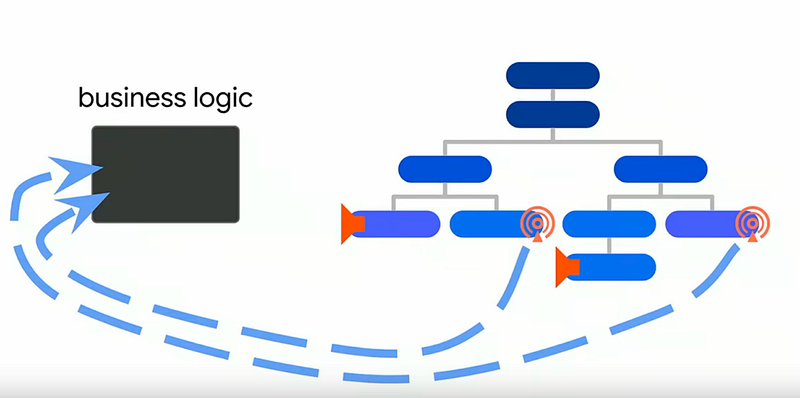
BLoC has two simple components: Sinks and Streams, both of which are provided by a StreamController.
Sinks In, Streams Out…..!!!
Programmers were still getting used to it until……..

3. In this year, Provider was introduced
Provider is a state management package built by the community, not by Google.
This is one of the hot questions out there to all the Flutter developers..
Let's see first, the things needed for BLoC…
You should be aware about the Streams, Sinks, StreamControllers…What is their correct use, how to expose and dispose them….
You need to have some implementation of BlocProvider (Dont confuse this with Provider)….
Sample BLoC class:
class YourBloc {
var yourVar;
final yourVarController = StreamController<yourType>();Stream<yourType> get yourVarStream => counterController.stream;StreamSink<yourType> get yourVarSink => counterController.sink;
yourMethod() {
// some logic staff;
yourVar = yourNewValue;
yourVarSink.add(yourVar);
}dispose() {
yourVarController.close();
}
}These concepts are important, no doubt,……but if you are new to Flutter and want to quickly get over State Management, you may hesitate to learn these things at first…..
Note : This is only based on my personal opinion and does not aim to demotivate BLoC lovers…:)
Sample Provider class: (Details about this class are below)
class AppData with ChangeNotifier {
String wonder;AppData({
this.wonder = firstWonderForLoading,
});void updateWonderToShow(String _country) {
wonder = _country;
notifyListeners();
}
}In my opinion,
Use selector in Provider
Hmm, I would describe this as :
Provider helps us in getting the updated model…….along with the power of making changes in that model with the help of :
If you are here with me till now, lets deep dive into Providers…..
Provider is a state management package built by the community and accepted by Google….
Put this dependency in your pubspec.yaml.
provider: ^3.0.0+1 // as of now
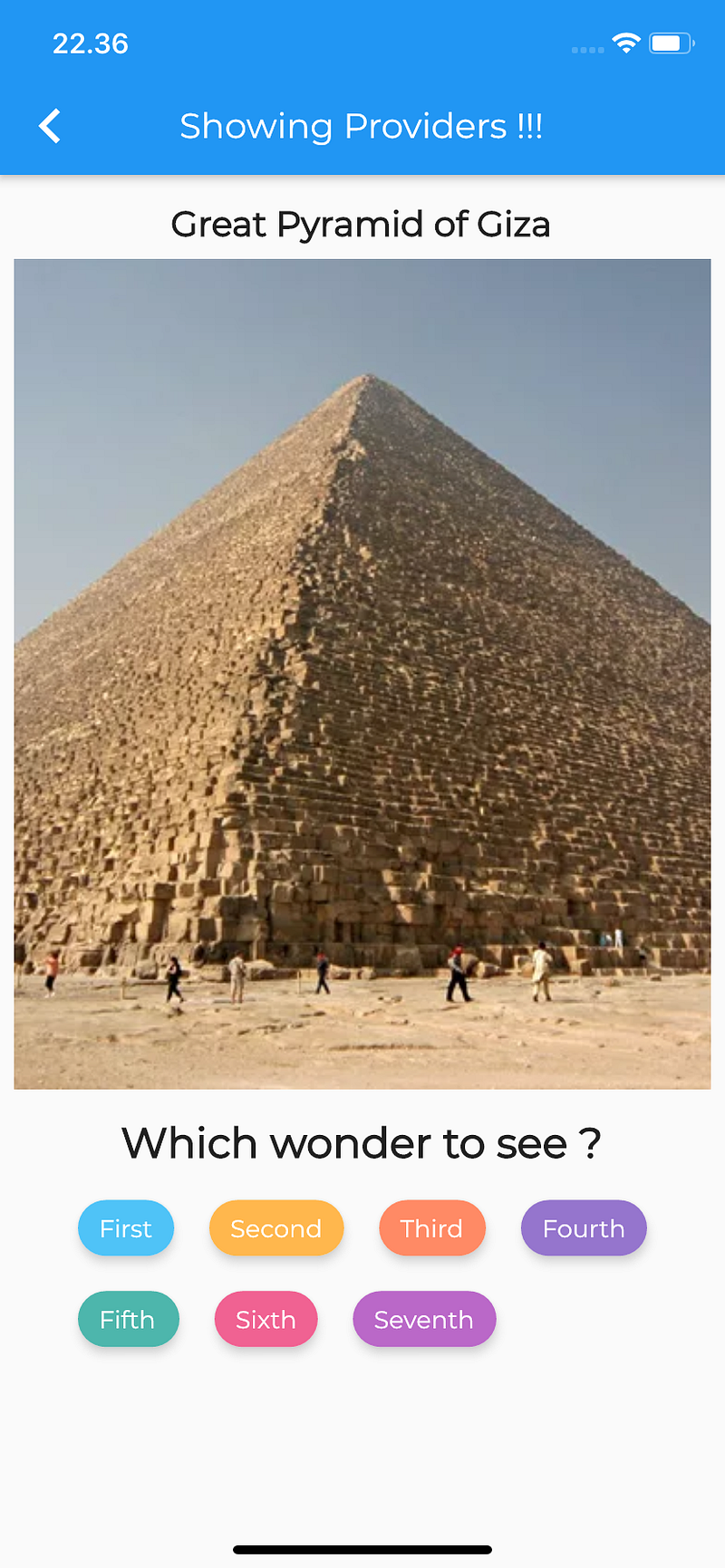
For listening to data continuously, we had StreamBuilder in Flutter…
StreamBuilder(
stream: //YOUR STREAM,
builder: (BuildContext context, AsyncSnapshot snapshot){
return //YOUR CHILD;
})Now with Provider, we have another widget, StreamProvider
StreamProvider.value(
value: // YOUR STREAM,
child: // YOUR CHILD,
),This listens to the value and exposes it to all its descendants……
Top half of the screenshot displays the Wonder of the World….
We create a StreamProvider like…
StreamProvider<LocationModelNormal>.value(
initialData: LocationModelNormal.initialData(), value:locationStreamInstance.specificLocation(_wonderToShow.wonder),
child: LocationStreamProviderWidget(),
)LocationModelNormal is the model class, which we are providing to the Stream Provider….
LocationStreamProviderWidget is the child widget.
locationStreamInstance.specificLocation is the stream to the StreamProvider……
///For documents.....
Stream<LocationModelNormal> specificLocation(String docId) {
final _listModel = userDataStream(
documentId: docId,
).map((list) => LocationModelNormal.fromMap(list.data)); return _listModel;
}This renders the Wonder which is specified by the StreamProvider…!!!
In the bottom portion of the app, we have given user the power to view the preferred wonder ………
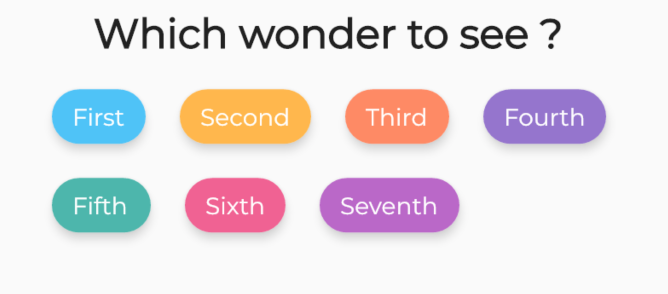
Now, we want to render the StreamProvider with the preferred wonder…
return Scaffold(
appBar: AppBar(
title: Text('$data'),
),
body: ChangeNotifierProvider<AppData>(
builder: (context) => AppData(),
child: WondersBody(),
),
);ChangeNotifierProvider is listening to any changes in the AppData model class…
class AppData with ChangeNotifier {
String wonder; AppData({
this.wonder = firstWonderForLoading,
}); void updateWonderToShow(String _country) {
wonder = _country;
notifyListeners();
}
}Normal class but with a mixin ChangeNotifier, which adds listening capability…
2. As user selects the wonder, simply call the updateWonderToShow function and pass the respective user selected wonder…
There are 2 ways to do so :
Wrap the child which you want to show with a Consumer Widget…For instance,
Consumer<String>(
builder: (context, value, child) => Text(value),
),You can pass the model also as
Provider<WonderOptions>.value(
value: WonderOptions(),
child: Flexible(
child: Consumer<WonderOptions>(
builder: (context,model, child) => WonderNames(),
),
),
),Consumer widget will rebuild as the data changes…
2. Using Provider.of<T>(…)
Detailed description,
T of<T>(BuildContext context, {bool listen = true})What this means :
Obtains the nearest [Provider<T>] up its widget tree and returns its value. If [listen] is true (default), later value changes will trigger a new [State.build] to widgets, and [State.didChangeDependencies] for [StatefulWidget].
You can use the following to access the data
final _wonderToShow = Provider.of<AppData>(context, listen: true);But, by default the listen parameter is set to true, hence……
In our case, we can access the data as
final _wonderToShow = Provider.of<AppData>(context);How to pass the data now, simple :)
Flexible(
flex: 2,
child: StreamProvider<LocationModelNormal>.value(
initialData: LocationModelNormal.initialData(),
value:
locationStreamInstance.specificLocation(_wonderToShow.wonder),
child: LocationStreamProviderWidget(),
),
),As you can see, _wonderToShow.wonder gives us the current wonder and the respective details are shown accordingly…
Till now, we saw ChangeNotifierProvider and StreamProvider….

Lets see a use case of Provider itself…
In this app, particularly the wonder selection (see above image)….data here mostly won’t change, for instance
In terms of Firestore think of when a user logs in….
The userid, email, etc won’t change right!!!…You can model this type of data and pass down via Provider…
Coming back to our app, we can provide this type of data via Provider to a widget……Lets see how….
Provider<WonderOptions>.value(
value: WonderOptions(),
child: Flexible(
child: WonderNames(),
),
),Here, you can see we have wrapped our widget (WonderNames) with Provider which provides the model/data of WonderOptions…
For accessing the data inside our widget, we will use the above mentioned approach…
Provider.of<WonderOptions>(context)
How does WonderOptions class look like?
const int wonderConstOptions = 7;const List<String> wonderNamesList = [
firstWonder,
secondWonder,
thirdWonder,
fourthWonder,
fifthWonder,
sixthWonder,
seventhWonder,
];class WonderOptions {
_CurrentWonderOptions _currentWonderOptions =
_CurrentWonderOptions(wonderConstOptions);_CurrentWonderNames _currentWonderNames = _CurrentWonderNames(wonderNamesList); int get wonderCount => _currentWonderOptions.wonderCount; set wonderCount(int newValue) {
if (newValue == _currentWonderOptions.wonderCount) return;
_currentWonderOptions = _CurrentWonderOptions(newValue);
} List<String> get wonderNames => _currentWonderNames.wonderNames; set wonderNames(List<String> newValue) {
if (newValue == _currentWonderNames.wonderNames) return;
_currentWonderNames = _CurrentWonderNames(newValue);
} WonderOptions() {
_fetchWonders();
_generateWondersList();
} void _fetchWonders() {
_currentWonderOptions = _CurrentWonderOptions(wonderCount);
} void _generateWondersList() {
_currentWonderNames = _CurrentWonderNames(wonderNames);
}
}class _CurrentWonderOptions {
final int wonderCount; const _CurrentWonderOptions(
this.wonderCount,
);
}class _CurrentWonderNames {
final List<String> wonderNames; const _CurrentWonderNames(
this.wonderNames,
);
}Currently the user selects the wonder to see and the app displays accordingly..
Now, we want to show the name of current wonder selected as below:
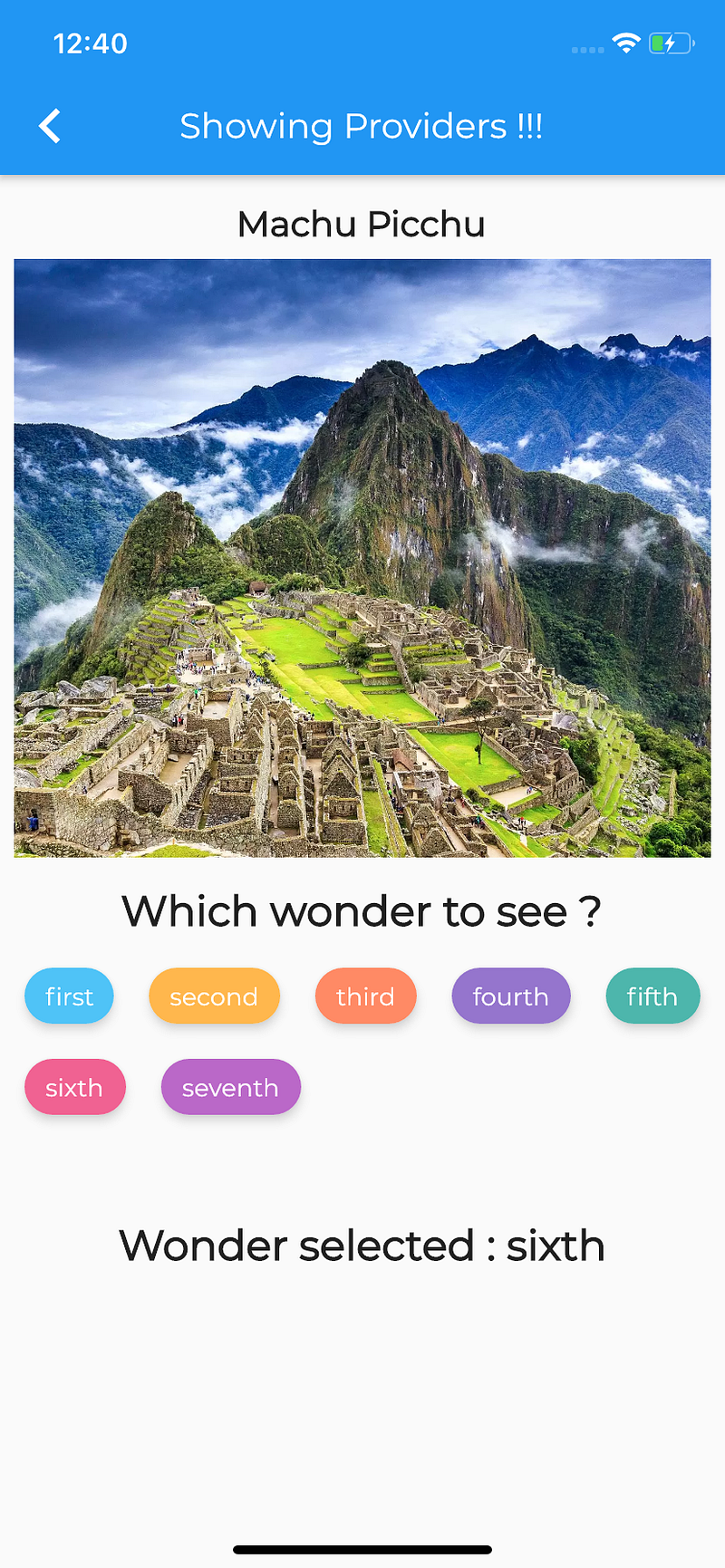
Lets use the ValueListenableProvider….
As the documentation says,
Listen to a ValueListenable and only expose
ValueListenable.value.
Any change in this value will stop listening to the previous value and listen the new one.
What this means,
ValueListenableProvider<String>.value(
value: _currentWonder,
child: Consumer<String>(
builder: (context, value, _) => Text(value),
),
),
),The value parameter inside the ValueListenableProvider expects a variable of type ValueNotifier…
So, the variable _currentWonder is :
final _wonderToShow = Provider.of<AppData>(context);final _currentWonder = ValueNotifier(_wonderToShow.wonder);If the user selects a different wonder, this value is updated and our ValueListenableProvider notifies to the child widget…
We are using the Consumer widget (from provider package) to display the wonder selected by the user….
Finally, we want to show the summary of the wonder,
for instance, wonder name and the total number of wonders….
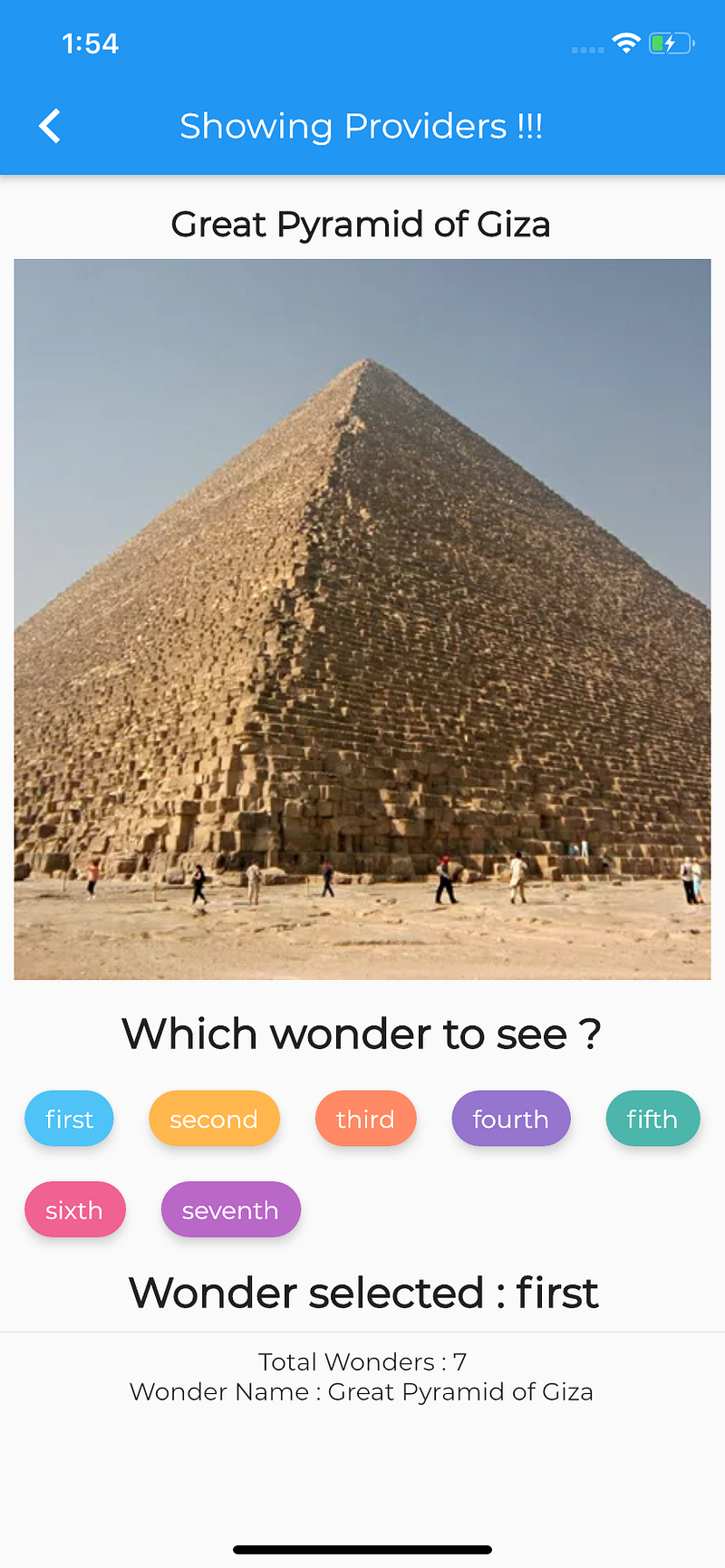
Now, our total number of wonders are inside one Provider and the current wonder being displayed inside another Provider…..
Hmm, time to use MultiProvider….
As per the documentation,
When injecting many values in big applications,
Providercan rapidly become pretty nested, hence we have MultiProvider….
MultiProvider(
providers: [
Provider<Foo>.value(value: foo),
Provider<Bar>.value(value: bar),
],
child: someWidget,
)How to use in our app,….
MultiProvider(
providers: [
Provider<WonderOptions>.value(value: WonderOptions()),
StreamProvider<LocationModelNormal>.value(
initialData: LocationModelNormal.initialData(),
value: locationStreamInstance
.specificLocation(_wonderToShow.wonder),
),
],
child: SummaryWidget(),
),Here, we are using 2 providers namely :
These can be accessed by the child widget, in our case, SummaryWidget…
Lets see,
final _totalWonders = Provider.of<WonderOptions>(context);This gets us the WonderOptions….
final _wonderDetail = Provider.of<LocationModelNormal>(context);This gets us the LocationModeNormal…
Access the desired parameters from these models to show in the UI…..:)
Articles related to Flutter:
