avatarGrace Mary Power

Free AI web copilot to create summaries, insights and extended knowledge, download it at here

2366

Abstract

the time of writing this article, YOUR <b>Highlights and Responses</b>, which I think are valuable information, can still be seen, using these methods.</p><p id="9cc7">You will NOT be able to see anyone else’s highlights or responses on the web version of Medium.</p><h1 id="ed63">CLAPS</h1><p id="f18c">I liked looking at the Stories that I had clapped for. Also, I thought that looking at the Stories that someone else had clapped for or responded to or highlighted helped with “engagement”.</p><p id="5e2d">These metrics, in my opinion, can help Medium users be more “relational” which is what Medium is touting at the moment.</p><p id="2e28">The URL format for my Claps used to look like below. 😃</p><p id="133c"><a href="https://medium.com/@CelineL/has-recommended">https://medium.com/@CelineL/has-recommended</a> ← claps</p><p id="8fd6"><b>THIS WAS THE URL FORMAT FOR “CLAPS” BUT IT DOESN’T WORK NOW</b></p><p id="0222">It looks like the Highlights and Responses were associated with other pages or elements of Medium. The Responses were always treated as a Story (but not paid for under the Medium Partner Program). The highlights show up under “Reading list”.</p><p id="56da">I have no idea if Medium will reinstate showing us the stories we have clapped for, sometime in the future. The stories that one clapped for must have been stand-alone (not programmed in with another “page”) and Medium has removed those feeds (or access to those stories via URL) altogether.</p><p id="6025" type="7">However, I have discovered that under “Reading list” you can see “Recently Viewed” stories, which is a consolation to me! This list includes stories that you haven’t interacted with, so it shows any stories you have VIEWED not just stories you have Clapped for or Responded to or Highlighted, over the last 30 days.</p><figure id="7a85"><img src="https://cdn-images-1.readmedium.com/v2/resize:fit:800/1*dEkI7fLSsbjQck3CJT6eYw.jpeg"><figcaption>Today’s screenshot of my “Recently viewed” stories</figcaption></figure><p id="a5bf">To get to your “Reading list” click on the icon (picture) that looks like 2 little Ribbons in between the magnifying glass (Search function) and the Bell (Notification function).</p><figure id="da9b"><img src="https://cdn-images-1.readmedium.com/v2/resize:fit:800/1*oJdE8MbnK3-ufawql6Qfqg.jpeg"><figcaption></figcaption></figure><p id

Options

="77f3">Note: you won’t be able to see anyone else’s Responses or Highlights from dedicated pages, because seeing them after the Profile page changes is dependent upon “internal information.”</p><p id="d257">You could <b>highlight </b>stories that you clap for, say, always highlight one sentence in the first paragraph as a personal system for you that you clapped for the Story! 😄 Alternatively, respond to the story with “Great story, clapped for this” or something similar.</p><p id="d0ca">You can still see your Claps using the “app” on a mobile telephone, but, hey, not everyone has the “app” or a mobile phone, or wants to use their phone to look at Medium!</p><p id="9c7b">This is what Medium says about these changes in its official 3-Minute Blog.</p><p id="d40a"><a href="https://blog.medium.com/your-stories-have-a-new-home-5dd1a12f3c0e">https://blog.medium.com/your-stories-have-a-new-home-5dd1a12f3c0e</a></p><p id="0240">You may be interested in the following articles, about how to design your new Medium Profile page, and how to publish your own Medium responses.</p><div id="bf40" class="link-block"> <a href="https://readmedium.com/medium-profile-page-changes-a48b790aec3d"> <div> <div> <h2>Medium Profile Page Changes</h2> <div><h3>Everyone’s Profile page has changed</h3></div> <div><p>medium.com</p></div> </div> <div> <div style="background-image: url(https://miro.readmedium.com/v2/resize:fit:320/1*nkZnwseT6lv01oz4MEeY_w.jpeg)"></div> </div> </div> </a> </div><div id="db07" class="link-block"> <a href="https://readmedium.com/how-to-show-your-responses-to-medium-stories-add-images-to-responses-1716128bc1fd"> <div> <div> <h2>How To Show Your Responses to Medium Stories & Add Images to Responses</h2> <div><h3>Do you pine over not being able to read Medium responses to stories?</h3></div> <div><p>medium.com</p></div> </div> <div> <div style="background-image: url(https://miro.readmedium.com/v2/resize:fit:320/1*vdkopBuoReDef5x7WRewfg.gif)"></div> </div> </div> </a> </div></article></body>

Profile Page Changes: Where Have Claps, Highlights & Responses Gone

Claps Highlights and Responses Have Gone From the Medium Profile Pages
Image by courtneyleahbliss from Pixabay

These disappeared from the desktop version of Medium.

BUT you can still see your own highlights and responses, albeit through two ways.

Method One

One way is to copy or type the URL web address below into your browser window.

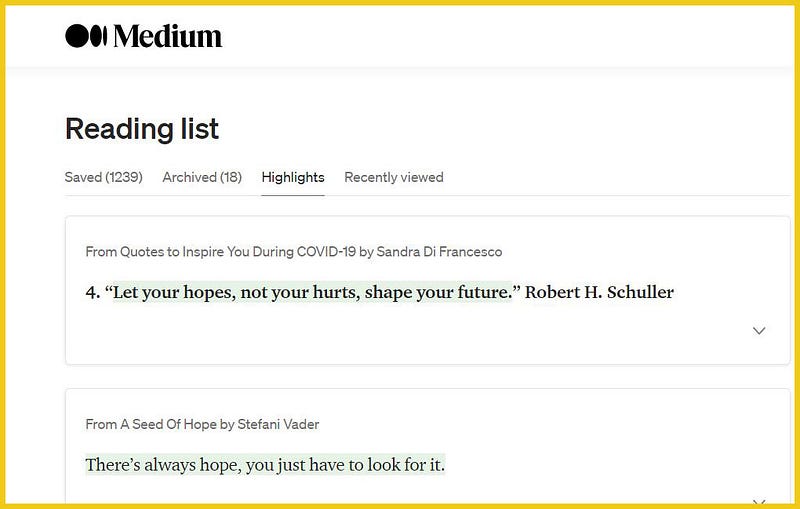
https://medium.com/me/list/highlights ←highlights (Reading list)

https://medium.com/me/stories/responses ←responses

Method Two

For Responses also known as Comments
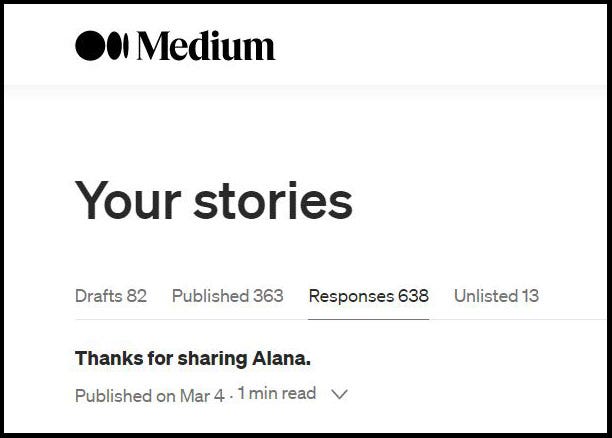
Click on your Avatar (the round Medium profile picture at top right).

Click on Stories.

Click on Responses.

For Highlights

On your Medium homepage, go to your “Reading list” by clicking on the icon (picture) that looks like 2 little Ribbons in between the magnifying glass (Search function) and the Bell (Notification function).
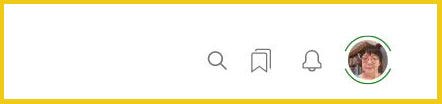
Top right of your Medium homepage when signed in. Provided by Celine Lai

Click on Highlights.

My highlights at 15/10/2020 provided by Celine Lai

As at the time of writing this article, YOUR Highlights and Responses, which I think are valuable information, can still be seen, using these methods.

You will NOT be able to see anyone else’s highlights or responses on the web version of Medium.

CLAPS

I liked looking at the Stories that I had clapped for. Also, I thought that looking at the Stories that someone else had clapped for or responded to or highlighted helped with “engagement”.

These metrics, in my opinion, can help Medium users be more “relational” which is what Medium is touting at the moment.

The URL format for my Claps used to look like below. 😃

https://medium.com/@CelineL/has-recommended ← claps

THIS WAS THE URL FORMAT FOR “CLAPS” BUT IT DOESN’T WORK NOW

It looks like the Highlights and Responses were associated with other pages or elements of Medium. The Responses were always treated as a Story (but not paid for under the Medium Partner Program). The highlights show up under “Reading list”.

I have no idea if Medium will reinstate showing us the stories we have clapped for, sometime in the future. The stories that one clapped for must have been stand-alone (not programmed in with another “page”) and Medium has removed those feeds (or access to those stories via URL) altogether.

However, I have discovered that under “Reading list” you can see “Recently Viewed” stories, which is a consolation to me! This list includes stories that you haven’t interacted with, so it shows any stories you have VIEWED not just stories you have Clapped for or Responded to or Highlighted, over the last 30 days.
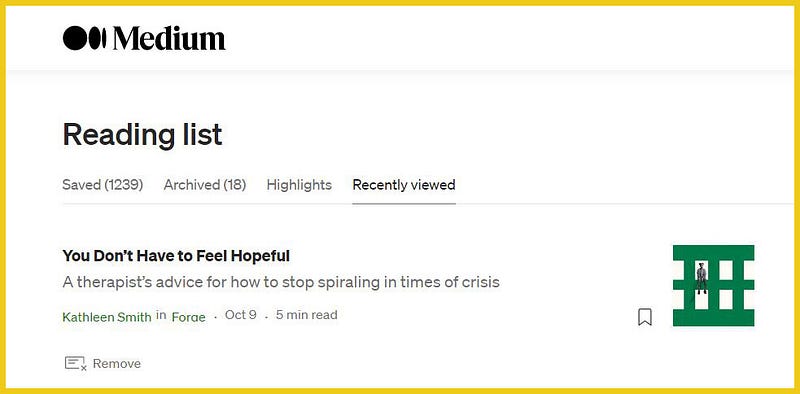
Today’s screenshot of my “Recently viewed” stories

To get to your “Reading list” click on the icon (picture) that looks like 2 little Ribbons in between the magnifying glass (Search function) and the Bell (Notification function).

Note: you won’t be able to see anyone else’s Responses or Highlights from dedicated pages, because seeing them after the Profile page changes is dependent upon “internal information.”

You could highlight stories that you clap for, say, always highlight one sentence in the first paragraph as a personal system for you that you clapped for the Story! 😄 Alternatively, respond to the story with “Great story, clapped for this” or something similar.

You can still see your Claps using the “app” on a mobile telephone, but, hey, not everyone has the “app” or a mobile phone, or wants to use their phone to look at Medium!

This is what Medium says about these changes in its official 3-Minute Blog.

https://blog.medium.com/your-stories-have-a-new-home-5dd1a12f3c0e

You may be interested in the following articles, about how to design your new Medium Profile page, and how to publish your own Medium responses.

Claps On Medium
Claps
Responses
Highlights
Medium Help
Recommended from ReadMedium