
Port Scanning Techniques by Using Nmap
This article was prepared for METU, Operating Systems (510) course, and all usage rights are reserved. | Educational Purpose.


“A port scanner is an application designed to probe a server or host for open ports. Such an application may be used by administrators to verify security policies of their networks and by attackers to identify network services running on a host and exploit vulnerabilities.”
What is Nmap?
Nmap is an open-source tool that allows us to learn whether the device is turned on, which services are running on the open ports, and which operating system the devices are using by sending various packets to the devices and ports of the devices on the network and looking at the responses.
In addition to these features, Nmap also has very useful different features.
It includes many more features such as Firewall detection, Vulnerability Scanning (Vulnerability scanning), Exploitation (Exploiting vulnerabilities), and NSE Scripts (I will mention at the end of the article).
If you only target Nmap and do not specify any options, Nmap scans the 1000 most used ports by default.
As you will see, when we gave Nmap only the target, it scanned the first 1000 most used ports and brought us the open ports and the services running on the ports. Scanning the entire network one by one like this is a laborious task.
Let’s scan some ports!
In this, we can scan the 192.168.1.0/24 subnet with Nmap as “nmap 192.168.1.0/24” at once.
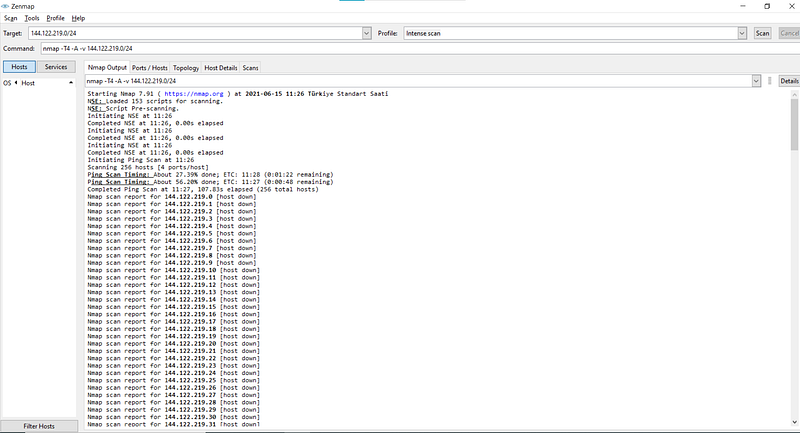
At first, I used nmap -sA -v -Pn 144.122.219.0/24 to scan the IP and I use –sA parameter to ACK scan.
ACK scan is commonly used to map out firewall rulesets. In particular, it helps understand whether firewall rules are stateful or not. The downside is that it cannot distinguish open from closed ports.
With this parameter, I got the following results:
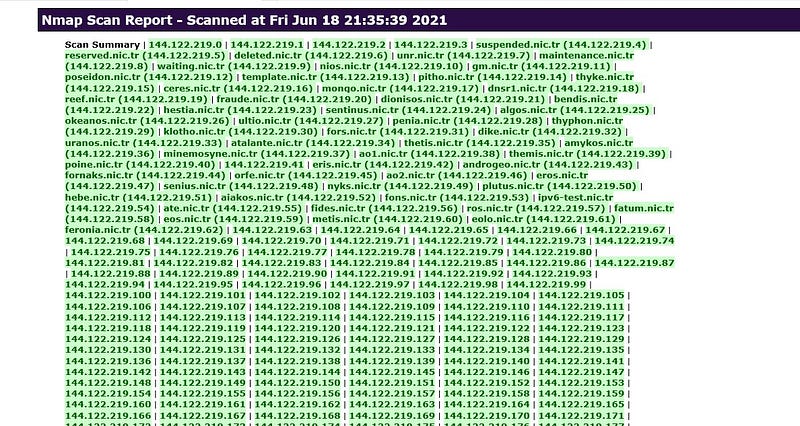
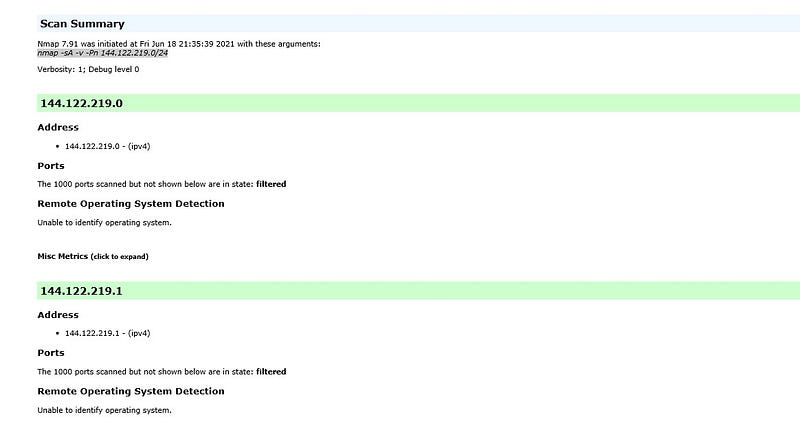
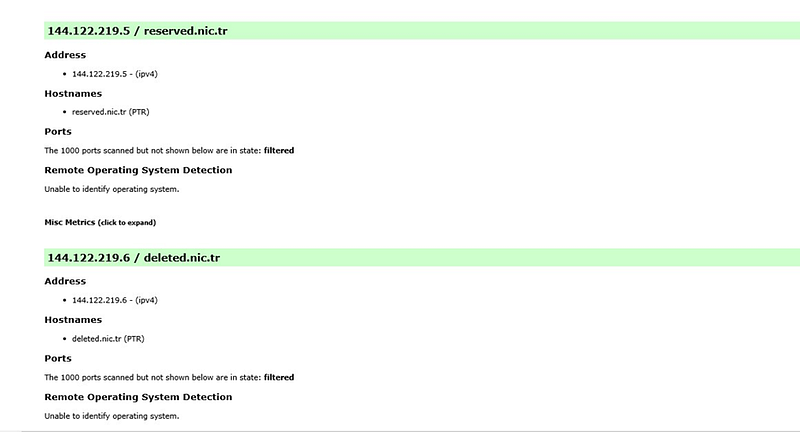
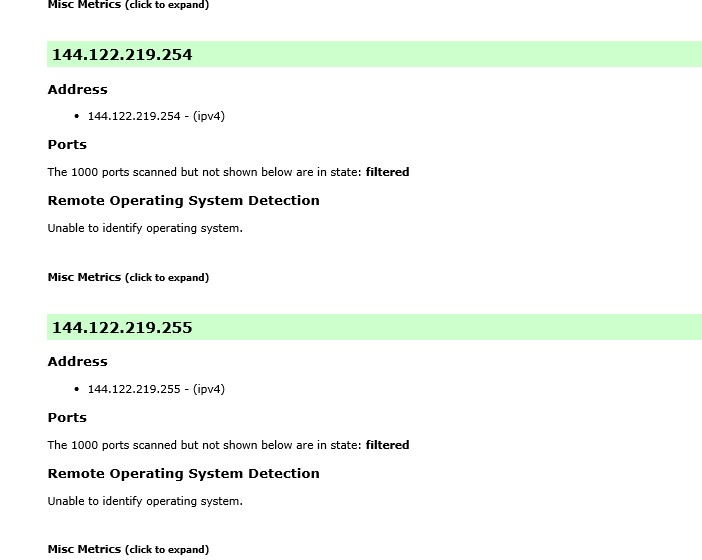
Then I tried to detect the open port by scanning the 144.122.219.222 ip with various parameters.
nmap -T4 -A -v 144.122.219.222
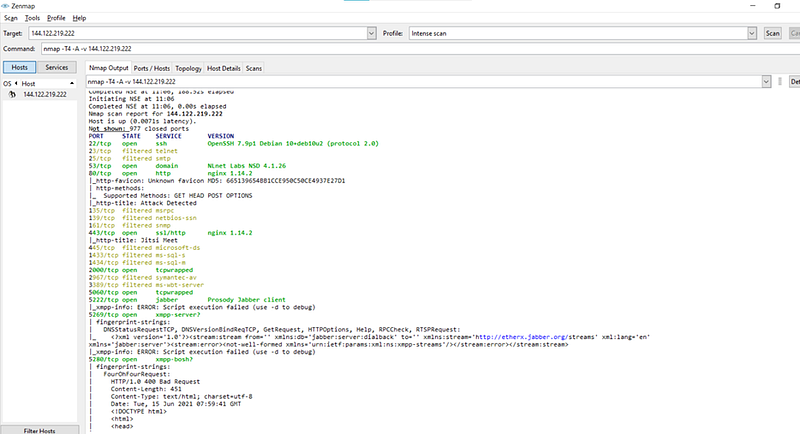
My Result Report:
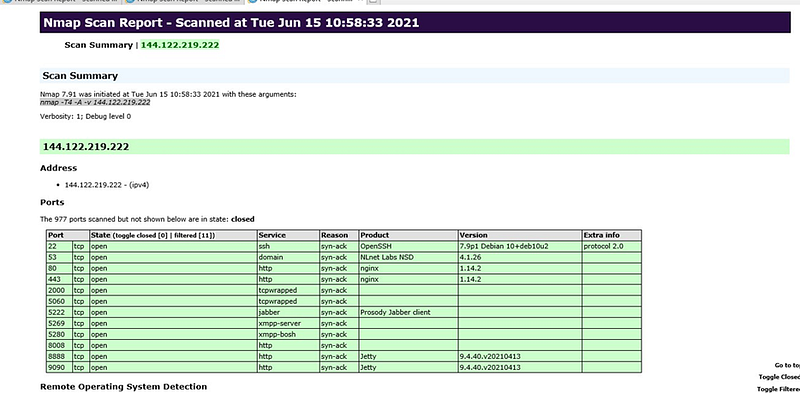
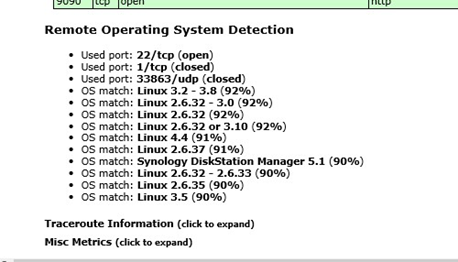
Open: Seeing open port in the scan results shows us that a service is running on that port and there is no filtering process on this port. We don’t want to see a filtered port during a penetration test, so it’s good for us to see a port that has an open status.
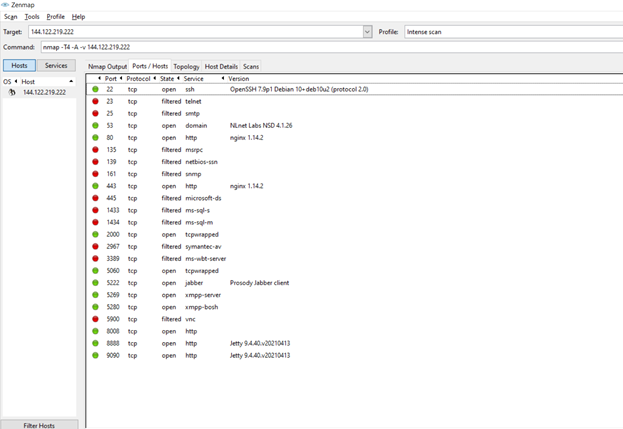
Closed: If we see a close port as a result of the scan, it means that that port is accessible (don’t get me wrong, I mean we can send packets and receive a response) but we can’t do anything because no service/application is running on that port.
Of course, Nmap takes advantage of this feature as follows: if a port is closed, it means that that host is open, so Nmap uses this feature in host discovery as well.
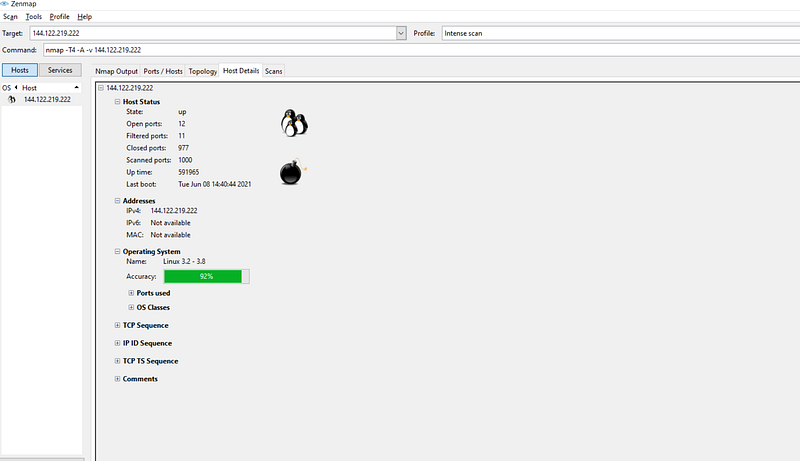
Filtered: This means that Nmap cannot tell if that port is open. For example, the firewall may be blocking outgoing/incoming data to that port, or the host is not open and packets are not reaching. Nmap tries to send a few more packets to verify, which slows down the scanning speed.
Unfiltered: The result is when the port is accessible but Nmap cannot tell whether the port is open or closed. To solve this, you can do a SYN/FIN scan on that port.
Open|filtered: It is the result of Nmap when it cannot detect whether that port is open or filtered.
Closed|filtered: It is the result of Nmap when it cannot detect whether that port is closed or filtered.
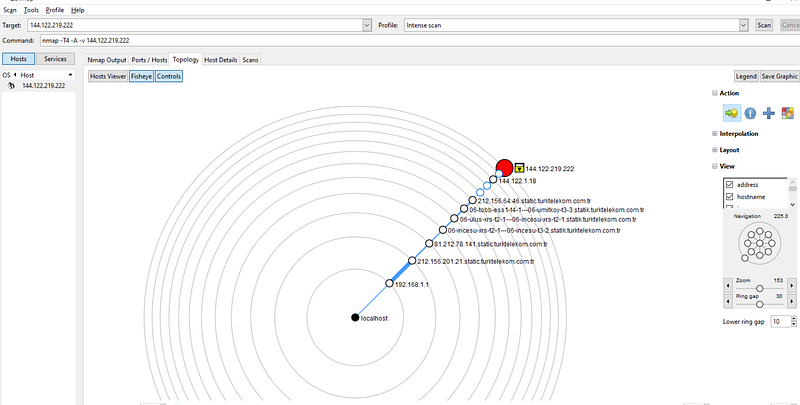
Then I lowered the scan speed to avoid being tracked by the IPS.
Nmap offers dozens of options for providing hints and rules to control scan activity.
These range from high level timing aggressiveness levels provided by the -T option (described in the section called “Timing Templates (-T)”) to the finer-grained controls described in the section called “Low-Level Timing Controls”.
We can even combine the two. These options are particularly useful when scanning highly filtered networks where Nmap receives few responses to determine its own timing estimates.
Scan time can often be safely cut in half.
I decreased my scan time T4 to T3.
If we don’t specify any parameters (that is, if we specify only a target), nmap performs host discovery by making ICMP echo request, TCP SYN packet to port 443, TCP ACK packet to port 80 and ICMP timestamp request for host discovery.
While Nmap gives us the option to perform host discovery with ICMP echo request, it also enables us to perform host discovery by sending SYN/ACK/UDP packets to certain ports.
Then I scanned the same ip with different parameters:

nmap -T3 -v -Pn 144.122.219.222
-PN (No ping) .
This option skips the Nmap discovery stage altogether. Normally, Nmap uses this stage to determine active machines for heavier scanning.
By default, Nmap only performs heavy probing such as port scans, version detection, or OS detection against hosts that are found to be up. Disabling host discovery with -PN causes Nmap to attempt the requested scanning functions against every target IP address specified.
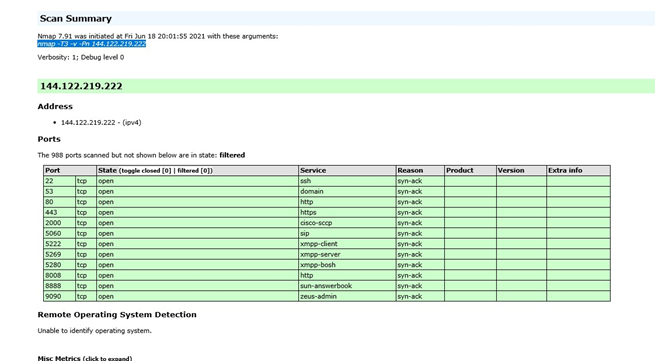
Then I added –sS –sT –sA –sO and –sX parameters.
“TCP ACK Scan (-sA)” (-sA)
ACK scan is commonly used to map out firewall rulesets. In particular, it helps understand whether firewall rules are stateful or not. The downside is that it cannot distinguish open from closed ports.
“TCP Window Scan (-sW)” (-sW)
Window scan is like ACK scan, except that it is able to detect open versus closed ports against certain machines.
“TCP SYN (Stealth) Scan (-sS)” (-sS)
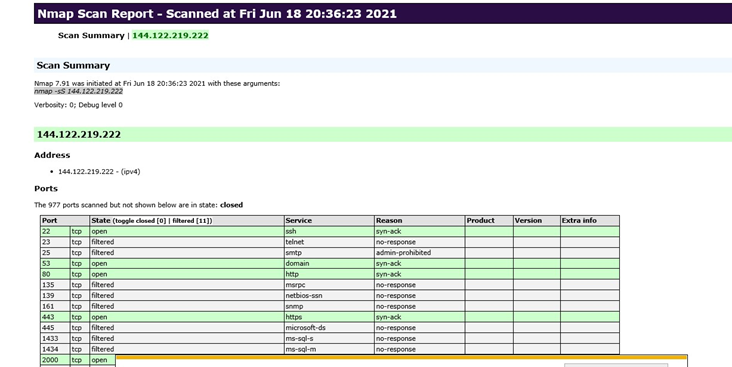
This is far and away the most popular scan type because it the fastest way to scan ports of the most popular protocol (TCP). It is stealthier than connect scan, and it works against all functional TCP stacks (unlike some special-purpose scans such as FIN scan).
“IP Protocol Scan (-sO)” (-sO)
Protocol scan determines which IP protocols (TCP, ICMP, IGMP, etc.) are supported by the target machine.
This isn’t technically a port scan, since it cycles through IP protocol numbers rather than TCP or UDP port numbers.
Yet it still uses the -p option to select scanned protocol numbers, reports its results with the normal port table format, and even uses the same underlying scan engine as the true port scanning methods. So it is close enough to a port scan that it belongs here.
-sT (TCP connect scan).
TCP connect scan is the default TCP scan type when SYN scan is not an option. This is the case when a user does not have raw packet privileges or is scanning IPv6 networks.
Instead of writing raw packets as most other scan types do, Nmap asks the underlying operating system to establish a connection with the target machine and port by issuing the connect system call. This is the same high-level system call that web browsers, P2P clients, and most other network-enabled applications use to establish a connection.
It is part of a programming interface known as the Berkeley Sockets API. Rather than read raw packet responses off the wire, Nmap uses this API to obtain status information on each connection attempt.
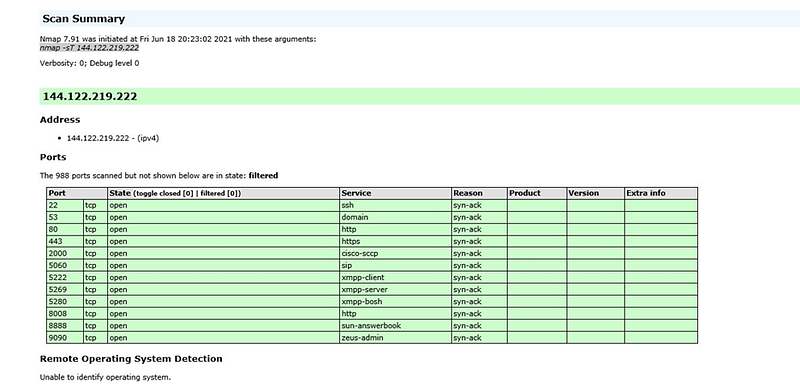
The difference between TCP connects (-sT) scanning and SYN scanning is that the triple handshake is completed.
The advantage of this is that since the triple handshake is completed, we can get more detailed/accurate information about the service running on that port.
The downside is that we leave records in the logs and we are more likely to be blocked by firewall/IPS.
Apart from these parameters, there are other parameters that we can use to scan the port:
- sL:
Lists all IP addresses without sending any packets. All addresses that are not open.
- sn:
This parameter tells nmap not to perform a port scan after host discovery. Normally, after nmap discovers the host, it performs port scans on open hosts, this parameter tells nmap not to do this.
When an unauthorized user scans, nmap only sends TCP SYN packets to ports 80 and 443. It sends ARP requests when you do it with an authorized user.
- PS:
Performs host discovery by sending TCP SYN packets to the specified ports. For example, if we wanted to make host discovery on ports 22, 80 and 443 with SYN packages, we would have to use the command: “nmap -PS 22,80,443 192.168.1.0/24”
- PA:
Like the previous TCP SYN, this time it makes host discovery by sending TCP ACK packets to certain ports. Sending SYN and ACK packets increases your chances of bypassing firewalls.
- sU:
Scans UDP ports — they offer plenty of security holes. In UDP scan (-sU) nmap uses UDP protocol instead of TCP. This type of scanning is slow as there is no guarantee that packets are sent by protocol. But since the UDP ports are not taken care of, much security measures are not taken on these ports. This gives the penetration tester an advantage.
The logic in this scan is as follows: Nmap sends UDP packets to the destination ports. If the ICMP port returns unreachable error, nmap understands that the port is closed. If one of the other ICMP unreachable errors comes, it marks the port as filtered. If there is no return packet, nmap sends it again and if there is no return, it is shown as open|filtered.
Another important event in UDP scanning is that the operating systems send the ICMP port unreachable message a certain number of times, which prevents us from getting an accurate result.
“TCP FIN, NULL, and Xmas Scans (-sF, -sN, -sX)”
TCP NULL/FIN/Xmas (-sN/-sF/-sX) scans are used to determine whether ports are open or closed by changing the flags in the TCP protocol. The reason for using these scans is because it sets the flags, it reduces the possibility of glaring, and because it does it from an unexpected place, it is less likely to be blocked.
While scanning systems, any packet that does not contain SYN/RST/ACK bits results in RST when the port is closed, no response is received if the port is open. No bits are set in a null scan. (-sN)


