avatara place of mind

Summary

The article critiques modern UI/UX design practices, labeling them as deceptive and stupid due to their manipulative tactics and lack of user-centric logic.

Abstract

The author expresses frustration with prevalent trends in User Interface (UI) and User Experience (UX) design across various devices and platforms. They describe these designs as "deceptive" for attempting to manipulate users into certain actions, such as subscribing, avoiding unsubscribing, making payments, or clicking on ads, often at the expense of user naïveté. Additionally, the author labels these designs as "stupid" for their lack of common sense and inconsistency, citing examples like unnecessary banners, autoplay videos, and counterintuitive navigation elements. The article includes a list of specific UI/UX failures that illustrate the author's point, such as confusing cancellation processes, hidden menus, and unnecessarily large headers that obstruct content. The author also criticizes the inconsistency of major companies like Apple and Google in their UI design standards.

Opinions

  • The author believes that many UI/UX designs are intentionally deceptive, aiming to trick users for profit.
  • There is a strong opinion that modern UI/UX designs often lack logical sense and are not user-friendly.
  • The author is critical of the trend where UI elements, such as control buttons, do not remain consistent in their position, leading to a poor user experience.
  • The article suggests that even reputable companies like Apple and Google have failed to maintain consistent and sensible UI design principles.
  • The author is particularly frustrated with the overuse of "Show More" and "Show Less" buttons, considering them useless and an impediment to a smooth user experience.
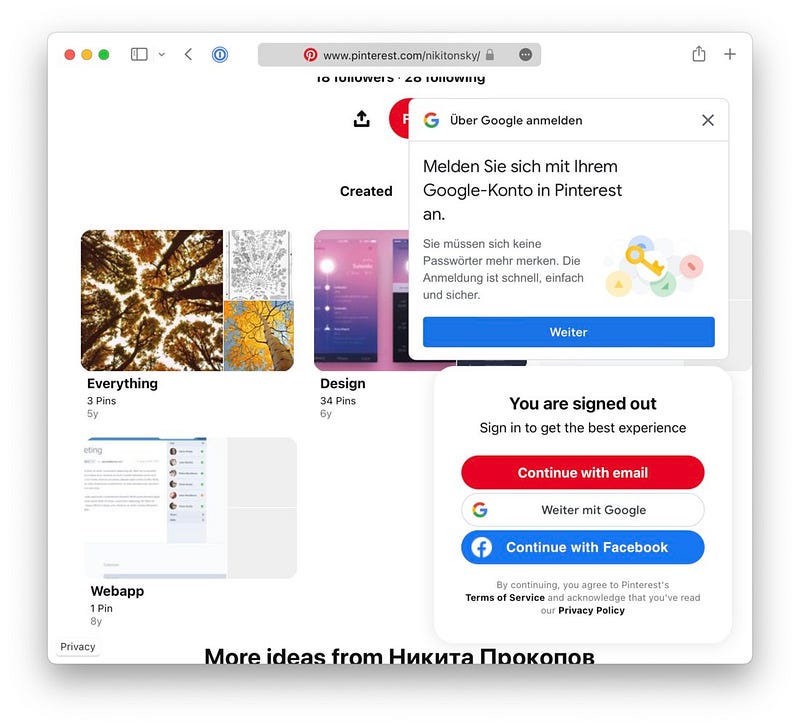
  • The author condemns the practice of hiding content behind login prompts, as seen with Pinterest's approach to Google Image results.
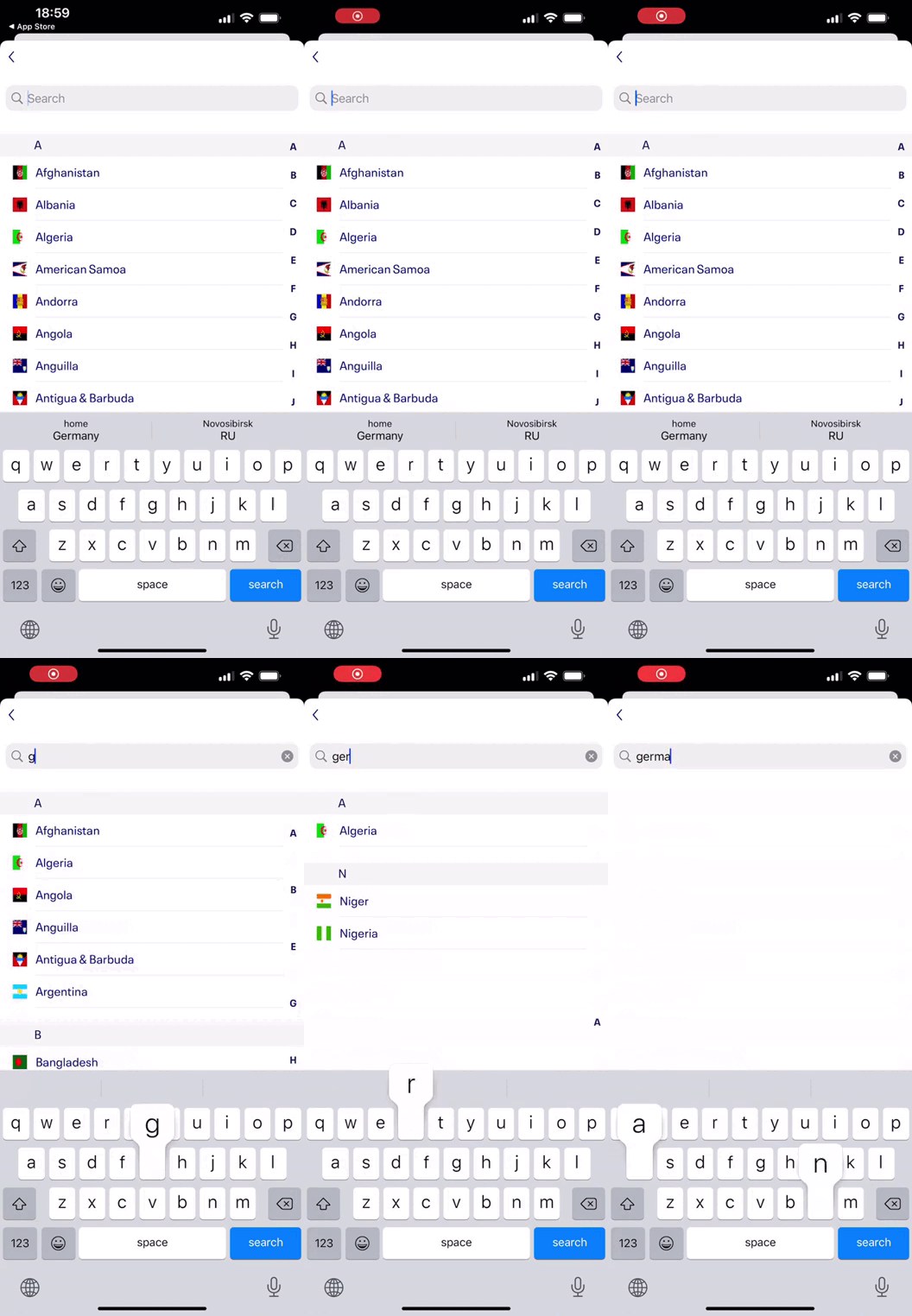
  • The article argues that search functionalities should be case-insensitive to improve usability.
  • The author advocates for simplicity and clarity in UI design, emphasizing that icons should not be redundant or unnecessarily repeated.

Deceptive and Stupid UI Design

In this article I want to share with you a gripe that I’ve had with modern User Interface (UI) and User Experience (UX) designs. It doesn’t matter which gadget I use (mobile, desktop, tablet) or which software/website I open: Deceptive and/or stupid design is everywhere.
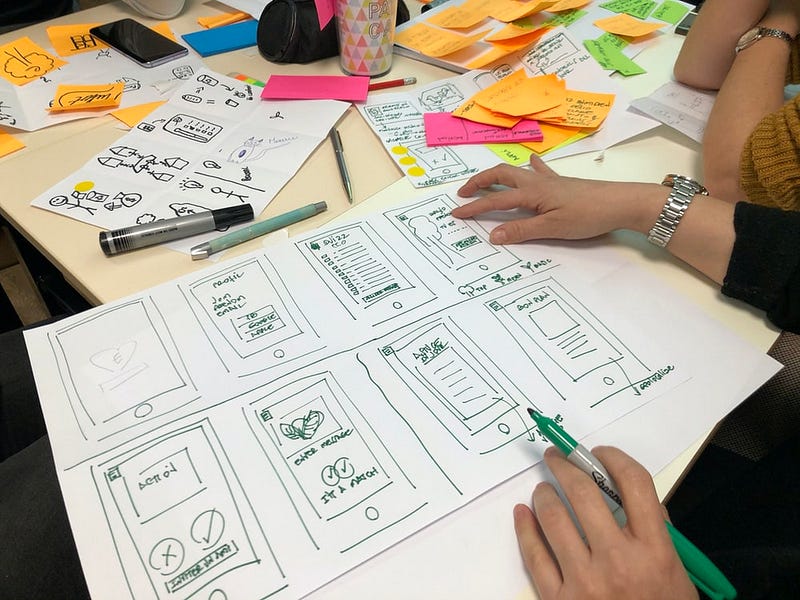
Photo from Unsplash

I call it deceptive because often times the designers try to trick the user into subscribing, avoid unsubscribing, making payments, clicking on ads, installing malware, etc. It’s shameful that the focus of so many businesses—big and small—has become milking customers and taking advantage of their naïveté.

I call it stupid because most modern UI/UX design doesn’t even make sense. Hell, even Apple has stopped being consistent with their macOS UI, though, at least they have a relatively well-defined set of rules to stick to. The situation with most websites and apps is obviously much worse: banners that don’t serve any purpose other than making the website bloated, videos that start playing as soon as the website is loaded, meal kits websites showing you the meals after you pay for them, etc.

The following is a list of examples that make me wonder: “What were they thinking?” It’s like, the designers had one job, and they failed successfully.


When cancelling a subscription: Cancel or Cancel? Photo
If you press ‘Cancel’, does it cancel the subscription cancellation process, or cancel the subscription?! Photo
Yes, hide a menu where nobody expects to find it: a switch button! 🤦🏻‍♂️ Photo
Press Ok to cancel, Cancel to cancel cancel. Photo
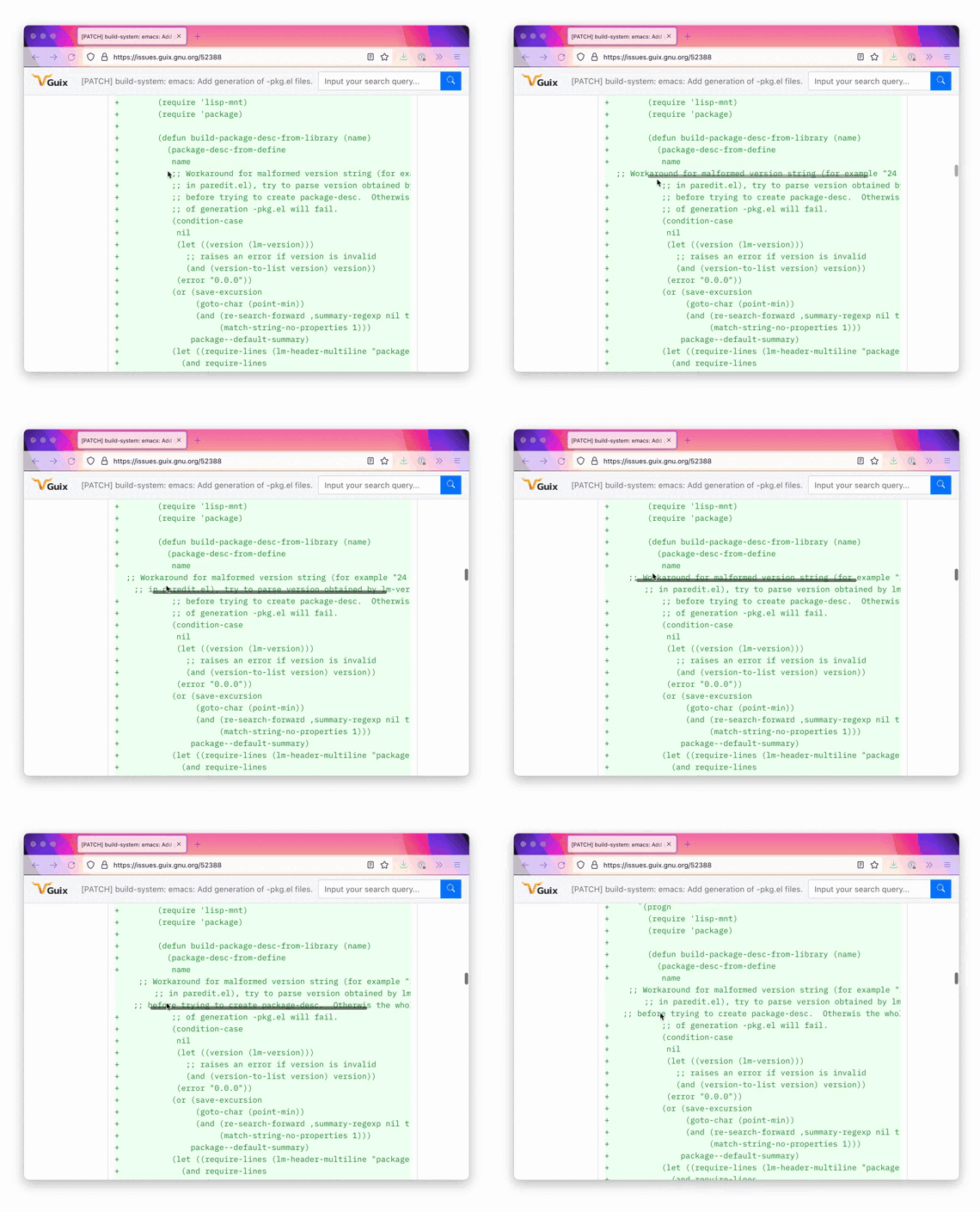
Ridiculously large header that blocks half of the website. Source
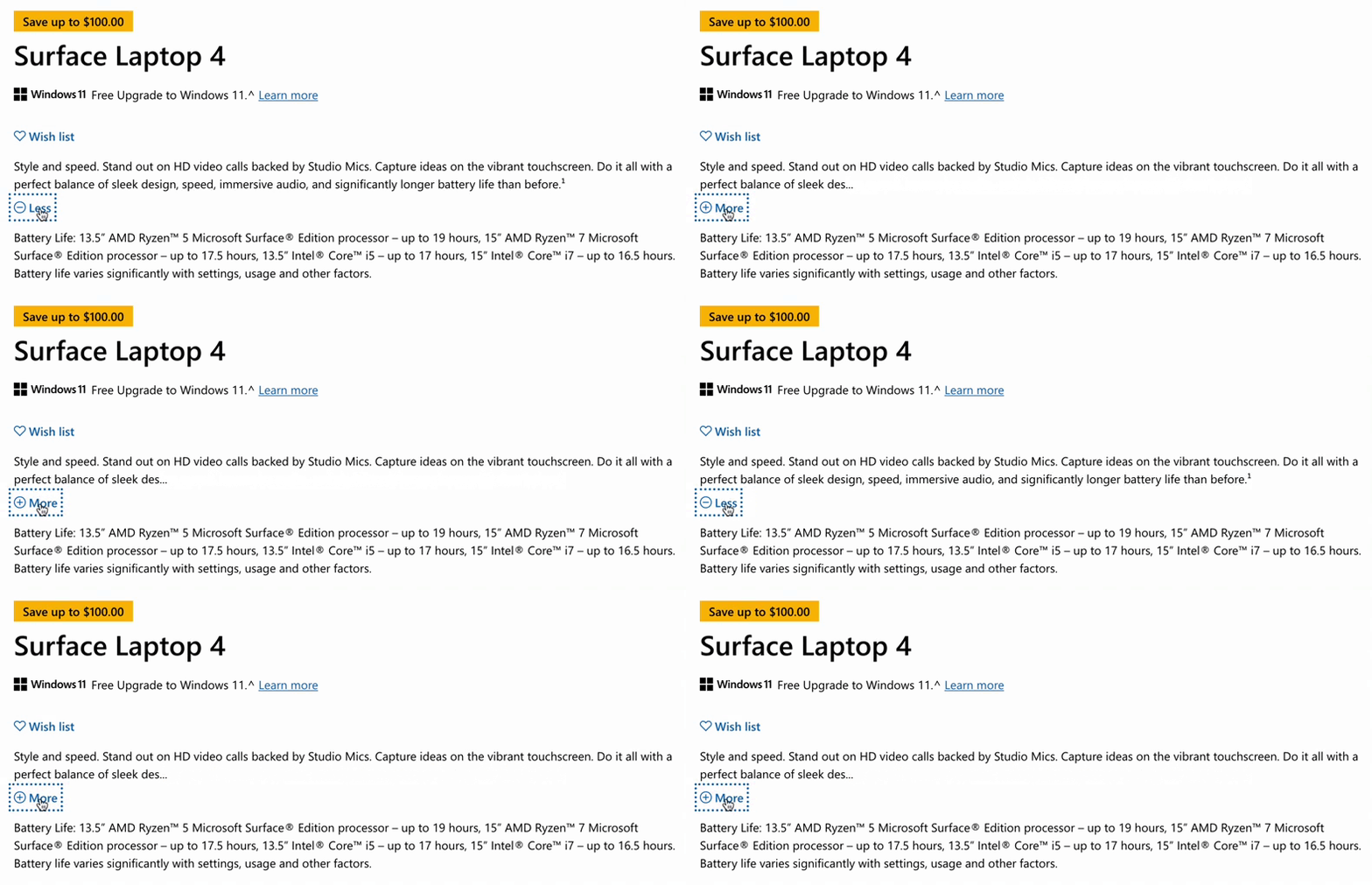
I’ve always hated useless ‘Show More’ and ‘Show Less’ buttons. Source

Another example:

It literally fits on the same line. Photo
A pop-up asking to sign-in, but then covering half the sign-in button! Photo
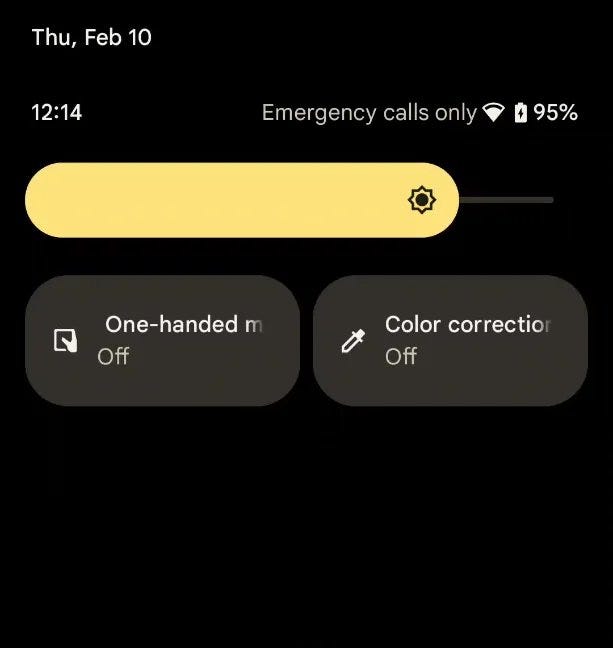
Labels getting trimmed in Android 12. How did Google mess this up? Photo
Horizontal scrolls are an anti-pattern if you ask me. Source
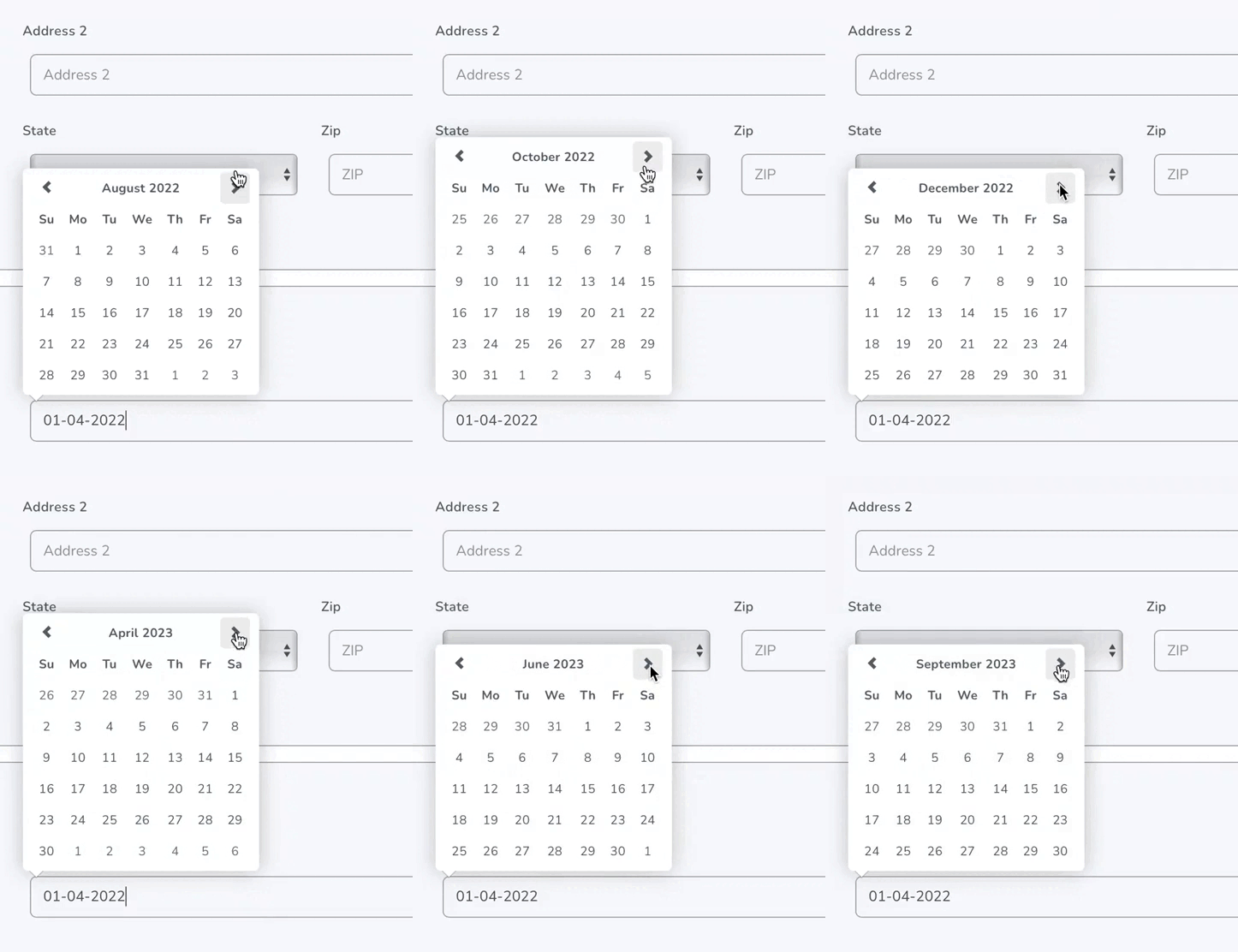
Control buttons must remain in place. Don’t make them jump up and down! Source
IMO, Pinterest should be banned from Google Image results. They keep everything behind the log-in page, and then show multiple log-in pop-ups. Photo
Searching for country names should be case-insensitive. Can’t find ‘Germany’ in this example. Source

And the last example for today:

Icons should not repeat. Photo
Design
Design Thinking
Design Patterns
UI
UX
Recommended from ReadMedium