
Self-Publishing
Medium’s Poetry Handbook (2)
Here are some tips for editing poetry on Medium
In the previous sections, I went through the following points:
🟢 How to avoid unnecessary extra space (double-spaced) when formatting a poem.
🟢 How to edit things like the header, title, and kicker
🟢 Why Your Poem Is Not Viewed
🟢 Why Your Poem Is Not Read
Poets who want to know more about editing poetry on Medium often reach out to me as the editor of The Power of Poetry. Below you’ll see a rundown of the answers:
🟢 “I don’t even know how to add pictures yet”
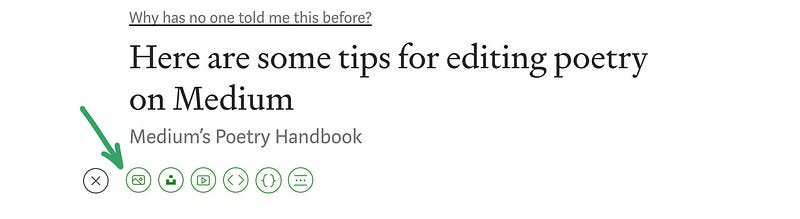
simply in the next line, click on the image marked with an arrow ( above )
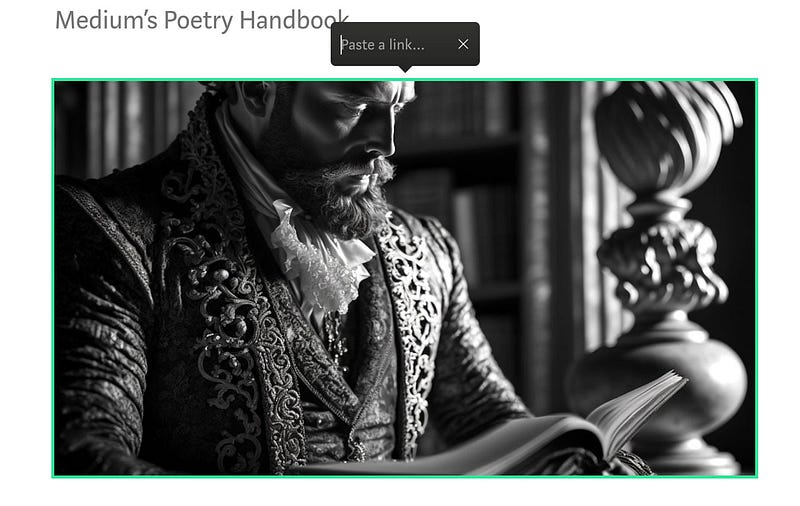
Every image you provide in an article might serve as a link to another article. To make a picture into a link, click on it in the editor and hit Control+K (Ctrl+K) or Command+K. You may test it by clicking on the above picture.
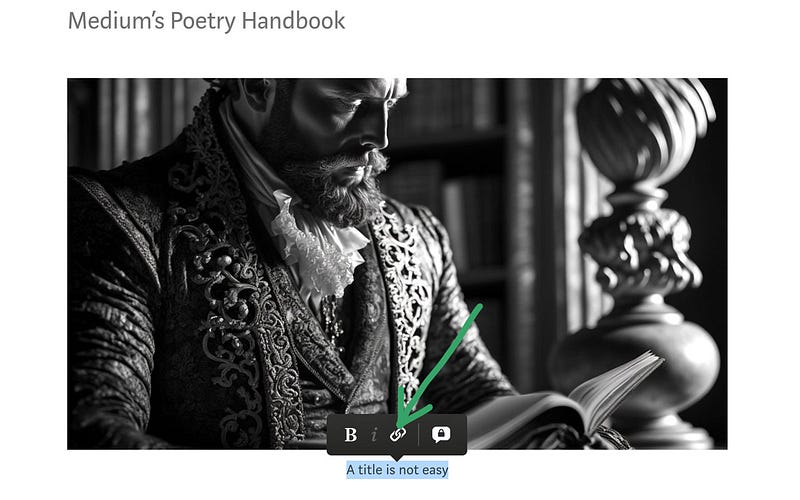
The lack of a caption is a sign to the editor that the author probably does not have the right to use the photo. Read about it HERE. The caption can have a separate link. For example, you can do it the way in the picture above.
🟢 What is the process for creating a featured picture in Medium?
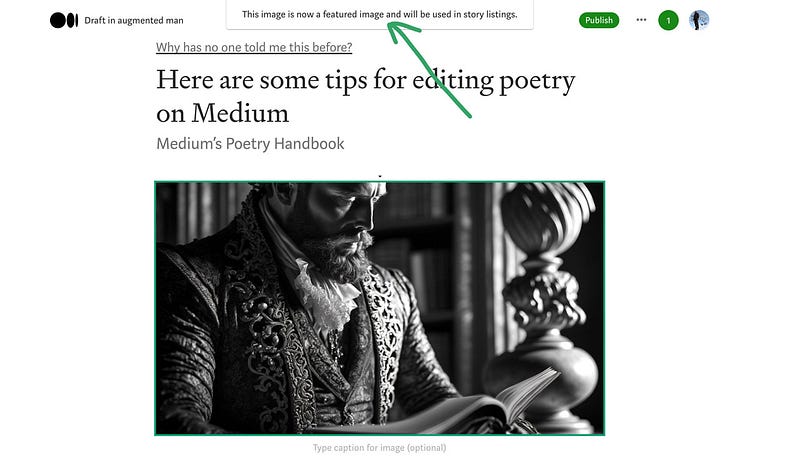
This is the prominent picture. Use the featured image picker, located just below the Publish button, to choose a picture to be shown at the top of your Medium article. Or, use the “Shift + F” shortcut to find a specific image in your post by clicking on it with the mouse. A picture must already be included in your article to be featured.
The following are some comments on the publication of poetry in Medium. They may also apply to other posts. I try to use them myself, even if I do not always succeed ; )
- Read your poem out loud to yourself to catch any awkward phrasing or rhythm.
- Show your poem to someone else and ask for feedback. Another person can often catch errors or suggest improvements that you might not have thought of.
- Use a dictionary or thesaurus to find more precise or evocative words to use in your poem.
- Take a break from your poem and come back to it with fresh eyes. This can help you see it with a more critical eye and make necessary edits.
- Consider the structure of your poem and whether it flows well. You may want to rearrange lines or stanzas to improve the overall structure.
- Pay attention to grammar and punctuation. While poetry often breaks grammatical rules, be sure to use punctuation in a way that helps the reader understand the poem.
- Remember that editing is an ongoing process. Even after you’ve published your poem, you can continue to revise and improve it based on feedback from readers.
🟢 Why are your poems rejected?
My job as an editor is to help poets by publishing and answering questions to the best of my ability. If you have comments on this article, any word is invaluable, so do not hesitate to ask.