
Medium Stats Aren’t What You Think They Are
Breaking down the Medium.com stats page — with some extra fun surprises too!
“These aren’t the stats you’re looking for.” — Obi Want Morestatsi
I finally got around to finishing up an experiment this week after being prompted by a comment the other day.
I had a theory for a while that the stats page wasn’t as clear as it appeared to be.
If you’ve been on Medium for a while, I’m sure the lack of details for your articles can be frustrating at times — just know that you’re not alone in the cauldron of simmering rage.
So I wanted to write up a full article explaining each aspect of the page for anyone else that’s been curious.
I also ran a bunch of experiments with the help of a fellow Mediumite and was able to conclude a few surprising things.
Let’s jump in with a breakdown of each area.
Explaining the Medium.com stats page
I’ll be going over each aspect of the stats page below, with a quick but clear explanation of what it means.
Also included for absolutely no charge — amazing hand drawn modifications to the screenshots!
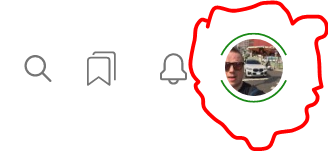
If you’re unsure how to see your Medium stats for articles, the quickest way is to click on your profile button:
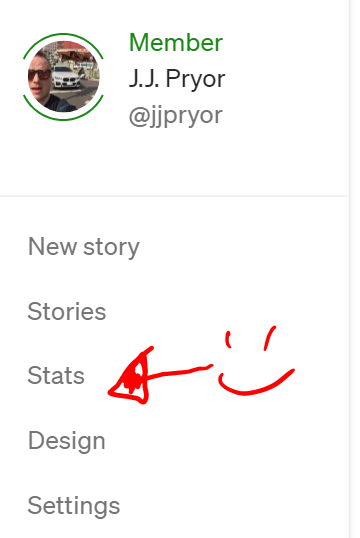
Then click on ‘Stats’:
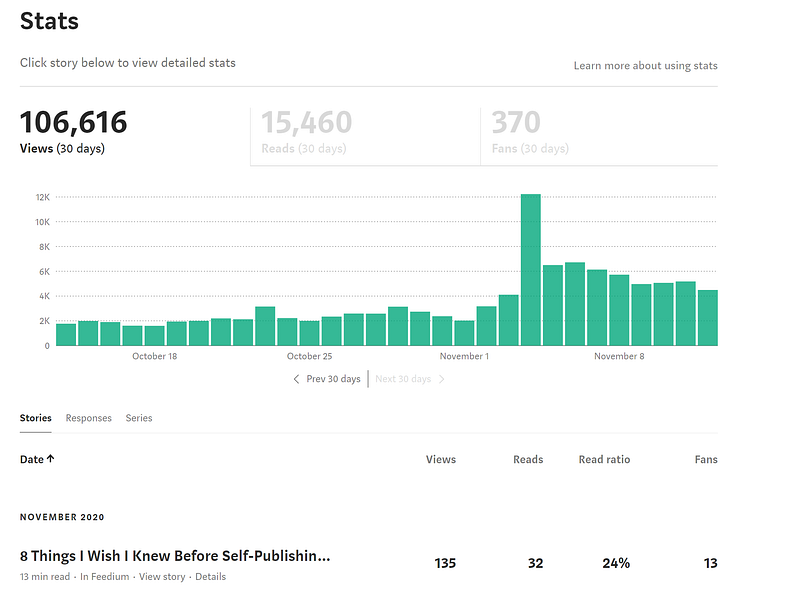
It then takes you to this big beautiful page called ‘Stats’ (short for Statisfaction):
Let’s get started on the meat and tomatoes now — and keep an eye out for a few things that might surprise you!
Timeframe
Firstly, I need to point out something that a bit odd.
Your stats page for views and your stats page for earnings use different times.
For this main stats page (above), it will match your views for the timezone you’re working in.
Midnight comes and the stats end for the day.
But for earnings, Medium.com uses UTC times (you can check your time compared to UTC here).
- So, if you’re in California, the stats for earnings will stop counting for the day at 4 PM. For New Yorkers — 7 PM.
- For little ol’ J.J. Pryor out here in Taiwan, my stats finish counting at 8 AM local time.
Medium states they update the earnings for the previous day between 6–12 hours of the close of the UTC day. I’ve found it to usually be around the same time most days, so just keep an eye out for when that is.
Number of days
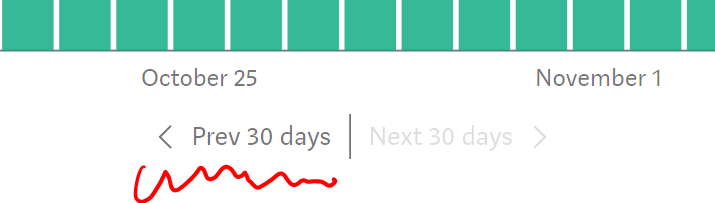
This page always displays the most recent 30 days of views. You can also view previous ‘months’ by clicking the ‘Prev 30 days’ button below the graph:
Total views (106,616 in the image above)
These are the number of views you receive on any of your articles on any given day.
If someone clicks a link and opens up your article — there’s one more view.
Reads (15,460 in the image above)
Reads are a bit strange. Medium.com states a view will also count as a read if someone reads the entire article.
If you write a lot of long-form articles — <cough, cough> — then this ratio can be pretty low sometimes. (See my horrible ratio above. And laugh at my misery.)
Know that people like to skim on the internet. The longer your article, the less likely everyone will read it in its entirety.
Or you could just be writing boring articles. (See my first posts a year ago for ‘great’ examples.)
I can also confirm that reads count when anyone views your entire article — Medium member or not.
Fans (370 in the above image)
Fans are counted as unique users that have clapped at least once for your articles.
This also only includes Medium members (non-paying or paying — as long as they have an account.) So, that random internet stranger on Mr. Google can’t count as a fan, even if you have 100,000 of them that read your work this month.
And the number of fans repeat. (Tested to confirm.)
So if I clap for more than one of your stories in the last 30 days, you’ll see +1 fan for each article I clap for.
But, if I clap more than once on a single article, it won’t change the amount of fans.
So, the number of fans can be a bit deceiving. I may have 370 fans this month, which means that up to 370 Medium members with accounts clapped for my articles.
But in reality, many people will read clap for more than just one of my articles — so I can’t determine how many unique members clapped.
Stories
Down below the graph you’ll see three options: ‘Stories, Responses, Series’
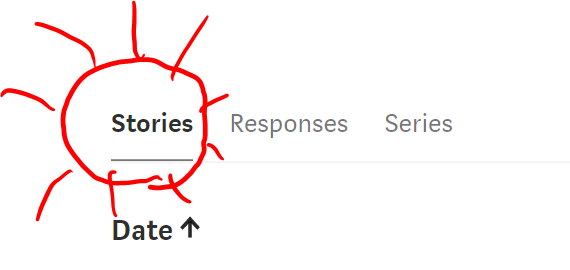
Stories count as any article you’ve published. Note, the word ‘article’ is important here.
Because Medium often calls articles and comments/replies the same thing — ‘stories’.
In this case, they just mean articles.
You can sort your articles by oldest or newest by clicking the ‘Date’ button there.
On the right side of the screen here, we can see 4 metrics that Medium shows us for articles:

Each of those buttons for ‘Views, Reads, Read ratio, Fans’ is clickable. They will sort from most-to-least or vice versa if you click again.
The ‘Read ratio’ is simply the reads ÷ the views for each story or response.
- Many authors on Medium claim you should aim for a ‘normal’ read ratio of between 40–60%.
- As for myself, I agree with this if the article is in a normal range of 3–6 minutes of read time.
- Outside of those parameters, your read ratio will change drastically. (Again, see my abysmal ratio above for my long-form articles.)
Note that some of these stats can slightly change within a few hours of seeing a new number. It’s nothing to worry about though — just Medium’s algorithms sorting out the small stuff.
Responses
The same information is shown here as for your articles (stories) — but these are all of the comments you’ve made on yours and other people’s Medium posts.
You can’t earn money for responses no matter how many times Medium refers to them as ‘stories’ — much to the chagrin of some writers.
Series
The ‘Series’ section displays any series you’ve published before.
This is a failed product functionality that Medium released years ago that no one uses anymore.
Don’t do series — they don’t curate them and it will only hurt your articles’ potential.
And your feelings.
Article stats
Scroll a bit further down and we see the full list of all articles we’ve published.
Below each article, you can see up to 3 clickable links: the publication (if an article is in one), ‘View story’, and ‘Details’:
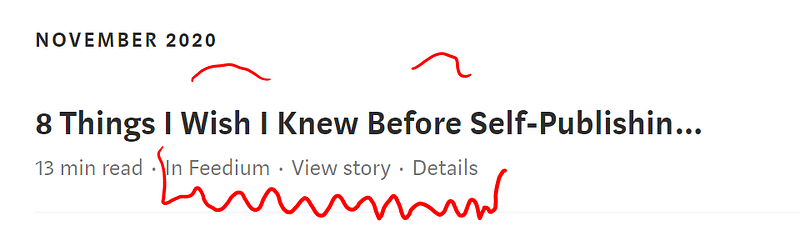
The publication
This link simply takes you to the publication you’ve published your story in.
Nothing special here.
Unless it’s my amazing publication — Feedium — that is.
😉
View story
Again, a simple link that takes you to the reader view of the story listed there. It’s a nice shortcut in case you need to jump back and forth.
Don’t forget, if you’re in a browser, you can also right-click and open the link in a new tab to make this even easier.
Details
The details button is one of the most important on this entire page — it takes you to the detailed stats for that specific article — where your earnings are shown.
Which is where we’ll be heading next.
So click on your ‘Details’ button for an article if you’re following along — go!
The ‘Details’ page on Medium.com
Now that we’ve jumped into a page with more specific information about each article, we can go over a few more metrics.
Here’s that same top article’s view for its ‘Details’ page:
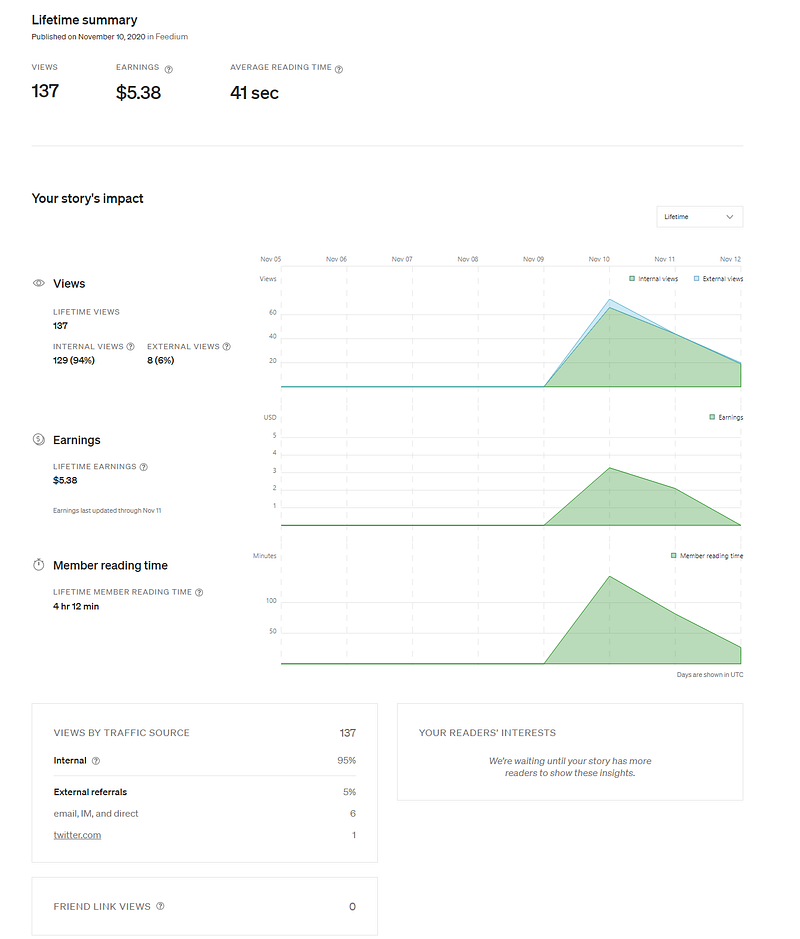
There’s gold in them there hills on this page.
Exciting right?
Let’s go over each section here, one by one.
Title
At the top left of this page, you’ll simply see your story’s most recent title.
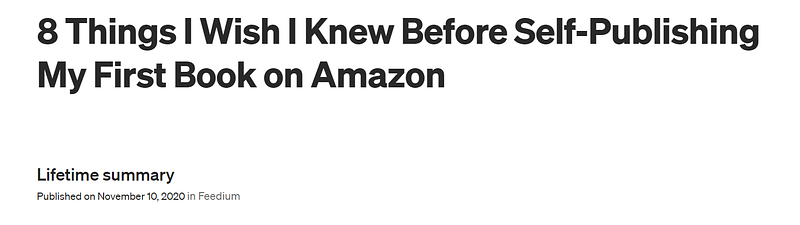
Remember, if you ever do change an article’s title, you also need to go into the “…” and use the ‘Change display title / subtitle’ function as well.
It also displays the date you published the article below that.
Views
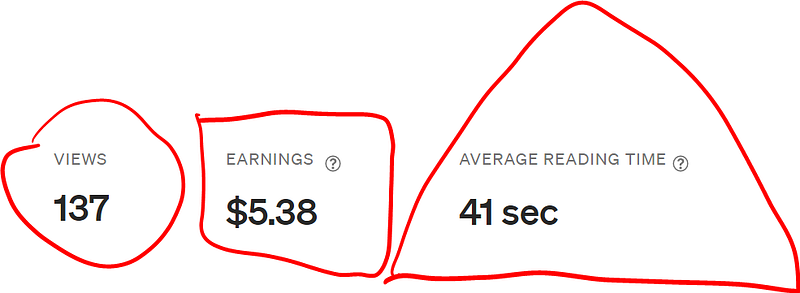
These are the most recent amount of total views you’ve ever had on that story.
Again, note that you may see a slight change in the few hours after publishing due to Medium’s algorithms.
Earnings
Beside that, you’ll see the ‘Earnings’ for the article. This includes all paid and unpaid amounts the story has earned since publishing.
If you ever unlisted the article and relisted it, the numbers will completely reset.
*Note: Be careful when doing so — you’re only supposed to do that if you’ve applied significant changes to the article.
Average Reading Time
This is the mystery calculation for the time spent reading your article based on all views (including members and non-members of Medium reading your stuff).
If you ever wondered how this works, here’s Medium’s official statement on the subject:
“We calculate reading time based on the amount of time that a viewer spends actively reading on the page. We consider the viewer’s scrolling and activity, and then determine how long the viewer spent reading the story. We take care to differentiate between gaps in scroll activity versus long periods of time during which the viewer stepped away for a coffee break.”
They basically have algorithmic methods to fight people's attempts to ‘cheat’ the reading time system.
So, next time your friend says they purposely leave your articles open to give you more share of their monthly subscription — you can politely tell them:
Thanks but no need. But have you heard of Patreon?…
Your story’s impact
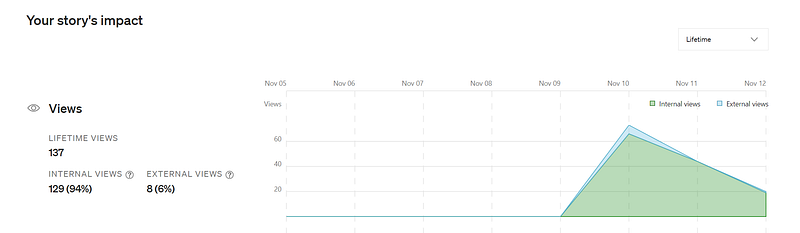
Next we move onto one of the Medium’s most addicting statistics — the views graph!
And here’s where one of the biggest surprises is, hold tight.
Firstly, we can go to the top right there and change the time period of what we want to see.
You can choose ‘Lifetime’ (since it was first published) or any other full month, if it’s old enough.
Moving back over to the far left side (hey Bernie), we see the ‘LIFETIME VIEWS’ number. That’s the exact same as the total views stat on the previous screen.
Then we see the ‘INTERNAL VIEWS’ and ‘EXTERNAL VIEWS’ numbers. These are also represented in the graph.
Surprise #3: Internal views ≠ member views
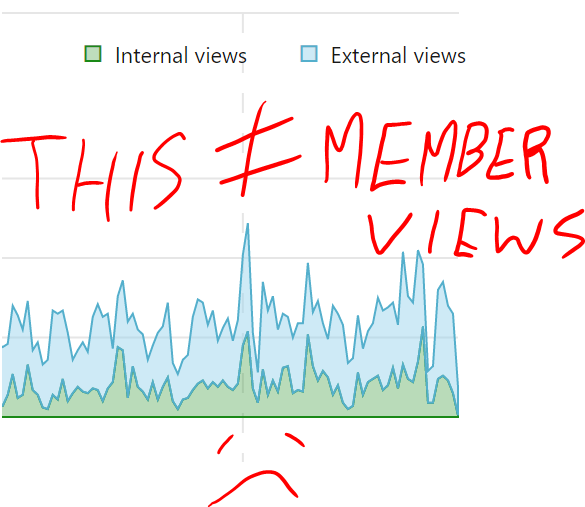
Many if not all of us have thought that this graph represented what views we’d get paid for, and what views we wouldn’t.
If you aren’t familiar with how Medium’s payment system works, here’s a quick summary for any article behind the paywall:
- If a paying Medium member (AKA those who pay $5 per month to see unlimited articles) reads your story, you will get paid a portion of their reading time every month. So, if Medium takes 100% of their $5 subscription, and pays it out to writers, and they only read your stories the entire month — in theory you would get that entire $5. (Hint: This doesn't actually happen to that degree.)
- If a non-member reads your article, and signs up to pay the Medium subscription within 30 days of reading your work, you will get a commission of sorts. Medium hasn’t stated how much this is, but I suspect it works on the same portion-of-reading system as in #1.
So, back to internal vs external views:
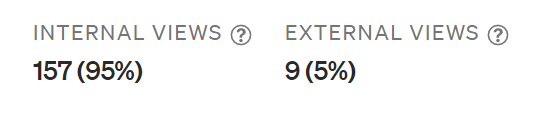
Medium has always been slightly vague when explaining most things on the platform, for whatever reason.
And it’s no different for this subject too.
Here’s what they state:
An external view is defined as traffic coming from a full Medium URL that has been shared to another social network, email, chat, or other sharing system. If those other sources provide us with trackable referrer details, they will show in your referrer list.
Please note: Medium links shared via our in-product sharing tools or shortened links do NOT count as external views. If you wish to track traffic from external sources, do not use our in-product sharing tools.”
The big difference? This graph is focusing on sources of views — not whether its a member of Medium’s platform or not.
Medium also explains them in a slightly different way here:
- Internal views — “How many times your story has been viewed in the selected time period from Medium distribution, including our homepage, app, emails, and social media accounts.”
- External views — “How many times your story has been viewed from non-Medium sources in the selected time period, including social media, search results, email, and more. Sharing your story helps increase your external views.”
If you have any doubt, please note I spent an hour this week with another Medium friend of mine testing old articles to see what the stats would show when accessing my stories through different methods.
We tried anything and everything to determine what the views would count towards on the stats page.
Long story short — we learned three things:
- If you find an article through Google (or other external source like Facebook, LinkedIn, etc) — you will get 1 additional external view — even if it’s someone logged into Medium
- No earnings or Member Reading Time shows up initially (which gave me a bit of a shock)
- After a few hours, Medium’s algorithms catch up, and you’ll see member reading time increase — with earnings updated at the end of the UTC day
TLDR — Medium members accessing your article from an external source (ex. Google) will show up as an external view, but their reading time will still count for earnings (after a few hours).
So, what does this mean for that chart?
Quite frankly, it really reduces the usefulness to us, in my opinion. We’d like to know what sources are gaining Medium member views and not just reads that don’t count towards earnings (ignoring the tiny potential ‘commission’ factor).
Medium stated they will count any view from one of these sources as ‘internal’:
- The Medium homepage
- ‘Read-next’ suggestions in articles
- Medium.com search function & exploration results (including topic, tag, and profile pages)
- Emails from Medium and publications (including newsletters)
- Official Medium social media accounts
- Articles shared using the social media buttons in Medium articles (ex. Twitter, FB, LinkedIn)
- Any article shared with a ‘link.medium.com’ URL
Earnings on Medium.com

Next we move onto the 2nd graph on the stats page — Earnings. This one is pretty straight forward, at least on the surface.
On the left side, you’ll see the up-to-date results of what Medium deems that article to have made so far.
Remember the UTC time zone comment from above — the calculations for the present day won’t be shown until the next ‘UTC morning’.
How do they calculate the earnings? Well, you can read the little blurb in the above section or look at Medium’s FAQ section on the subject.
Member reading time

The last graph here shows the ‘Member reading time.’ This should, in theory, heavily line up with your ‘average reading time’ and your ‘earnings’ for each article.
That being said, every paying Medium member is unique and might have different reading behaviour. If someone reads 100 articles a month, versus someone who reads only 3, every read will be worth a vastly different amount of money.
As far as the calculation goes, you can refer to the above ‘Average reading time’ section for the methods Medium states they use.
Of course, most of their methodologies and algorithms are completely private, so we have to guesstimate a lot of things.
And since Medium changed from claps to reading time almost exactly 1 year ago in terms of payment — a lot of people were upset.
Especially webcomic creators, cartoonists, short fiction writers, and poets.
Essentially, for poets, their work led to this wonderful equation:
low average reading time = low average money rhyme
So if you want to earn more than a couple dollars for any article, make sure to strive for at least 3 minutes of calculated read time (your published story will say how long the estimated time is).
Most big earners recommend leaning towards 5–7 minutes, however.
And if you want Mr. Google to throw you some love (Googly eyes), the longer, the better.
Views by traffic source
One of the last sections tries to show you a bit more information about how people are accessing your article. Basically, this is an extension of graph #1 shown at the top of the detailed stats page.
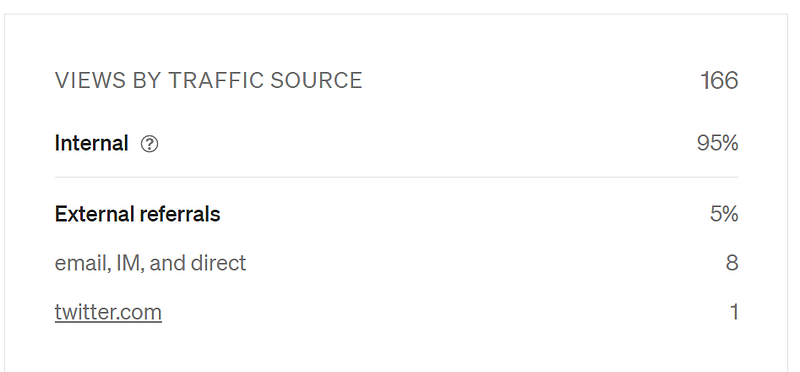
Again, we have internal views, which I explained the weird aspects of above.
Then we have external ‘referrals’ (hint, this also = views) with the same thing — except this will give you more details of what websites people are seeing your article links on.
Here’s an example of one of my bigger articles’ ‘external referrals’:
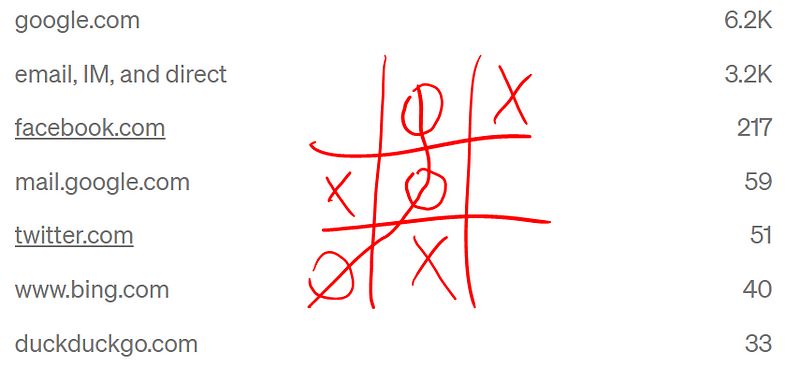
You can see any of the bigger sources of links to your articles here.
If you have too many different links here (or perhaps if Medium doesn’t register a website as being prominent enough), you’ll see this:

Nice to see, but it doesn’t really help us at all for future reference.
Last point on this section, do you see how ‘facebook.com’ and twitter.com’ are underlined there? It takes you to either of those platforms and tries to show you who shared your work.
Sometimes, this attempt is successful:
But other times, when you have, say, an article shared 10,000 times — you won’t get anywhere near the full story:
That Medium → Facebook link there shows me a total of 3 people out of 9,600 clicks on Facebook. Given the nature of BookFace, there must’ve been a lot of sharing to get anywhere near that number.
Oh well, I won’t discover the inner workings of Facebook and Twitter today I suppose.
Friend link views
Second to last, we have the ‘nicest’ function of Medium yet — the friend link! If you aren’t familiar with friend links, here’s how to use them:
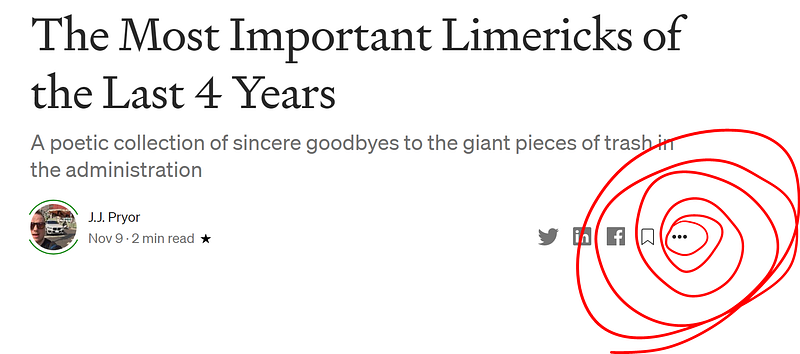
- Go to the page of any story you’ve already published, and click the 3 dots below (not the ones at the very top — there are now double the dots!):
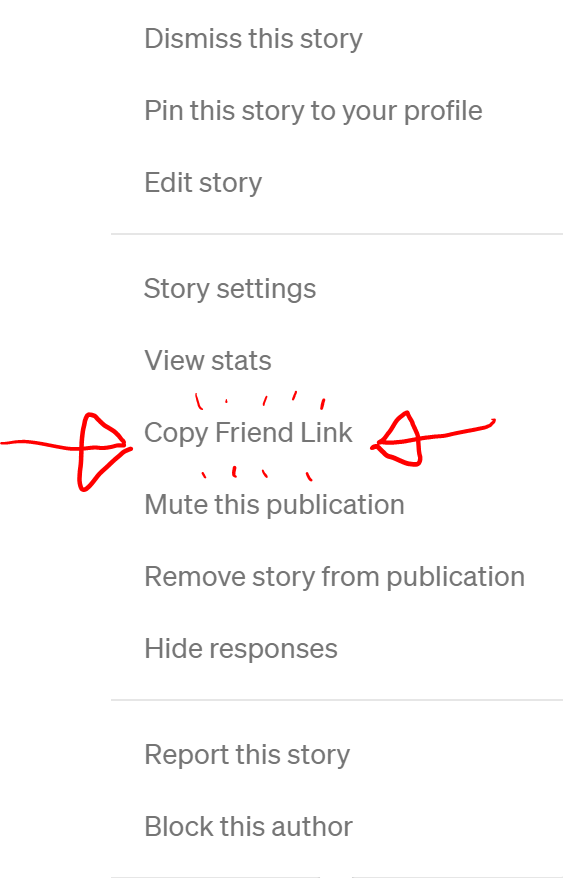
2. Click on the ‘Copy Friend Link’ to have the link saved
3. Paste the link in Whatsapp or to whomever you want to send your creative soul to (either right-click and press ‘paste’ or just use CTRL + V to paste it)
Once your friends start using that link, you’ll see the numbers go higher on this stats page.
Fun fact: You can know which of your friends are dirty filthy liars when they say ‘Thanks for the link! This is awesome!’ and there are still 0 friend link views…Stop placating me Ryan, I’m on to you.
Your Readers’ Interests
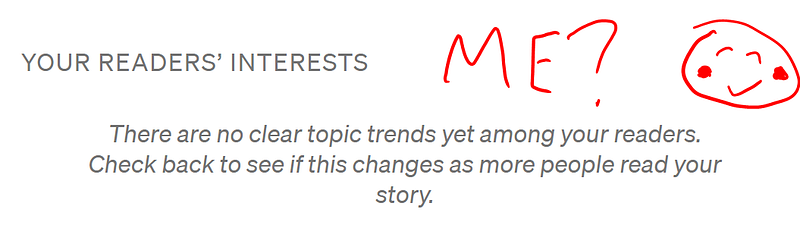
The last section on the earnings stats page attempts to show you your readers’ interests.
The only problem — you need a high volume to do that.
AND — that volume of views needs to have 2 things:
- Enough internal views (or possibly member-only views)
- Enough related interests that it isn’t deemed completely random
Here’s what I mean:
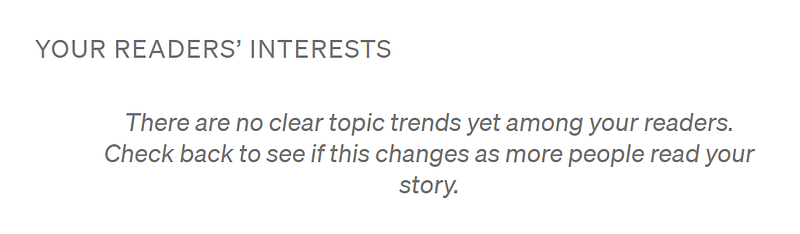
Article #1: 50,000+ views, 2% internal sources:
- Nada!
Article #2: 50,000+ views, 17% internal sources:
- Gotcha!
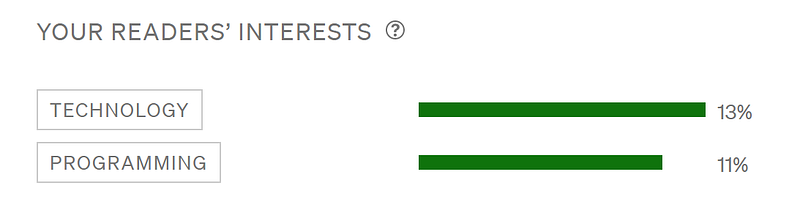
I hate to admit I haven’t completely figured the mechanics of when this is triggered.
I have some articles with only 300 internal views that show these extra stats — and others with almost 2,000 internal views that don’t show anything.
That’s why I suspect it needs a certain amount of Medium member views (300 to 500+?) — and isn’t related to internal vs external sources of links.
Wrap up
And that’s mostly it! If you’ve survived reading this long, I hope you enjoyed my amazing artistic skills and ability to point out the obvious. I swear, I’ve been working on both of those since being spawned.
There’s also one last tidbit:
So if we’re lucky — I’ll have to update this article soon!
Thanks for reading everyone, if you want to argue with me, you know what to do.
If you want to see more of my shenanigans, sign up for my free newsletter or Feedium publication!
Cheers,


