
Medium Publications
Medium Publication Offsite Navigation Link
How to create a button in a Medium publication’s navigation bar which links to an offsite page
When you create your own publication, there are several useful features that you gain access to. These features are only accessible to editors/owners of Medium publications (a good reason to consider managing or creating your own publication). One of the most useful custom features is the publication Navigation Bar Offsite Link.
The Publication Offsite Navigation Link enables writers to add a custom tab to their publications that directly link readers to an external link (content outside of Medium).
The Offsite Navigation Link in a Medium Publication allows writers to directly link to a page outside of Medium.
I emphasize this point because Medium offers writers very few ways to direct traffic to external sources. This makes the Offsite Navigation Link extremely valuable if used properly. What are some effective uses of this tool?
- Direct readers to your blog, website, external portfolio
- Link to an e-commerce store where a product is sold
- Link to a sign up form/lead generation form for your mailing list
How to Add The Offsite Navigation Link to Your Medium Publication
Step 1.
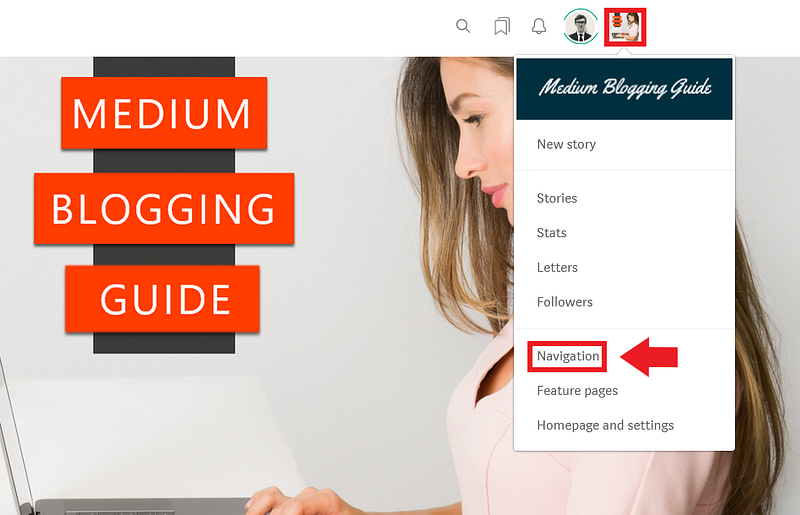
Go to your publication homepage and click your publication avatar in the top-right corner of the page. Then select the navigation button from the drop down menu.
Step 2.
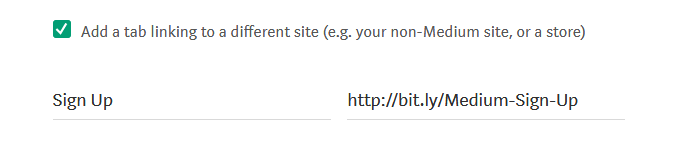
Click the add a tab linking to a different site button and enter your details.
Step 3.
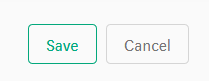
Save your changes.
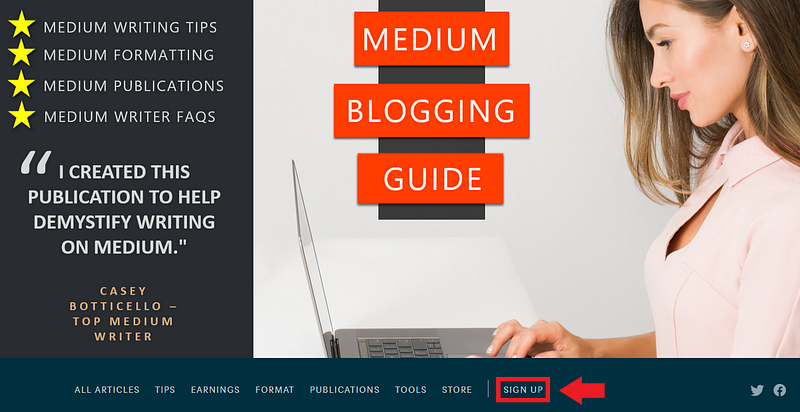
Your off-site link will appear to the right of your navigation tabs (featured pages), separated by a vertical line |, as illustrated below:
Notes About The Offsite Navigation Link
- You can only add one offsite navigation link to your publication.
- In order to create the offsite navigation link, you must first have created at least one page on the navigation bar (these are the links to featured pages or other internal publication content).
- Make sure that your navigation links (featured pages displayed on navigation bar) are not too long. If they are, they may push the offsite link off of the page (as it is always placed to the far right side of the navigation bar).

Thanks for reading this article! Leave a comment below if you have any questions. Be sure to sign up for the Blogging Guide newsletter, to get the latest tips, tricks, and news about writing on Medium and to join our Facebook group, Medium Writing, to share your latest Medium posts and connect with other writers.
If you liked this article, here are some other articles you may enjoy:

Casey Botticello is a partner at Black Edge Consulting. Black Edge Consulting is a strategic communications firm, specializing in online reputation management, digital marketing, and crisis management. Prior to founding Black Edge Consulting, he worked for BGR Group, a bipartisan lobbying and strategic communications firm.
Casey is the founder of the Cryptocurrency Alliance, a Super PAC dedicated to cryptocurrency and blockchain advocacy. He is a graduate of The University of Pennsylvania, where he received his B.A. in Urban Studies.
You can connect with him on LinkedIn, Twitter, Facebook, or by visiting his website, Blogging Guide.