
Medium Newsletter: How To Add A Newsletter To Your Medium Stories
Medium has just announced Newsletter coming to the Medium publication. A new way to grow your Medium reach.

Medium just announced that they are now giving access to Medium publication editors to have their own newsletter. If you were previously using the Substack or any other Newsletter building tool then you need to say Goodbye to those tools and start using these new Medium tools. With this new tool, you can reach a wider audience and can grow your reader base writing on Medium.
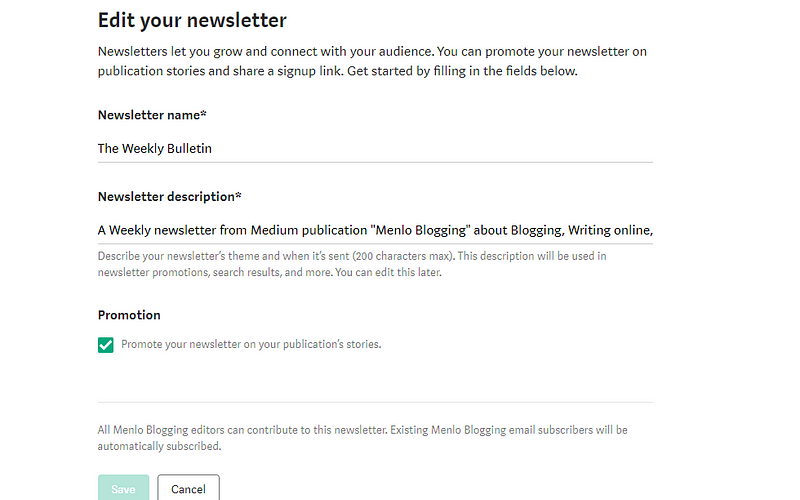
Medium Publication editors have a choice to send “Letters” to their publication followers but now they have changed the “Letter” option to “Newsletter”, Medium letter option was very limited, you could only have the option to just send the email to your publication followers while you couldn’t have any opportunity to promote it, and now you could also promote your newsletter at the end of the posts. Here is how it look like;
Be careful about the following things;
- While adding your Newsletter name, don’t add your publication name because it will look very weird when Medium display at the end of your every medium story.
- The newsletter description is the most important part of the building and growing your newsletter. Make sure to make it concise and attractive as possible.
- If you click on the “Promote” option, Medium will display your Medium newsletter on every post published in that publication.
When you are done creating your newsletter, you can also copy the link of your Medium newsletter and can add it on your Medium publication homepage, on your blog, or anywhere where you could get your potential readers. The person must need to have a Medium account to subscribe to your Medium newsletter.
How to find your Medium newsletter?
- The very first thing you need to be an editor of a Medium publication.
- Click on your Medium profile and on the drop-down menu, select “Publication”
- Click on your publication.
- On the extreme right-hand side, click on the Medium publication profile, a drop-drop menu will appear.
- Click on Newsletter.
- Add the relevant information in your Medium newsletter.
- Boom. You are in business.
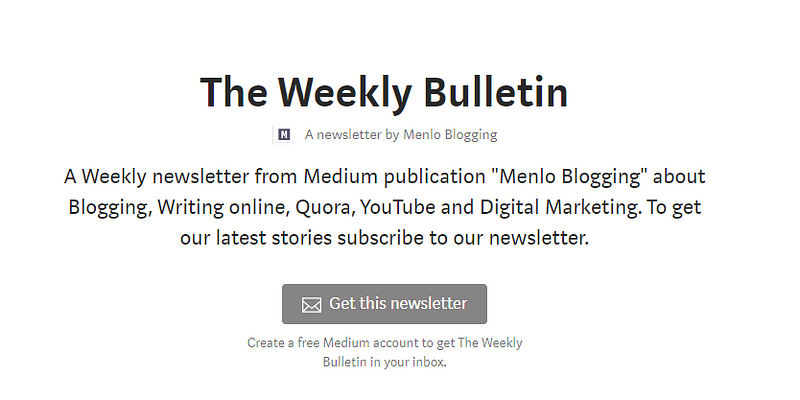
This is How your Newsletter will appear if someone visits it directly through your Newsletter link.
There are great advantages to having your own newsletter. Most of the bulk email sending tools like Mailchimp costs alot of money if you have a huge list of email subscribers, while on Medium, you could use its Newsletter feature to get more email subscribers and can send them your already published articles in a publication or ask them to subscribe to your YouTube channel or anything else you have in your bucket list.
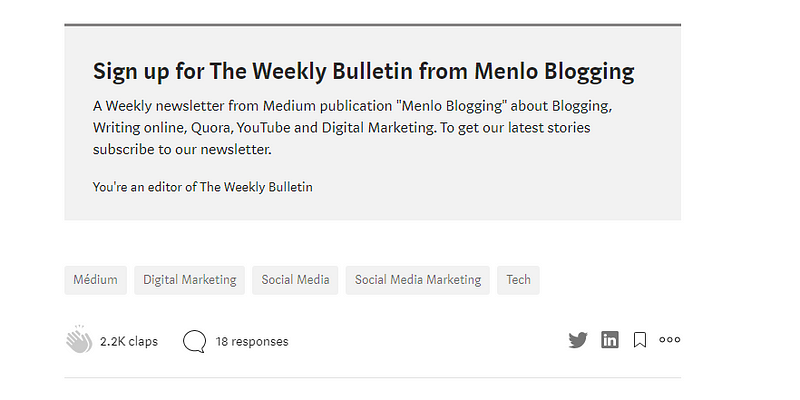
If you tick the “Promote” option while building your Medium newsletter, this will ensure that your Newsletter you show up at the end of every post in that specific publication. Here is how it look like;
Most of the popular writers on Medium use a newsletter to build an email list of readers interested in their articles. Having your own Newsletter, comprised of people have a medium account is the best thing to grow your audience on Medium as well as making more money.
Medium is a wonderful site to publish about something you know about and it costs you nothing.
Read more Stories
- As a Startup Founder, You Should Start A Blog
- 11 Ways To Grow Your Medium Publication


