
Medium Formatting
Medium Mentions
How to mention other Medium members so that they receive a notification
Mentions are a useful feature across numerous social media platforms, including Medium.
To mention another Medium user in a post, type the @ symbol and then the name or username of the person you want to mention.

Click their name from the drop-menu and their name will be added in green text. Any mentioned users will be notified when the post is published.
Notes About Medium Mentions
- There seems to be a trend of excessively mentioning other writers to boost article views — this is looked down upon by most writers and is likely a violation of the Medium rules.
- If you want to link to a writer’s profile without triggering a notification, simply insert a hyperlink as you normally would, but link to their profile/username.
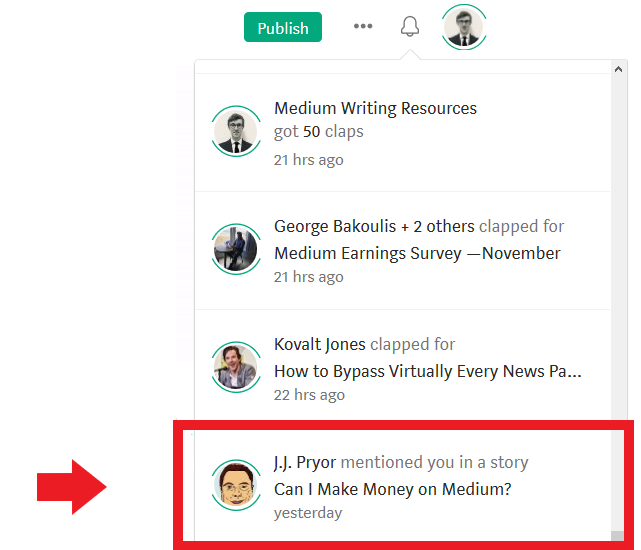
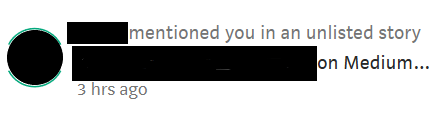
- If you are mentioned in an unlisted Medium post by another author, you will still see this notification in your Medium profile:
- Medium mentions function in both stories and responses.
- Medium mentions appear to index well in Google, based on my anecdotal experience.

Thanks for reading this article! Leave a comment below if you have any questions. Be sure to sign up for the Blogging Guide newsletter, to get the latest tips, tricks, and news about writing on Medium and to join our Facebook group, Medium Writing, to share your latest Medium posts and connect with other writers.
If you liked this article, here are some other articles you may enjoy:

Casey Botticello is a partner at Black Edge Consulting. Black Edge Consulting is a strategic communications firm, specializing in online reputation management, digital marketing, and crisis management. Prior to founding Black Edge Consulting, he worked for BGR Group, a bipartisan lobbying and strategic communications firm.
Casey is the founder of the Cryptocurrency Alliance, a Super PAC dedicated to cryptocurrency and blockchain advocacy. He is a graduate of The University of Pennsylvania, where he received his B.A. in Urban Studies.
You can connect with him on LinkedIn, Twitter, Facebook, or by visiting his website, Blogging Guide.


