

Medium Publications
Medium Letters
How to send messages to your Medium publication followers
Medium Letters are a way of connecting with your publication’s followers. Letters are stories themselves, which are delivered to the inboxes of all the people who follow your publication. Letters are basically the closest feature Medium has to a newsletter.
Since letters are stories, publication owners and editors can use (most) of the standard Medium formatting functions. Publication readers can respond directly to letters. They can also highlight, comments, or applaud for letters.
Because of this versatility, letters are arguably the most valuable feature of creating a Medium publication.
How to Create a Medium Publication
A comprehensive guide to starting a Medium publication
medium.com
Why Use Medium Publication Letters?
Increased Reach
While it is useful to develop a large following on Medium, this often does not directly translate into reading time or increased earnings. Part of the reason followers are not as effective as many writers hope is that there is a constant battle for their attention.
Letters allow you to connect with your publication subscribers. Better yet, you don’t have to hope that Medium recommends or features your articles in your readers’ daily digests — letters are sent directly to their inboxes.
Improved Data Analytics
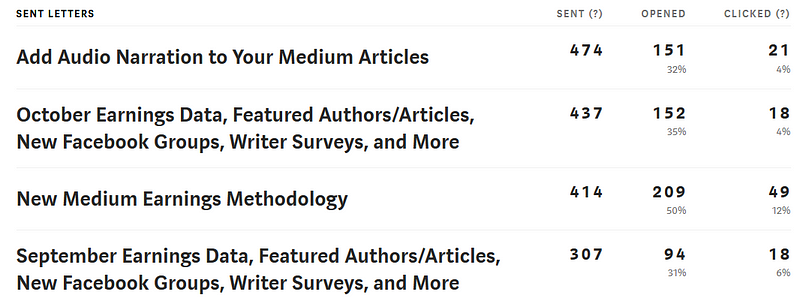
After sending a Medium letter, you can track the letter performance in the letter dashboard, as seen below. The letter dashboard tracks how many readers your letter was sent to, how many of those who received the email actually opened it, and how many unique users clicked on any link in the email. This is extraordinarily valuable data and is similar to what you would glean from a decent email list.
How Do I Create a Medium Publication Letter?
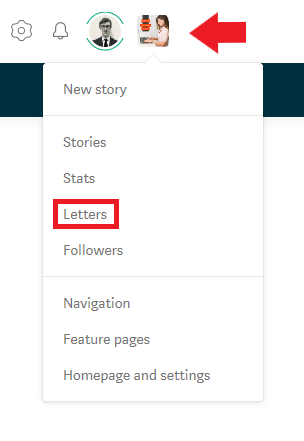
✯ Step 1 ✯
Click on your publication logo in the upper right hand corner, and click on the letters button.
✯ Step 2 ✯
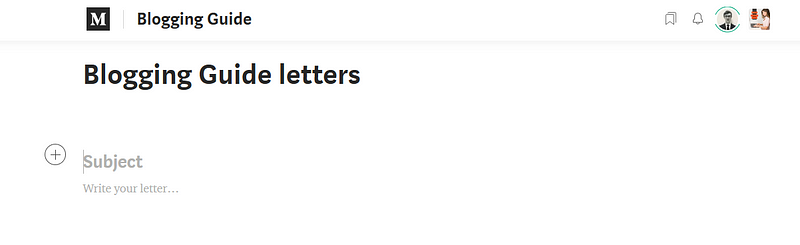
Write your Medium letter. Remember that you can use most of the standard formatting options that you would use when writing a Medium story.
✯ Step 3 ✯
Review your Medium letter. Add tags if you wish. It is generally a good idea to preview your letter before sending it. To do so, click the email preview button. You will receive a sample email that you can see what your subscribers will see in their inboxes.
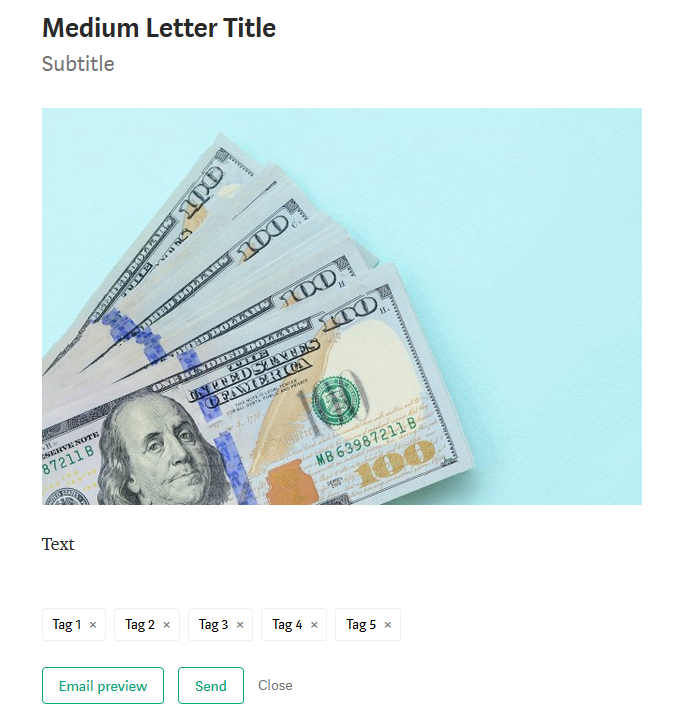
✯ Step 4 ✯
Click the send button when you are done with the letter. You will see the following warning message:
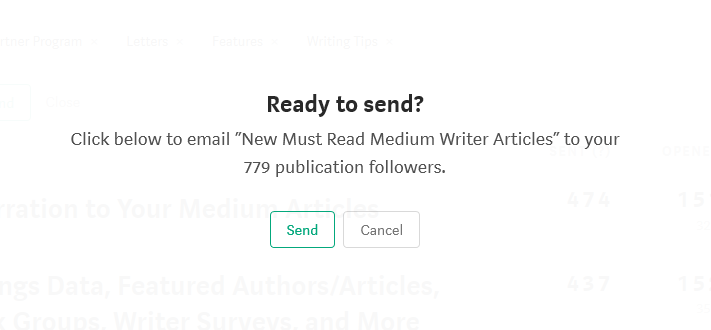
✯ Step 5 ✯
Click the send button once more and your letter will be sent.
Sample Letter
As an example, here is a letter I recently sent out, promoting some of my new articles for my Medium publication:
As you can see it looks and functions largely like a Medium story (standard post). The main difference is that it was sent directly to my publication followers and it has a label at the top declaring it a letter:
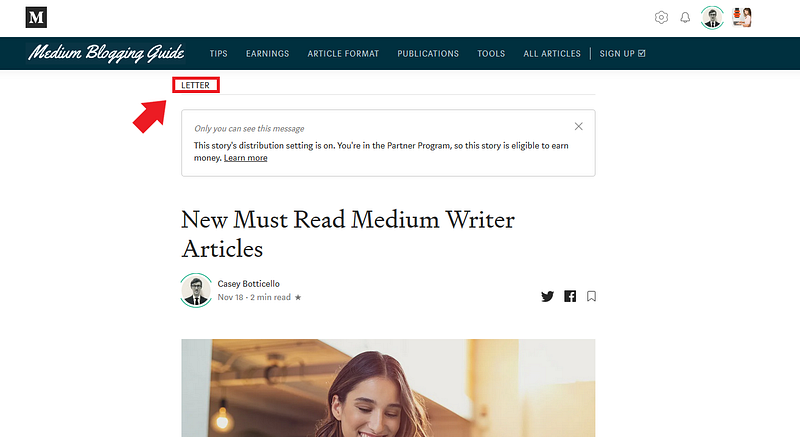
The cool thing about letters is that they automatically format pretty well when converted to email format (the final version your publication subscribers will see). Below is the same sample letter, but in my inbox:
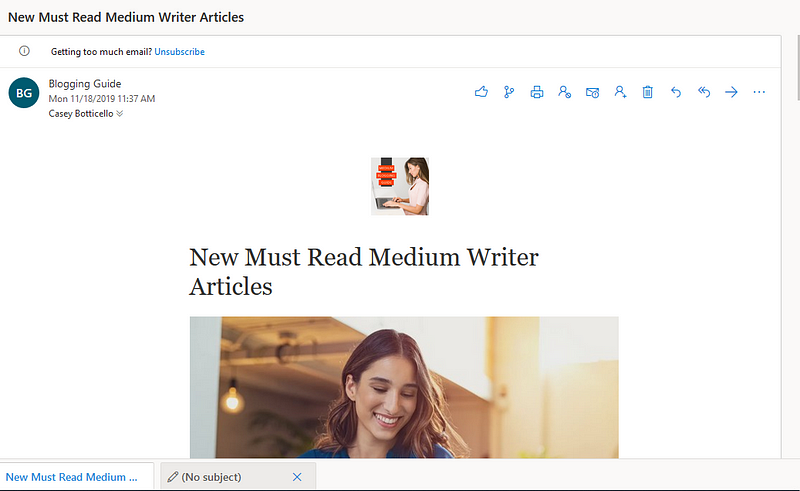
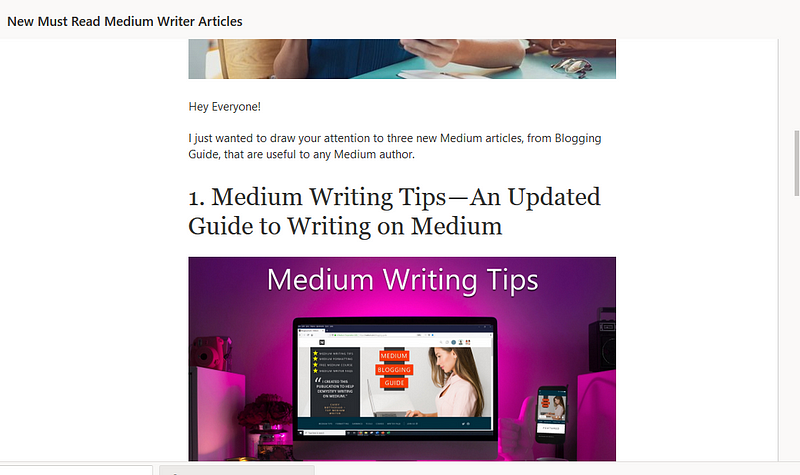
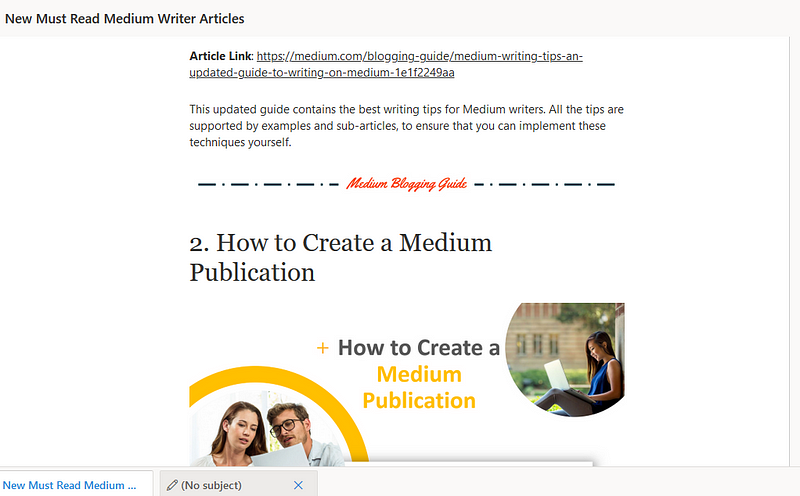
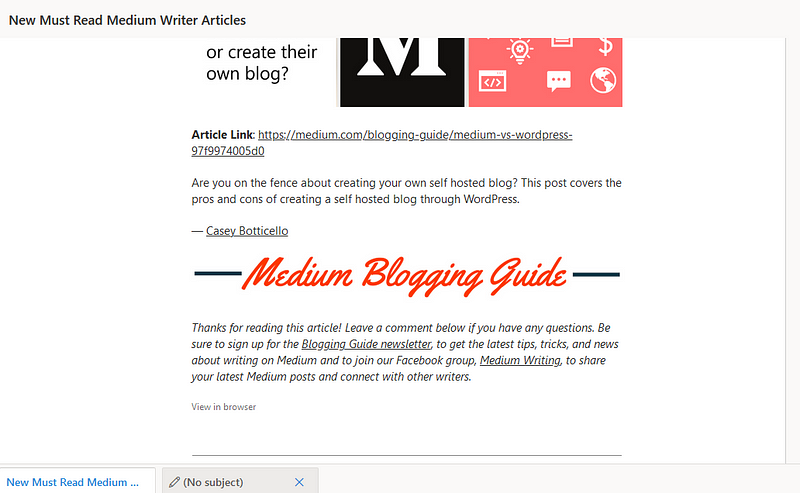
There are a couple of things worth noting in the screenshots of the email that I received from my Medium letter:
- The formatting carries over well. You do not need to edit your letter much to make it look like an email that would be sent out by a professional email marketing service.
- All linked text and linked images are functional in the email. Again, this is very similar to a professional email marketing service. Any links in your letter will remain functional in the final email version. This is even true for links directing subscribers to external content.
- The email “From” section contains the name of your Medium publication. This helps readers remember your publication and it also makes your email look more professional.
Additional Notes on Writing Medium Publication Letters
- Medium’s embedded URLs do not work in letters. This seems like a major oversight and should be relatively simple to fix. Nonetheless, you either need to link text to an article or paste the full URL. Medium will not reformat the link to another Medium article in a letter.
- Letters do not give you a list of your publication follower emails.
- Letters are somewhat glitchy if you try to insert them as a featured post or latest post in a publication. If you have an article you are trying to add to a publication, letters are not ideal.
- Letters may not show up in your publication under latest articles, but they will show up in your profile post history. If you want to keep information exclusive to your publication subscribers, you would need to delete a letter after publishing it.
- Do not panic if your Medium letter open stats do not immediately begin appearing. It typically takes 1–2 hours at least, before the email open rate/click rate will begin to appear in your letter dashboard.
- Note that followers of your publication may opt out of receiving your letters (which is why I would suggest using the function sparingly).

Thanks for reading this article! Leave a comment below if you have any questions. Be sure to sign up for the Blogging Guide newsletter, to get the latest tips, tricks, and news about writing on Medium and to join our Facebook group, Medium Writing, to share your latest Medium posts and connect with other writers.
If you liked this article, here are some other articles you may enjoy:

Casey Botticello is a partner at Black Edge Consulting. Black Edge Consulting is a strategic communications firm, specializing in online reputation management, digital marketing, and crisis management. Prior to founding Black Edge Consulting, he worked for BGR Group, a bipartisan lobbying and strategic communications firm.
Casey is the founder of the Cryptocurrency Alliance, a Super PAC dedicated to cryptocurrency and blockchain advocacy. He is a graduate of The University of Pennsylvania, where he received his B.A. in Urban Studies.
You can connect with him on LinkedIn, Twitter, Facebook, or by visiting his website, Blogging Guide.