
M2 MacBook Air — A Pragmatic Look, First Impressions
A mile zero review of Apple’s new MacBook Air. No bullshit. Straight-up, what I saw is what you get…
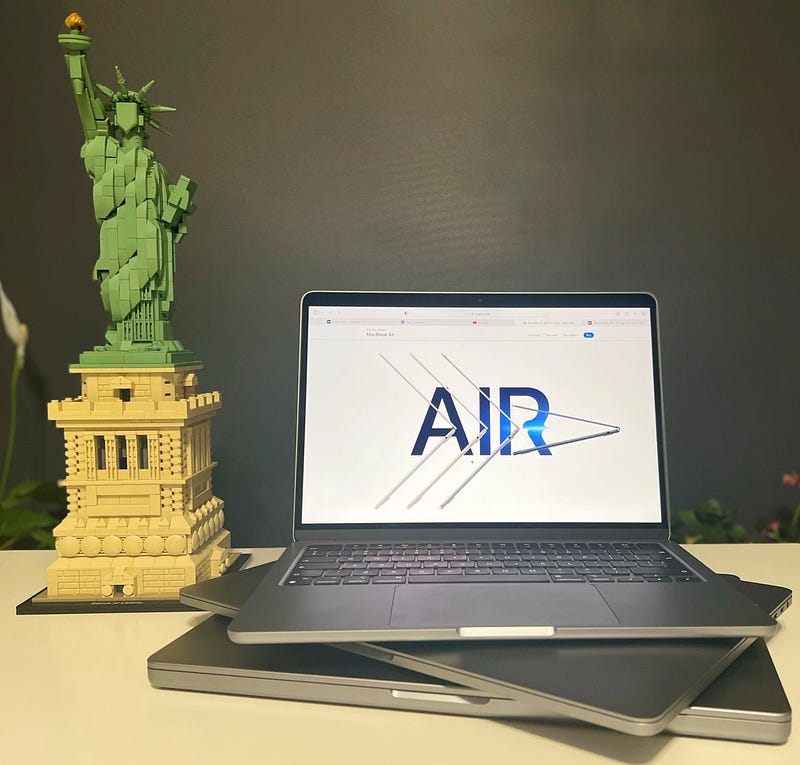
No benchmarks. No nonsense. Nothing speculative. Just straight-up, no bullshit, first-hand thoughts. From unboxing to migrating to the new machine. All in a well-condensed article because the least I can do, is save you some time and some money by being frank about Apple’s new laptop. You’ll be making the decision, free will is still a thing, but this — and a few subsequent articles — are going to help you with that. Don’t judge a book by its cover, and while that may still hold true, one definitely has to judge a MacBook by its cover and everything else, so let’s get to it.
Unreliable Postal Service, aka UPS, finally managed to deliver — a day late — my new mid-tier M2 MacBook Air. Most of ye interested in benchmarks already know the story. It’s a faster chip. Stating the obvious at this point, year after year, just feels tired and uninteresting. I have seen a gazillion videos from all the reputable reviewers out there wanking to benchmarks while the rest of the world was waiting for them to get to the point — is it any good?
As radically changed the device’s design is, the packaging is pretty standard, and I have got to the point where I even stopped smelling the box. Many of us used to do that, some may still do. It’s just the good ol’ white box, with the usual everything inside, the charger and the colour-matched MagSafe cable. I went with Space Grey because I don’t like fingerprints all over my device. If I were into that, I would have bought a Lenovo. It also matches my 16” M1 Pro, and my 15” Intel Pro. It’s in good company. Let’s hope Apple sticks to this colour for another decade. It’s a shame the Studio Display doesn’t come in Space Grey. Would have been an even bigger fan. But I digress.
A laptop that all laptops should feel like…
It’s strikingly light, and that’s coming from someone who owned both the 11” and 13” Intel MacBook Airs in the past. With the lid closed, you could easily mistake it for an iPad Pro. Holding it in any position, open, closed, while standing, sitting, walking feels incredibly comfortable. And you know what? That wedged shape the old Air had? I see now why the new design is better. Holding the machine in one hand with the lid open feel a lot more natural than it did with the old design. Perhaps it’s better weight distribution and the uniform thinness that contributes to that, but it’s genuinely not just in my head. Go to the shop, pick them both up, you might just get what I’m talking about.
I really wish this was the MacBook Pro, and maybe, just maybe, it actually is.
It’s no secret that I jumped at the opportunity to get the M2 Air to make another attempt at leaving my 15” and 16” MacBook Pros behind. I don’t get a nerd erection any more, knowing I have seven ports, a crazy fast CPU and GPU. Beefy machines don’t excite me as much as they used to in the past. I’m old and just need things to work and work well. I recognise their objective value, and I subscribe to them being the right tool for the right job. Everything else is a waste, one way or another.
But I am firstly a software developer who builds mostly web apps or mobile apps, and secondly a writer/blogger/columnist who also shoots the occasional video or does 2D animation in Apple Motion. As I am typing this, I have already transferred to the Air, and for the next two weeks, this will be my exclusive machine for everything I do. Here’s hoping, fingers and toes crossed, that I was right, and starting July 21st 2022, I will not need MacBook Pros any more. Ever.
Diving in…
The Verge proved it, and I can confirm it. Yes, the 512 GB SSD is “spinning” at full speed. 2100 write, 2800 read. Going for the higher tier SSD, did inflate the price a bit, but I did feel like 256 GB would have been a tad risky these days.
Now, I am not going to say what everyone else says, that Apple should make 512 GB the default. No way. That would be a waste of resources and money. You have no idea how many people never go anywhere near 200 GB or even a 120 GB during the entire life of a machine. Tech nerds need to get with the program and understand that Apple is not building computers for them and them alone.
I will say this, though. It would be nice to have 512 GB versions in stock in shops. Perhaps a reduced number of them, but those of us who do want more, having to always resort to special-order the machines, then wait several weeks is kind of a pain. The same goes for the 16 GB of RAM, which I configured this machine with, because it was clearly proven that 8 GB of shared memory is not the same as 8 GB of discrete memory with 2 GB additional RAM for the GPU.
Fast as it may be — and the Air’s RAM is DDR5, not that it matters much speed-wise — physics is still physics and 8 GB while might just be enough for 50% or so developers, the rest of us need more. Throw Apple Motion or Pixelmator at it, and you’re left sucking your thumb.
Let’s not ignore the fact that this is now a 1900 euro machine. Dangerously close to the 14” MacBook Pro’s price-tag at 2250!
But this is where it gets interesting. On paper the Air makes no sense, when for just 350 bucks more, you’re getting a 14” Pro. Except, once you hold the Air and start interacting with it, you realise, the Air is pure genius — and I’ll get into the details of that in an upcoming column. Having access to a fast, fan-less, M2 equipped, ultra-light, ultra-thin machine that does everything that the 14” or heck, even the 16” M1 Pro can do, is worth a lot more than many might think.
Here I am, having spent much of the day (12+ hours) on the new M2 Air, and I don’t feel like I’m not on my 16” M1 Pro, except for a couple, entirely negligible things.
- At times, I still feel like my eyes need to recalibrate to the smaller screen. It’s by no means small, but being used to 16”, the lack of those extra 3” did sneak up on me a couple of times.
- The speakers are, OK… I am not going to lie. If you’ve never experienced the M1 Pro 14” or 16” speakers, not to mention the Studio Display’s speakers, the Air will sound nice enough. Clear sound, nothing to write home about, though still better than most Windows laptops, especially in a 13” form-factor. However, I am used to the 16” speakers and even more so to the Studio Display’s speakers. Especially the latter will dwarf the MacBook Air’s sound to such an extent that’s you’ll cringe and need another 15 minutes to get used to again to the infinitely less rich sound emanating from the Air’s hinge-gap, as that’s where they are now.
- The webcam and microphones… Look, this is not a studio machine. Mics are fine, webcam is OK, neither of them are going to win any prizes. The mics are better than what you’d find in similar Windows laptops, but still nothing to get your panties wet about. The webcam doesn’t do CenterStage, but I have yet to make much use of it outside my iPad Air, where it makes a lot more sense. That being said, for the majority of people, on the MacBook Air it would make a bit more sense than on any other Apple laptop. Given its lightweight form-factor, I can see plenty of customers using it as an iPad Air or iPad Pro alternative.
It is a surprising machine though in a few other ways than just raw horsepower, which brings me to some aspects that I feel very few other reviewers touched upon, and probably should have as they’re great news to many, including myself.
- Believe it or not, the Air feels sturdier than the 16” M1 Pro. Don’t believe me? Well, here’s the thing. I called out the flimsy back-plate of the larger machines, and while some readers very vehemently disagreed, I still feel much safer with a machine that I don’t feel bending under my fingers every time I pick it up. Seeing the Air’s innards, it makes a lot of sense. A very tightly packed system. There is no real space for flexing. Every bit of space utilised. Of course. Given that there are no fans and hence no real airflow needed, no real gaps were left between the internals and the chassis. I, for one, like that.
- While, no doubt, a small screen compared to the 14” and 16” models, the notch does not get in the way at all. It really doesn’t. In fact, it almost feels natural, and if you’re transitioning from Apple Pro laptops, it will contribute to forgetting you’re actually not on those machines any more, but an Air.
- The single extended monitor support really isn’t an issue, and I wrote about this before. I feel it’s worth highlighting again. I have this connected to a 27” Studio Display, and it’s a brilliant setup. And it’s a setup that will likely be perfect for 90% of users. Really not a downside. And with a monitor that supports power delivery over USB-C, I have literally nothing else connected to this machine but the display, which gives me three extra ports, not that I’ll ever really need them.
I’m sitting here, trying to find something, just anything that, I feel, could be a dealbreaker for the average user and the average software engineer, but I genuinely feel like, as it stands, the M2 Air… in typical Apple fashion… just works.
Apple Silicon apps are pretty much the norm by now, so I didn’t expect nor experienced any issues around that. Sure, installing Signal triggered a Rosetta 2 install, but that’s expected. Apps launch just as fast as on my Pro machines, and interacting with the likes of VsCode, Webstorm, Ulysses, Android Studio, Apple Motion and Pixelmator Pro, all seem to just feel right at home on this fan-less little piece of aluminium wonder. In fact, this was my fastest ever Xcode install. Not joking!
If heat is what you’re worried about, well, I’m not. I have yet to see the CPU, or anything for that matter hit 50 Celsius, and while I can’t say I’ve been pushing it very hard so far, I’ve been doing 60–70% of what I would normally do on a daily basis, not to mention, being a new install, this OS is indexing stuff in the background, and will do so for probably another day or so. All that, on top of syncing everything from iCloud like my emails, notes, photos, messages, blogs, doing a Time-Machine backup, etc.
Coming up for air…
Pun intended. 😄 I have now spent a nearly continuous 12 hours on this machine, which is nowhere near enough to get a comprehensive insight into what it’s capable of in the real world when it comes to the other 30%-40% of stuff I would normally use it for.
As it stands, though, I can already say this: anyone using an Intel MacBook anything, should just go for it, unless you have software that genuinely isn’t supported by Apple Silicon. Everyone else, give me a week, and I’ll come back with more findings. This feels — and that’s a deliberately chosen word here — like the MacBook many of us been asking for since the dawn of Apple laptops. The M2 Air will make you fall in love again with Apple in ways you didn’t expect.
Apple took an iconic machine and made it practical. More practical and more powerful than ever before. Feels like the Air has finally grown up.
Attila Vago — Software Engineer improving the world one line of code at a time. Cool nerd since forever, writer of codes and blogs. Web accessibility advocate, Lego fan, vinyl record collector. Loves craft beer!