
Just Ordered The M2 Air, But Will It Be Enough?
I am repeating 2020’s M1 experiment, but this time, I tweaked the specs…
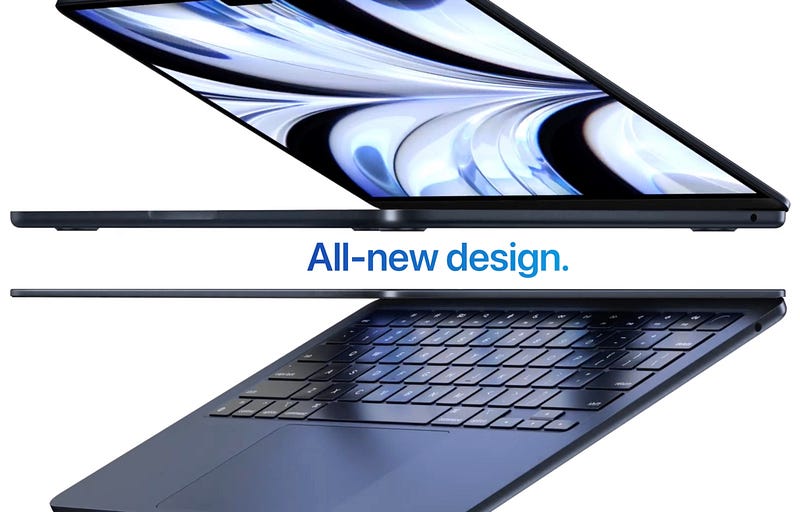
Roughly 90% of my Apple purchases so far have been through our local premium reseller here in Ireland. Only a few other times I resorted to purchasing directly off the Apple website. This is one of those times. I must admit that when Apple unveiled the M2 Air at WWDC 2022, I got very excited. Having purchased the 13” Pro M1 in 2020, I was very much aware how capable these machines are not just for software development — my primary use-case — but also for anything else, including content creation and everyday tasks. In 2020, I only made one inevitable mistake: purchased the base model with 8 GB of RAM.
The reason why back then it was an inevitable mistake to go with the absolute base model, was because that’s precisely what I wanted to prove or disprove — whether the base model was suitable for software developers. I already knew that it would comfortably replace my 2019 Intel Air, that was a no-brainer, what wasn’t tangibly obvious though was whether it could also replace my 15” 2018 MacBook Pro. The conclusion was that indeed, apart from the 8 GB limitation, the M1 chip was more than happy with anything I threw at it. Those shared 8 GB of RAM, however, those created a bottleneck I eventually had to admit and document.
Learning from 2020’s M1 experiment, it was time to bump the specs by just a bit on the M2 Air.
And this is where the new purchase comes in, and the experiment continues, or repeats if you will, except that now with a few other variables. When the M1 Pro and Max chips came out, I did swiftly adopt those in their 16” envelopes, however, as I stated this previously, they both feel a tad overkill, in fact, the Max is an absolute waste of resources for a software engineer like me, and 95% of software engineers out there. This all means, that the new question is:
Will my M2 Air replace my 16” M1 Pro?
Of course, I did not trade my M1 Pro in, to get the M2 Air, and it remains to be seen if I will ever sell the M1 Pro, just like I still haven’t fully committed to selling the 15” 2018 Intel MacBook Pro.
I suppose what will convince me will be the numbers at the end of the tax year, when I’ll be able to see how much in minus my investments are compared to returns from all this Medium writing gig. But that’s a few months away still.
The tweaked specs
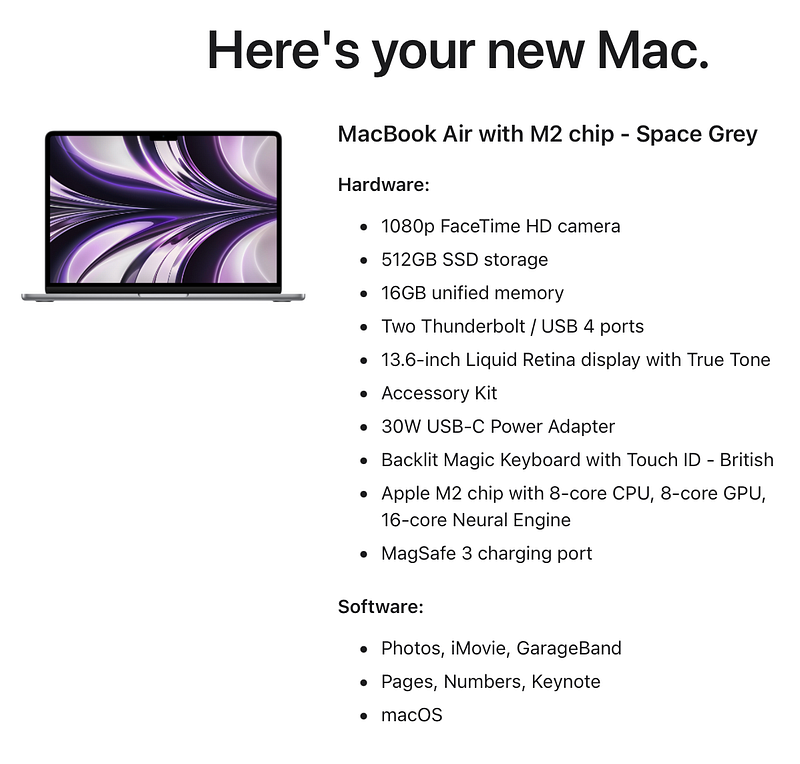
As you will observe from the screenshot, you’ll find that I haven’t changed much, in fact, I tried staying as close to the base-line model as possible. The non-negotiable, based on 2020’s findings, was increasing the RAM, which I set to 16 GB. The other spec I bumped up — though this wasn’t entirely planned — was the SSD size, from 256 GB to 512 GB. In a way, I’m lucky we found out about the SSD speed concerns on the 256 GB models early with the 13” Pro models, as I did not want the storage speed to affect my experiment negatively. To be quite honest, I rarely need more than 256 GB of storage space on my machine, but I have been inching closer to that amount over the last three or four years, and I do want to assess the M2 Air as a long-term investment rather than one that gets replaced in a year or two.
Educated guesses…
I’ll be quite frank and transparent here. I am basing my assumptions on nothing more than Apple’s marketing, benchmarks on the 13” Pro M2, and a decade of previous experience with modern Macs, out of which frankly only the last 3 years matter, as Apple Silicon has only been around for that long, and any Intel comparisons at this point are both tired and useless. It has been clear for nearly three years now.
Apple Silicon beats Intel chips by a mile and then some. Anyone wanting to upgrade their Intel Mac, should adopt M1 or M2 without any hesitation. Apple Silicon has been proven not only viable, but the trendsetting industry standard.
All that being said, these are my educated guesses for the M2 Air with 16 GB RAM and 512 GB SSD.
- Web development of virtually any size and any complexity level — including a monorepo — will work perfectly, and there will be no perceivable speed loss in running or compiling projects. Perhaps timing them will reveal a couple of seconds difference between say the M1 Pro and the M2, but we’re not going for benchmarks here.
- Mobile app development should be pretty flawless too, and that includes native iOS and hybrid development such as React Native, Flutter, or Ionic. Again, maybe the emulators will take an extra couple of seconds to spin up, but let’s not forget the M2’s single cores are actually faster than M1 Pro’s, so I wouldn’t even be surprised if they launched faster.
- Running virtual machines and dockers is another scenario where I don’t really see any potential degradation in developer experience. After all, the M2 Air’s 16 GB is just as 16 GB as the M1 Pro’s, except for one difference. The M2 has DDR5. This could give software development overall a very slight edge over the M1 Pro. However, I do not expect any of that to be genuinely noticeable in real-world use-cases.
- All everyday tasks like working with documents, browsing, streaming, will work flawlessly. The occasional beach-ball will likely be caused by some unoptimised app, or macOS having a senior moment, which I must say the latest 2–3 versions have more of than the barely none I used to have say, 4–5 years ago. But that’s a macOS quality control issue, not hardware.
- Content creation — and here I have no choice but to be subjective and focus on my use-cases — will be generally smooth, but potentially slower exports times are inevitable. I use Apple Motion, Pixelmator Pro and Ulysses as my main content creation tools, of which Ulysses is negligible as it’s basically a nice text editor. My gut feeling says that while the M2 Air is capable of more professional-grade multimedia creation workflows as well, it should not be considered a daily driver for that. For my use-cases, however, I think it will do just fine.
So, will it be enough?
I would say that there is a 95% chance that my educated guesses will be proven right, and I will — just like I did last time — document this in a first-impressions article, a more in-depth one a little later, all concluded with a 6–12 month final review and verdict, so stay tuned if you’d like those in your inbox as soon as they go live.
I am both very hopeful and excited that maybe, for the first time ever, I can truly move to a MacBook Air for all my workflows.
Don’t get me wrong, it’s cool to have a 16” M1 Pro or Max MacBook Pro. I’m a nerd, I like having cool and powerful tech, but I am also very keen on using tools that aren’t an overkill, allow for great mobility, come with very efficient energy-usage and don’t cost an arm and a leg.
The objective of these experiments is to help software engineers, especially the budding ones, save money while also having an excellent, future-proof, reliable machine. The bare minimum with no compromises. Apple Silicon allows us to move that baseline lower than ever, so we may as well.
Parting tip: the midnight models of the M2 Air take an extra 2 weeks to deliver compared to space grey. I went with space grey as the midnight model seems to attract a lot of fingerprints, and while I like the colour, all my other machines are space grey and I would rather not break that pattern.
Attila Vago — Software Engineer improving the world one line of code at a time. Cool nerd since forever, writer of codes and blogs. Web accessibility advocate, Lego fan, vinyl record collector. Loves craft beer!


