
After Six Months Of Using The M1 Pro, The Verdict Is In
A 180-day review of the 16” MacBook M1 Pro and M1 Max
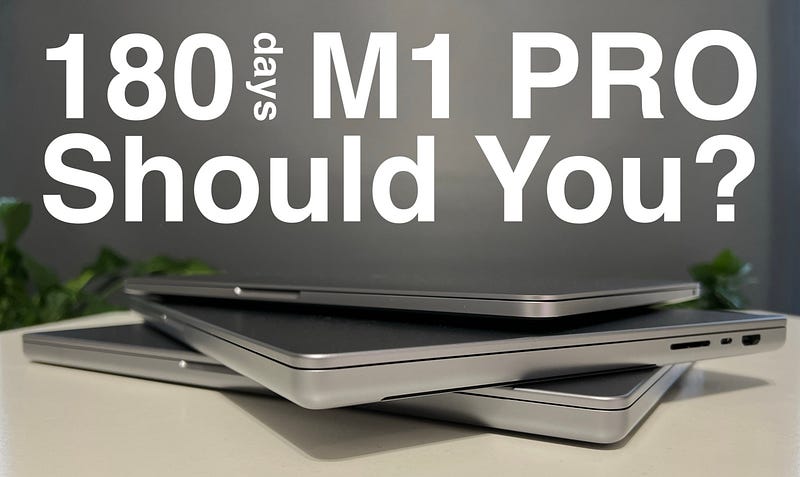
The mother of all M1 reviews. Well, almost. I have no M1 Ultra at hand to compare with, but you know what? I don’t need it and I don’t want it. Not for this review. I am all about mobility. Apple desktops, as good as they may be, they trigger very little personal interest in me other than just nerding out on the specs. I need my computers to go where I’m going, and do so naturally, and this review is all about that — the M1 in a portable hardware envelope. I am going to focus mostly on the M1 Pro, with occasional comparisons to the M1 and M1 Max.
As a daily driver…
Let me put it this way. Since November 2021, I have not touched my 2018 Intel MacBook Pro in any meaningful way. Apart from printing a few documents, which is kind of an important point to make, so let’s start with that.
People, including myself, usually buy printers as a very long-term investment. While they tend to be fairly cheap — because ink cartridges are the real products — no household has a tendency to replace them much. It’s quite common to see a 10-year-old printer in an otherwise high-tech house. People have increasingly fewer and fewer reasons to use them in the home. In my case, I had to print some citizenship documents and the first draft of my 400-page novel. This is where the M1 came up short. That applies to M1 Pro and Max as well. Technically, one could argue that it’s not Apple’s fault, but in this case, Canon’s for not providing suitable drivers, but regardless, it is a limitation you want to keep in mind if you have a scanner or printer. If you cannot find suitable or equivalent drivers, you’re essentially forced to get a new printer, or keep the old Intel machine around, like I did.
The M1 Pro performs beautifully at its base configuration of 16 GB memory. It’s a really good value sweet-spot, and I found no daily task to struggle on the M1 Pro. There are occasional hiccups with mouse control, but that’s a macOS Monterey issue, rather than Apple Silicon. It’s also worth noting, that the M1 Pro’s performance is in no way hindered by running on battery-power. This is, in fact, the second MacBook I use a lot more untethered to power, the first being the 13” M1 MacBook Pro. The M1 Pro in its 16” envelope gives me on average 16 hours of battery-life. Keep in mind that I am a messy user who never closes browser tabs, apps keep being open all the time, and I also never shut my computers down, just put them to sleep.
Speaking of untethered use, I did have some concerns for a while around its Wi-Fi stability as I tended to see very brief disconnects in a few apps like Signal for desktop, but it seems the cause was again macOS Monterey, though specifically on M1 Pro and Max, which seems to have been fixed. On a related note, I will stick to my initial assessment that the M1 Pro and Max, especially in is 16” version, is a bulky and heavy machine, one I really don’t feel inclined taking on a trip. This, I really believe, was a step backwards from Apple, and a half-way solution between the old and new design could have been found, without too much compromise on port variety and number.
As a software development machine…
This is where things can get a little trickier, though not for most people. I have worked with several stacks on both the M1 Pro and Max, and found all of them to work well, with little to no extra environment tweaking apart from installing Apple Silicon binaries where available and Rosetta 2. But there’s an important aspect to keep in mind. To achieve a relatively straightforward and issue-free setup and run of these stacks and languages, I always started out on a clean machine instead of a migration from an Intel machine. Migration will often cause the most exotic errors you can think of, though this is the case only when it comes to software developers.
The stacks and languages I worked with on both the M1 Pro and Max:
- MERN
- LAMP
- Scala 2
- Scala 3
- Flutter
- Swift
One important note to make about IDEs, is that Jetbrain’s IDEA Ultimate when used for MERN stack development will behave poorly and can trigger a massive memory leak, WebStorm however won’t, and will run just fine. LAMP stack, Scala and Flutter development all works fine with Jetbrain’s products, and so does Android Studio. You now also can run an Android Emulator on Apple Silicon without any special setup. Docker runs and so does Homebrew.
Another piece of good news when it comes to the M1 Pro and Max is that developing software on these machines doesn’t affect the battery too much. I was without exception able to develop, build and test apps of various complexity and size for 10+ hours a day and with battery still to spare. I will say this, though. If you want two days (7–8h/day) of battery-powered development, you will want to take the charger with you. Furthermore, don’t for a second think that 16 GB is too much. You will definitely need that memory more often than you think.
Going above 16 GB, though, that’s a tough one to decide on. I did not feel hindered by the M1 Pro’s 16 GB of RAM, nor did I feel any better running with 64 GB of memory on the M1 Max. Make of that what you will…
As a content creation tool…
I will not dwell on this too much, as there is already an obscene number of reviews covering content and multimedia creation on the M1 Pro. For the tools that I use, the M1 Pro is perfect, and so are 16 GB of RAM, but this is that one case where I will say, it’s easy to find yourself in a situation where 32 or 64 GB of memory would get you further faster and with possibly less jitter. For my limited use-cases, though, 16 GB was sufficient.
The apps I use for content creation are:
- Ulysses
- Pixelmator Pro
- Luminar AI/NEO
- Affinity Photo
- Apple Motion 5
- Audacity
I can’t say that I had any issues with any of the above tools. Apps and tasks run smoothly, no weird crashes, beachballs or jittery UX. Sure, importing photos from iCloud directly can feel a little slow at times, but that’s more a network bandwidth issue, than anything else.
Do you really need it?
The question applies to the M1 Pro and even more so to the M1 Max. I initially thought this would be a hard question to answer, but having used for so long the M1, then the M1 Pro and finally the M1 Max, I think I have a pretty clear picture of what most people need in the Apple Silicon line-up.
For 90% of users, the M1 with 16 GB of memory and 512 GB of SSD will be the best 5-year investment they can make.
While Apple’s marketing team royally fecked up the naming of their Apple Silicon line-up, I think they did get one thing right. The 2020 13” MacBook Pro with M1 is actually fit for many pros. Pro, standing for “professional use”, with enough memory and storage, is undoubtedly the best value proposition out there.
Why the M1 Pro and M1 Max, even more so, somehow become less of an exciting proposition is weirdly not about what these machines don’t offer because that would be a lie. The M1 Pro and Max offer everything, and everything beyond everything else, except the users who really benefit from those capabilities are more the exception to the rule. The problem is, this is an aspect many users don’t understand, and hence my review. Just as the gentleman at the shop who sold me the 16” M1 Pro said, “students and average Joe’s are coming in and gobbling these up, spending twice the money they should”. This creates an artificial need, but artificial or not, it is a segment of market Apple can and will happily sell to.
There are many reasons to adopt the M1 architecture, but possibly none, to get an M1 Pro or Max.
For the first time in Apple’s history, you can get a really good machine for a decent price, and that’s the M1, plain and simple. No Pro and Max monikers necessary.
Attila Vago — Software Engineer improving the world one line of code at a time. Cool nerd since forever, writer of codes and blogs. Web accessibility advocate, Lego fan, vinyl record collector. Loves craft beer!


