
M1 MacBook Air 4-Month Review
The best Mac I’ve ever bought
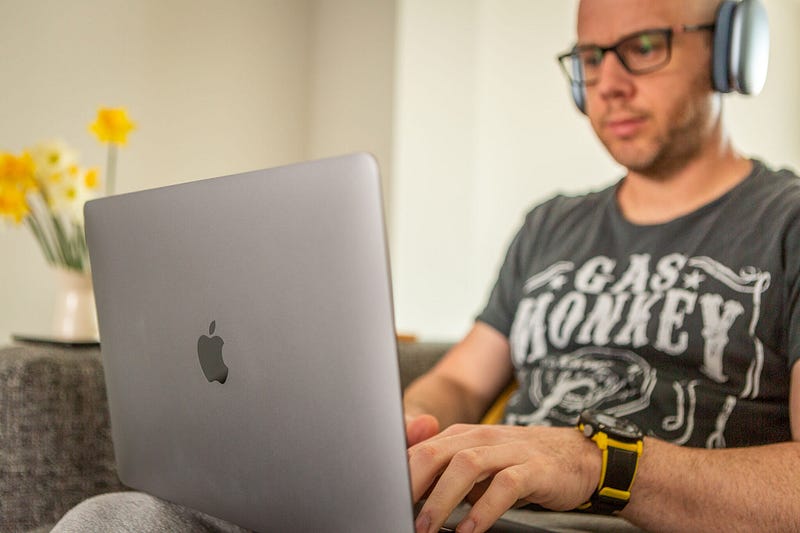
The M1 MacBook Air continues to be the bane of my YouTube audience’s life.
Held up against the M1 MacBook Pro, few people can differentiate the two, bar the presence of the Touch Bar and a couple of additional hours’ battery life on the latter.
Indeed, choosing between a 16GB M1 MacBook Air and the 8GB M1 MacBook Pro is one of the most common questions raised within the comments threads of my videos.
It’s why I decided to put together a series of buying guides for M1 machines (although, arguably, they’ve done little to help some sections of my audience).
Which one will last longer? Which one will result in less SSD damage? Which one will be better at 4K video editing?
I feel their pain. But, today, I’m here to sing the praises of the absolute base-spec model of the M1 MacBook Air. It’s the one you don’t add anything to; you simply place it into your basket as it is, hit ‘checkout’ and wait for it to arrive.
It is an amazing computer.
Let’s get that 7-core GPU thing out of the way
It doesn’t matter. Honestly.
I also have an M1 Mac mini and that has the 8-core GPU version of the M1 (and 16GB, versus my MacBook Air’s 8GB, admittedly). Both machines can edit 4K video identically and undertake any graphics-related task without any trouble whatsoever.
Call it a price bracketing trick on Apple’s behalf or the simple fact that they need to somehow sell off the M1s which end up with 7-cores of graphics performance as a result of manufacturing processes; in real-world usage it doesn’t make any difference whatsoever.
So, if you fancy that base spec M1 but you’re concerned about having one less graphics core than your mate, don’t be.
I’m so glad I bought the base spec
People are often afraid of buying base-spec Apple Macs. I was one of those people, until I got my hands on this M1 MacBook Air.
A case in point: I specced up my 16" MacBook Pro in 2019 to be the most powerful laptop I could afford. Fast-forward less than two years, and it has been replaced by two machines whose combined price is still about £1,000 cheaper than the 16" MacBook Pro.
That’s quite a bitter pill to swallow — trust me. And, while I have indeed specced up the Mac mini a little, the MacBook Air I’m writing this article on is the cheapest you can buy.
I’m so glad I didn’t add anything to it. I don’t need 16GB of RAM, and I don’t need any more internal storage than 256GB.
If I’d spent more money on this laptop, it would have been an absolute waste, and there’s something quite refreshing about owning the base spec version of a Mac — particularly when you’re someone like me who has upgraded to wallet-destroying levels in the past.
The iPad has been relegated
Apple are rumoured to announce a new iPad Pro soon, but I couldn’t be less interested.
The fault for this lies squarely with the M1 MacBook Air, because it has completely replaced my 12.9" iPad Pro as my main writing device.
Every blog I’ve published since December has been written on the M1 MacBook Air. Often, that includes the editing process for the feature image, too (I use Lightroom for this task, and it runs fantastically on the Air).
Before December, my blogs would always start life on the iPad, complete with Magic Keyboard. Now, my big iPad Pro has been largely replaced by an iPad Air, whose role is almost solely one of consumption with the odd bit of note taking thrown in for good measure.
In my world, the MacBook Air has completely cannibalised the iPad when it comes to productivity. That’s both impressive and a bit of a shame when you consider the significant strides the iPad has made recently in terms of becoming a genuine laptop replacement.
The absence of the Touch Bar
If you’re trying to decide between the M1 MacBook Pro an Air, I can, hands-down, tell you not to use the Touch Bar as a differentiating factor.
There are two reasons for this. The first is that Apple is rumoured to be discontinuing the Touch Bar on future MacBooks. The second is that it is totally pointless.
I welcome alternative views in the comments, as always, but my use of the Touch Bar on the 16" MacBook Pro extended as far as adjusting the volume and screen brightness and, occasionally, as a quick way to access Ulysses Markdown shortcuts.
The Touch Bar is either irritating or completely irrelevant, 99% of the time. It’s far too easy to hit it by mistake, and Apple has unashamedly ignored it since the introduction of this over-engineered strip of pointlessness in 2016.
The MacBook Air only serves to confirm just how needless the Touch Bar is.
The battery life needs a dose of common sense
I’ve already covered this in another article, but it’s worth reiterating that the M1 MacBook Air’s battery life, while impressive, isn’t quite as “biblical” as I’d first suggested.
I wasn’t alone with that initial assessment. Indeed, most reviews focused intently on the Air’s battery life which is afforded by the M1’s low power consumption. But when you use this laptop properly, the battery life will drain quicker than you might expect. And by ‘properly’, I mean straying beyond the apps which are considerate of your battery
Yes, that means most third-party apps and a huge number of web services. None of them are as fine-tuned, battery-wise, as Apple’s own apps. They suffer from memory leaks and, arguably, some of the secret sauce Apple is obviously able to inject into its own code to ensure users get the absolute best experience from their Mac.
I’m not disappointed by the battery life on the M1 MacBook Air at all, I’ve just learned that it requires a heavy dose of common sense. If, for instance, I fire up Chrome, Discord, Trello and a Safari tab running Notion and leave them all running at the same time, the Air’s battery drains relatively quickly. That’s fine. It isn’t superhuman.
If you’re a stock Apple app user, you’ll experience the best battery life possible on the Air. But I still maintain that the real star of the show is the standby time, which still amazes me every single day.
The design: genuinely timeless
A quick note on the M1 MacBook Air’s design.
Yes, it’s identical to the Intel generation. And, yes, it hasn’t really changed for years.
But that doesn’t matter. There hasn’t been a single moment during my time with it over these four months where it has felt outdated or in need of a refresh. Whether it’s the tapered design, low profile or beautifully simple construction, whatever Apple did when they first designed the MacBook Air was very smart indeed.
It is probably the most timeless device I have, design-wise — bezels and all!
A constant companion
The role the M1 MacBook Air plays in my life is one of constant companion. The M1 Mac mini is my new daily workhorse and undertakes all of the heavy lifting, but if that computer died, I’d have no hesitation in turning to the Air.
Although travel has been restricted since my purchase, the UK is gradually reopening, and the M1 MacBook Air will join me wherever I go — of that, I have no doubt.
That’s what makes it such a special laptop. The fact it is small, light and reliable enough when it comes to battery standby time makes it the perfect laptop. Throw in the fact that the M1 — even at its absolute base level — is capable of doubling as a production workhorse when needed, and the M1 MacBook Air is easily the best Mac I’ve ever bought.
Before you go
Join my behind-the-scenes mailing list
Originally published at https://markellisreviews.com on April 5, 2021.


