avatarMark Ellis

Free AI web copilot to create summaries, insights and extended knowledge, download it at here

5791

Abstract

7156">I covered user-specific secrets here:</p><div id="744d" class="link-block"> <a href="https://readmedium.com/create-a-per-user-secret-in-secrets-manager-part-1-bb97b66e2a2d"> <div> <div> <h2>User-Specific Secrets on AWS: IAM Policies</h2> <div><h3>ACM.82 IAM Policies to allow users to describe their own secrets</h3></div> <div><p>medium.com</p></div> </div> <div> <div style="background-image: url(https://miro.readmedium.com/v2/resize:fit:320/1*PcniDpBJq2db0jbdryc_Nw.png)"></div> </div> </div> </a> </div><h2 id="aada">Create the user-specific Secret to store the automation credentials</h2><p id="a515">Next I create <b>SandboxDevAutomationSecret</b> in Secrets Manager, encrypted with my <b>Sandbox KMS key</b>.</p><figure id="e15e"><img src="https://cdn-images-1.readmedium.com/v2/resize:fit:800/1*DQonCyF8UzPnZZoiGOKD9w.png"><figcaption></figcaption></figure><figure id="f7b3"><img src="https://cdn-images-1.readmedium.com/v2/resize:fit:800/1*zITxEtD__wFDwpPrBpqv4w.png"><figcaption></figcaption></figure><h2 id="2e63">Create a user-specific EC2 instance role for the SandboxDev user</h2><p id="3417">Next I create an EC2 instance role that the developer is allowed to pass to EC2 instances named <b>SandboxDevEC2Role</b>.</p><figure id="44ef"><img src="https://cdn-images-1.readmedium.com/v2/resize:fit:800/1*__fohZeTWjwdYrS__B4imQ.png"><figcaption></figcaption></figure><p id="eee9">The role will have a prefix with the username:</p><figure id="7afa"><img src="https://cdn-images-1.readmedium.com/v2/resize:fit:800/1*7dKW5KiQMivtKqjgzA_1Gw.png"><figcaption></figcaption></figure><p id="a338">This role is granted access to:</p><ul><li>Read the<b> SandboxDevSecret.</b></li><li>Pull containers from the <b>sandbox Elastic Container Repository.</b></li><li>Use the <b>sandbox KMS key </b>to access decrypt the secret and the container in the repository</li></ul><h2 id="df90">Create the Automation user</h2><p id="b752">Create the <b>SandboxDevAutomation</b> user. Do not give this user console access.</p><figure id="ddeb"><img src="https://cdn-images-1.readmedium.com/v2/resize:fit:800/1*QWVvQMA9aDCtmiVxSR61iw.png"><figcaption></figcaption></figure><p id="c19e">Remember that I already have a role (<b>CloneGitHubtoCodeCommitRole</b>) used by my batch job from prior posts. Create a policy that allows the SandboxDevAutomation user to use STS to assume that role.</p><p id="559f">The <b>SandboxDev</b> user needs permission to change the <b>credentials</b> <b>and</b> MFA device of the <b>SandboxDevAutomation</b> user.</p><h2 id="0f53">Edit the batch job role trust policy to allow the SandboxDevAutomation role to assume it</h2><p id="7f1d">We need to modify the trust policy to allow the <b>SandboxDevAutomation</b> <b>user</b> to assume the <b>CloneGitHubtoCodeCommitRole</b> role with MFA.</p><figure id="6ad1"><img src="https://cdn-images-1.readmedium.com/v2/resize:fit:800/1*xAHGslW3SSbv6c5NO8mhzg.png"><figcaption></figcaption></figure><p id="7ad0">Edit the trust policy:</p><figure id="cfaf"><img src="https://cdn-images-1.readmedium.com/v2/resize:fit:800/1*Vna71G_F2e-8Vdtw4yBwFw.png"><figcaption></figcaption></figure><p id="6a5a">Change the user to SandboxDev:</p><figure id="f788"><img src="https://cdn-images-1.readmedium.com/v2/resize:fit:800/1*vpSqEqjFa_qg59v_dnPCzQ.png"><figcaption></figcaption></figure><h2 id="49b3">Add permissions to KMS Key Resource Policy</h2><p id="8cf1">Next I need to allow the <b>SandboxDev</b> user to encrypt and decrypt and the <b>SanboxDevEC2Role</b> to decrypt with the <b>sandbox KMS Key.</b> I edit my automation to add those two roles to the encrypt and decrypt users.</p><figure id="380f"><img src="https://cdn-images-1.readmedium.com/v2/resize:fit:800/1*UkzCt10p0iqCR4OpMs6uhQ.png"><figcaption></figcaption></figure><h2 id="d015">Login as SandboxDev</h2><p id="725d">Log into the AWS Console with the SandboxDev user. If you’ve been following along, you have an account with a prefix specific to your organization and -Dev at the end if you used my deployment scripts.</p><figure id="13d5"><img src="https://cdn-images-1.readmedium.com/v2/resize:fit:800/1*5L-3C9ORVXOWv6KRdCkBLg.png"><figcaption></figcaption></figure><h2 id="d260">Add MFA devices</h2><p id="5cca">Add a Hardware MFA device to the SandboxDev User.</p><figure id="21f0"><img src="https://cdn-images-1.readmedium.com/v2/resize:fit:800/1*8s8rTuyWOsLAQUEqfwTtOQ.png"><figcaption></figcaption></figure><p id="c0e6">Add a Virtual MFA device to the SandboxDevAutomation User.</p><p id="5cec">I explain why I do not use a Yubikey to generate MFA codes here:</p><div id="1308" class="link-block"> <a href="https://readmedium.com/the-yubikey-cli-and-aws-mfa-50e6be0698a7"> <div> <div> <h2>The Yubikey CLI and AWS MFA</h2> <div><h3>ACM.11 Considering the attack surface and MFA choices for our Security Batch Jobs</h3></div> <div><p>medium.com</p></div> </div> <div> <div style="background-image: url(https://miro.readmedium.com/v2/resize:fit:320/1*SFAKbcK__GlbJbJJJVXK9w.png)"></div> </div> </div> </a> </div><figure id="5893"><img src="https://cdn-images-1.readmedium.com/v2/resize:fit:800/1*iFl4DTQNuplt-SGONHpNYw.png"><figcaption></figcaption></figure><h2 id="d7df">Create automation credentials</h2><p id="b9e4">Create an <b>Access key</b> for the <b>SandboxDevAutomation</b> user.</p><figure id="7f1e"><img src="https://cdn-images-1.readmedium.com/v2/resize:fit:800/1*KoVfxp-aJvzBiacPyFeMlA.png"><figcaption></figcap

Options

tion></figure><p id="217e">I have explained before that I disagree with the verbiage on this page. The CLI in the browser has a much larger attack surface and it depends how you are using the keys.</p><figure id="0423"><img src="https://cdn-images-1.readmedium.com/v2/resize:fit:800/1*_CCe4xu8AcNLloUHgvF5Aw.png"><figcaption></figcaption></figure><h2 id="8caa">Store the credentials in the SandboxDevAutomationSecret</h2><p id="24aa">Head to the Secrets Manager dashboard.</p><p id="432d">Click on the SandboxDevAutomationSecret.</p><figure id="6893"><img src="https://cdn-images-1.readmedium.com/v2/resize:fit:800/1*cz9jnYSnBsGXf9Y8VZjGPQ.png"><figcaption></figcaption></figure><p id="f616">Store the secret key id and secret access key.</p><figure id="4b95"><img src="https://cdn-images-1.readmedium.com/v2/resize:fit:800/1*-G9eR929nKSsGWrsOuzucg.png"><figcaption></figcaption></figure><h2 id="5496">Test Launching an EC2 Instance with the SandboxDev role</h2><p id="8907">Head over the EC2 dashboard and test launching an EC2 Instance. Recall that the Instance name needs to match what we specified in the policy above.</p><figure id="a1c7"><img src="https://cdn-images-1.readmedium.com/v2/resize:fit:800/1*FqCLLp7V854JJZa88TIdvA.png"><figcaption></figcaption></figure><p id="2bc8">If you need to decode any error messages I explained how to do that here:</p><div id="bb13" class="link-block"> <a href="https://readmedium.com/decoding-aws-error-messages-db0e0cbecf0d"> <div> <div> <h2>Decoding AWS Error Messages</h2> <div><h3>Free Content on Jobs in Cybersecurity | Sign up for the Email List</h3></div> <div><p>medium.com</p></div> </div> <div> <div style="background-image: url(https://miro.readmedium.com/v2/resize:fit:320/1*4oxP4LXk8l8c3mpRvO7ejg.png)"></div> </div> </div> </a> </div><p id="bd85">Choose the existing networking created for EC2 instances from prior posts.</p><div id="a149" class="link-block"> <a href="https://readmedium.com/automating-cybersecurity-metrics-890dfabb6198"> <div> <div> <h2>Automating Cybersecurity Metrics (ACM)</h2> <div><h3>A series of blog posts on cybersecurity metrics and security automation</h3></div> <div><p>medium.com</p></div> </div> <div> <div style="background-image: url(https://miro.readmedium.com/v2/resize:fit:320/1*L9lEIsaWt6xm2Op2ww-G5w.png)"></div> </div> </div> </a> </div><p id="2937">Choose the role we created under Advanced details.</p><figure id="8870"><img src="https://cdn-images-1.readmedium.com/v2/resize:fit:800/1*oHJior3Ueea6woDB1zqqKQ.png"><figcaption></figcaption></figure><p id="a822">One note that took me a bit to resolve. The message when your user does not have permission to pass the IAM role to the EC2 instance is a bit ambiguous.</p><div id="a0fb" class="link-block"> <a href="https://readmedium.com/ambiguous-error-message-when-a-user-doesnt-have-permission-to-pass-a-specific-iam-role-to-an-ec2-b005f338b6df"> <div> <div> <h2>Ambiguous Error Message When a User Doesn’t Have Permission to Pass a Specific IAM Role to an EC2…</h2> <div><h3>This error message needs to be more specific and doesn’t show up in CloudTrail for the User Name</h3></div> <div><p>medium.com</p></div> </div> <div> <div style="background-image: url(https://miro.readmedium.com/v2/resize:fit:320/1*4oxP4LXk8l8c3mpRvO7ejg.png)"></div> </div> </div> </a> </div><p id="51b2">Getting the resources setup took some time because I realized I had to revise my approach. I didn’t automate any of this but I will in the future. For now I just want to make sure it works. I can also figure out what permissions each policy requires.</p><p id="1fb5">I will test the initialization script in the next post.</p><p id="2c31">Follow for updates.</p><p id="4a3a">Teri Radichel | <i>© <a href="https://2ndsightlab.com/?source=post_page---------------------------">2nd Sight Lab</a> 2023</i></p><div id="8b5f"><pre><span class="hljs-section">About Teri Radichel:

⭐️ Author: Cybersecurity Books
⭐️ Presentations: Presentations by Teri Radichel
⭐️ Recognition: SANS Award, AWS Security Hero, IANS Faculty
⭐️ Certifications: SANS ~ GSE 240
⭐️ Education: BA Business, Master of Software Engineering, Master of Infosec
⭐️ Company: Penetration Tests, Assessments, Phone Consulting ~ 2nd Sight Lab</pre></div><div id="caae"><pre><span class="hljs-section">Need Help With Cybersecurity, Cloud, or Application Security?
~~~~~~~~~~~~~~~~~~~~~~~~~~~~~~~~~~~~~~~~~~~~~~~~~~~~~~~~~~~~~</span>
🔒 Request a penetration test or security assessment
🔒 Schedule a consulting call
🔒 Cybersecurity Speaker for Presentation</pre></div><div id="530b"><pre>Follow <span class="hljs-keyword">for</span> more stories like <span class="hljs-keyword">this</span>:

❤️ Sign Up my Medium Email List ❤️ Twitter: <span class="hljs-meta">@teriradichel</span> ❤️ LinkedIn: https:<span class="hljs-comment">//www.linkedin.com/in/teriradichel</span> ❤️ Mastodon: <span class="hljs-meta">@teriradichel</span><span class="hljs-meta">@infosec</span>.exchange ❤️ Facebook: 2nd Sight Lab ❤️ YouTube: @2ndsightlab</pre></div><figure id="eecf"><img src="https://cdn-images-1.readmedium.com/v2/resize:fit:800/0*H9Ew1KCl-29nZiPR.jpeg"><figcaption></figcaption></figure></article></body>

My First Week With the M1 MacBook Air
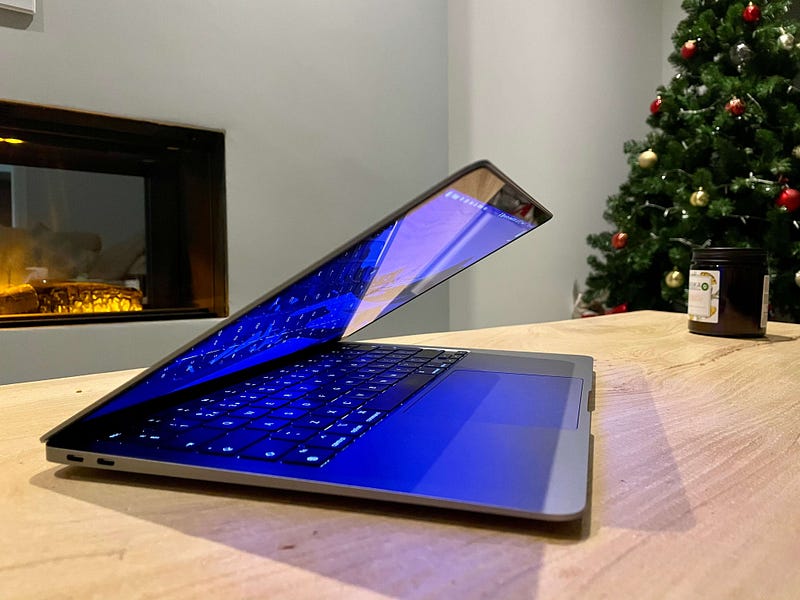
Image courtesy of author

“eBay is flooded with MacBook 16,” said one comment on my 5 things I’ve learned about the 16" MacBook Pro video.

I’ve not been on the world’s largest second-hand marketplace to check this claim, but he may well be right.

However, I won’t be selling mine just yet — even after having used this M1 MacBook Air for a week and being more impressed by it than any other computer I’ve ever owned.

There’s one very good reason for not letting go of the 16", which I’ll get onto later, but first, here’s a completely random list of the things I’ve discovered after a little over a week with the M1 MacBook Air.

The battery is legitimately amazing

I’ve not done any scientific tests or benchmarks with this. I’ve not even bothered to look at the battery performance stats in macOS (naughty reviewer, right?). As always, I’m far more interested in how this device feels.

The M1 MacBook Air feels iPad-like when it comes to battery life. It is no longer something I worry about. That’s the easiest way to describe it. I know it needs charging occasionally, but not to the point where I fear for my productivity life whenever it hurtles below 50%.

However, it’s the standby time which is most impressive for me, and which doesn’t appear to get much coverage. It just doesn’t seem to budge when left closed overnight on my coffee table. Again, I’ve not done any kind of technical comparison with this, but I swear it never loses a percentage point, battery-wise when left dormant.

The battery life is as brilliant as everyone says it is, and it genuinely makes a difference to the impact the device has on your life — more than any other feature, in my book.

I’ve not tried to run any iOS apps… ’cause this is a Mac

You can, apparently, run iOS apps on these M1 Macs, relatively easily.

I haven’t bothered. And it’s for the same reason I haven’t attempted to run Windows on it or shoehorn Linux into its Apple internals.

It just feels utterly pointless and primed for disappointment.

This is a Mac without a touchscreen. I’ll wait for iOS apps I yearn for on this platform (there aren’t any) to become properly available. There’s a reason most people who have tried iOS apps on an M1 Mac have been disappointed with the results.

I’ve had zero software problems

Here’s a list of the non-Apple software I use on this machine:

  • Fantastical
  • Chrome (occasionally)
  • Spark email client
  • Omnifocus
  • Toggl
  • Teams
  • Trello
  • Slack
  • Ulysses
  • Word
  • Excel
  • Photoshop
  • Lightroom
  • Day One
  • Twitter

Now, if truth be told, I don’t know how many of the above are M1-native, but I know many are running through Rosetta 2.

They all work flawlessly. Even Microsoft’s stuff.

However, I still don’t really understand why we have to manually install Rosetta 2 — even if it’s a one-time affair. Why isn’t it included in the macOS install by default? It’s not big deal, but it just strikes me as odd and a little bit too ‘behind baseball’ for Apple.

8GB vs 16GB appears to be the main talking point

My recent M1/Intel test revealed that the M1 with just 8GB RAM struggles when given two relatively taxing concurrent tasks. It surprised me. But it didn’t surprise others, as you’ll note in the comments.

The more these machines are used, reviewed and pondered upon, the more we see articles comparing the RAM options and providing buying guides centred almost entirely on that topic.

However, I tend to agree with some analysts who believe we’re heading for a ‘RAM-less’ future where that part of the Mac’s internals is simply abstracted away. Let’s be honest, that’s nearly always been the case with iOS devices; we only know how much RAM they have because of Geek Bench. Apple doesn’t think we should care.

I don’t.

The 8GB in this Air I’m typing on right now is ample for 95% of everything I want it to do. It never feels hamstrung, underpowered or ‘lacking memory’. That in itself means RAM has pretty much been abstracted away from my daily workflow — but it’s also why I still use my iMac and 16" MacBook Pro.

Put simply, if your workflow doesn’t require sustained, intensive workloads, an 8GB M1 laptop is absolutely fine.

I’m not sure what the lack of that single graphics core means

I purchased the base spec M1 MacBook Air with the 7-core graphics.

I don’t know what’s happened to that other core, or why Apple deemed it necessary to remove it if you wanted the cheapest iteration of this machine. But I don’t think I miss it. At all.

A case in point; this Air flies through 4K video editing and rendering in Final Cut Pro. And it’s absolutely stunning in Lightroom, which isn’t even running natively for the chip.

The Lightroom performance is one of the highlights for me, actually. It is no different whatsoever to the £3,500+ 16" MacBook Pro on which I normally edit my photos. Yikes.

The lack of a new design doesn’t matter

It doesn’t. I’d like smaller bezels too. But the Air is still a beautiful machine and an iconic design.

I miss four ports

I really do.

It’s amazing how quickly you get used to four ports on the Pro laptops, if nothing more than for the simple convenience of being able to plug the charger in on either side.

Thank god for that battery life, right?

It has replaced my iPad Pro

I’ll be exploring this a little more in future articles, but I no longer pick up my iPad Pro with magic keyboard for writing duties or light work. I also doubt I’ll bother taking it out and about with me when working from coffee shops. The iPad Pro, for me, has returned to ‘media consumption’ status.

That makes this M1 MacBook Air an iPad Pro replacement. Kinda ironic, right?

….but why won’t it replace my 16" MacBook Pro?

So, the rub, as they say; why am I not throwing my 16" MacBook Pro onto eBay now that I have this little monster of an M1 Air?

It’s mainly because I spent so much money on the former. It was an investment for my business, and one from which I intend to wring every ounce of value. It’s still blisteringly fast (despite the fan noise and heat), and has one huge advantage over the Air: that 16" screen.

It’s big, cumbersome and heavy, but the 16" MacBook Pro’s screen is important for video editors like me. It’s too big to be a portable writing device, but that’s where the Air slots in nicely. And yes, I know not everyone has the resources — or inclination — to have two laptops, but for my business, it works brilliantly.

And, regardless, my next Apple Silicon-powered Mac is going to be an iMac.

Join the gang and get early access to my content: https://markellisreviews.ck.page/newsletter

Originally published at https://markellisreviews.com on December 7, 2020.

Technology
Apple
Productivity
MacBook
Tech
Recommended from ReadMedium