
Listing your Medium Stories using the MPP download data
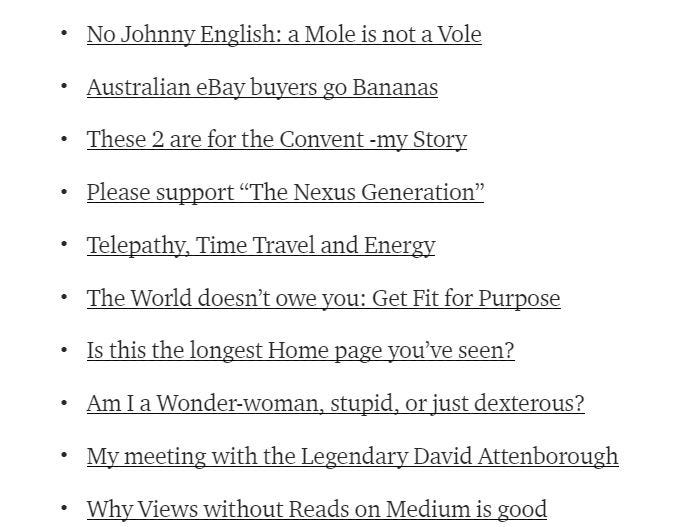
It’s a good idea to provide a straightforward list of your Medium Stories for your Readers or Followers, e.g. on a monthly basis (perhaps after an initial list which will be longer if you have Stories over more than a month ago).
This is because someone visiting your Medium Profile page may be curious and wonder who you are and/or what you write about, and start scrolling down your page.
A Medium Profile page has infinite scrolling which means you can scroll down, it seems, to infinity and beyond. In reality a person can just keep scrolling until she/he gets to the end, which is the first Story that you ever published on Medium!
If you want to provide an index or a list of your Story Titles with links to the actual Stories, this article explains how. 😃
To have a look at my List that I produced eight months after signing up with Medium, go to the page below.
If you are not a member of the MPP: Medium Partner Program
COPY & PASTE: You can copy all the information from your Profile page (“wall” or “Timeline) in one swoop — to the limits of the scroll bar, and paste all into a Medium draft Story, but then you will have to TIDY UP by removing the un-wanted bits. Also, if you have hundreds of stories, by the time you get around to doing this, you may need to copy just what’s available to copy, and keep scrolling down, to get the rest of your Stories!
If you ARE a member of the MPP: Medium Partner Program
The other way is to use Medium’s download function, with or without some tweaking. This way is MUCH faster than the method above, and an asset if you already have a large number of Medium Stories to list, as did I, with 126 Stories!
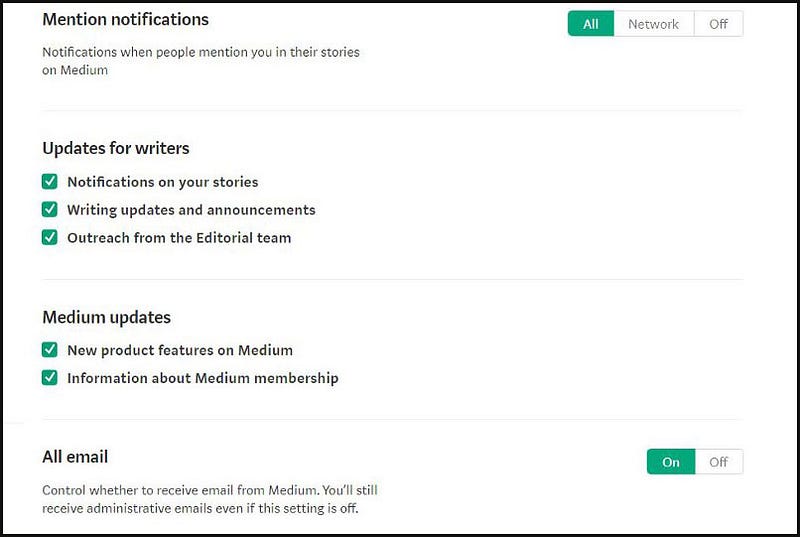
Note, first make sure that you have configured your Medium settings to receive email notifications from Medium.
You can do this, or check it has been done, by going to your Settings (by clicking on the little round picture at the top right- which is your Avatar or icon that represents you) then clicking on Settings, then click on Email Settings on the left.
Scroll down to Medium Notifications and tick all the boxes.
You can download, i.e. save a zipped folder of some of your Medium content by going to your Settings then clicking on Account, or scrolling down the Settings page to get to “Download your information” as shown below.

Click on “Download.zip”. You will get a message saying that your content will be organised for downloading and you will receive an email when it is ready.
It should not take long for your download to be ready (usually around 5 or 10 minutes, but longer if you have a lot more Stories than 126 that you have published to date on Medium).
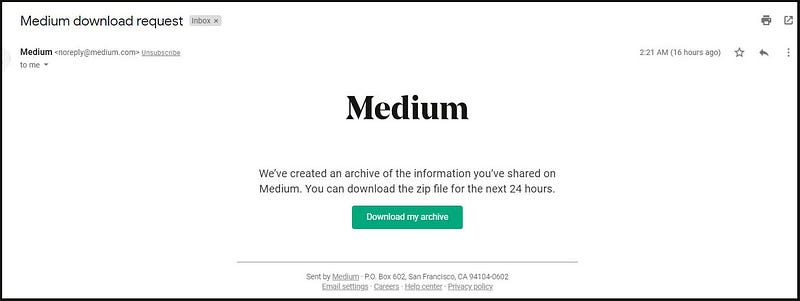
You will receive an email like the one below. Click on the green button “Download my archive” and select a suitable Folder/Directory to save your zipped data to (but don’t save it to your computer’s Desktop because that is an area of your computer subject to deletion of data stored there).
After saving the zipped file “medium-export.zip” you can double click on it to open it, and you will see something similar to below.
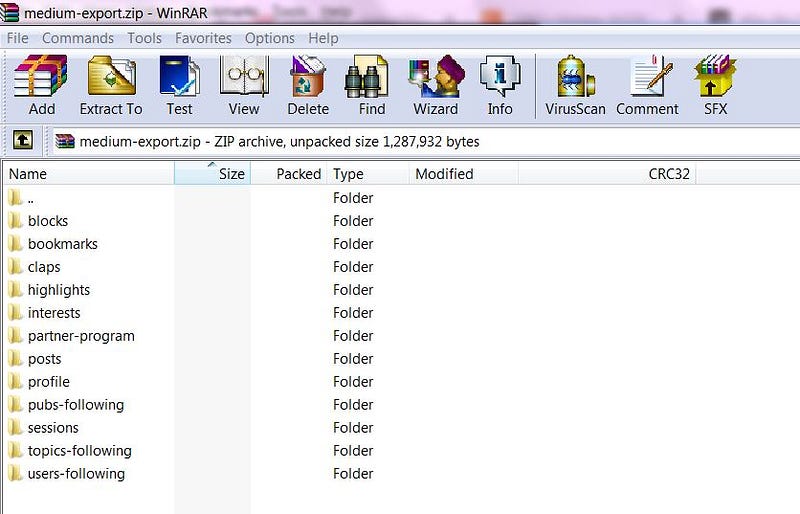
I have explained in the very long article below what all the above are, under the section titled “DOWNLOAD OR SAVE (EXPORT) YOUR MEDIUM INFORMATION.
For the purpose of this article you are reading now, I am going to point out to you that the “partner-program” folder is the one to tweak or use, to produce your handy list of your Medium stories!
Let’s pretend you have started on Medium at the beginning of June and it’s now the beginning of July.
Clicking on the partner-program yellow Folder in your downloaded File will bring up one page (or more) which you can click on to bring up a list of all your Stories written and published by you (whether in Publications or “self-published” i.e. on your own Medium Profile page/”timeline”).
If you are in the Medium Partner Program (MPP), next to each Story Title will be the earnings to-date for the story! An example (of some of my data) is shown below.
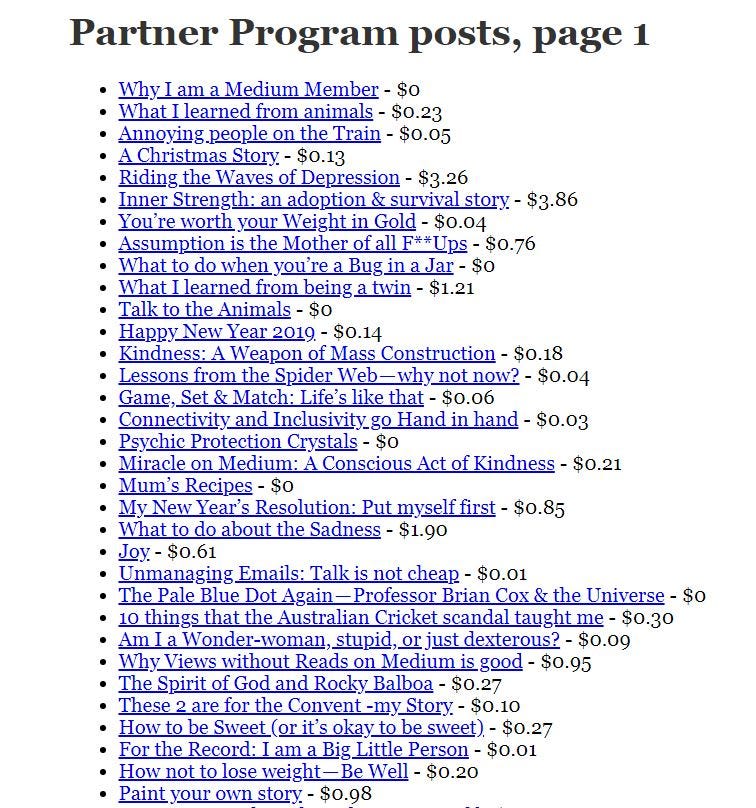
If you want to, you can visit my Story below and scroll down the (long) page (sorry) until you see DOWNLOAD OR SAVE (EXPORT) YOUR MEDIUM INFORMATION and you will see explanations of all of the data (including the “partner-program Posts” that the DOWNLOAD function provides).
Download your own information and double-click on “partner-program” in your zipped file, then double-click on “posts-0001.html” or similar. 😃
You can then just highlight and copy all of the information (story titles) from the partner-program Folder and simply paste them into the body of a new Medium Story.
If you DON’T want your earnings shown, sorry, but you will have to go through the list and manually delete them. 😒
Alternatively, leave them there if you don’t mind people seeing them. Note: you may have more than one page of Stories in your partner-program folder.
Personally I will be removing my earnings for my Monthly Story Updates, not because of privacy reasons (not wanting people to see what I earned) but because it looks neater without the dollars and cents and I want a “clean” list just showing Titles and that’s all. 😃
So, because I am fussy (rather than not wanting to show my earnings, which after all, are like a “badge of honour” to show if I wanted to), I laboriously went through and manually deleted all the earnings from my Stories, and there were a lot of Stories I did this for, because I started writing on Medium in November 2018.
It took me about 10 minutes to delete/remove the earnings next to each of the 126 Story Titles. Even so, I think that it would have take MUCH longer if I had copied and pasted or typed in every Story Title then gone through all of them and tidied up by removing un-necessary and not nice looking copied stuff.
Handy tip: I have written lots of instructions about how to work with Medium, which you can find by searching upon “Celine Lai Medium” in the Medium main search bar.

Two Important Notes
You might think about copying your story titles from the “Posts” folder.
The Posts folder contains all your Medium Stories, BUT because “Stories” include all the Responses/Comments that you make on Medium (to other Stories) you can’t easily use the contents of that Folder for your Story Title list! You would have to laboriously manually delete all the Comments! (I wish Medium would not treat Comments as Stories.)
Also, this method of using your Downloaded information to copy and paste your story titles will not capture stories that you have not yet received payment for, so you will have to manually add in those story titles, along with the links to the published stories.
I hope that this instructional guide has helped you. Enjoy these Emojis.
😃 😺 👱 🐤 🌸 🐴 🏠 😃 😺 👱 🐤 🌸 🐴 🏠 😃 😺 👱 🐤 🌸 🐴 🏠
Thank you for reading this. You may be interested in a Story below.


