avatarZafar Ivaev

Summary

This article provides a guide on how to use the NumberFormatter class in Swift to represent numerical values in various styles.

Abstract

The article "How to Use NumberFormatter in Swift?" discusses the use of the NumberFormatter class in Swift to format numerical values in a more succinct and customizable way than using string interpolation. The author demonstrates how to instantiate a NumberFormatter and set its numberStyle property to different styles such as currency, spellOut, and more. The article also includes examples of how to use the NumberFormatter class with different values and how to change the currency symbol. The author concludes by providing a link to the official Apple documentation for more information on NumberFormatter and recommends checking out their other articles for more Swift learning resources.

Bullet points

  • The NumberFormatter class in Swift provides a more succinct and customizable way to represent numerical values than using string interpolation.
  • To use NumberFormatter, instantiate it and set its numberStyle property to the desired style.
  • The NumberFormatter class supports various number styles, including currency, spellOut, and more.
  • The currency symbol can be changed by setting the currencyCode property of the NumberFormatter.
  • The article provides examples of how to use NumberFormatter with different values and styles.
  • The official Apple documentation provides more information on NumberFormatter.
  • The author recommends checking out their other articles for more Swift learning resources.

How to Use NumberFormatter in Swift?

Represent numerical values the way you want

Photo by Luca Bravo on Unsplash

You don’t need to tell me how many times you have written something like this:

Using string interpolation is fine, but how do we make the previous operation more succinct?

Welcome the NumberFormatter class

Using NumberFormatter

Let’s instantiate a NumberFormatter and set its numberStyle property:

As we can see, we specified that we want a currency representation of our values.

Let’s quickly test some values:

We see the following printed in the console:
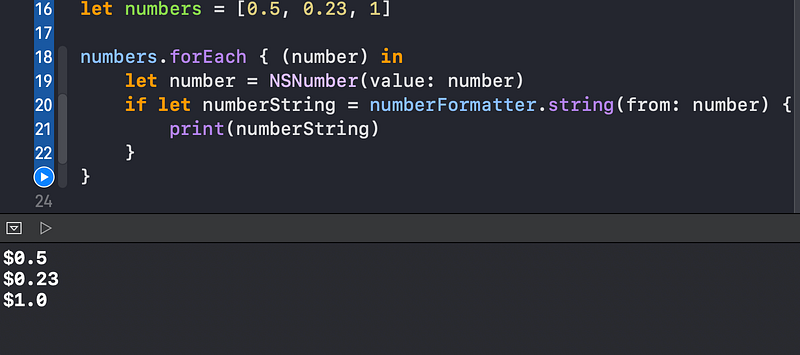
We can easily change the currency symbol to euro:

As a result we have euro values printed out:
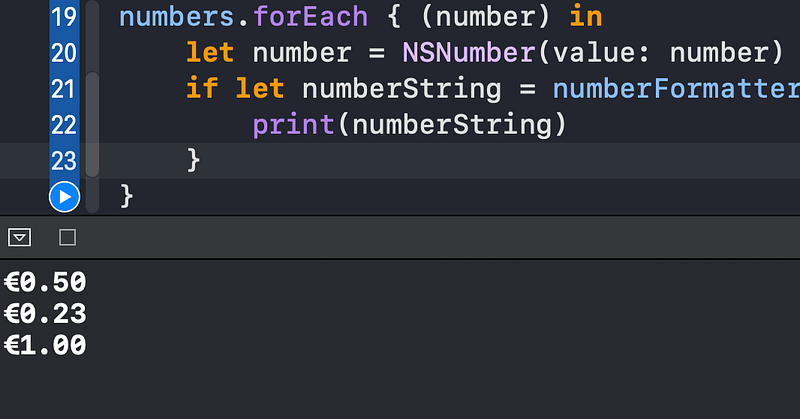
What is great about the NumberFormatter class is that it provides many options for setting our target representation type:
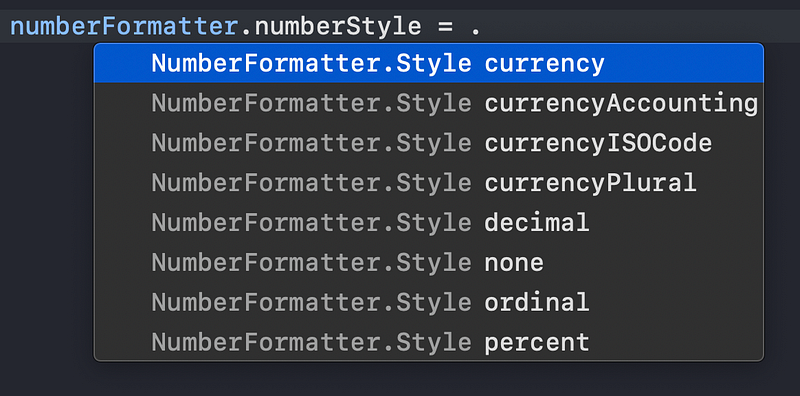
Let’s change the numberStyle to .spellOut:

So we have our numbers spelled out in the console:
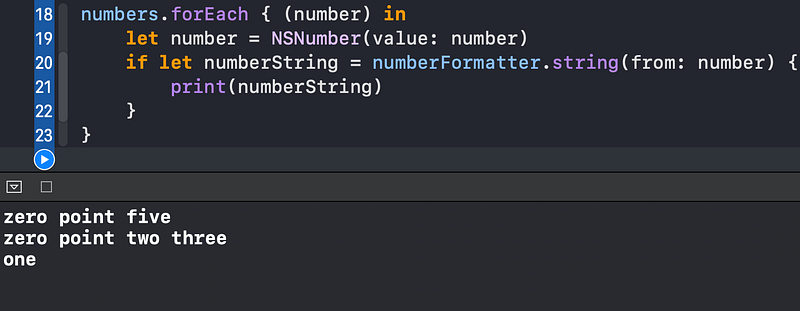
Wrapping Up

To learn more about NumberFormatter, visit the official Apple documentation:

Want to learn more about Swift? Feel free to check out my other articles:

Thanks for reading!

Swift
Programming
iOS
Mobile
Technology
Recommended from ReadMedium