
How to Send Form Data to Database and Validate with PHP
Form validation and database usage
Forms are one of the most essential elements involved in the web application.
May it be a registration page, an authentication form, or submission for feedback-the handling of form data somehow needs to be done.
In this tutorial, you would be taken through the steps involved in validating form data using PHP and submitting it safely to your database.
If you are not a member, you can access to full text here.
1. Setting Up the Form
Before diving into validation, let’s start with a simple HTML form. This form will collect a user’s name, email, and a message.
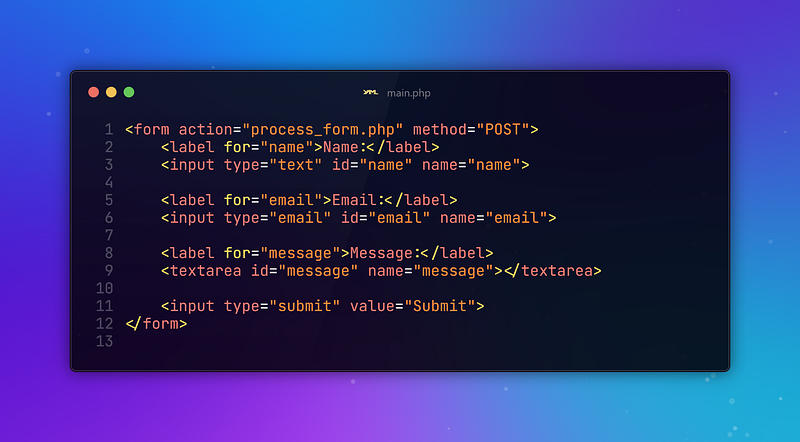
This form sends a POST request to process_form.php when submitted. Our next step is to process and validate this data in PHP.
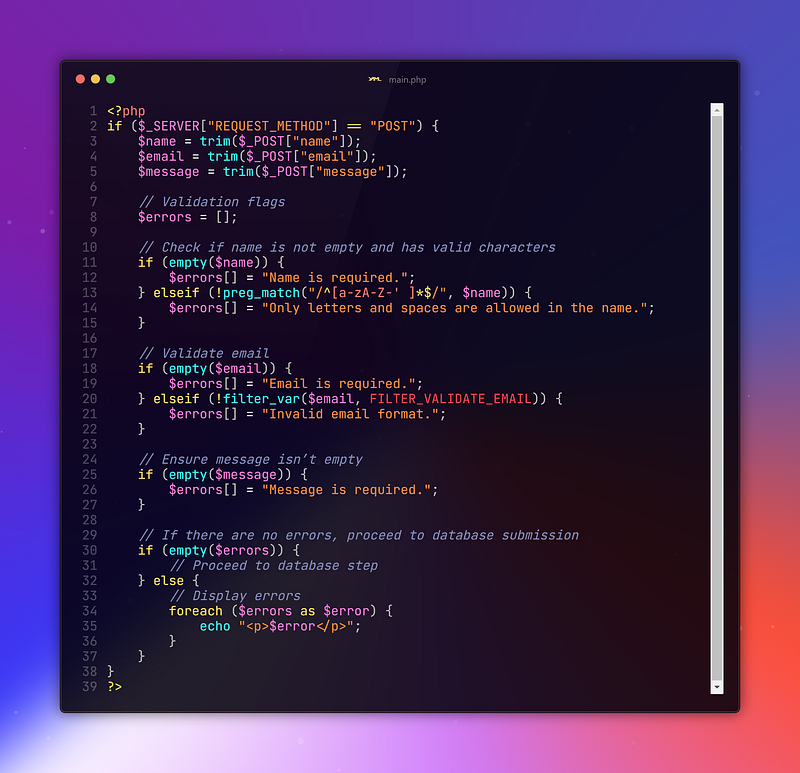
2. Validating User Input
Validation ensures that the data entered by users is correct and secure. Common checks include making sure fields aren’t left empty, ensuring the email is valid, and checking if the text entered is of the correct length.
3. Connecting to the Database
Once your form data passes validation, the next step is to store it in a database. We’ll use MySQL for this. First, establish a connection to the database.

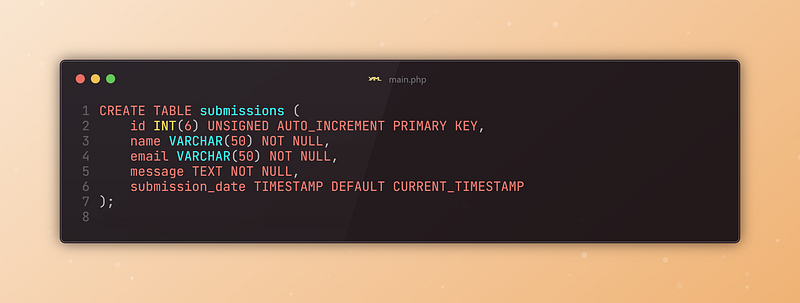
Make sure your database is set up correctly, and you have a table where you can store the submitted data. For example, here’s an SQL statement to create a simple table.
4. Preparing and Executing SQL Query
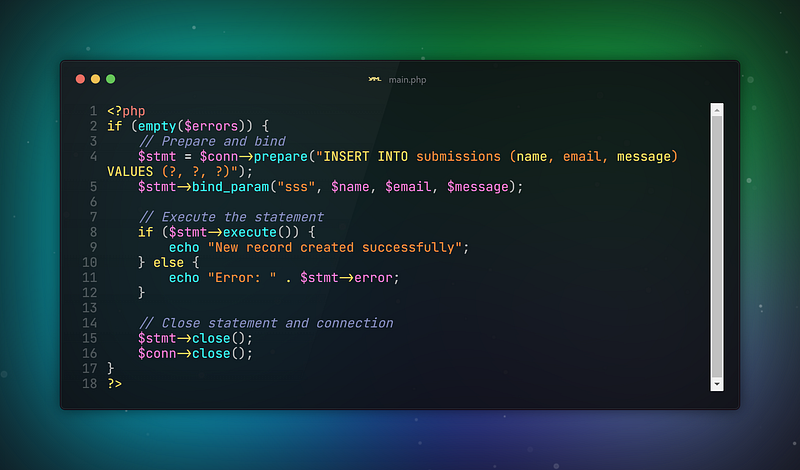
To securely send the validated data to the database, use prepared statements to avoid SQL injection attacks. Here’s how you can do this.
5. Security Considerations
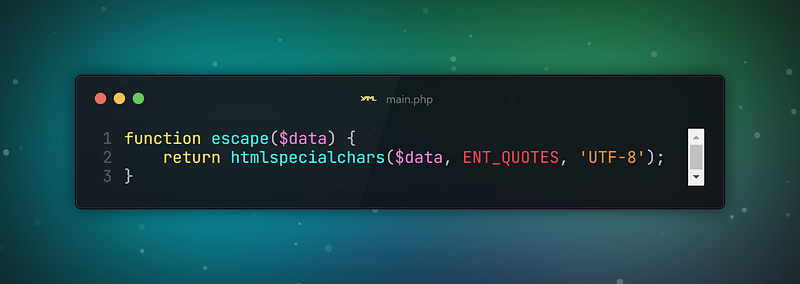
While the prepared statements already add a layer of security by preventing SQL injection, it’s important to ensure all data is sanitized and escaped before being processed. This protects against cross-site scripting (XSS) attacks. Use the following function to escape output when rendering form data back to the page.
Conclusion
Form validation and secure data submission are musts in any web application. This will let you ensure that users’ data is of the proper format and will safely be stored inside your database.
Really important to remember: Always clean and make sure the user’s data are valid to have an integrous and secure application.
Following these practices you will be assured of laying a very good foundation for the handling of user data in PHP, both in terms of functionality and security.
Have a wonderful day!
Stay connected, stay online.
Thanks for coming this far 🎉
- 👏 Could you please clap the story to help spread the article? (50 applause).
- 📧 Also you can subscribe my free newsletter.
You can reach me from the links below:
To access my other articles:


