
How to Make a Standalone Python Script
How to code outside of a “learn to code” site.

You’ve gone through the Codecademy and Dataquest tutorials on how to print “Hello World” and how to create a Dog class. Now you’re staring at your desktop wondering how programmers get this done without these sites.
Where does the code go? Is there a separate program I have to download onto my computer?
Actually, there is a code-ready app built into your computer.
Say hello to the “command line.”
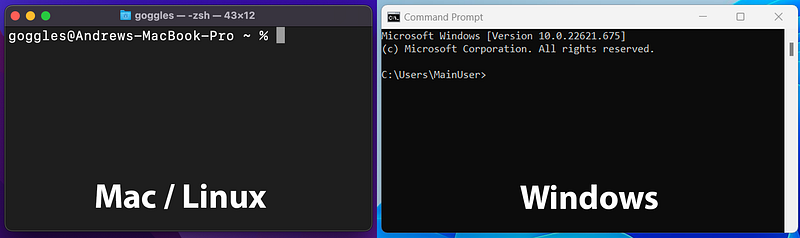
The command line is where all the software engineering and hacky computer stuff happens in the real world. It’s where engineers run scripts, manage their code, log in to databases and servers, use bioinformatics tools, and more.
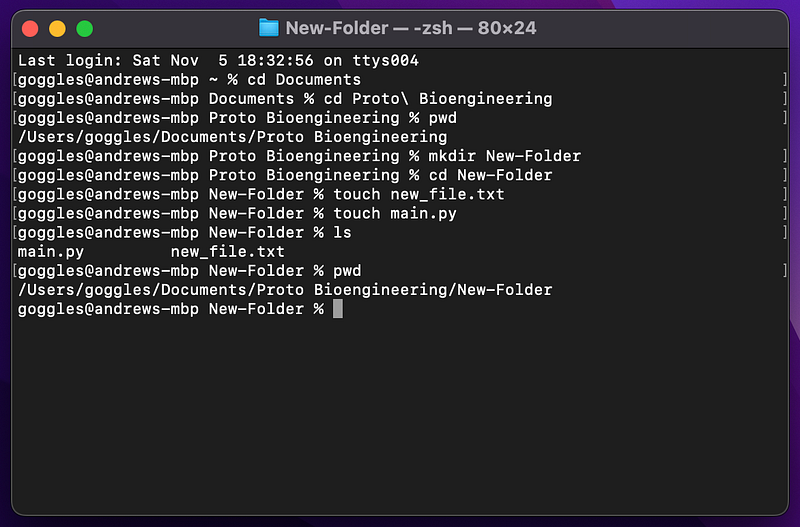
Everything that your computer does day-to-day, from starting Chrome to deleting files to downloading music, is actually done partially or completely by scripts on the command line, but hidden from your view.
When you click the Play button in a music app, little scripts behind the scenes do the actual work of downloading the music from a server across the world (e.g. a Spotify server) before sending sounds to your ears.
When you install a new app, scripts download the app files onto your phone or computer and arrange all the code into the right spots so that your device knows how to run the app.
All of the apps that you use are made of a bunch of files of code that are orchestrated largely by other code that is run on the command line.
How to Make Our First Python Script
To run a script on our own computer, we have to:
- Create a blank text file
- Put a few lines of code in it
- Save it as
my_script.pyor anything ending with.pyto tell your computer that it is a Python file. - Run it from the command line by typing
python my_script.pyand pressing the Enter key
It is that simple. Make a file, put code in it, and run it from the command line.
There are a few setup steps before that though where we have to install Python and a text editor. (The Python installation step can be skipped for Mac and Linux users.)
A Brief Pause: Why Install a Text Editor?
“Why can’t I write code into a Word document or .rtf file and run it?”
Word docs and RTFs (rich-text files) add fancy hidden characters in between your code. The hidden characters make the Word doc look good for reading and printing, but they mess up how the computer reads your code.
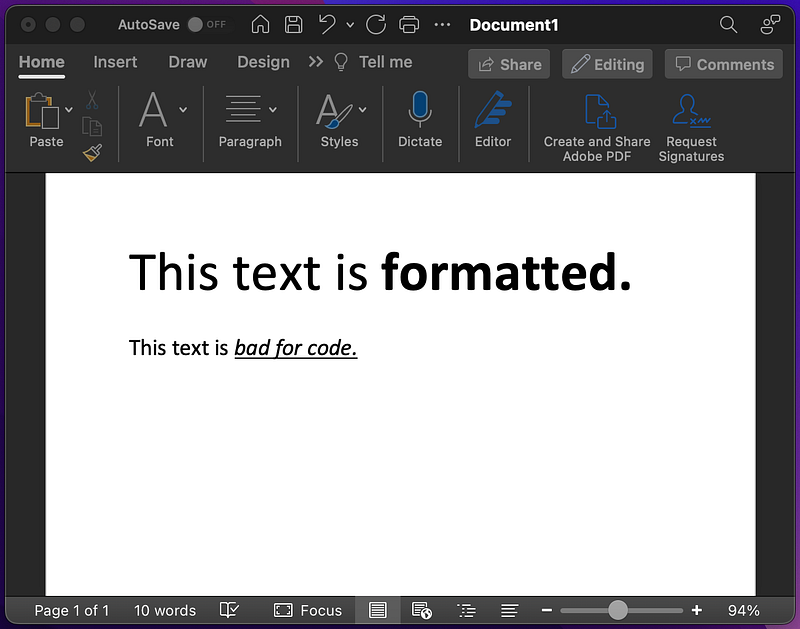
Text editors, however, don’t add hidden characters, and they have features that help make coding easier, like handling indentation and auto-completing common lines of code.
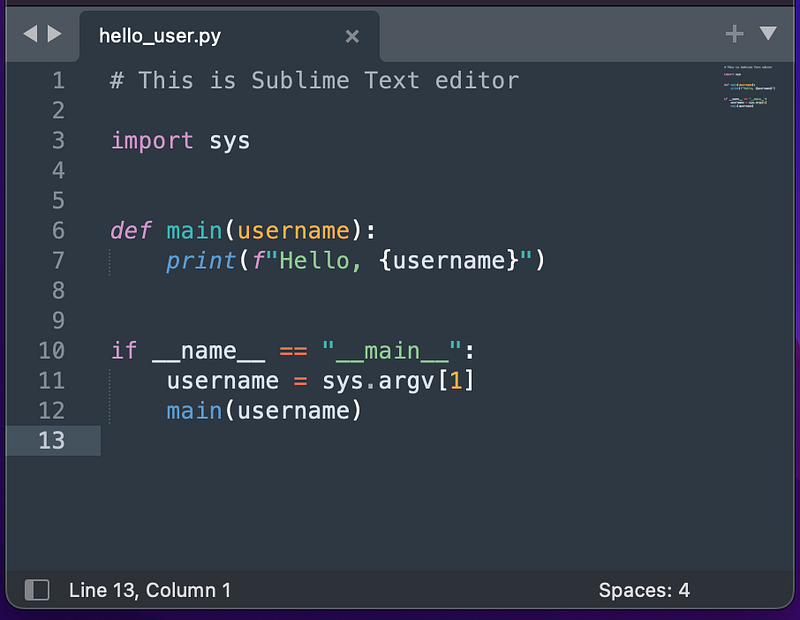
Some popular text editors include:
- Sublime (what we use)
- Notepad++
- Visual Studio Code
Windows vs. Mac vs. Linux
When it comes to writing Python code, there are a few differences between Windows, Mac, and Linux:
Mac and Linux
- Python is already installed
- “Terminal” is the name of the command line app
Windows
- Python needs to be installed (preferably version 3)
- “Command Prompt” is the name of the command line app
The names are a little different, and Windows doesn’t always come with Python, but the concepts of using the command line are all the same.
Back to Our Python Script: “Hello World”
We’re going to create a brand new file with some code in it, then open Terminal (Mac/Linux) or Command Prompt (Windows), and run it from there. We’ll refer to both Command Prompt and Terminal as “the command line” from here on out.
The steps for making a full script are:
- Download a text editor.
- Open the text editor with a new, blank file.
- Type
print("Hello World")on one line. - Save the file as
hello.pyin yourDocumentsfolder. - (the hard part) Use the command line to get to the Documents folder by typing navigation commands, then run the script by typing some more commands (for example,
cd Documentsandpython hello.py).
We’ll go through these steps in detail below.
For Real: Creating the Script from Start to Finish
Let’s start our Python script from scratch.
If you haven’t already, download a text editor, like Sublime, Notepad++, or Brackets.

After downloading your text editor, open it and create a new, blank file.
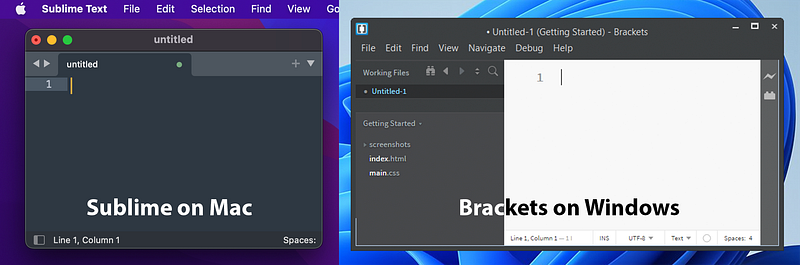
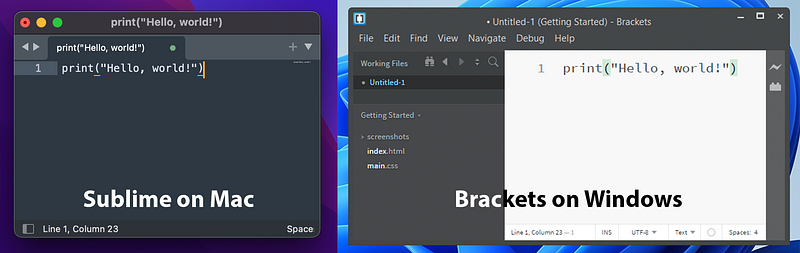
We only need to add one line to the file:
print("Hello, world!")The files now look like so:
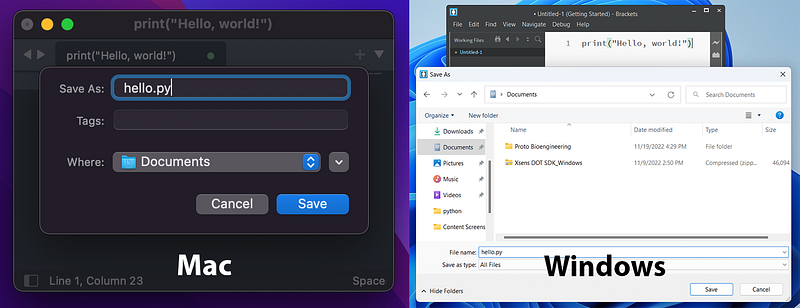
Save the file as hello.py to your Documents folder. It needs to end in .py so that our computer knows that it is a Python file. Other languages have similar requirements, like C++ files having to end in .cpp or JavaScript files having to end in .js.
Saving it in the Documents folder will make it easier to find later via the command line.
Next is the semi-tricky part, because it may be new to you. We have to use the command line to navigate to the file, then run it. This will only involve typing 2 or 3 commands though.
To do this, open Terminal or Command Prompt:
Next, navigate to your Documents folder via the command line, since that’s where hello.py was saved. If you opened a fresh Terminal/Command Prompt, you can type cd Documents to go straight to the Documents folder (cd means “change directory”)
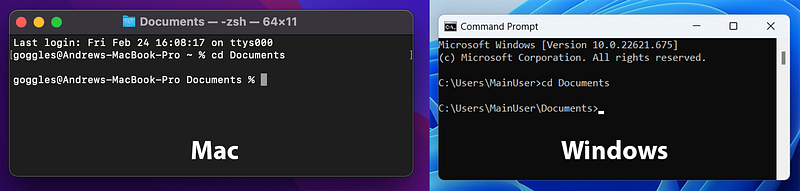
For more tips on using the command line, check these out:
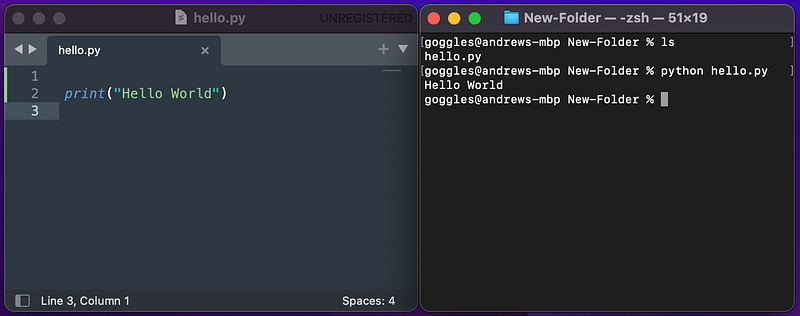
To run the hello.py script from inside the Documents folder, we type python hello.py and press Enter (or python3 depending on how Python was installed on your computer).
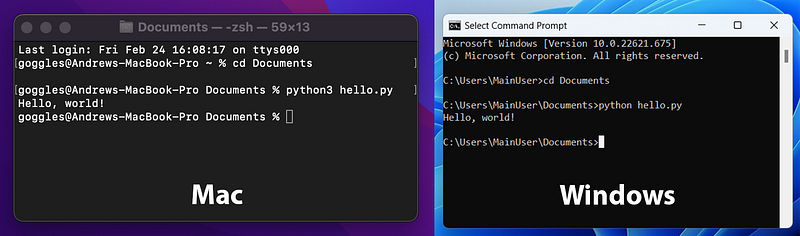
You can see our Hello, world! output on both Mac and Windows.
To reiterate, to run hello.py from the command line, we:
- open Terminal or Command Prompt
- navigate into the
Documentsfolder wherehello.pywas saved by typingcd Documents - run
hello.pyby typingpython hello.py
That is all that is needed to make code like an everyday software engineer.
Now What? Coding for the Real World
This is how most tech works: a bunch of files of code written by engineers that work together silently and out of the user’s view.
Websites? A bunch of files of code are running on a server somewhere, where one of the many scripts sends you a pretty user interface to click buttons that kick off other scripts on other servers and databases.
Robot arms? A bunch of files of code are running on some computer chip in the arm that is doing math at lightspeed to tell the motors in the arm to move to a precise angle and then give the wearer tactile feedback (though there is plenty of non-code and pure electrical engineering going on).
Data science? A bunch of scripts will open a data file or database, crunch some numbers, and spit out new numbers and graphs that say something about the data.
If you get so many scripts together and get them to coordinate activities, sometimes across the internet, you can build any of the apps that you see day to day. It’s not magic. It’s within your reach as long as you stay curious and put in the hard work.
Feedback and Help
If you have any questions or feedback, email us at [email protected] or message us on Instagram (@protobioengineering). Thanks for reading.
If you liked this article, consider supporting us by donating a coffee.
Related Articles
- GitHub for Biologists
- An Algorithm that Saved Biology and Shaped Modern Medicine
- How to Make Colored Country Maps in Python (TL;DR Edition)
- What the Heck is an API?
TL;DR (Too Long; Didn’t Read)
- Create a file named
hello.py, writeprint("Hello World")inside of it, and save it. - Open Terminal (Mac) or Command Prompt (Windows)
- Navigate to the
Documentsfolder by typingcd Documents - Run the script by typing
python hello.py


