
Medium Formatting
How to Insert a Code Block or Inline Code into a Medium Article
Utilizing Medium’s built in tools to embed code in your article
Medium offers a wide range of tools to help authors format their writing. If you are an author who frequently discusses coding or programming or are just looking to spice up the formatting of your Medium article, code blocks and inline code are invaluable tools.
Medium offers two main types of coding blocks:
- Inline Code Blocks
- Separate Code Blocks
What are Inline Code Blocks?
Inline code is great to use when you want to highlight a short snippet of code (for example: the definition of a function or the name of a variable) inside a paragraph.

How to Create Inline Code Blocks
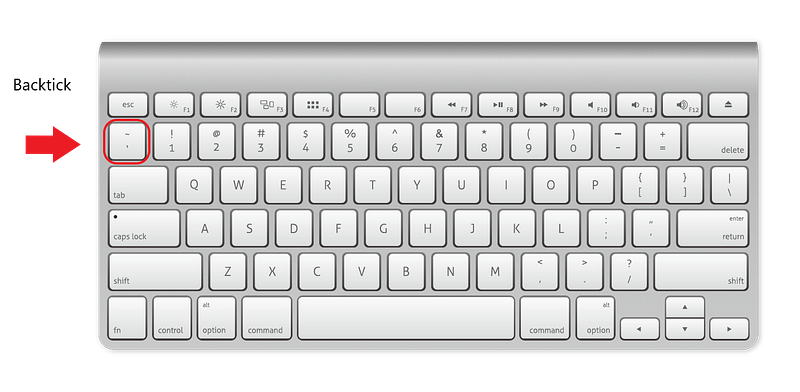
For inline code blocks in a paragraph on Medium, type a single backtick (`) to begin and end your code. Or highlight a selection of text and press the backtick key.

What is a Separate Code Block?
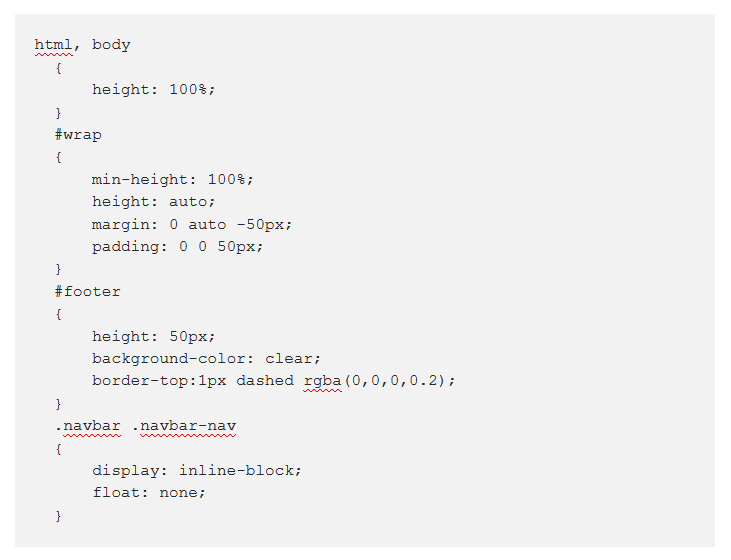
A separate code block is a snippet of code that functions as a standalone element which is not part of the standard article text. An example is listed below:
html, body
  {
      height: 100%;
  }
  #wrap
  {
      min-height: 100%;
      height: auto;
      margin: 0 auto -50px;
      padding: 0 0 50px;
  }
  #footer
  {
      height: 50px;
      background-color: clear;
      border-top:1px dashed rgba(0,0,0,0.2);
  }
  .navbar .navbar-nav
  {
      display: inline-block;
      float: none;
  }
Notice how the code can easily be copied/formatted and that it is not just an image of code, as seen below:
Code blocks were designed for code, but can also be used as a way to format snippets of information. For example:
Tip: Numbered lists cannot be continued if you try to insert an image in the middle of them. Alternatively, you can create numbered lists without using Medium's formatting (so that you can include images, for example)by excluding the space from after the period.or
Medium FAQs Answered
How Can I Improve My Medium Article Formatting?
Medium formatting can be improved through a wide range of tricks. Some of the most common are adding a kicker to your Medium article title, including custom symbols, improving the meta description of your article. How to Create Separate Code Blocks
To include a separate code block or snippet, type three backticks (`) into the editor followed by the text or code you wish to have in your code block.

Notes About Medium Code Blocks
- If you are not using a standard US English keyboard you may have issues as the backtick (`) on your keyboard may have another default function.
- Inline code cannot exist within headings, quotes, code blocks, or image captions.
- Smart text replacement is disabled within inline code. For example, when you type “<” followed by “3” and Medium creates a heart ❤.
- Medium inline code is “sticky” on the right, but not the left. In other words, when you type immediately adjacent to a piece of inline code on the right, the new text you type will be absorbed into the inline code. On the left, it won’t.
- The blinking cursor doesn’t always reflect stickiness correctly at the edges of inline code.

Thanks for reading this article! Leave a comment below if you have any questions. Be sure to sign up for the Blogging Guide newsletter, to get the latest tips, tricks, and news about writing on Medium and to join our Facebook group, Medium Writing, to share your latest Medium posts and connect with other writers.
If you liked this article, here are some other articles you may enjoy:

Casey Botticello is a partner at Black Edge Consulting. Black Edge Consulting is a strategic communications firm, specializing in online reputation management, digital marketing, and crisis management. Prior to founding Black Edge Consulting, he worked for BGR Group, a bipartisan lobbying and strategic communications firm.
Casey is the founder of the Cryptocurrency Alliance, a Super PAC dedicated to cryptocurrency and blockchain advocacy. He is a graduate of The University of Pennsylvania, where he received his B.A. in Urban Studies.
You can connect with him on LinkedIn, Twitter, Facebook, or by visiting his website, Blogging Guide.


