avatarNikhil Vemu

Summary

The web content provides a simple method for non-premium YouTube users to enable Picture-in-Picture (PiP) mode on iOS using the PiPifier app and Safari browser.

Abstract

The article outlines a straightforward approach to activate YouTube's Picture-in-Picture mode on iOS devices, a feature typically reserved for YouTube Premium subscribers. It explains that with the advent of iOS 15, a brief window allowed all iPhone users to access PiP on YouTube via Safari, but this was quickly reverted in subsequent updates. The author shares a user-friendly solution involving the PiPifier app, which can be downloaded from the App Store and used in conjunction with Safari's extension management to enable PiP mode for any YouTube video. The process is detailed in a step-by-step guide, emphasizing the app's privacy and ease of use. Additionally, the author provides tips for using PiP mode effectively and promotes related content and a Medium membership.

Opinions

  • The author expresses that YouTube's initial restriction of PiP mode to premium subscribers was unexpectedly lifted with iOS 15, suggesting a possible oversight by Apple.
  • There is an implication that Google may have been displeased with Apple's accidental enablement of PiP for all users, leading to its removal in later updates.
  • The author indicates previous methods to unofficially enable PiP were complex and discouraging, highlighting the simplicity of the PiPifier method as a significant improvement.
  • Trust in the PiPifier app is emphasized by the author, who assures readers that it collects zero data and is completely safe to use.
  • The author seems to appreciate the convenience of PiP mode, encouraging readers to explore its features, such as resizing and moving the video window, and enjoying content while multitasking.
  • There is a subtle endorsement of Medium as a platform, with the author suggesting readers sign up for

How To Unofficially Enable YouTube Picture-In-Picture Mode on iOS

The simplest way I’ve figured out
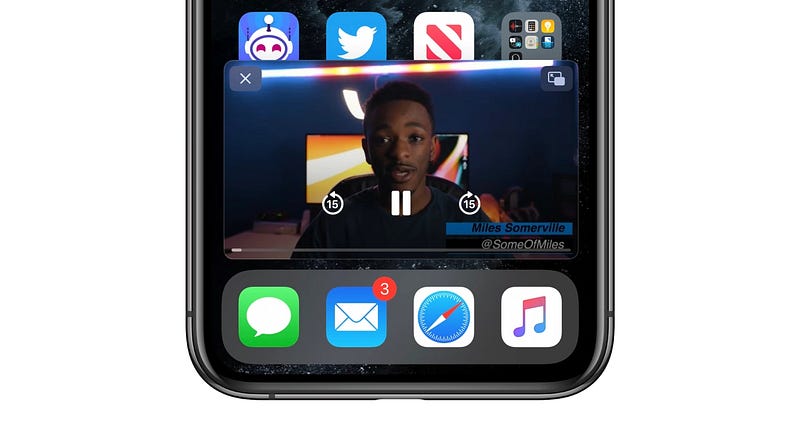
Image courtesy of 9to5Mac

Did you remember? YouTube has been offering PiP (Picture-in-Picture) mode only for premium subscribers.

But when Apple rolled out iOS 15, it accidentally allowed every iPhone user to have PiP on YouTube on Safari, regardless of they pay or not.

Google might have shocked. It might have told Apple this. And the next updates didn’t allow non-paying YouTube users to enjoy PiP. Uh-oh! You win Google…

Ever since, I’ve been trying for an unofficial way to enable it, but they’re too complex I stopped trying. But lately, I’ve found a really simple method.

Let me explain how you do it.

  • Download PiPifier, a free app on the AppStore. (Don’t worry, it collects zero data so is completely safe. After installation, you don’t need to open the app.)
  • Now, head on to Safari and click aA icon on the address bar.
  • Click on Manage Extensions and enable PiPifier.
  • Now head on to your favourite YouTube video on Safari. (If you use YouTube app, share the link to Safari.)
  • While its playing, click the same aA icon and tap on PiPifier.

Now observe the video instantly pop off from the webpage and play in PiP mode.
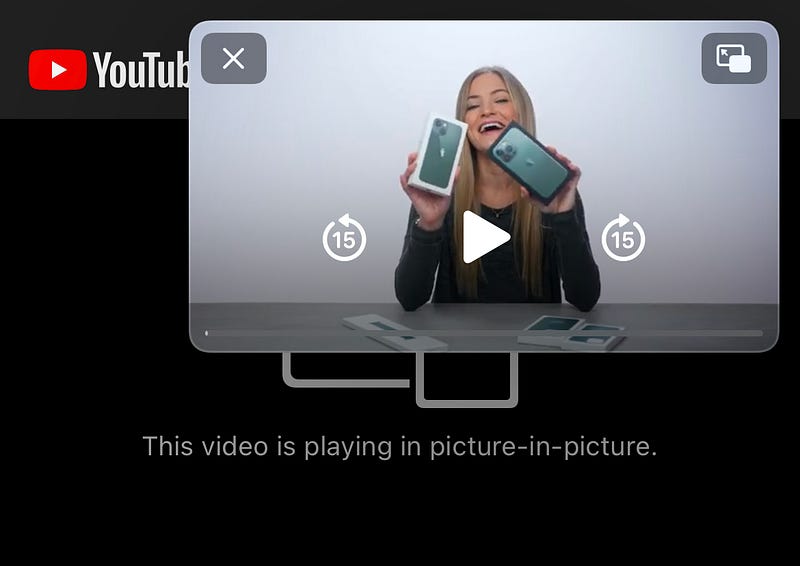
Screenshot by the author while watching this video

Don’t believe it’s PiP? Minimise Safari and see the video still playing! Keep doing whatever on your iPhone while still watching the video.

If you’re new to PiP, here are some tricks.

  • Double tap on the PiP video to enlarge or shrink it.
  • You can drag it towards any of the four corners of the screen.
  • Click the icon at the top-right corner to get the video back to its original slot.
  • Swipe the video towards its nearest edge to hide it and listen only audio. (Note the video still needs equal data to load.)

That’s it.

If you liked this story, you might also like:

Get notified via email whenever I publish. Join 60+ others!

Enjoying Medium? I know you do. To get unlimited access to all the amazing stories over here, Sign up now!

(It’s an affiliate link so I receive a portion of your payment, with zero extra cost for you.)

Technology
Mobile
Apple
iOS
Innovation
Recommended from ReadMedium