
How To Be Prepared For The Next Linkedin Downtime.
It will happen again. We know it will and we do not know when. So, it is a good practice to be prepared for it.

In life, shit happens. And when it does, we scramble for toilets and toilet paper. While this story is not about building our personal mobile toilets, we can bring our packets of tissue or toilet paper wherever we go.
As with all technology platforms and software, network outages do happen without warning. I consider myself one of the lucky few that escaped that Linkedin Black Swan event because it occurred when I was in Snoozeland.
While Linkedin is known for software stability and 24 / 7 availability, this is not the first time a pervasive outage occurred. The last incident was in January 2020.
I happened to be caught in that incident a year ago. I pooped in my pants because I invested an awful lot of time polishing my professional profile. I have also spent truckloads of time producing articles that advance my personal brand and Thought Leadership.
I learned to prepare for contingency from that incident. These are my methods: -
- Back-Up Our Profile.
- Save Our Long-Form Articles.
- Create Additional Modes of Communication.
I will elaborate on each of them in the sections below.
One. Back-Up Our Linkedin Profile.
If you have an All-Star Linkedin profile, congratulations. It means that you have taken time to painstakingly polish your professional credentials online.
And that also means you have invested a significant amount of time digging into your professional history, experience, awards & accolades, and writing them on Linkedin. The last thing you want is for that to disappear.
The solution here is simple. Use the “Save To PDF” function on our profile wall. The string of images below demonstrates how to do it.
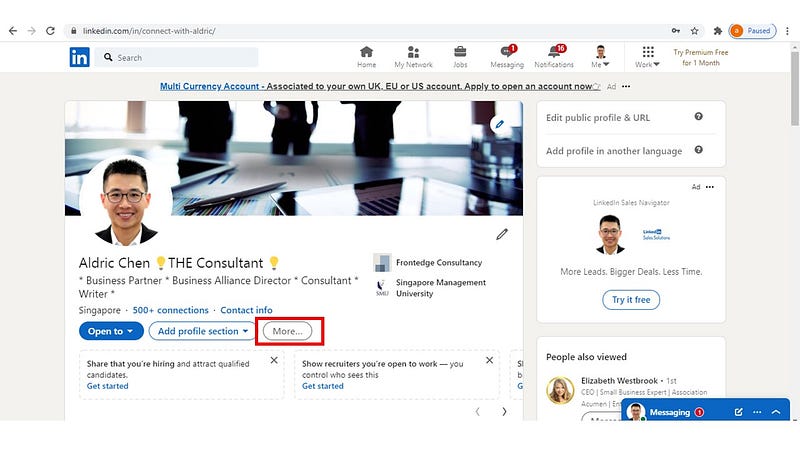
- First, log into your account using Linkedin on the Web.
- Go straight to your profile wall.
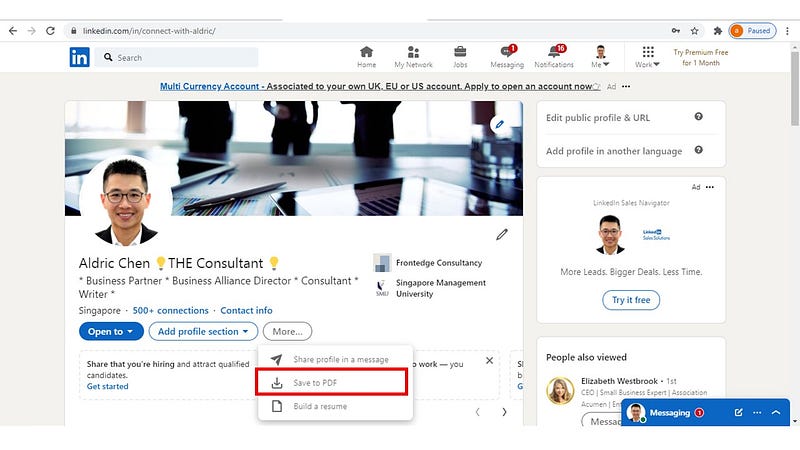
- Locate the “More” button at the profile summary. Click on it, and “Save To PDF” will appear as an option. Click on that option.
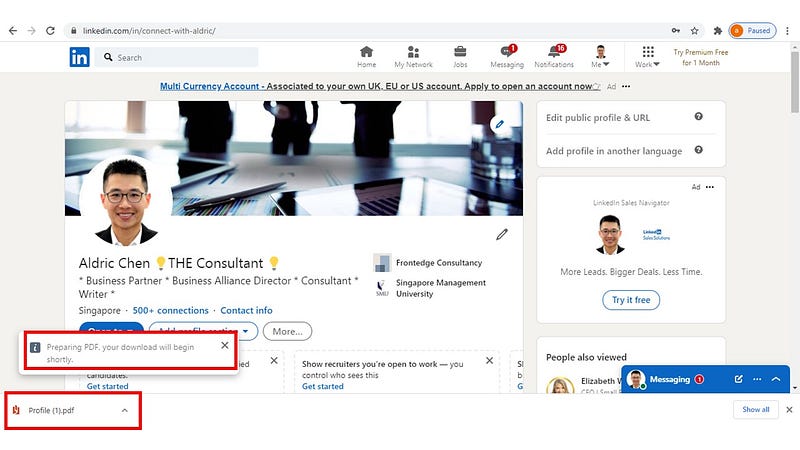
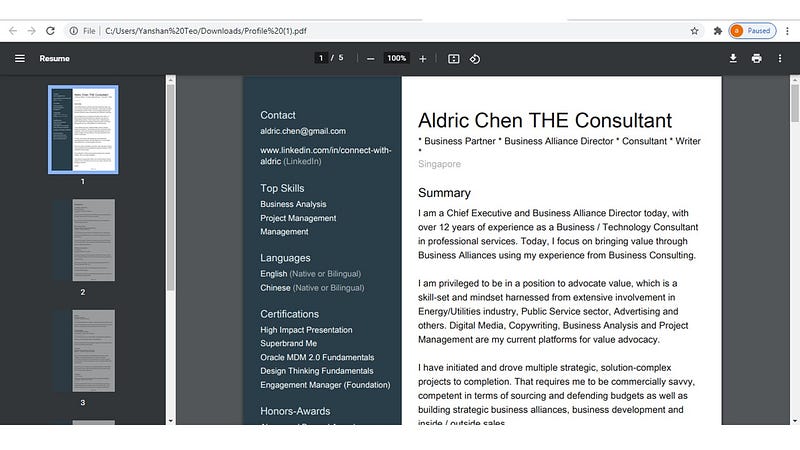
- Our profiles will be extracted and presented in a PDF format. Save a copy of this format.
Take note, the copy and paste keyboard functions (Ctrl + C for copy, Ctrl V for paste) can be used on the PDF generated from our Linkedin account.
If snippets of our profiles disappear after an outage recovery, go to our PDF profile copy, identify missing segments, copy and paste them into Linkedin. We save more time that way compared to rewriting from scratch.
In short — Remember to save a back-up copy.
Two. Save Our Linkedin Articles.
Articles, otherwise known as long-form content, serve a specific purpose on Linkedin. They propagate our Thought Leadership and push our profiles further to attract like-minded professionals to connect with us.
Hopefully, we get to enlarge the pool of people willing to do business with us.
When it comes to salvaging our articles, a simple copy and paste in Word Document will suffice. Save that Word document in our local drive or private cloud, so we can re-publish them if they disappear after an outage.
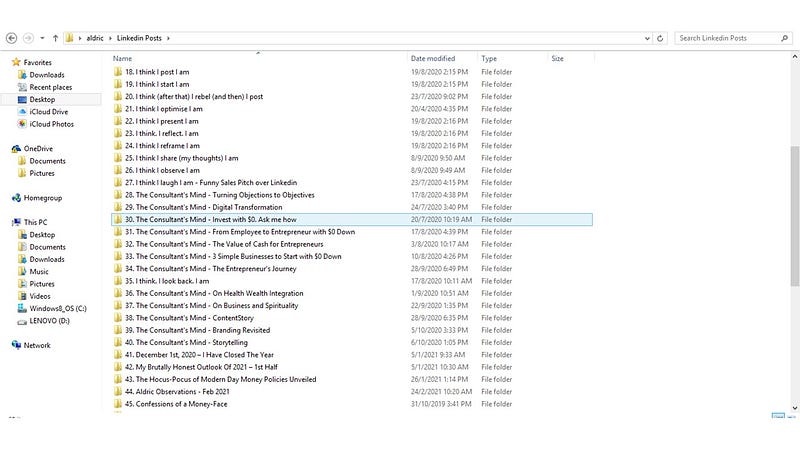
Housekeeping is always the right thing to do.
Three. Create Additional Modes Of Communication.
Direct messages, which are the communication channel we have with our connections, prospects, and clients, feed our business.
As such, I do not recommend having to rely on Linkedin as the sole communication channel.
This is what I recommend.
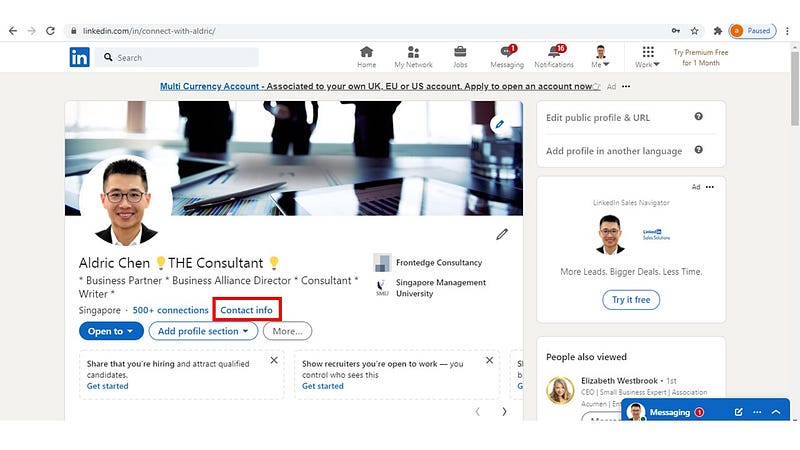
- Locate “Contact Mode” on your profile wall. Click on it, and a pop-up window will appear.
- Click on the blue pen icon on the top right corner of the pop-up window.
- Insert other modes of communication that connections can use to reach out.
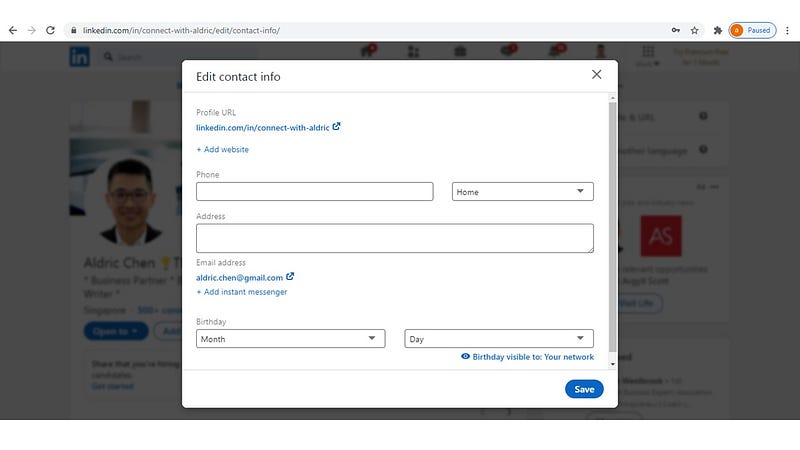
- Save it.
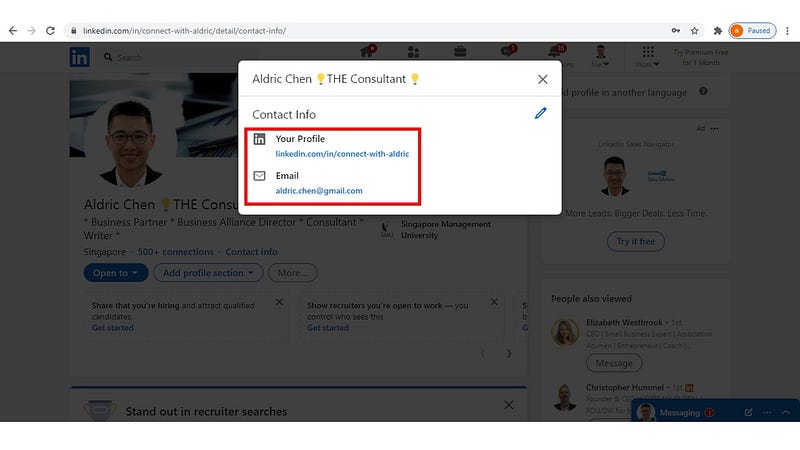
It will appear on your profile.
You can see that I included my email address for contact.
Another good practice I follow is to bring my connections closer to me via other direct communication modes. I will invite them for a Zoom conference call and then get additional communication mode from there.
It could be corporate emails or business phone numbers. I get to increase the number of communication modes from there, so I am not vulnerable to Linkedin outages.
Takeaway.
Inconvenience results from an inability to respond to the unforeseen. When it comes to the internet, wifi, software down-times, we will only know that it will happen. We do not know when it will happen.
Therefore, we have to be prepared for all eventualities.
We invest a significant amount of time polishing our Linkedin profiles and building our professional network there. Thus, our ability to respond to unforeseen circumstances can save us from a ton of heartaches.
These are the tasks that we can perform daily as part of contingency planning, specific to future Linkedin outages: -
- Back-Up our Linkedin profile.
- Save our Linkedin articles.
- Create additional modes of communication.
Contingency measures are necessary because they help us cope with the unexpected occurrence of events better.
Then at least, we would not worry that everything online disappears.
Well, at least we worry less. I hope. We cannot build our own mobile toilet cubicles, but we can carry packets of tissue paper around when we have to poop.
Shit Happens. Be Prepared.
Aldric
Related Stories from the Author.
About the Author:
As a content contributor, I write my observations from daily life and my business exposure.
Because our life experience is the bedrock of our unique perspectives.
As a Consultant by training, I believe in making the complex simple.
Because simplicity adds value.
And with clarity — We grow.
Follow me for my stories on Medium!
This is more “About Me”.