
Paid Ad Pro
Everything I Did to Lose a Monthly Ad Budget in a Day
Don’t repeat my epic failure while setting up your ads

If you ever decide to run Google Ads for your business, you’ll most likely start searching for some guides on “how to set up effective paid ads” or “how to avoid failures while setting up my first ad.”
I used to search for these kinds of tutorials as well when I started working with Google Ads a year ago. Do you know what the most hilarious fact is? It’s not easy to find a valuable read that shows you case studies of what others did to succeed or fail.
In the beginning, you don’t know if you’re going to win or lose, but once you’ve achieved results, you have the expertise to say what works.
I’ve experienced multiple wins with helping a client get more leads. I’ve managed to improve the keyword quality score from 3 to 7 and have reached up to a 33% click-through rate for some of my ads. But I’ve also failed a lot.
Failures can be the best teachers and the best way to succeed. Here is my biggest failure of a year: I spent a monthly budget in a day! Yes, you heard it right: My advertisement budget was $1,000, and it was exhausted within a day due to me not being fully aware of how a new bidding strategy worked.
Everything I Did to Lose a Monthly Ad Budget in a Day
Let me give you a bit of context to better understand my ad-campaign settings.
I used to run a few display ads for remarketing needs, the ones for specific audiences.
Display ads require daily attention, especially if the campaign has just been launched. Besides, it requires quite a bit of maintenance to eliminate poorly performing ad placements.
I had a campaign with only one ad group, which used to run for a few months and had already generated some statistics about conversions.
I used maximize-clicks as a bidding strategy, which implies that Google should drive as many clicks for my ads as possible while taking into account the maximum specified price.
One day, I’ve noticed a recommendation from Google Ads to replace my current bidding strategy with a target CPA (cost per action).
Since I knew a cost per one conversion, I decided to give it a try, and here’s what happened a few days after:
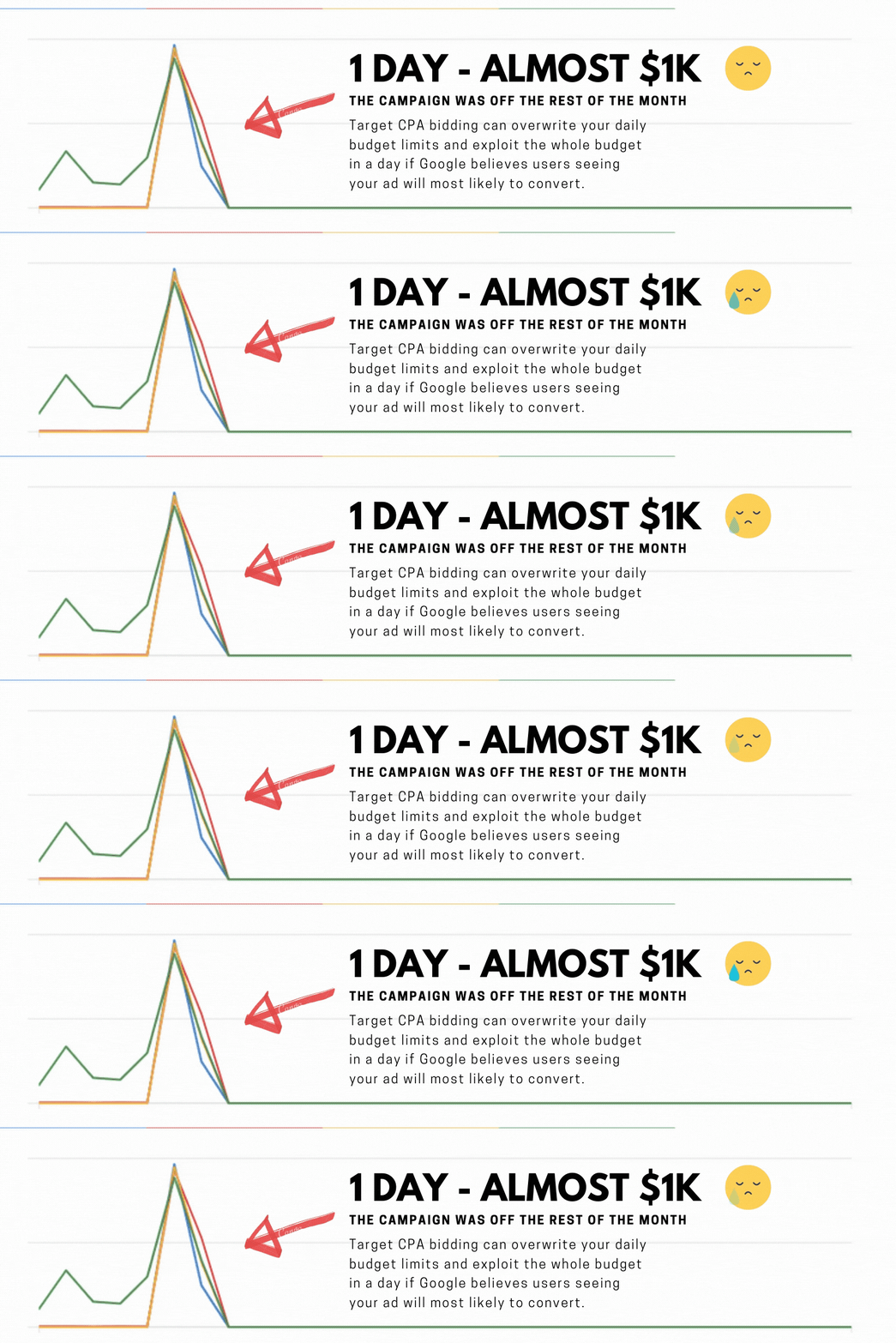
Some stats this ad generated for me:
- Ad CTR: 2.83%
- A visitor-to-lead conversion rate: 3.88%
The stats don’t seem bad, and the campaign generated quite a few leads to work with.
However, it consumed the whole budget right at the beginning of the month and had to be switched off.
Here’s what happened
I applied the target CPA for an ad, which tells Google: “Go ahead and use all of my money, but bring me users who’ll convert.”
The strategy implies Google can rewrite your daily budget limits and spend the whole monthly budget within a day if there’s a high chance to deliver conversions.
I wasn’t aware of this information before — besides, it’s not something other advertisers share online. To find out more on why it happened, when I had daily budget restrictions, I decided to chat with Google account managers.
Unfortunately, I didn’t save the chat screenshot, but the most important message from that conversation is the following:
“The target CPA bidding is a part of the smart bidding options offered by Google. It can indeed rewrite your daily budget settings and go over.
Google used to spend a maximum of 2 times more your daily budget for an ad while staying in line with your monthly budget. It is not the case for target CPA — it can go above 2 times if the algorithm figures out how to boost your conversion even more.”
This information made me think advertisers have to be very careful with their settings.
Takeaways
- If your account has conversion tracking and enough statistics, you can focus on acquiring clicks from users who are most likely to convert on-site. It’s a much wiser approach than trying to maximize clicks. However, the same settings might work differently for other advertisers. Before switching to new bidding settings or making significant changes to your current ad settings — discuss it with other specialists and look it up online.
- Even though the ad generated some leads for a company, their characteristics were different, which influenced the lead quality
- I used to have a pay-per-clicks option in the bidding settings. If you have more than 100 conversions within 30 days, you can choose to pay for conversions instead of clicks on smart-display campaigns that use target-CPA bidding.
- You’ll also need 90% of your conversions to occur within less than seven days after someone clicks your ad. If it often takes customers more than a week to convert after clicking your ad, then you won’t be able to pay for conversions. With e-commerce, it should work well, which might not be the case with B2B.
Remember these tricks when setting up Google Ads to keep your account healthy and running smoothly.
Interested in creating content people want to read? Grab my free guide “How to Discover Popular Topics For Any country In a Few Minutes.”
If you enjoy reading stories like these and would like to support writers on Medium, consider becoming a Medium member. It’s $5 a month, giving you unlimited access to all stories.