
How I Built a 4-Figure Website In 2 Years: Step-by-Step
An affordable method for content creators.
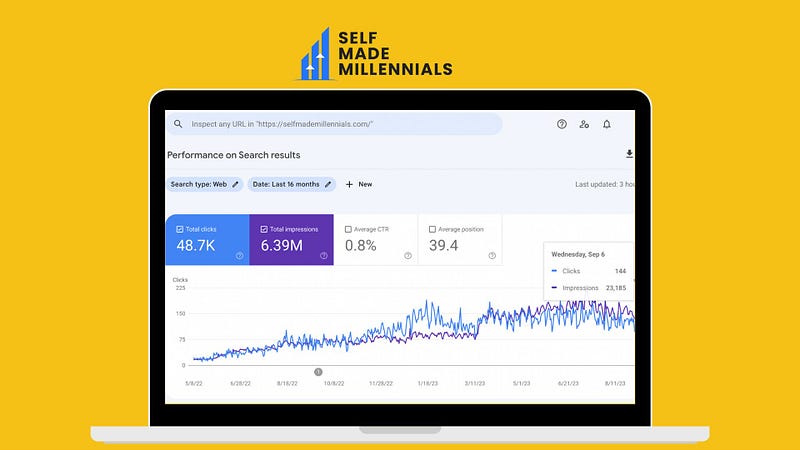
I’ve written a lot about my website's growth and performance. However, I have not written anything about how I’ve done it.
In particular, I’ve never shared how I created my website from scratch, what steps I followed, and what tools and strategies I used.
I’ve had an idea to write an ebook about it. But it will probably take some time since I have plenty of writing ideas.
One article on this topic is not enough, but I’ll try to explain the entire process step-by-step.
So, if you’ve ever wanted to create a website but did not know how, it’s your chance to learn from someone who’s launched, managed, and monetized a website alone.
1. Come up with a domain name
Surprisingly, this was one of the most challenging tasks for me.
I’ve spent a few months wondering how to name my website. I did not know the purpose of website creation. Initially, I wanted to create a digital environment for my SEO experiments. So, the website literally had no purpose. That was a mistake I don’t recommend anyone to make. Ensure to purchase a domain name when you know what your website should be about.
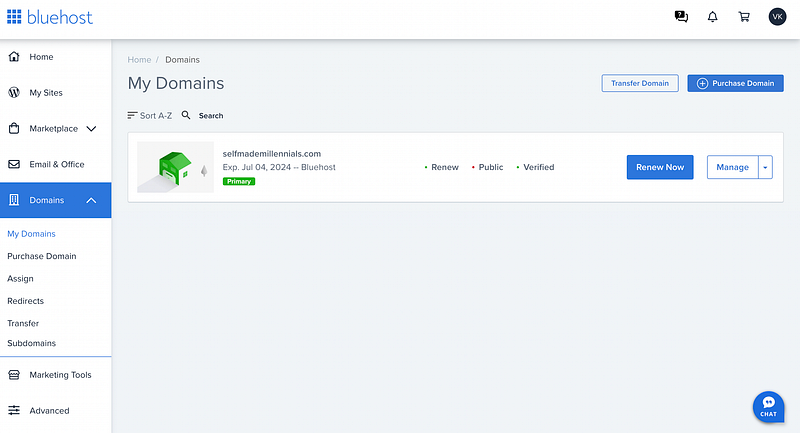
Eventually, I picked selfmademillennials.com, as a domain name for my website, perfectly describing my personal and professional journey.
I bought a domain name on Bluehost and received one year of free hosting.
If you want to check whether your preferred domain name is available, you can do it here.
2. Choose a hosting provider carefully
Even though I’ve had free hosting from Bluehost for a year, I had to find a better alternative.
The reason was poor website loading speed.
Bluehost provided me with shared hosting, an affordable solution for beginners. However, shared hosting means many websites reside on one web server connected to the Internet, adversely impacting page loading speed.
I could not find an honest review of what hosting provider to choose. That’s why I reviewed the ones in the top ten search results.
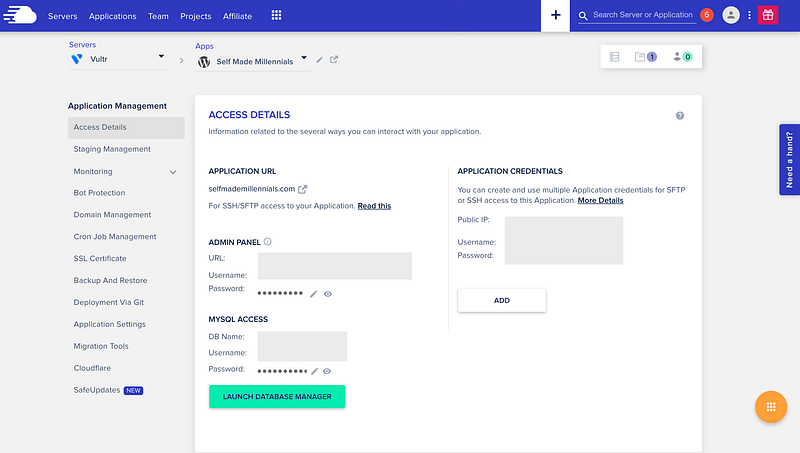
Eventually, I decided to go with Cloudways.
The hosting provider offered a 3-day trial without a credit card and a smooth transition.
I’ve seen a page speed improvement in those three days and decided to keep using Cloudways.
When I joined, my hosting plan was $13.50 per month. Today, I pay $16.50 monthly for a website with 68 web pages and roughly 6k monthly traffic.
I’ve never had issues with Cloudways. Moreover, their support team literally saved me when I accidentally broke my website.
3. Come up with a website architecture
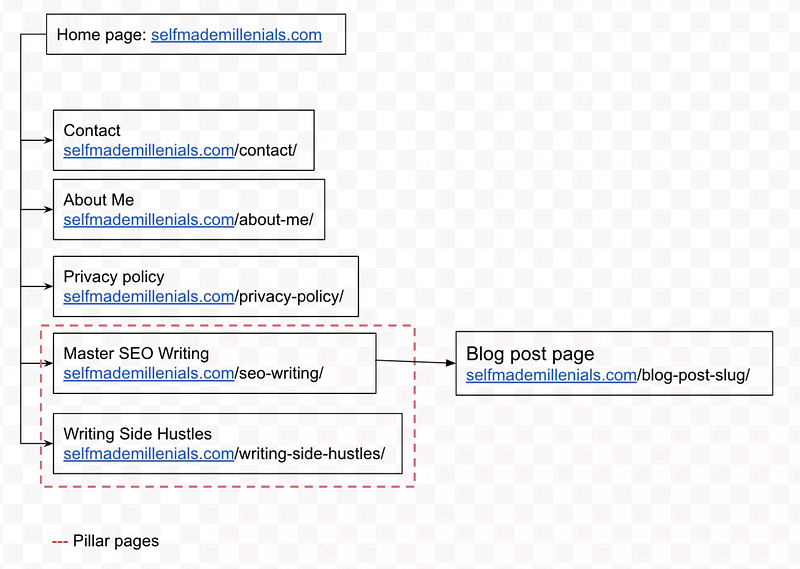
It’s a big mistake to launch a website without planning its architecture.
I strongly recommend thinking about your website categories and URL structure in advance.
Here is my first website structure draft, which I changed multiple times before launching my website. You can learn more about the website and blog structure here.
4. Choose a content management system
At this point, you must decide what platform will host your content.
There are many content management systems, such as the following ones:
- Wix
- WordPress (the most popular solution on the market)
- Shopify (suitable for ecommerce projects)
- Hubspot CMS
- Joomla
- Drupal
- etc.
I’ve worked with Wix CMS for a local hospital, which performed well. The website slowly got to the first search result page for the target keywords, and search ads worked well, too. However, I don’t recommend using site builders if you want to build and grow a solid business.
I chose WordPress for my website since it’s easy to use, and everything can be customized.
I used WordPress.org CMS, which you can download here for free.
There is also WordPress.com, a commercial service where you can host a website using a modified version of the WordPress CMS. You will have less control over this site, but it will be easier to set up.
5. Choose a design template
At this point, you must decide how your website will look.
Do you want to outsource website design and development or buy a design template?
I did not want to invest a lot at the beginning, knowing my website’s structure and purpose would likely change.
So, I bought one of the Blossom design themes and paid for the WordPress installation. I provided their developers with all the instructions on what web pages to create, the content for those web pages, the menu structure, the footer, the logo, and many other tiny details.
My website was up and running several days after placing the order.
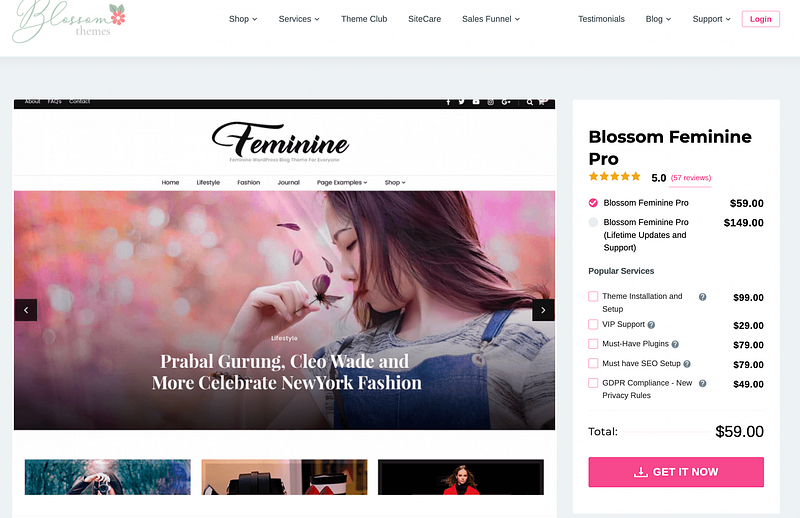
My website still uses this theme even though it looks totally different.
I improved the visual part in two years and fixed some technical issues. It’s a never-ending work, though.
Even though my website already makes me four figures per month, I have not decided to hire a professional designer yet.
The next step will be a technical SEO audit and fixing issues because the design template is imperfect. It has excessive JavaScript and CSS code, adversely impacting page loading speed.
After analyzing my website performance for some time, I've discovered many performance issues.
Honestly, I don’t know if well-optimized design templates exist at all. I am sure you’ll have to fix various technical mistakes after setting up a website.
These are essential steps to take before launching a website. Please don’t neglect them since you’ll likely have performance issues in the future.
What’s next?
When your website is up and running, you can start doing the following:
- Link Google Search Console, Google Tag Manager, and Google Analytics
- Check whether your existing web pages were already indexed by Google
- Unpublish/delete irrelevant web pages from your CMS
- Do SEO for a new website
I’ve grown my website relatively fast because I focused on easy-to-rank keywords with decent search traffic potential.
Besides, I prioritized keywords that could help me make money, such as “beehiiv review,” I’ve made $2,200+ from this web page by now.
If you are new to SEO and want to learn how to write blog posts that hit the Google front page, check out my ebook.
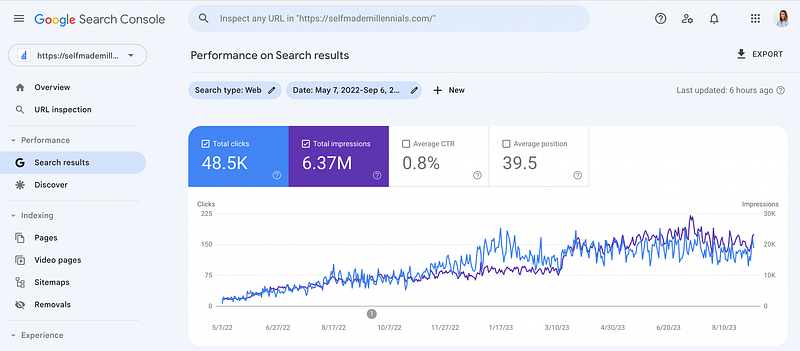
Here is how my website has been growing despite my managing everything alone:
In conclusion
This is a brief overview of what you must do to successfully launch a website.
Even though there are many details I could not cover in the article because it would have been too long, I wish I had such a guide when I started.
I spent several months searching for a suitable solution and eventually did it my way.
I am happy I did not fail despite the challenging journey.
Growing a website is usually a task for an entire marketing team, while I manage content creation, SEO, link building, and everything else alone. Most likely, this will be your case at the beginning.
Growing a website is not a sprint; it’s a marathon. Therefore, be patient and keep working on your website no matter what others say.
📖 Grab my guide to learn how I create blog posts that hit the Google front page.
📈 Want to learn more about SEO? Join my free email course.


