
HomeLab: Setting Up AdGuard ( or even Pi-Hole ) with UDM SE
Not the Perfect Answer, but One of Good Answers to set up AdGuard ( or even Pi-Hole with UDM SE )
Intro
Since the previous AdGuard setup, I’ve got some self-questions.
- What would happen if the AdGuard DNS failed to resolve DNS request?
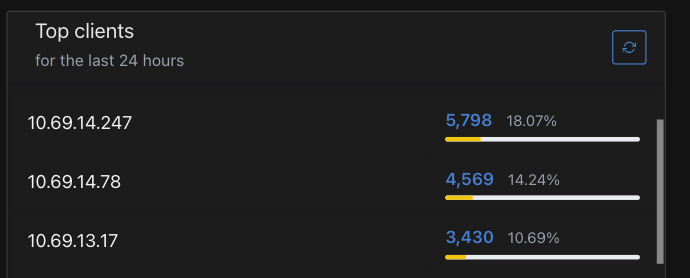
- Why the Host Name or the Client Name in UDM SE don’t show up in AdGuard Client list ( Why only IP )?
When I researched about them, I saw several other questions I didn’t think about. For example,
- Which DNS name servers should be set on UDM SE WAN ( Internet )?
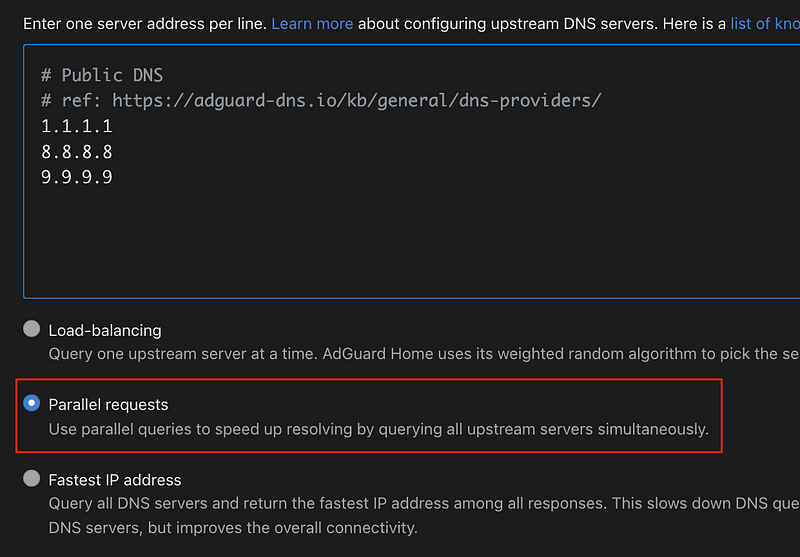
- What upstream DNS should be set on AdGuard?
- What DNS name servers should be set on Network ( VLAN ) on UDM SE?
Most of them are something that I’ve already set, but I got curious what other AdGuard user or Pi-Hole users do. ( So, I read about them. )
In this post, I will share the setting I use.
UDM SE ( Router ) WAN DNS
The Reddit posts I read used the word “WAN DNS”.
Interestingly, I was able to find more meaning posts in Pi-Hole Reddit community.
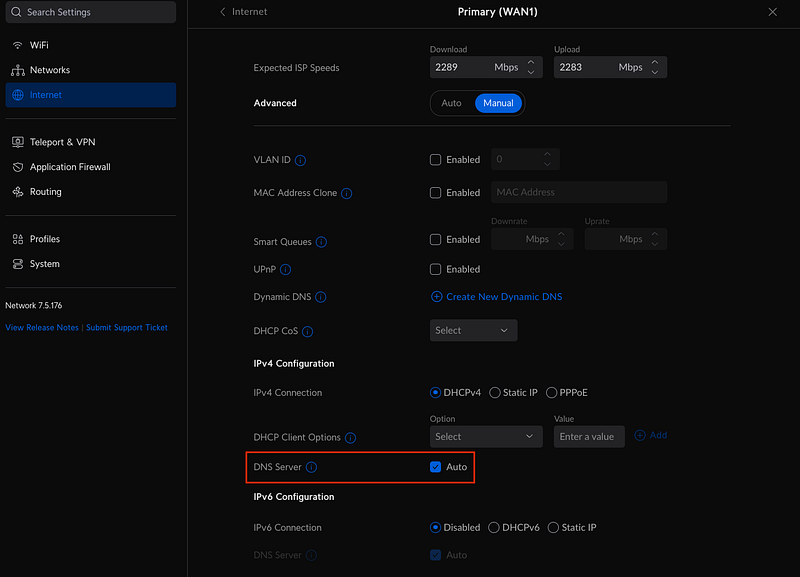
“WAN DNS” is the DNS name servers that are pused to UDM SE ( Router ) by the ISP while getting IP from DHCP.
In UDM SE, the pushed DNS name servers from ISP can be manually set by user. By default, UDM SE ( Router ) will use the DNS Servers from ISP.
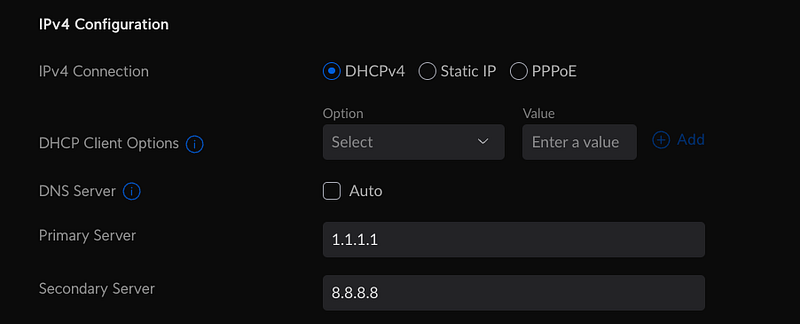
In my case, I decided to use “Auto” although I can just set with the available public DNS. ( https://adguard-dns.io/kb/general/dns-providers/ )
NOTE: I noticed that some users set AdGuard or Pi-Hole address here, but I don’t prefer the way.
Network Level DNS Name servers
When Local Clients ( computers, mobile phones, etc ) connect to Local Network, ( if DHCP is used ) the Client gets a IP from DHCP Server ( which is UDM SE ( Router ) in my case. When the Client gets a IP from DHCP Server, the DHCP Server also push a list of DNS name servers to the Client.
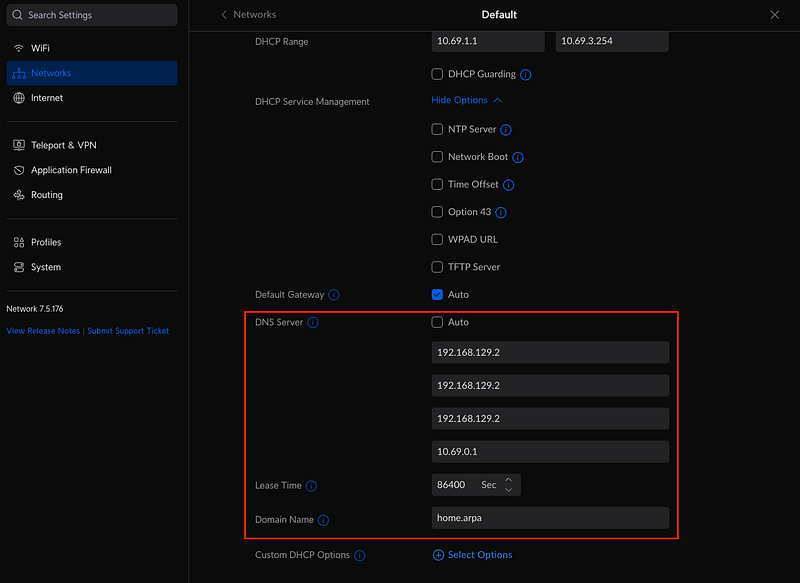
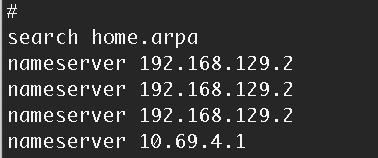
The list of DNS name servers that are pushed to the Client can be set on Network > [VLAN name] > DNS Server.
And also, the Domain Name that will be set in /etc/resolve.conf in the Client can be configured.
At most, four DNS name server can be set.
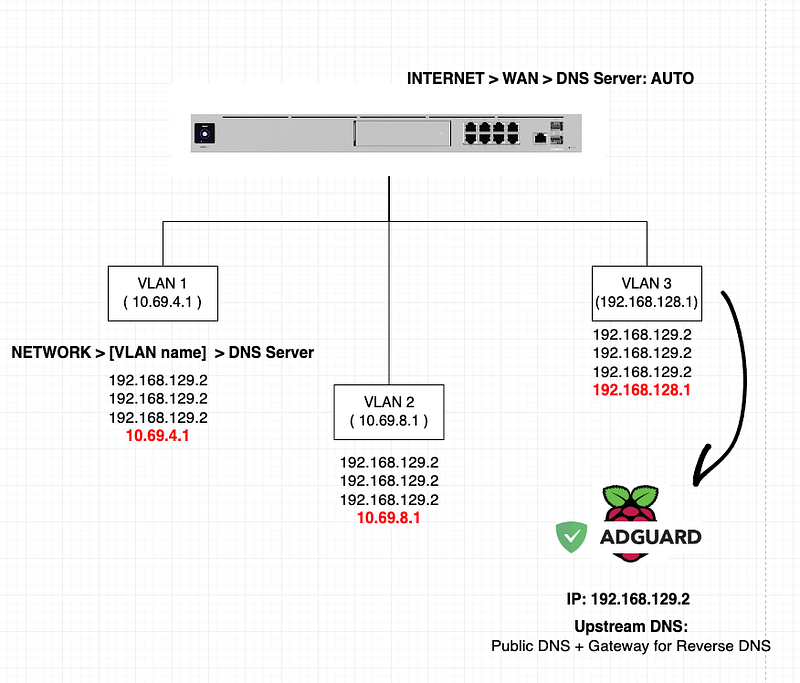
In my case, I set the first three with the AdGuard host IP. WHY??
I used to think that the DNS name servers in /etc/resolve.conf are used in the round robin manner, but it wasn’t.
If the first DNS name server failed, then the second one is used. If the second one failed, then the third one is used. Basically, the DNS name servers are tried in order. ( Please correct me if I misunderstand it. )
The last one ( 10.69.0.1 ) that I set is the Gateway of the VLAN. The VLAN’s Gateway answers DNS request. I decided to use this way rather than using Public DNS on the Network level to go through the DNS name servers that are pushed by ISP. ( trying to simplify it. )
The screenshot on the left has three VLANs. The DNS name server of each VLAN’s Network is configured with three AdGuard host IP and the Gateway IP of the VLAN. Actually, if DNS Server is Not set, then by default the Gateway is pushed to the Client as a DNS server.
NOTE: Some users set Public DNS ( AdGuard Host IP, two Public DNS )
Upstream DNS name servers in AdGuard
Based on the updated DNS name servers, the Client in the Network asks DNS request to the AdGuard. If AdGuard has any cached DNS, then the cached DNS returns to the Client.
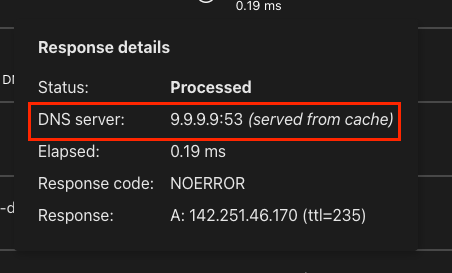
What if AdGuard doesn’t know the DNS? Then, what happens?
AdGuard will ask the DNS to the Upstream DNS name servers.
I saw that there are two preferred ways by AdGuard ( or Pi-Hole ) users.
- Set the upstream DNS with UDM SE IP
- Set the upstream DNS with Public DNS
The first one sounds weird, but using UDM SE IP as DNS server is the default behavior when UDM SE is initially set.
I decided to set Public DNS as upstream DNS. Why?
I wanted to utilize the “Parallel requests” feature. Once it’s enabled, a DNS request is sent to all upstream DNS and the first response is used. ( I guess that there might be more traffic from this. )

issue: Missing Client Name ( Host Name )
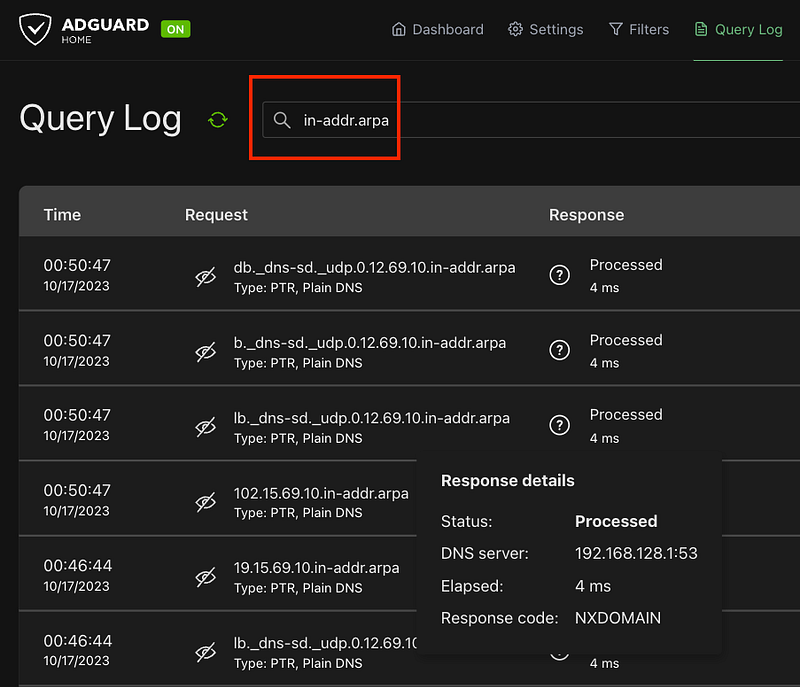
One day, I noticed that AdGuard didn’t show the Client’s Name ( Host Name ).
The issue was caused by the missing configuration for the reverse DNS ( PTR ).
The reverse DNS request has a specific format like `244.13.69.10.in-addr.arpa`. The IP is in the reversed order. The IP is 10.69.13.244.
What does the reverse DNS ( PTR ) do?
DNS request is to get the IP for a Domain Name. The reverse DNS ( PTR ) is for getting Domain Name for the IP.
UDM SE can handle the reverse DNS ( PTR ) request.
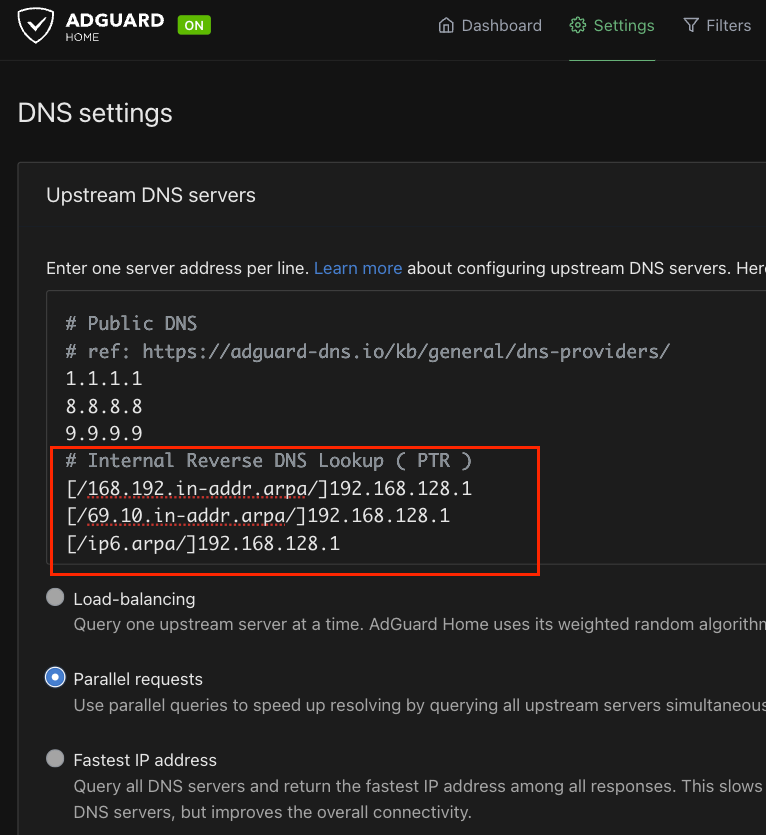
Upstream DNS to Handle Reverse DNS
I added three more upstream DNS.
- The first two is based on my internal IP range. ( 10.69.x.x and 192.168.x.x )
- The third one is for IPv6 ( actually, I don’t need this )
The “192.168.128.1” is the Gateway IP of the VLAN where the AdGuard is.
[/168.192.in-addr.arpa/]192.168.128.1
[/69.10.in-addr.arpa/]192.168.128.1
[/ip6.arpa/]192.168.128.1
Summary
Once everything is configured, by testing Ad-Blocking feature in AdGuard, the AdGuard can be tested.
EXTRA: DNS Setting Combination
ref: https://www.reddit.com/r/pihole/comments/152jmhd/unifi_and_pihole_upstream_dns_question/
- Set WAN + LAN DHCP DNS both to Pihole’s static IP (Rpi) and set Pihole’s upstream DNS to any Public DNS of my choosing
- Set WAN + LAN DHCP DNS both to Pihole’s static IP (Rpi) and set Pihole’s upstream DNS to Router’s (gateway) IP
- Set WAN to any public DNS of my choosing + LAN DHCP DNSto Pihole’s static IP (Rpi) and set Pihole’s upstream DNS to any public DNS of my choosing
- Set WAN to any public DNS of my choosing + LAN DHCP DNS to Pihole’s static IP (Rpi) and set Pihole’s upstream DNS to Router’s (gateway) IP


