
HomeLab: Adding Local DNS entry into AdGuard ( home.arpa ) and Pushing to Clients from UDM SE
Tried to use home.arpa, but its short domain name didn’t work well in MacOS.
Intro
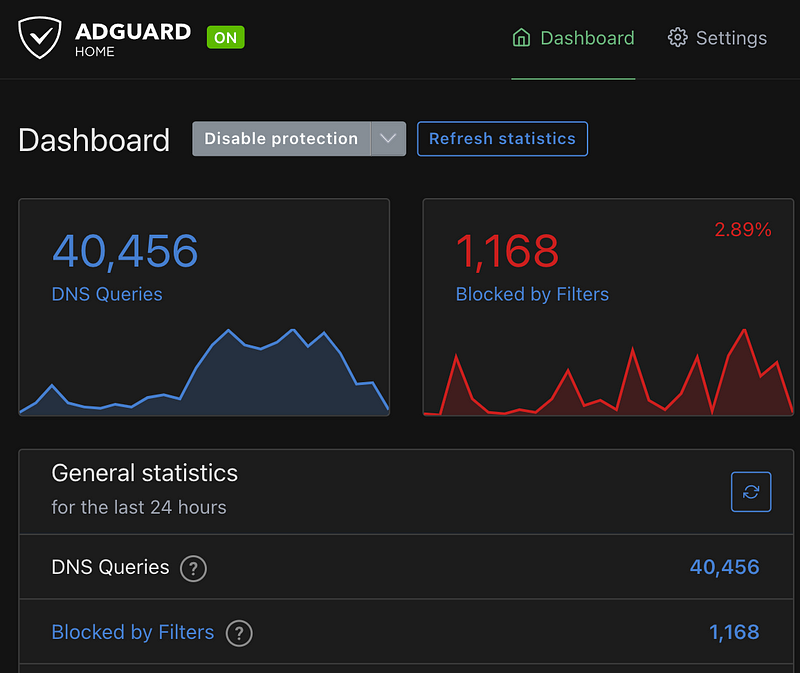
About two weeks ago, I setup AdGuard + Flatcar Container Linux on one of Raspberry Pi 4 I bought. It was planned to be used as a Local DNS in my HomeLab.
After the setup, I’ve researched about designing the Networks ( VLAN and Subnet ) and Firewall Rules in UDM SE. It’s because I wanted to know on which Network I should put the Local DNS.
Finally, I got some ideas in the VLAN ( Subnet ) desigin.
And, I am back to the Local DNS Project again.
Pushing DNS Servers to DHCP Clients from UDM SE
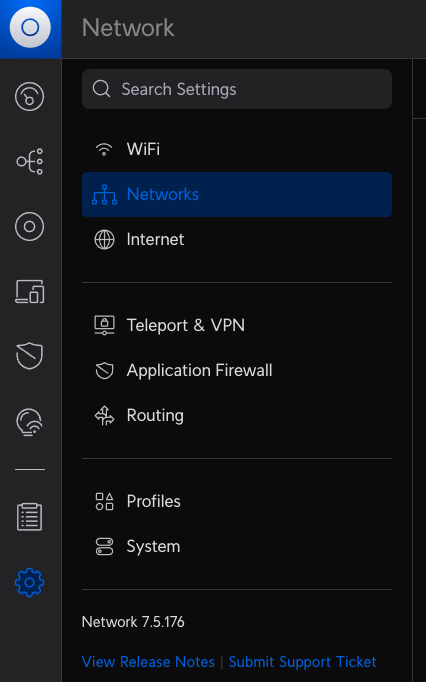
My current HomeLab uses UDM SE which runs UniFi application.
In the UniFi, the DNS Servers can be set on Network Level. Therefore, if necessary, the different set of DNS Servers can be pushed down to DHCP Client based on which Network the client is connected.
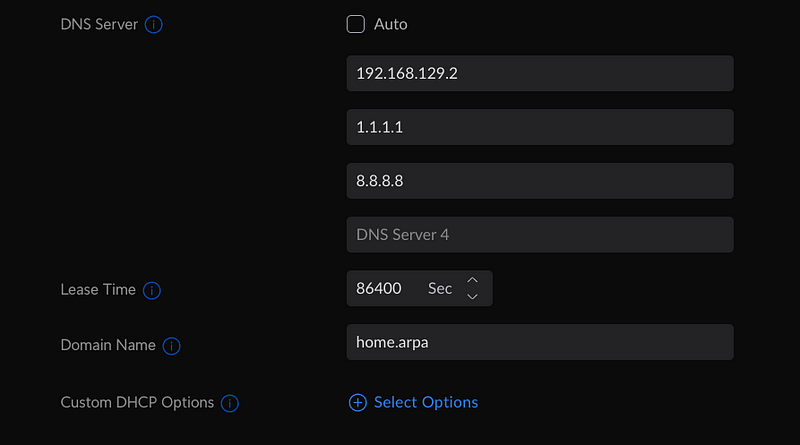
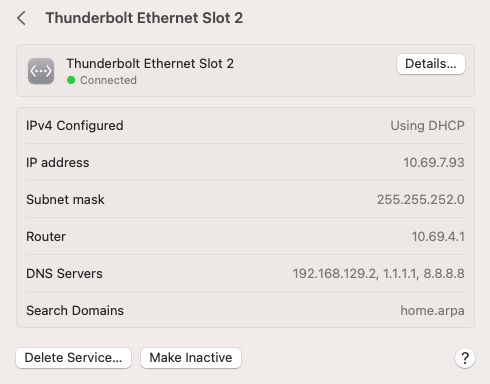
Here is how I set the DNS Servers in one of Networks. I assigned three DNS Servers in order.
- Local DNS ( It’s where AdGuard is running — 192.168.129.2 )
- Cloudflare DNS — 1.1.1.1
- Google DNS— 8.8.8.8
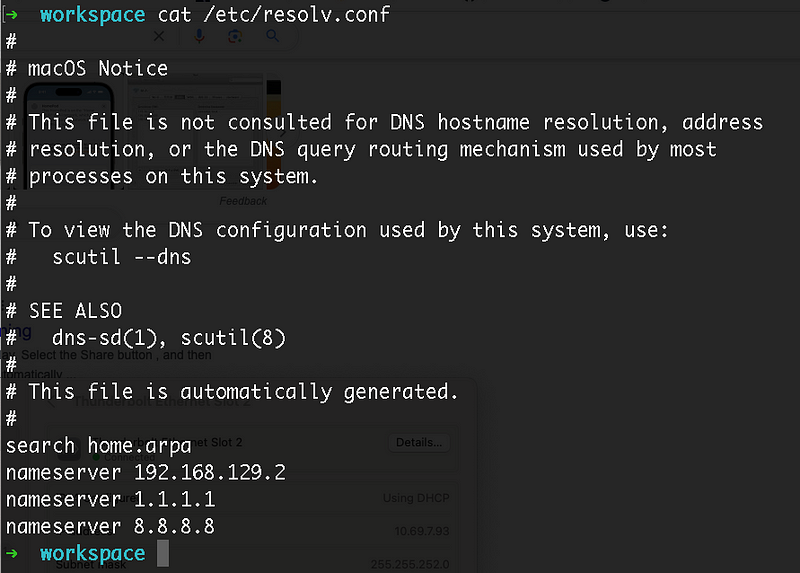
And also, I also set the Domain Name to “home.arpa” to set it as a “search” domain in /etc/resolve.conf
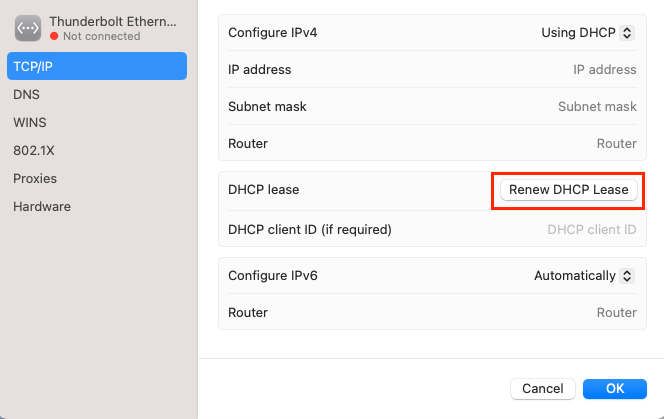
After I saved the change with DNS Servers, I went to one of the client computers using the Network and renewed DHCP Lease to get the updated information.
What is home.arpa?
It was also new to me. When I googled about the domain I should use in HomeLab, one of Reddit users left a link in the post.
Basically, for HomeLab, the domain name “home.arpa” is recommended.
So, I tried it.
Adding Local DNS entries into AdGuard
An ad blocker is a program designed to make the Web cleaner and safer and protect your privacy
Although AdGuard is known as a ad-blocker, it can also be used as DNS Server as well.
And also, AdGuard can be used to manage Local DNS entries as well.
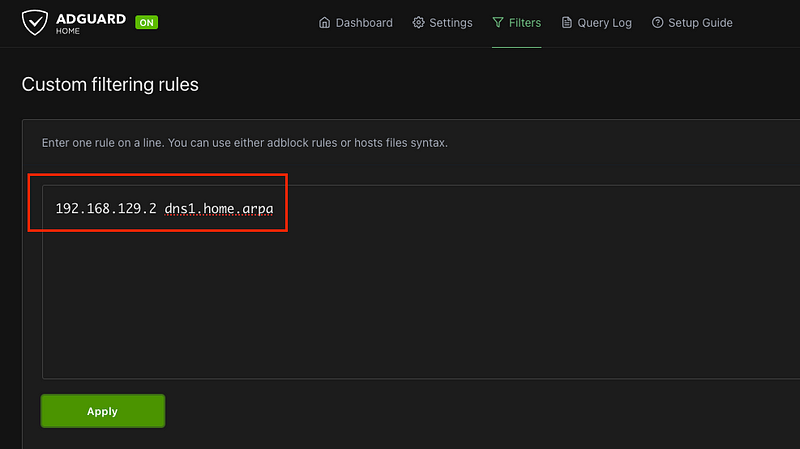
The first Local DNS entry I added was the AdGuard service. 😍
The Local DNS entries can be added through the “Filters” menu on AdGuard UI.
Test DNS Lookup from Client
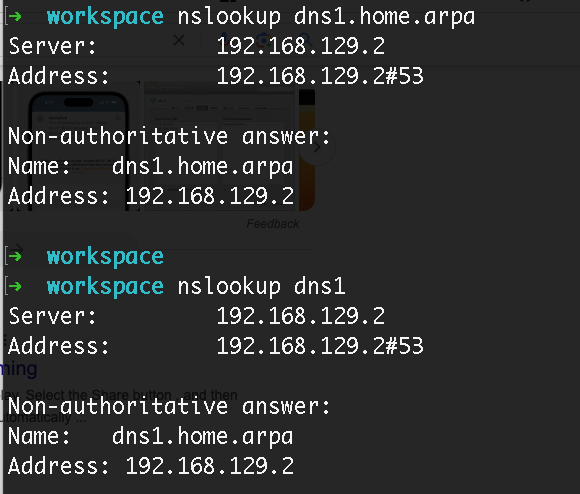
I tested the DNS Lookup with the Local DNS entry.
nslookup
It works for both the full domain name ( dns1.home.arpa ) and the short name ( dns1 ). The value of “search” in /etc/resolve.conf works.
dig / ping / ssh
This was little different from the result of nslookup . The full domain was resolved correctly. However, for the short domain name, it wasn’t resolved.
Even ping and ssh also didn’t work with the short domain name either.
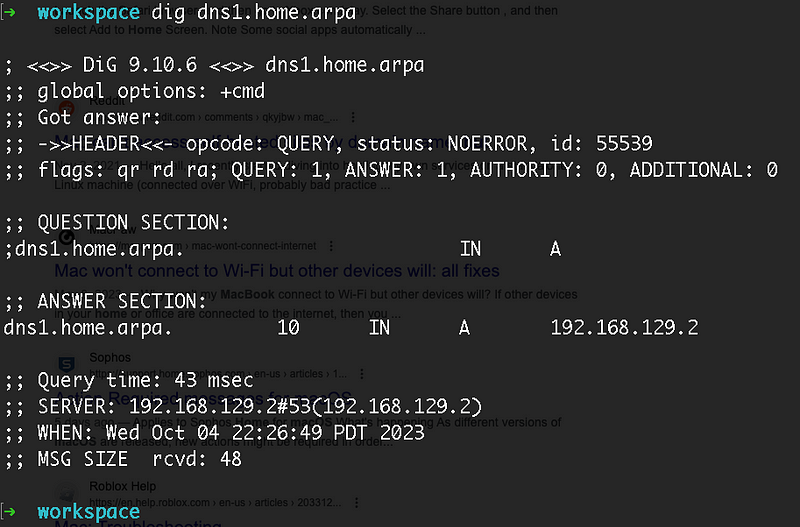
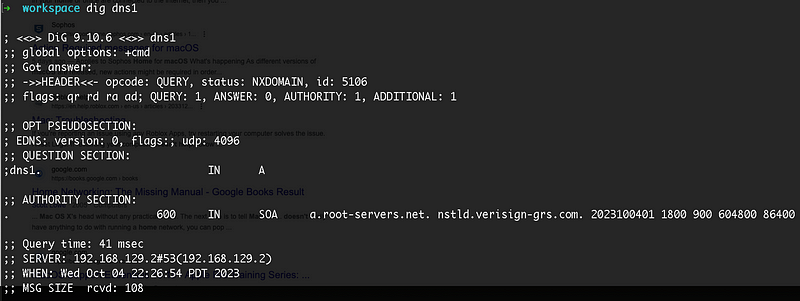
Why dig / ping / ssh doesn’t work with the short domain name?
Based on my research, there can be multile reasons why the short domain name is not resolved. ( especially in MacOS )
For my case, the home.arpa was the blocker. Somehow, it was not handled properly in MacOS.
So, I changed the domain name to other domain I have for testing. — wowbrothers.dev
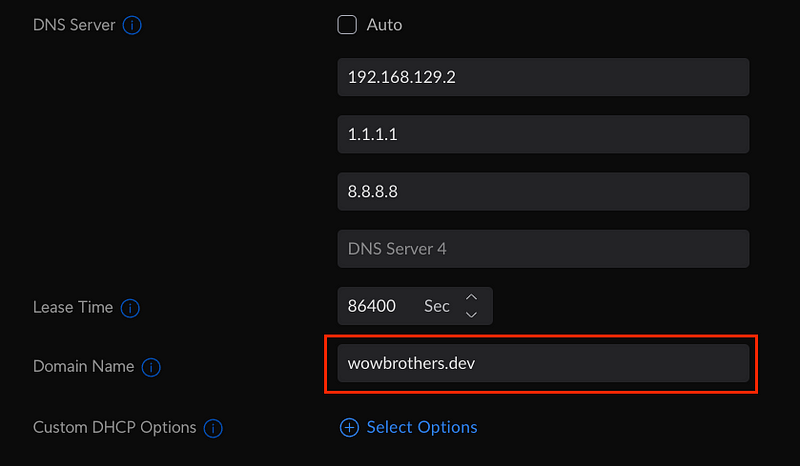
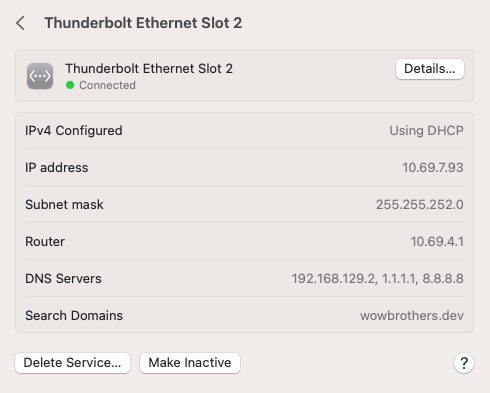
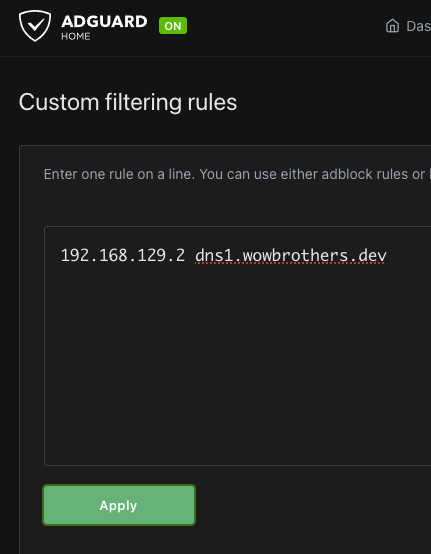
Test DNS Lookup from Client ( Again )
After switching the domain name to wowbrothers.dev, the ping / ssh worked with the short domain name as expected.
But, the dig still didn’t work. After some googling, I found that by default the dig command doesn’t use “search”. To use the “search” in /etc/resolve.conf , +search has to be used.
( hmm does it mean home.arpa might have worked if I used +search option? — Tested again with home.arpa. Yep it works. )
dig +search dns1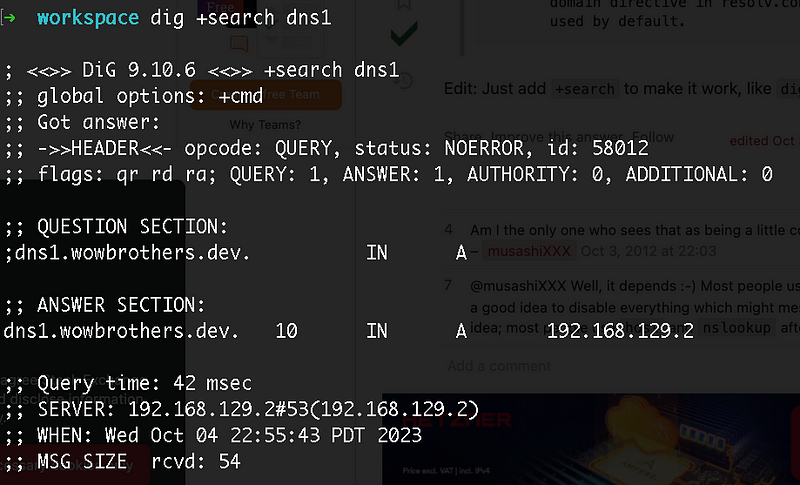
Maybe it’s not a good idea to use home.arpa for now
Although “home.arpa” is recommended as a domain name for HomeLab, maybe it is not ready to be used until other network commands support it.


