
HomeLab: AdGuard: Adding Local DNS Entries —DNS Rewrite vs. Customer Filtering Rules
How to add the local DNS entries? DNS Rewrite vs. Customer Filtering Rules?

Intro
I’ve been running AdGuard on Raspberry Pi 4 for a few weeks. And, it has been stable without any issues so far.
Add Local DNS Entries — custom filtering rules
The local DNS entries can be added into AdGuard. By doing so, the local home servers can be reached out with the human friendly domain names 😐 rather its IP ( e.g. 1.2.3.4 )
Since I was super new to AdGuard, I googled around to find how to add the Local DNS Entries into AdGuard. ( I don’t prefer to add entries into /etc/hosts )
The post I found showed that the Local DNS entries can be added through “custom filtering rules”. And, it was how I did.

And, it worked as I expected. The requested domain name was resolved with the configured IP.
In the AdGuard log, the Response showed that the DNS requests are blocked although it wasn’t blocked.


What does it mean by Blocked in AdGuard?
So, what does it mean by Blocked in AdGuard.
I already noticed that the DNS Lookup worked as I expected. ( getting the IP I set. )
In AdGuard, it can mean
- The requested DNS is responded with the IP that is configured in “Custom filtering rules”
- OR, The requested DNS is responded with the IP ( 0.0.0.0 ).
For example, here is a blocked domain by AdGuard. As you can see, in the Log, it’s marked as Blocked. And also, from the domain lookup, you can see that the resolved IP 0.0.0.0


What if it’s Unblocked?
I got curious what could happen if I unblock the blocked domain.
- First, I noticed that a new rule was added by AdGuard. The syntax ( @@|| … )means to unblock the given domain name. ( It overrides the existing block rule. )
- And, in the Log, it’s marked as Allowed.
- When it’s allowed, the requested DNS was tried to be resolved by the configured DNS servers. ( although it failed since it’s Local DNS entries )


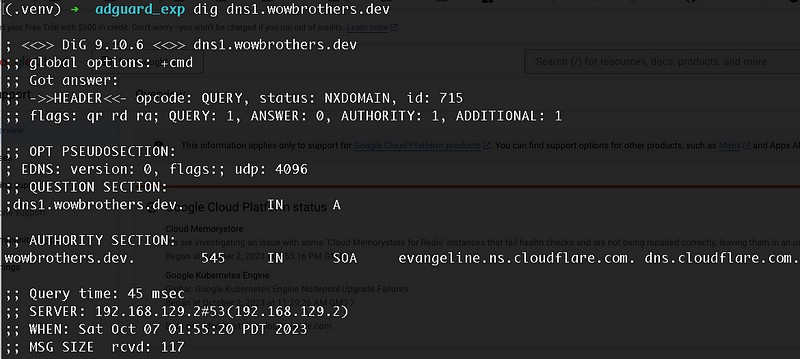
Add Local DNS Entries — DNS Rewrite
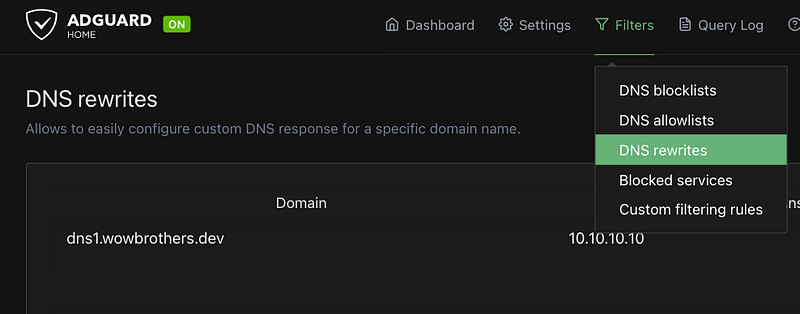
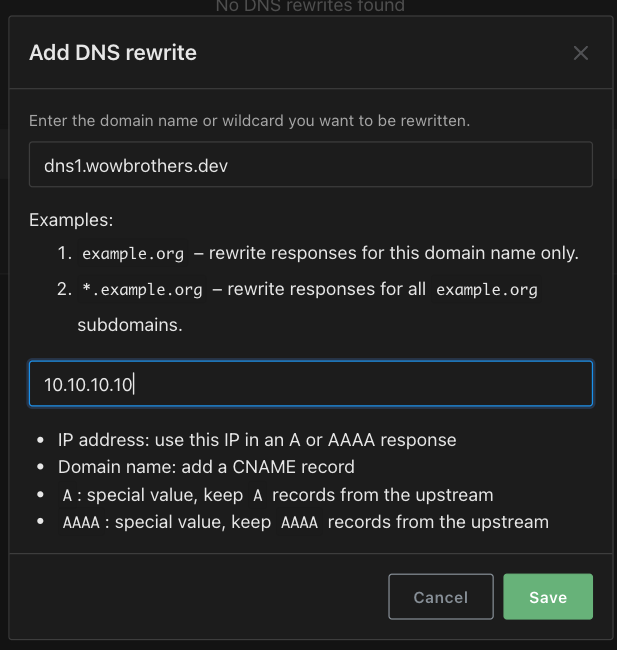
Recently, I found out that the Local DNS entries can be added and managed through “DNS Rewrite” as well in AdGuard.
Basically, in terms of resolving the local DNS entries, both “custom filtering rules” and “DNS Rewrite” worked.
I saw little positive things on “DNS Rewrite”
- wildcard can be used in the domain name like *.example.com. ( “customer filter rules” doesn’t handle that way — one domain name and one ip ). This can help if there is a reverse proxy that re-route the traffic for the *.example.com
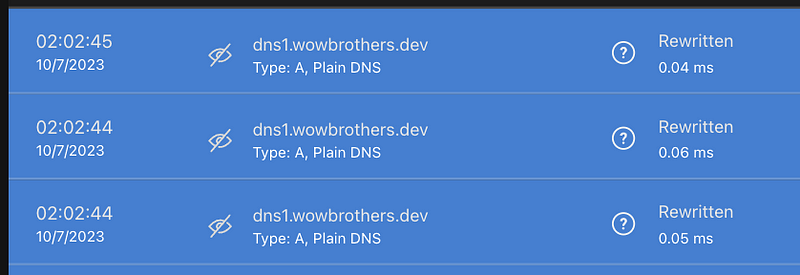
- The log is not marked as Rewritten instead Blocked. The “Blocked” in Log made me confused. Therefore, the blue color with Rewritten made more sense to me.
I can see little more advantages, but they are minor things for the Local DNS entries management perspective.

Summary
Both “DNS Rewrite” and “Custom filtering rules” will work for Local DNS entries.
If I have to pick one, I would go with the “DNS Rewrite” for now.
NEXT Posts
You might want to read other posts I wrote about AdGuard as well.
Or, if you’re interested in Raspberry Pi, you can try to setup AdGuard on Raspberry Pi and Flatcar Container Linux. It’s pretty light.


